


Svigent SVG Engine
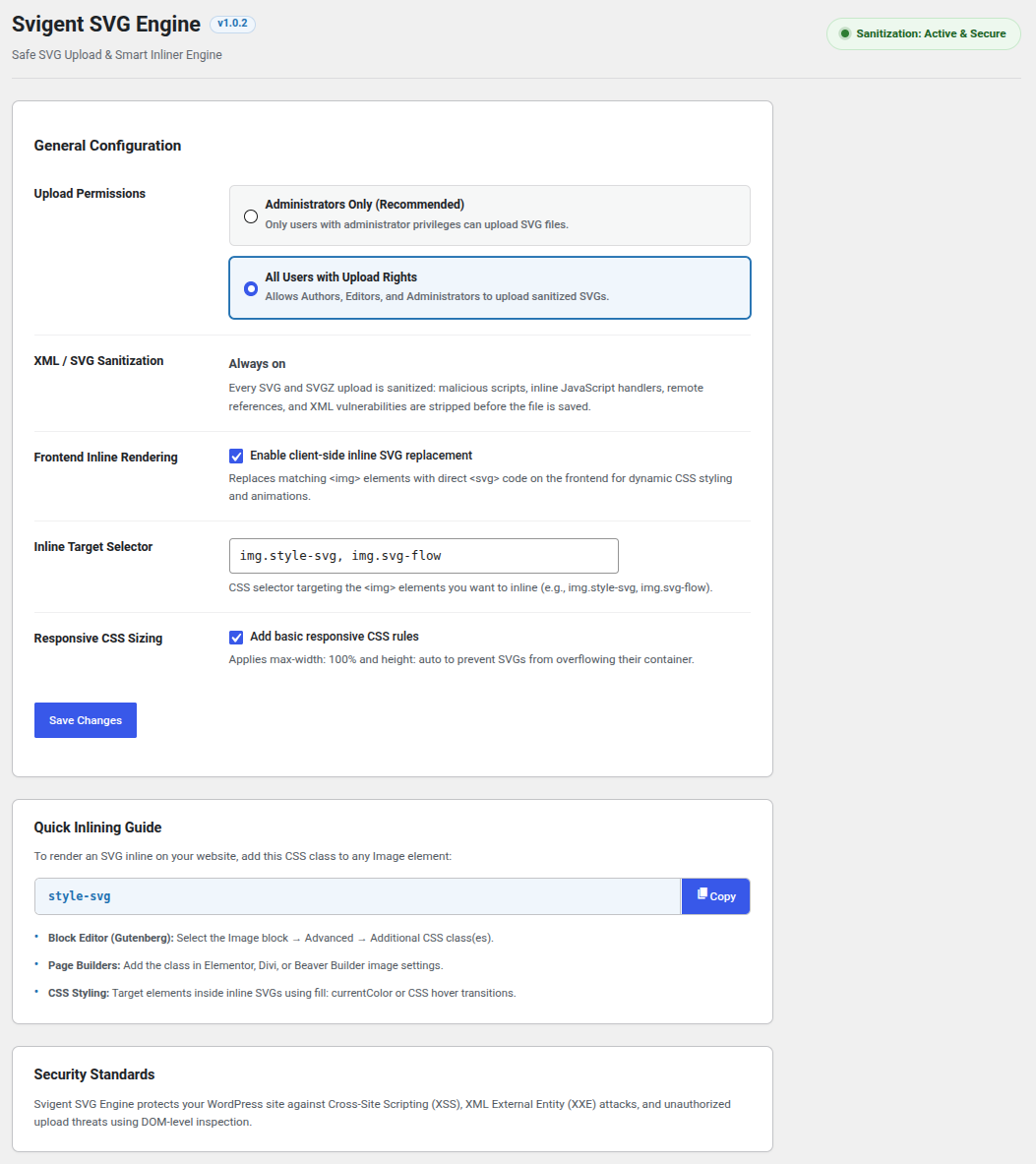
<strong>Svigent SVG Engine Settings Screen:</strong> Intuitive configuration with live security status badge and 1-click selector copy helper.
Svigent SVG Engine adds secure SVG support to WordPress. Upload SVG and SVGZ files to the Media Library, and every file is sanitized before it is saved. Then turn any SVG image into inline SVG so you can recolor and animate it with CSS.
WordPress blocks SVG uploads by default because an SVG file is XML and can hide JavaScript, which leads to Cross-Site Scripting (XSS) and XML External Entity (XXE) attacks. Svigent SVG Engine removes those risks on upload, so you can use sharp, lightweight vector logos, icons, and illustrations without opening a security hole.
Key Features
- Safe SVG uploads: Every SVG and SVGZ upload is cleaned by the trusted
enshrined/svg-sanitizelibrary. Scripts, event handlers, remote references, and dangerous XML entities are stripped before the file reaches your server. Sanitization is always on. - Inline SVG with one CSS class: Add
style-svgto an image and the plugin swaps the<img>for real<svg>markup, sofill: currentColor, hover effects, and CSS animations just work. - Inline SVG security: The inliner only loads SVGs from your own site and strips scripts and event handlers again before inserting them.
- Media Library previews: Fixes broken or blank SVG thumbnails in the Grid view, List view, and attachment details.
- Automatic SVG dimensions: Reads
viewBox,width, andheighton upload so SVG images keep the right aspect ratio in Gutenberg, page builders, and themes. - SVGZ support: Compressed SVGZ files are decompressed, sanitized, and recompressed, with protection against decompression (“zip bomb”) attacks.
- Upload permissions: Allow SVG uploads for Administrators only, or for every role that can upload files.
- Fast and lightweight: No jQuery and no external requests. Repeated icons are downloaded once, and new images added by AJAX, sliders, or the block editor are detected automatically.
- No raster thumbnails: Skips GD/Imagick thumbnail generation and redundant
srcsetfor SVG files to save disk space.
Works With
- Block Editor (Gutenberg) Image and Cover blocks
- Elementor, Beaver Builder, Divi, and other page builders
- Classic Editor and classic themes
- AJAX pagination, infinite scroll, and sliders
Switching From Another SVG Plugin?
Svigent SVG Engine uses the same style-svg class that many SVG plugins use for inline SVG, so existing images keep working. Deactivate your old SVG plugin, activate Svigent SVG Engine, and enable Frontend Inline Rendering in Settings Svigent SVG Engine.
Privacy
Svigent SVG Engine does not track users, collect data, or connect to any external service.
For Developers
svg_flow_allowed_tagsandsvg_flow_allowed_attributes: adjust the tags and attributes kept during sanitization.svg_flow_user_can_upload: decide who can upload SVG files.svg_flow_inline_allowed_urls: allow the inliner to load SVGs from a CDN.svg_flow_max_inflated_size: change the maximum decompressed size for SVGZ uploads.svgflow:inlined: a JavaScript event fired on each SVG after it is inlined.