


Stubli
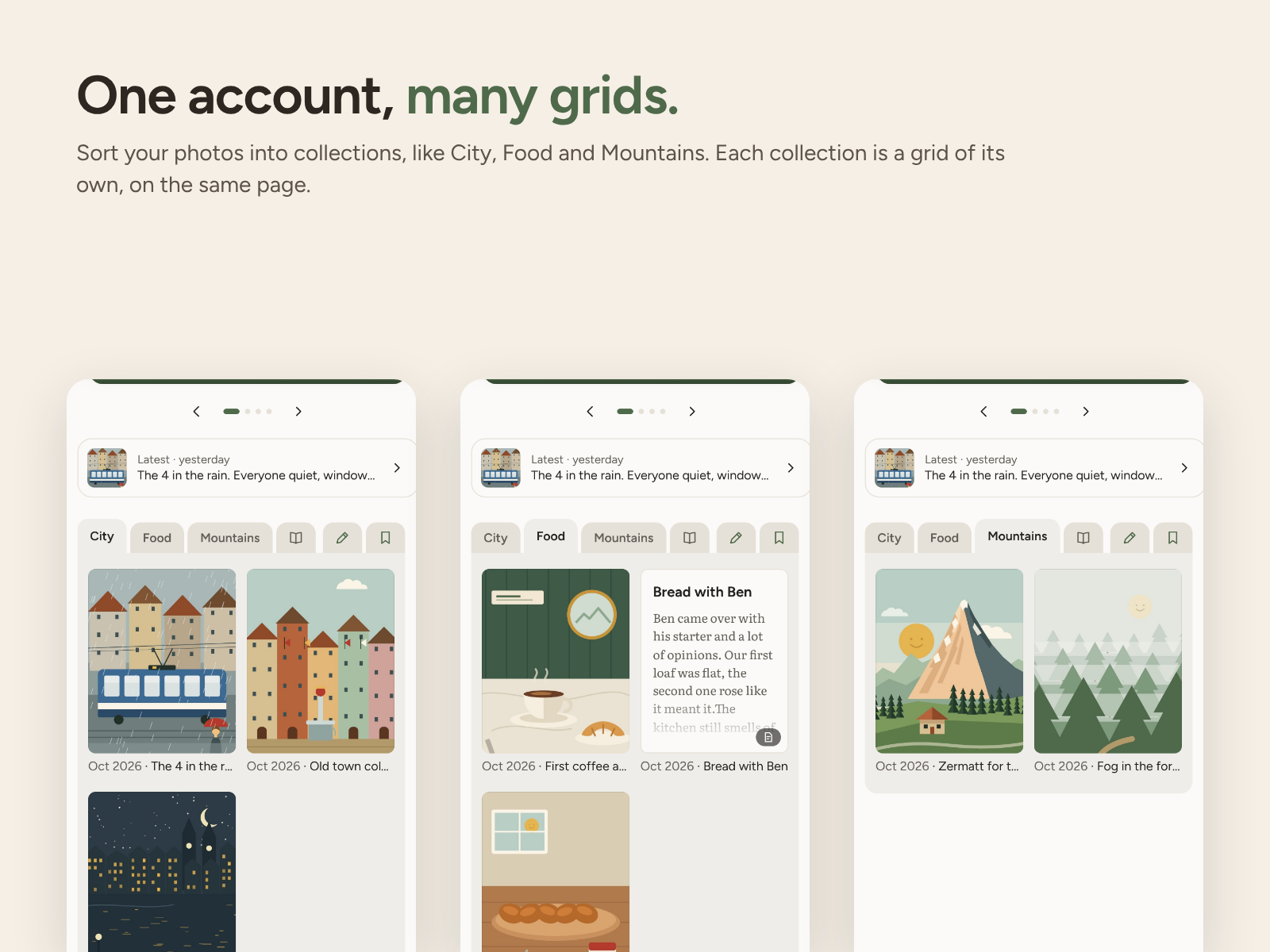
One account, many grids. Sort your photos into collections; each one is a grid of its own.
Stubli is in beta. Anyone is welcome to try it. The feedback button in the app goes straight to the people who make Stubli.
Stubli turns your WordPress site into a calm, familiar place for your photos and the people you like. If you know Instagram, you know where to tap. But everything lives on your own site, and Stubli sites talk to each other directly with RSS and Webmention.
On your site
- Photo posts and carousels of up to 20 photos or videos (videos up to a minute), with optional descriptions.
- Collections as folder tabs, captions with clickable links, and content notes that keep a photo softly blurred until someone chooses to see it.
- A journal (for everyone, or only you) and a guest book that people sign from their own Stubli.
- Your colour and reading mode (Automatic, Light, Paper, Dark). The look works with any theme.
The Stubli app at yoursite/app
- Add it to your phone’s home screen. Post, read and reply from there.
- Home: new photos from the people you follow, newest first. It ends with “That’s everything for now”.
- Discover: sites that the people you follow share publicly. No ranking, no algorithm.
- What’s new: comments and guest book entries waiting for your OK, and notes from visitors.
- A daily summary at a time you choose, only when something is new, as a phone notification or by email. Never one per post.
- Edit or delete your posts, bring your photos and videos from Instagram, and invite friends with links that make you follow each other.
- Yours to keep: download everything as one zip that opens offline, or move your whole Stubli to another WordPress site. The people who follow you come along.
Kind by design
- Friends only: tick friends among the people you follow and share some posts just with them. They’re never on your public page.
- Comments, not likes, and no counts anywhere.
- Location details are removed from photos and videos before they’re shared.
- Comments from people you follow, and the people they follow, show straight away. Everyone else waits for your OK. Blocking is quiet: they are never told.
- Take a break: pause comments and the guest book without deleting anything.
- At the end of the setup you choose whether to stay out of search engines and to ask AI crawlers to stay away (both suggested). You can change both later.
- No “Powered by” link: a small “Made with Stubli” link in your footer appears only if you turn it on.
Third-party code
The Library’s barcode reader (assets/app/isbn-scan.min.js) is built from parts of zxing-js/library (https://github.com/zxing-js/library), Apache License 2.0; the licence is in assets/app/isbn-scan-LICENSE.txt and the entry point in assets/app/isbn-scan-source.ts.txt.
External services
Stubli connects to other websites only for the features below. Nothing is sent anywhere just because someone visits your site.
- Sites you follow, comment on or invite. Your site fetches their public feed and profile (address, name, photos) and sends comments by Webmention. These are other people’s Stubli sites, chosen by you.
- stubli.app feedback (only when you press Send). The app’s feedback form sends your note, your device type (for example “iPhone, Safari”) and your Stubli version, and, if you ticked them, your site address and a screenshot, to stubli.app, the project’s own site, so the people who make Stubli can read it. Privacy: https://stubli.app/privacy/
- stubli.app host check (only when you press Check). The host check asks stubli.app to try reaching your site, to tell you whether other sites can reach it. stubli.app receives your site’s address. If you press “Check and send the result to the Stubli team”, the results, your site’s address, your Stubli and PHP versions and the host name you typed are sent as a host report. Privacy: https://stubli.app/privacy/
- Videos you embed in a journal entry. If you paste a YouTube or Vimeo link into a journal entry, visitors who open that entry load the video from YouTube (youtube-nocookie.com) or Vimeo. Nothing loads from them otherwise. YouTube: https://policies.google.com/privacy, Vimeo: https://vimeo.com/privacy
- WordPress.org (once, when you finish the setup). Stubli asks WordPress.org for the Webmention plugin and installs it, the same way Plugins Add New does. You can also add it yourself.
- Friends (only when you tick someone as a friend). Your site gives that person’s Stubli site a private key, and their site checks it back with yours. With the key, their reader can show your friends-only posts, and their app can show the things in your Library you keep for friends only. Untick them and the key stops working.
- Notes (only when you send one, or someone leaves one). A note you write goes from your site to the other person’s Stubli site, which fetches it back from yours to check it really came from you; it gets your site’s address, name and photo with it. Visitors without a Stubli can leave you a note with their name and a way to reach them; it’s stored only on your site, seen only by you, and deleted after 90 days. Suggested privacy-policy text is added under Settings Privacy.
- Asking to borrow (only when you ask, or answer). When you tap Ask to borrow, your site tells the lender’s Stubli site that a request is waiting, and their site fetches it from yours: which thing, your note, your name, site address and profile photo. Their answers (yes with their hand-over line, not now, it’s back) travel back the same way. Nothing goes anywhere else.
- Libraries of people you follow (only when you open one). When you tap Library next to someone under People, your site asks their Stubli site for its Library (with their friend key, if they gave you one). Their site sees your site’s address.
- Moving your Stubli (only when you paste a move link). Your new site downloads your posts, photos, videos, journal, guest book, people and settings from your old site, using the move link you made there. The link works for 7 days and only for that.
- Open Library (only when you add a book to your Library by its barcode or ISBN, or tap Pick a cover from Open Library). Your site asks Open Library (openlibrary.org, run by the Internet Archive) for the book’s title, author, year and cover, sending only the book’s ISBN, or, to pick a cover, the title and author you typed. While you choose, your own browser shows the covers straight from covers.openlibrary.org. Your site keeps a copy of the cover you pick in your media, so visitors load it from your site, never from Open Library. Privacy: https://archive.org/about/terms.php
- Phone notifications (only if you turn them on). The daily summary is sent through your phone browser’s own push service (for example Apple, Google or Mozilla), encrypted end to end so the service can’t read it.
Source code
Everything in this plugin is the readable source: the PHP, the app (assets/app/app.js and app.css) and the look (look/assets) are written by hand and shipped as they are. Nothing is compiled, bundled or minified, and there is no build step. The public repository, with the full history, is https://github.com/celestinetan/stubli-plugin
Developer notes
- Internal prefix stubli_, PHP namespace Stubli, REST namespace stubli/v1. Sites that ran Stubli before 0.17 also answer at the older og/v1 so friends’ sites that haven’t updated can still reach them; calls to other sites try stubli/v1 first.
- Content is standard WordPress posts: image, gallery and status post formats; collections are categories; the guest book is a page. A video is attached to its cover photo (meta _stubli_video), so everything that expects photos keeps working.
- Feeds add Media RSS for each photo, plus stubli:contentNote and stubli:video in the urn:stubli:1 namespace.
- Tables: {prefix}stubli_follows and {prefix}stubli_items.