


Stocktake – Physical Inventory Count, Cycle Count & Inventory Audit for WooCommerce
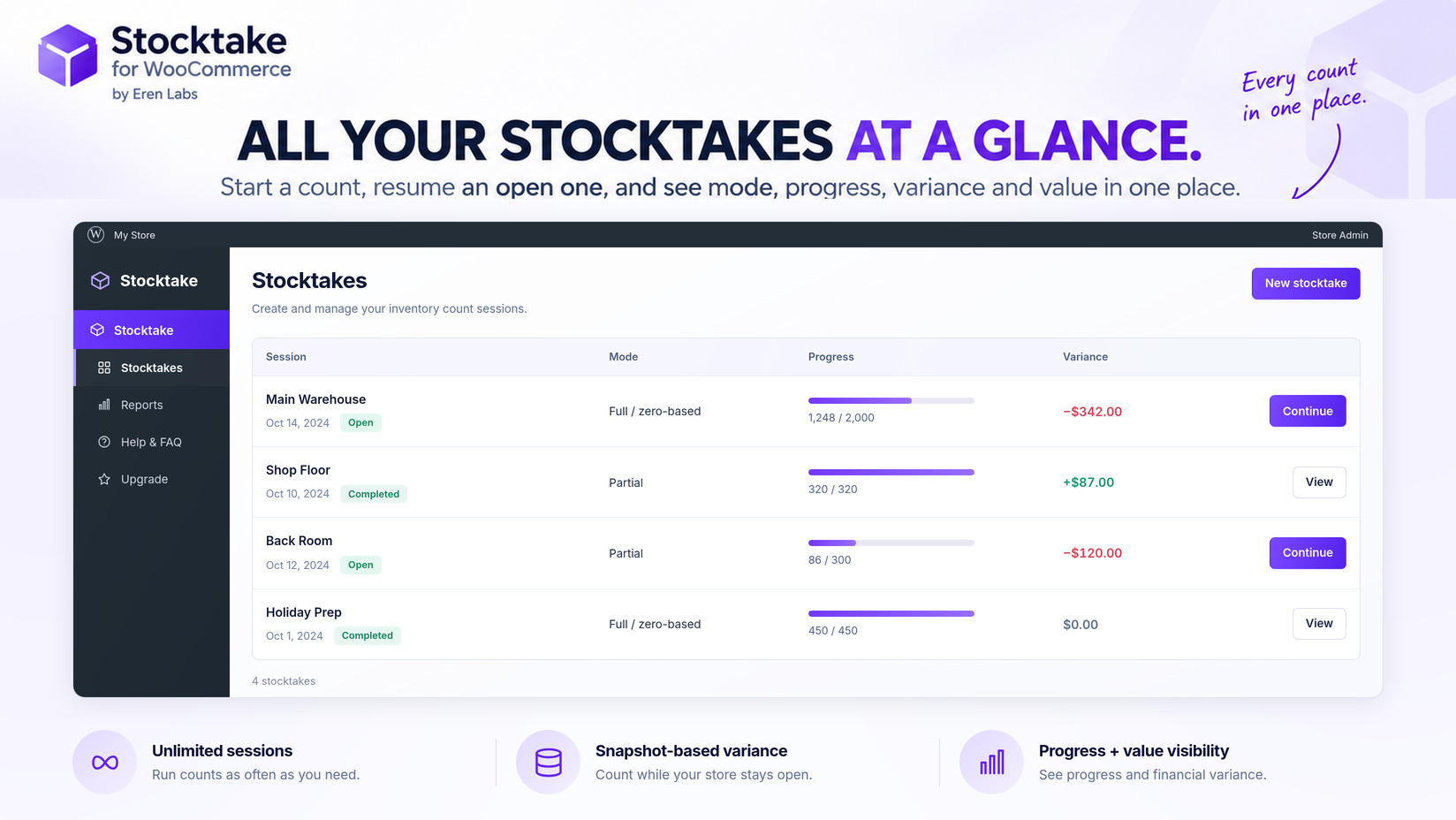
All your stocktakes at a glance — each count's mode, status, progress and variance value, with Continue to pick up an open count.
Stocktake for WooCommerce is stocktake software that lives inside the store you already run. It takes a physical inventory count, a routine cycle count or a full inventory audit, measures it against the stock numbers WooCommerce already holds, shows you exactly where the two disagree — in units and in money — and writes the correction back in one click.
It is not a stock management system and does not try to replace one. WooCommerce already has a stock field and everyone uses it. The gap is what happens when the shelf and that field stop agreeing, which they always do. This plugin closes that gap and leaves a record of how it was closed.
Count without closing the shop
The core is snapshot-based variance. The moment a session starts, Stocktake records the expected quantity of every product in scope. From then on the count is measured against that snapshot rather than against a moving number — so a stock count can run during trading hours while orders keep arriving, and the sales that happen mid-count do not corrupt the result.
Scope a session to the whole catalogue or to selected categories. Stop halfway through the afternoon and pick it up the next morning; an unfinished count stays exactly where you left it.
Scan with a barcode gun, or with the phone in your pocket
Barcode inventory counting works with any plain USB or Bluetooth scanner — the kind that simply types. Scan and the item is counted on the spot; the cursor never leaves the scan box, so you move from one item to the next without touching the keyboard. Scan the same product twice and it adds on top (5 + 1 = 6, shown as it happens). Anything that needs correcting is corrected on the editable list of what you just scanned.
No scanner? The count screen opens in a phone or tablet browser with phone-camera barcode scanning (Beta). There is no stocktake app to install on each counter’s device — you send them a link. Products can also be found by SKU or by name when a barcode will not read.
A full physical count, cycle counts and spot checks
Count the way the job actually needs:
- Full or zero-based count — the year-end, count-everything exercise your accountant asks for.
- Cycle count — a rolling count of part of the catalogue, so high-value lines get checked often and the rest get checked eventually. Nobody counts everything every month; this is how counting programmes survive contact with a real week.
- Partial spot count — one aisle, one supplier, one category, because something looks wrong.
- Blind count — the expected quantity is hidden, so the person counting records what is on the shelf instead of confirming what the screen already told them.
Variance you can read, and inventory reconciliation in one click
As counted quantities arrive, the difference against expected stock appears product by product: what the system believed, what was found, the unit gap, and — when WooCommerce Cost of Goods data is set — what that gap is worth in real money. A count that ends “we are forty units short” is an observation. A count that ends “forty units short, and here is what they cost” is a decision.
When the numbers are right, one click applies them. Every apply takes an automatic backup first, so a single undo restores the previous levels if something was posted in error. Export the count sheet to CSV at any point for your own records.
A stock audit that leaves a trail
Editing stock quantities by hand leaves nothing behind. A count run here does: every apply writes a restore point before it changes anything, so the inventory adjustment stays reversible rather than final. Pro keeps the full stock audit trail of applied counts, so you can look back at what changed, when, and by how much.
Who this is for
Shop floor and stockroom teams who count physical stock. Warehouse staff who need a count that survives a busy day. Bookkeepers and accountants who need a year-end number they can defend. And store owners who have been fixing stock quantities one product at a time and would like that afternoon back.
Free
- Unlimited stocktake sessions, for counts of any size
- Snapshot-based variance — count while the store stays open
- Full, zero-based, partial spot and cycle counts
- Scan to count by barcode, SKU or product name; phone-camera scanning (Beta)
- Blind count mode; pause and resume an unfinished count
- One-click inventory reconciliation, with an automatic backup and undo
- Variance in units and in money when Cost of Goods data is set
- CSV export; reorder and low-stock shortlist; negative-stock warning
- Works with product variations
Pro
Stocktake Pro adds quick stock check, tally and goods-in counting modes, a full stock audit trail of restore points, inventory valuation at retail and at cost with a per-category breakdown, ABC insights with a shrinkage trend, multiple counters with attribution, recount and approval, scheduled count reminders, printable count sheets, PDF reports, Excel export and priority support.
A store-wide count tells you the shop is short. It does not tell you where — and “where” is the only part you can act on. The Pro inventory audit breaks the variance down by category, so the department losing stock stops hiding inside the store total:
Full feature comparison and pricing · Read the full documentation — scanning, blind counts, counting modes, variance review, restore points and the Pro reports.
External services
This plugin can connect to Freemius (freemius.com) to power the optional Pro upgrade: licence activation, automatic updates for the paid version, and the checkout/upgrade screens. Nothing is sent unless you opt in. If you click “Allow & Continue” during the optional opt-in, non-sensitive environment data (site URL, WordPress and PHP versions, active theme/plugins and your admin email) is sent to Freemius to enable licensing and updates; if you skip it, no data is transmitted. Freemius is only contacted for these upgrade/licensing actions.
- Freemius Terms of Use: https://freemius.com/terms/
- Freemius Privacy Policy: https://freemius.com/privacy/