

Squeeze – Browser-Based Image Compression & WebP Converter (No API, No Limits)

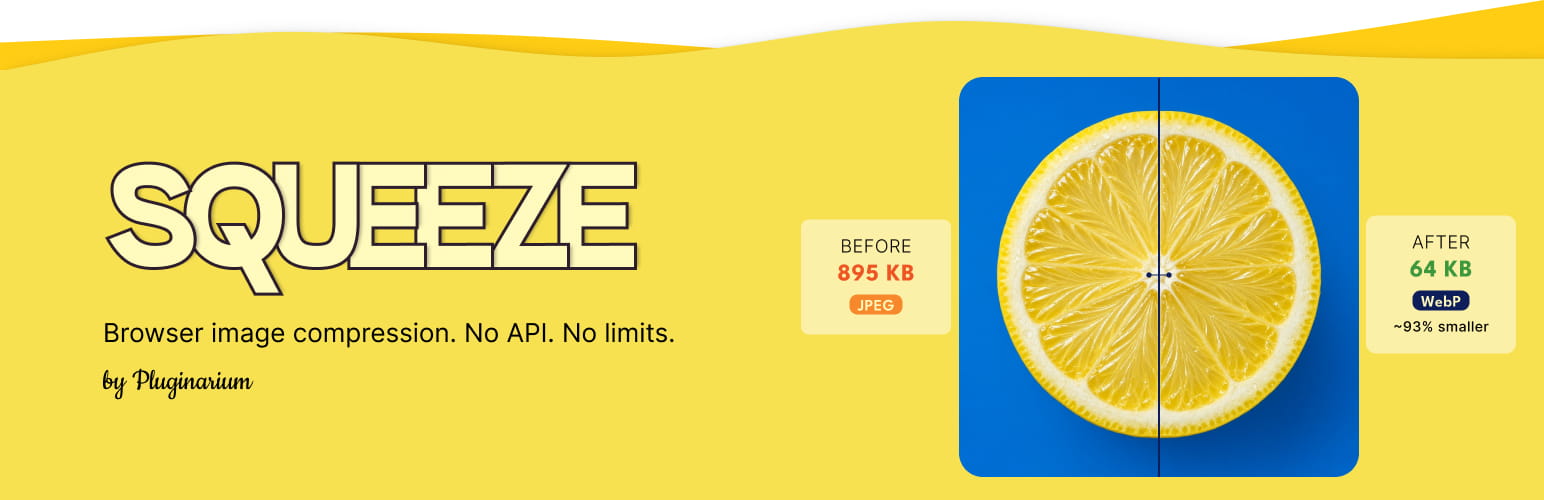
Compressed image with Squeeze Plugin
Image compression that runs in your browser: works on any hosting, better quality, no external servers, and compresses before upload.
Squeeze uses browser-side codecs (the same family as Squoosh.app)—not Imagick on your server and not a remote API. That means it works on weak shared hosting, your images never leave for third-party optimization servers (privacy- and GDPR-friendly), and files can be squeezed before they hit the Media Library. Convert to WebP, bulk-optimize existing images, and tune per-format quality—with no API keys and no monthly quotas.
Why Squeeze:
🖥️ Works on any hosting — compression runs in the browser, so you do not need Imagick, binaries, or a powerful server.
🔒 No external servers — image bytes stay on your site; nothing is uploaded to a cloud optimizer.
⬆️ Compress before upload — shrink images in Gutenberg, GenerateBlocks, Instant Images imports, and the Voxel theme before (or right after) files hit the Media Library (Elementor on-upload squeeze is available in Premium).
📝 Form uploads — compress visitor photos in Contact Form 7 file fields before submit (Gravity Forms single- and multi-file fields in Premium).
⚡ Direct WebP conversion — convert JPG/PNG to WebP and replace the original file on disk (no duplicate copies cluttering storage).
♾️ No compression quotas — squeeze your entire Media Library; the plugin does not impose a monthly image cap.
🛡️ Safer huge uploads — soft megapixel limits reduce browser OOM; very large uploads skip after-upload thumbnail re-squeeze and stay marked as client-compressed.
The result: smaller files, faster page loads, and lower hosting storage—without SaaS fees or API keys.
Squeeze official website | Plugin documentation
🌟 New since 1.8
- Optional anonymous usage telemetry (off by default): opt in under Settings Squeeze to share feature events such as a
settings_savedsnapshot on Save, bulk/single squeeze, and upgrade clicks — never image bytes or filenames. See the Privacy section. - Resize originals (max width/height) is free for everyone — cap huge phone photos before squeeze and clean up oversized thumbnails after resize.
- Settings presets: one-click recipes on Basic settings (WebP storage, Blog, Max quality).
- HEIC/HEIF on upload: convert iPhone photos in the browser before they hit the Media Library (JPEG normally, or WebP with Direct WebP).
- Environment hints on Settings when Elementor, Gravity Forms, or WP Offload Media / CDN mapping is relevant.
- Squeeze form uploads: compress images in the visitor’s browser on front-end forms — Contact Form 7 (free) and Gravity Forms single- / multi-file fields (Premium).
- Safer huge uploads: soft megapixel limits, skip after-upload thumbnail re-squeeze on oversized files, optional full-size WebP sidecar, and clearer client-compressed markers so precompressed uploads are recognized on attach.
- Bulk savings: site total on Media Squeeze Bulk Tools (tracked since 1.8.0) and a completion summary after each run.
✨ Key Features
- Faster pages: Smaller images improve load time, Core Web Vitals, and mobile bandwidth use.
- WebP conversion & serving: Convert to WebP and serve efficiently—choose Direct WebP, HTML URL rewrite, or .htaccess delivery for supported browsers.
- Client-side squeezing: Compress in the browser; nothing is uploaded to external optimization servers.
- Upload optimization: Compress on the fly during upload so optimized files land in your Media Library.
- Gutenberg & GenerateBlocks: Squeeze images as you add them in the block editor.
- Contact Form 7: Compress visitor photos in CF7 file fields before submit (enable Squeeze form uploads).
- Voxel theme: Compress before upload on Voxel create-post and file/gallery fields.
- Bulk compression: Compress hundreds of Media Library images in one run (pause/resume supported).
- Custom directory squeeze: Pick any folder under your site root and optimize all images inside it.
- Exclusions: Skip images by URL or filename pattern (one per line).
- Fine-tuned quality: Per-format tabs for JPEG, PNG, WebP, and AVIF (MozJPEG and more).
- Resize originals to max width/height before squeeze (reduces
-scaledduplicates). - Settings presets: one-click recipes (WebP storage, Blog, Max quality).
- HEIC/HEIF on upload: convert iPhone photos in the browser before they hit the Media Library.
- Backup option: Keep a
.bakcopy to restore the original after squeezing. - Formats: JPEG, PNG, WebP, AVIF, and optional HEIC/HEIF (converted on upload).
⚜️ Premium Features
- Image comparison in the Media Library (before/after sizes).
- Bulk squeeze from a page — all images used on one post or page.
- Elementor integration — squeeze on upload while editing in Elementor.
- Gravity Forms uploads — compress visitor photos on single- and multi-file fields before they hit your server.
- CDN URL — map CDN image URLs to local files for all WebP delivery modes.
- Priority support & updates
How does Squeeze work?
Open the Media Library, run Bulk Squeeze, or upload a new image — Squeeze runs Google Chrome team–backed codecs (the same family as Squoosh.app) inside your browser via Web Workers. No account, no API key, no off-site upload queue.
Privacy
Image compression runs in your browser; Squeeze does not upload your images to a third-party optimizer.
Optional anonymous usage telemetry is off by default. If you opt in (Settings Squeeze, or the one-time notice on Squeeze admin screens only), Squeeze may send named feature events—for example settings_saved (a snapshot of options such as WebP mode, form uploads, backup, and selected formats when you save), bulk/single squeeze start or finish, upload squeeze, and upgrade UI clicks. Events go to a first-party endpoint (telemetry.pluginarium.com) and are processed with PostHog EU Cloud. They include plugin version, free/premium edition, and an anonymized site id—not image bytes, filenames, attachment IDs, or media URLs. Individual setting toggles are not sent until you save. Opting out never blocks features; you can change your choice anytime under Settings Squeeze.