


Spotlight Social Photo Feed
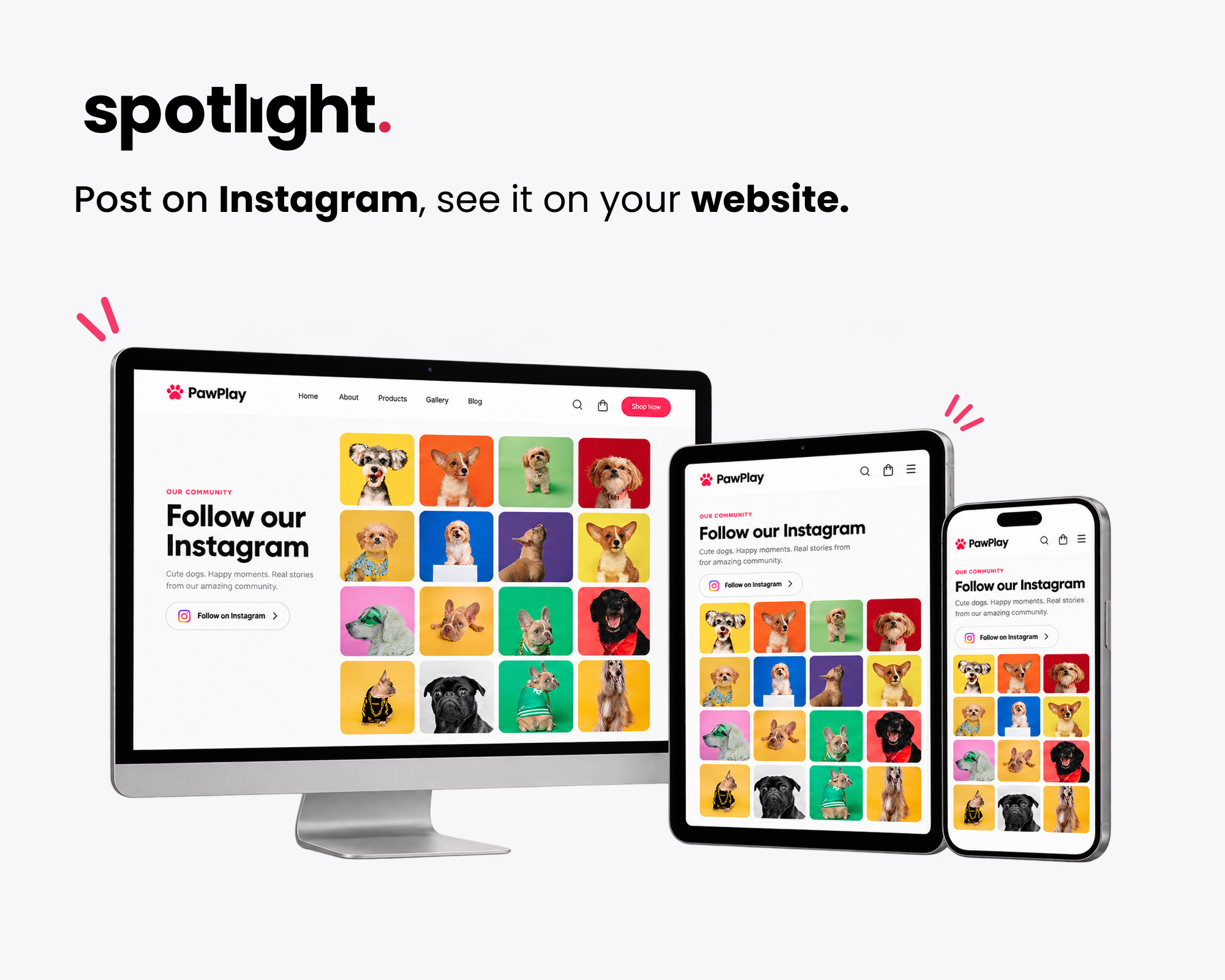
Display your Instagram feed on your WordPress website, updated automatically every time you post.
Instagram Feed Plugin for WordPress
Spotlight embeds your Instagram feed anywhere on your WordPress site. Pick a layout, connect your Instagram account, and customize the design in a live preview, and your site will update itself every time you post to Instagram.
It’s used on 60,000+ websites and holds a 4.7-star rating from more than 170 reviews.
See All Template Designs | Get Spotlight Instagram Feeds PRO | Take the Interactive Tour
New: The unique Polaroid Sticker and Thumbnail Gallery templates are now available in Spotlight Essentials. See them on the demo page.
Free Features
The free version gives you everything you need to run a good-looking Instagram feed, and every feed picks up your theme’s fonts so it fits in with the rest of your site.
- Connect unlimited Instagram accounts and create unlimited Instagram feeds
- Combine posts from several Instagram accounts in a single feed
- Show photos, videos, reels, and carousel (gallery) posts in your feed
- Start from a pre-designed template or build your own design
- 20+ design options, including columns, number of posts and image ratio
- Customize each feed per device for desktop, tablet and phone
- Order posts by date, popularity or at random
- A popup lightbox that shows photos at full size without sending visitors to Instagram
- A feed header with your profile photo and bio
- “Follow” and “Load more” buttons you can restyle and translate
- Embed singular Instagram posts with Instagram oEmbed support
- Add Instagram feeds using a block, shortcode, or widget
Agencies and freelancers: send clients the Spotlight Access Token Generator so they can give you access to their Instagram account without sharing their Instagram password.
Who Uses Spotlight
Spotlight works best for businesses whose Instagram already does a lot of the selling, and where a fresh feed on the website helps visitors decide to book, visit or buy.
Hotels, tours and holiday rentals: Show recent guest photos and destination shots on your booking pages, so people see what the experience actually looks like before they commit.
Restaurants, cafés and bars: Put today’s specials, new menu items, and events on your homepage without logging in to WordPress every time something changes.
Online shops: Link Instagram posts to the products in them and turn your feed into a shoppable gallery with Spotlight PRO and WooCommerce.
Photographers, artists and creatives: Use your Instagram as a portfolio that keeps itself up to date, with a lightbox that shows your work at full size.
Venues and event organizers: Use a hashtag feed with Spotlight PRO to pull in what attendees are posting, then hand-pick the posts you want to show.
Agencies: Connect as many client accounts as you need, create a separate feed for each site and manage everything from one screen.
Why Spotlight
Your site stays up to date on its own. Post to Instagram as you normally would and Spotlight adds the new posts to your website automatically.
It looks like part of your site. Feeds inherit your theme’s fonts, and you can adjust spacing, colors and layouts until the feed matches your design. If you know CSS, you can add your own styles to each feed.
It’s built with performance in mind. Spotlight downloads optimized thumbnails to your own server, caches your feeds and works alongside WP Rocket and LiteSpeed Cache. If Instagram has an outage, your feed keeps showing the last posts it imported.
It’s good for SEO. Feeds are part of your page HTML rather than sitting in an iframe, so search engines can crawl them, and every image gets alt text based on its Instagram caption.
It’s accessible. Visitors can navigate feeds, the lightbox, and the buttons with a keyboard, and screen readers get clear labels and alt text.
Works With Your Favorite Tools
Spotlight fits into the tools you already use.
- Block editor: add the Spotlight Instagram Feed block to any post, page or template
- Classic themes: use the Spotlight widget in any widget area
- Elementor: a dedicated Spotlight widget in Essentials and above
- Divi, Beaver Builder and other page builders: drop in the shortcode anywhere they accept one
- WooCommerce: link Instagram posts to your products with Spotlight PRO
- WP Rocket and LiteSpeed Cache: Spotlight works alongside both to keep your pages fast
Spotlight PRO
Spotlight PRO is our most popular premium plan, and it’s the one to look at if you want your feed to do more than display your own posts.
- Everything in Essentials, including every premium template, customization option, and Instagram stories.
- Hashtag feeds: Display public posts from across Instagram that use a hashtag, which is ideal for campaigns, events and user-generated content.
- Tagged posts: Show the posts your customers have tagged you in.
- Shoppable feeds: Link posts to WooCommerce products, pages or any URL.
- Link in bio pages: Send your Instagram traffic to a page on your own site rather than a third-party link tool.
- Moderation and filtering: Hand-pick the posts to show or hide, or filter them by caption keywords and hashtags.
The Essentials plan unlocks every layout and design option, including premium templates such as the new Polaroid Sticker, which frames each post like a polaroid photo stuck to a wall, and the Thumbnail Gallery, which shows one large featured post with a row of thumbnails to browse the rest. You can try both on the demo page. Essentials also plays videos and reels in the lightbox, and adds Instagram stories and a dedicated Elementor widget. The Agency plan adds Instagram and feed analytics, media management, and licenses for up to 20 sites.
All plans come with email support and a 30-day money-back guarantee. Compare the plans or try the premium demos.
What Users Say
Great extension, highly recommended
“Not only is the plugin extremely easy to use with its sleek interface, but it’s also worth noting that the free version is generous compared to other extensions. […]” – @fairycookies
My new go-to for Instagram feeds
“The key feature for me was the image lightbox popup, so your site visitor remains on the page and doesn’t jump over to Instagram to get distracted. I’m pleased to report that this feature works perfectly in the free version. […]” – @photomaldives
A plugin that just works, plain and simple
“[…] this is a plugin I’ve been using for years to display Instagram photos on different WordPress websites. And the few times I’ve had an issue (usually on the Instagram API side), the support team has always responded quickly and kindly.” – @olimate
As Featured In
- Kinsta: WordPress Instagram Plugins for Displaying Interactive Feeds
- HubSpot: The Top Instagram Plugins for WordPress
- Elegant Themes: Best WordPress Instagram Plugins
- aThemes: Best WordPress Instagram Plugins
- WPExplorer: How to Add Instagram Photos to WordPress
- Elementor: Best Instagram Plugins for WordPress
- WP Mayor: How to Import Instagram Photos to WordPress
Support
We support both the free and premium versions of Spotlight.
Disclaimer
Spotlight Social Photo Feed is a RebelCode product that uses the official Instagram(tm) API. It is not affiliated with or endorsed by Instagram, Facebook, or Meta.