
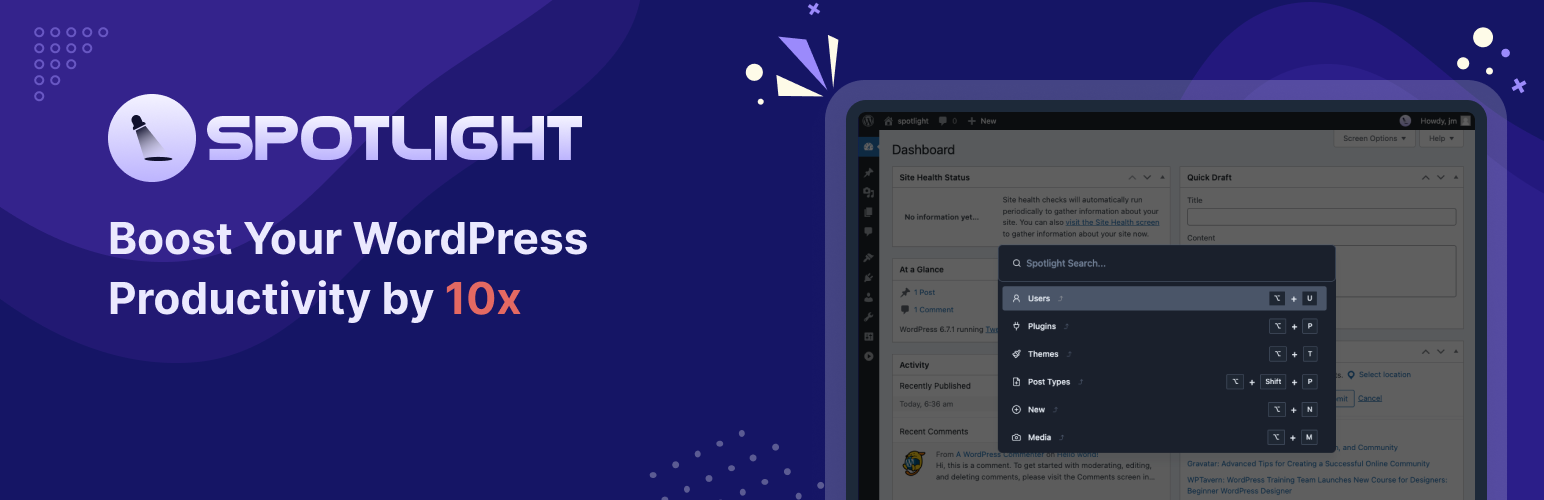

Spotlight Search – Find Anything, Anywhere

Frontend Search
The Spotlight plugin adds a keyboard-driven search bar for WordPress administrators. It lets you find and act on posts, users, plugins, themes, media files, and comments — all from a unified search interface available on both the dashboard and the frontend.
Live Demo | Docs | Upgrade to Pro | Video Tutorials
Dashboard Navigation
Navigate the WordPress admin using keyboard shortcuts. Type to find any admin page, settings screen, or menu item and jump to it directly.
Frontend Access
The search bar is accessible on the frontend, letting you search and manage content, plugins, themes, and media without returning to the dashboard.
Post Search and Management
Search posts, pages, and custom post types by title or content. Open them directly in the editor — Elementor, Gutenberg, and Bricks are supported.
Plugin Management
Find, install, activate, deactivate, delete, and update plugins from the search bar without navigating to the Plugins screen.
User Search and Management
Search WordPress users by name or email. Send password reset links and edit user profiles directly from search results.
Theme Search and Updates
Search for, install, and activate themes. Apply pending theme updates without visiting the Themes screen.
Media File Management
Search, view, edit, and download media files. Upload new media directly from the search interface without opening the Media Library.
Multisite Navigation
On WordPress multisite networks, switch between sites and perform plugin updates or content actions across the network from a single search bar.
Comment Management
Approve, unapprove, reply, edit, mark as spam, trash, restore, or delete comments directly from search results.
Quick Updates Manager
View and apply all pending WordPress updates — plugins, themes, and core — from one place. Works on both the dashboard and the frontend.
Customizable Keyboard Shortcuts
Assign custom keyboard shortcuts (up to 4-key combinations) to any search type or action for a faster, personalized workflow.
Dark Mode Switcher
Toggle between dark and light admin modes directly from the search bar.
Related Plugins by Jewel Theme
- Adminify – White Label Admin Menu Editor, Login Customizer – Admin customization with Dark Mode, Menu Editor, Login Customizer, and Admin Columns.
- Master Addons for Elementor – 55+ Elementor widgets and extensions including Theme Builder and Popup Builder.
Pro Features
Upgrade to Pro for:
- Post Content Search: Search within post content with full support for Divi, Oxygen, and Bricks.
- Comment Management: Approve, edit, reply, or delete comments from the search bar.
- Media Search: Edit and download media files directly from the search bar.
- Quick Updates Manager: Update plugins and themes in bulk or individually with full control.
- WordPress Core Updates: Update WordPress core in one click from the search bar.
- User Management: Send password reset links and update user roles from search.
- Frontend Access: Use the full search bar on both the dashboard and the frontend.
- Dark Mode: Toggle dark and light admin mode directly from the search bar.
Source Code
The JavaScript files included in this plugin are compiled from source using npm and webpack.
The complete source code, including all unminified files and build configuration, is publicly available at:
https://github.com/litonarefin/spotlight-free.git
Build tools: npm, webpack.
To build from source:
- Clone the repository:
git clone https://github.com/litonarefin/spotlight-free.git - Install dependencies:
npm install - Build production assets:
npm run build
For development:
1. Install dependencies: npm install
2. Builds with source maps for easier debugging: npm run dev
External services
This plugin connects to the external services listed below. Each entry states what the service is, what data is sent and when, and links to its Terms of Service and Privacy Policy. No data is sent in the background without your action.
1) Pixar Labs subscription/feedback service (https://pixarlabs.com)
What it is and what it is used for: an email/feedback service used to (a) send you a discount code when you submit the optional subscribe form, and (b) receive your optional plugin deactivation feedback.
What data is sent and when: only when you explicitly submit the subscribe form or the deactivation feedback form. The data sent is limited to the name and email you type in the form, the deactivation reason you select (deactivation form only), your site URL, and the plugin slug. No server details, WordPress details, user counts, installed-plugin lists, or WooCommerce/billing data are sent.
Endpoint: https://pixarlabs.com/api/plugin/subscribe/
Terms of Service: https://pixarlabs.com/terms-of-use
Privacy Policy: https://pixarlabs.com/privacy-policy
2) Pixar Labs promotional content service (https://pixarlabs.com)
What it is and what it is used for: retrieves promotional notices/offers shown inside the plugin admin.
What data is sent and when: a periodic outbound request to fetch content; no personal or site data is transmitted (read-only fetch).
Endpoint: https://pixarlabs.com/api/plugin/update/wp_spotlight
Terms of Service: https://pixarlabs.com/terms-of-use
Privacy Policy: https://pixarlabs.com/privacy-policy
This plugin also uses the official WordPress.org APIs (api.wordpress.org / downloads.wordpress.org) to look up and install/update plugins and themes, exactly as WordPress core does. These are first-party WordPress services governed by https://wordpress.org/about/privacy/.