

WPZOOM Connect: AI Chat, Click to Chat, Social Icons & Share Buttons
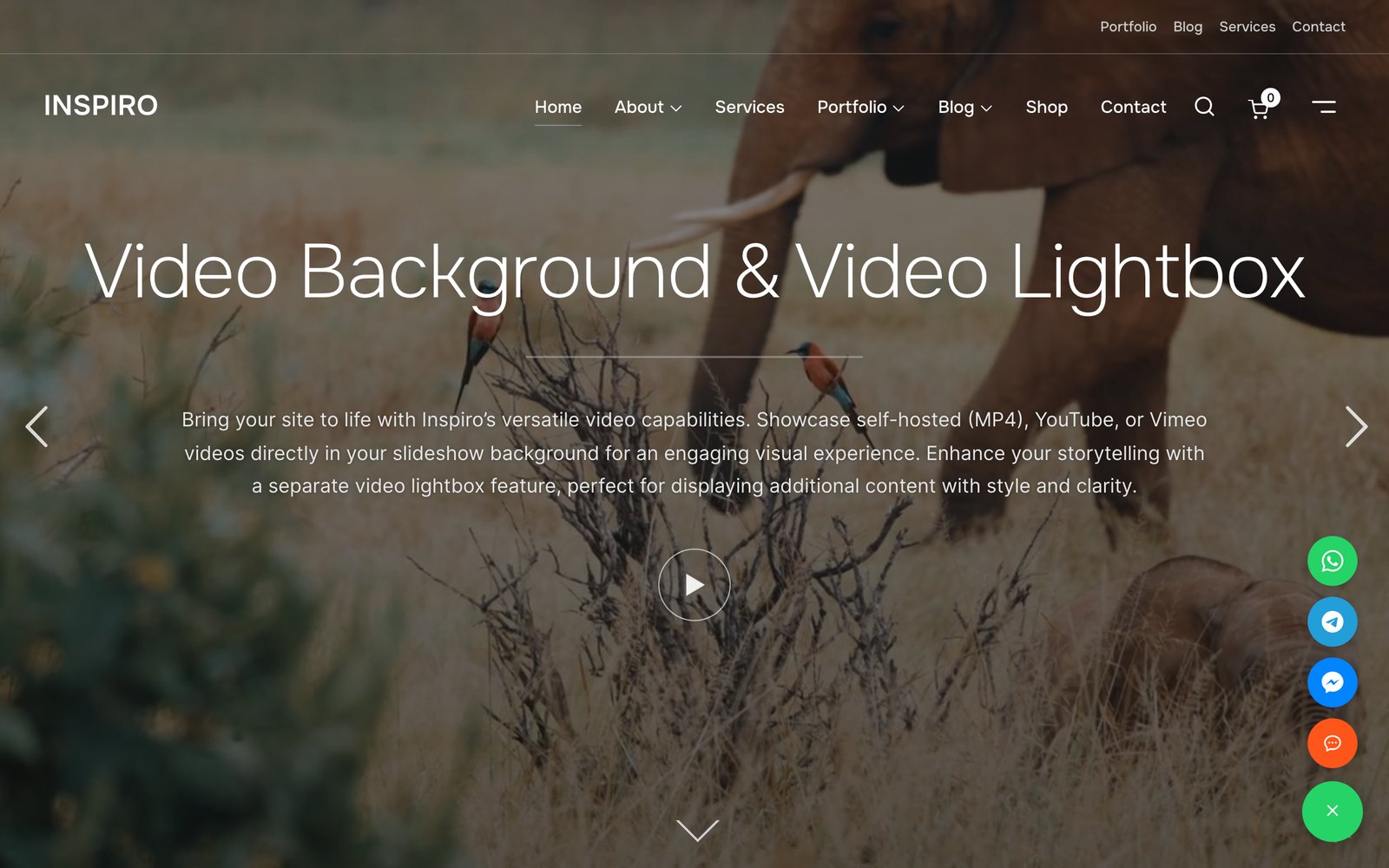
One floating button for every channel: AI Chat, WhatsApp, Telegram, Messenger and Viber
The contact launcher for WordPress
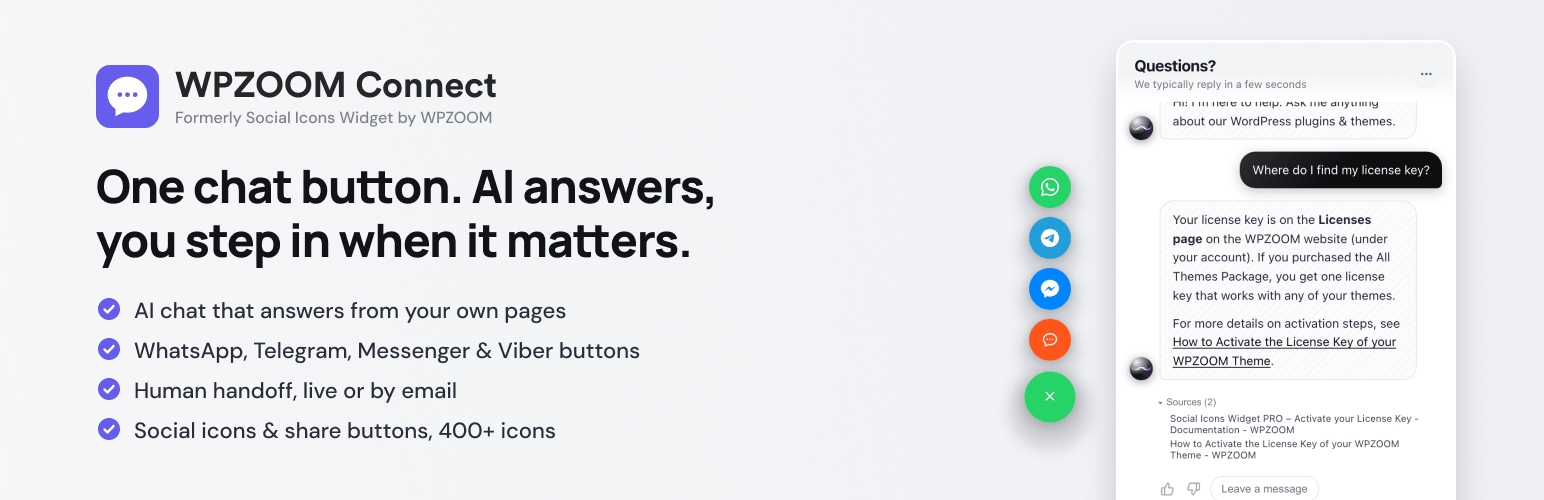
One floating button, every channel. WPZOOM Connect gives your site a chat button that can answer visitors itself — an AI chat that replies from your own pages in seconds and hands off to a human when needed — alongside Click to Chat for WhatsApp, Telegram, Messenger and Viber, social icons linking to your profiles, and share buttons for your content. 400+ icons, Gutenberg blocks, a widget and Elementor support, all in one plugin.
NEW: AI Chat — your chat button answers questions itself
Turn the floating Click to Chat button into a support agent. AI Chat reads your pages and docs and answers visitors’ questions instantly — pricing, how-to, shipping, compatibility — 24/7, in your visitors’ language, and hands the conversation to you (or to WhatsApp) when a human is needed.
- See it before you switch it on. The built-in Support Readiness Scan reads a few of your pages right from wp-admin and shows the questions your visitors are likely to ask, answered from your content — and the ones your site doesn’t answer yet. Nothing is installed or sent until you click.
- One-click connect. No API keys, no code: click Turn on AI Chat, create a free account (or sign in) and the chat is live on your site. Indexing starts automatically.
- Human handoff. Visitors can ask for a person; you reply from the Yamidoo dashboard, by email, or point them to WhatsApp.
- Knows your customers. Running Easy Digital Downloads or WooCommerce? Your team sees a customer’s orders, licenses and subscriptions next to their conversation. Optionally, the AI can answer logged-in customers’ account questions (“when does my license expire?”) — a separate switch in the dashboard, off by default. Only your own workspace can request it, one customer at a time, when needed — nothing is uploaded or stored.
- Knows your logged-in users. Optionally passes the logged-in user’s name and email so your team knows who is chatting.
- Free plan included — no card needed to start.
AI Chat is powered by Yamidoo, a WPZOOM product. Everything you already use — social icons, share buttons, Click to Chat — keeps working exactly as before; AI Chat is optional and off until you connect.
Did you find this plugin helpful? Please consider leaving a 5-star review.
Social Icons Block Demo
Sharing Buttons Demo
Social Icons & Sharing Buttons helps you to add social media icons and sharing buttons to your website. The plugin includes several icon sets, which gives you the possibility to use the widget for more than just linking to your social media profiles. You can use generic icons to add links to anything you want, and enable sharing buttons to let visitors share your content across social networks.
It also includes a Click to Chat floating contact button so visitors can message you instantly on WhatsApp, Telegram, Facebook Messenger, and Viber with a single tap — perfect for turning visitors into customers. Add a WhatsApp chat button, a click-to-chat launcher, or a floating contact widget without writing any code.
With the help of WPZOOM’s excellent Social Icons Widget plugin, you can link to all your social network profiles and add sharing buttons in no time, letting your visitors easily get in touch with you on all social media channels and share your content.
⭐️⭐️⭐️⭐️⭐️
WPKlik
What’s new in 4.7.0
- NEW: AI Chat — the floating button can now answer visitors from your own pages (powered by Yamidoo)
- NEW: Support Readiness Scan — see what your visitors would ask, from wp-admin, before turning anything on
What’s new in 4.6.0
- NEW: Click to Chat Floating Buttons
- NEW: Connect visitors instantly via WhatsApp, Telegram, Messenger & Viber
What’s new in 4.5.0
- NEW: Social Sharing Buttons Block
- NEW: Add Social Sharing Buttons in posts and pages
What’s new in 4.4.0
- NEW: Add SVG Icons in the Social Icons Block
What’s new in 4.0.0
- NEW: Gutenberg Block
- New icon styles in the new Social Icons Block
Where I can view a Demo?
You can view the plugin live in all our themes at WPZOOM.
View Demo & Examples
- Foodica Theme – header bar and sidebar
- Inspiro Theme – sidebar panel and footer
Features:
Social Icons Block:
* SVG Icons Support – Upload custom SVG icons
* 400+ Custom Icons from 5 Icon Sets
* Gutenberg Block with Live Preview
* Drag & Drop Icons with Sortable Arrows
* Color Picker for Each Icon
* Search by Keywords
* Adjust Icon Size & Padding
* Multiple Styles: Icon Shape and Icon with Background
* 3 Background Styles: Rounded Corners, Round, Square
* Icon Sets + Shortcodes
* Elementor Widget Integration
Social Sharing Buttons Block:
* 12+ Sharing Platforms: Facebook, X, Threads, LinkedIn, Pinterest, Reddit, Telegram, WhatsApp, Bluesky, Email, Copy Link, and Print
* Multiple Button Styles: Circle, Square, Rounded, Outlined, Minimal, One-tone
* Customizable Colors, Sizes, Padding & Margins
* Show/Hide Labels
* Print Button to Trigger Browser Print Dialog
* Copy Link Button with Visual Feedback
* X/Twitter Username Integration (via parameter)
Click to Chat Floating Buttons:
* Floating contact launcher that connects visitors to WhatsApp, Telegram, Messenger & Viber
* Customizable launcher position, color, open/close icons and button size
* Show or hide the button on mobile devices
PRO Features
Upgrade to Social Icons Widget PRO to unlock powerful features:
- Floating Buttons – Display social sharing icons as a fixed floating bar on the side of your website (NEW!)
- Share Analytics Dashboard – Track how visitors share your content with detailed analytics
- Like Button – Add a like button to let visitors engage with your posts
- AI Share Buttons – Share to ChatGPT, Claude, and Perplexity AI platforms
- Share Counts – Display total and individual share counts on buttons
- Facebook Share Counts – Fetch real Facebook share counts with your own SharedCount API key
- Custom SVG Icon Uploads – Upload your own custom SVG icons
- Nav Menu Integration – Add social icons directly to WordPress navigation menus
- Dashboard Widget – Quick stats overview right on your WordPress dashboard
- Priority Support – Get help faster with priority email support
General Features:
* 100+ Sites/Social Networks Supported
* FontAwesome Integration
* Academicons Integration: 38 Academia Icons for Academics
* Supports Email Addresses (mailto:[email protected])
* Supports Telephone Numbers (tel:12345)
* Supports Viber (viber://add?number=123456)
* Supports WhatsApp (https://api.whatsapp.com/send?phone=15551234567)
Icons
Twitter, X, Facebook, Instagram, Pinterest, Snapchat, Threads, Yelp, LinkedIn, Bloglovin’, Lookbook, Feedly, Periscope, SoundCloud, Spotify, Last.fm, YouTube, Vimeo, Flickr, 500px, Tumblr, Blogger, Reddit, Dribbble, Envato, Behance, DeviantArt, GitHub, RSS, Disqus, Stackoverflow, Komoot, Tiktok, Mailchimp, Podcasts, Telegram, TripAdvisor, AirBnb, Baidu, ebay, Medium, Periscope, Snapchat, Bandcamp, Eyem, Viber, Quora, Etsy, Meetup, Linode, IMDB, Overwatch, Strava, Tidal, Deezer, Unsplash, Codered, Udemy, CrunchBase, Angie’s List, App Store, Nextdoor, WhatsApp, ResearchGate, Slack, Songkick, ReverbNation, Bluesky
Credits
Some Social Icons are provided by the Socicon icon font.
Academicons are provided by James Walsh.
External services (AI Chat)
The optional AI Chat feature connects your site to Yamidoo (https://yamidoo.ai/), a hosted service operated by WPZOOM BV. Nothing is sent to Yamidoo until you click Scan my site or Turn on AI Chat in the plugin settings.
- Scan my site sends your site’s public URL to
https://app.yamidoo.ai/api/scan, which reads up to 14 of your public pages and returns a report shown in wp-admin. - Turn on AI Chat opens
https://app.yamidoo.aito create or sign in to your Yamidoo account and connect this site; your site URL is shared so Yamidoo can index your public pages, and your WordPress email and name are passed along to prefill the sign-up form. - Once connected, the front end loads the chat widget (
widget.js) fromhttps://app.yamidoo.ai. When a visitor uses the chat, their messages, an anonymous session id, the page URL and basic browser data are sent to Yamidoo. If “identify logged-in users” is on, the logged-in user’s name, email, username and user id are sent too. - If customer lookup is on (offered only when Easy Digital Downloads or WooCommerce is active): when your team opens a conversation, or the AI answers a logged-in customer, your Yamidoo workspace requests that one email’s record from this site (
/wp-json/yamidoo/v1/customer) — customer, orders, licenses and subscriptions. Each request is signed with a per-site secret; the record is shown to your team and used for that answer, then discarded.
Terms of Service · Privacy Policy
GDPR COMPLIANCE
Social Icons & Sharing Buttons does not collect any information from your visitors, therefore it’s 100% GDPR compliant.
Get Involved
Looking to contribute code to this plugin? Go ahead and fork the repository over at GitHub.