
SmartCloud AI-Kit – Chatbot and Semantic Search
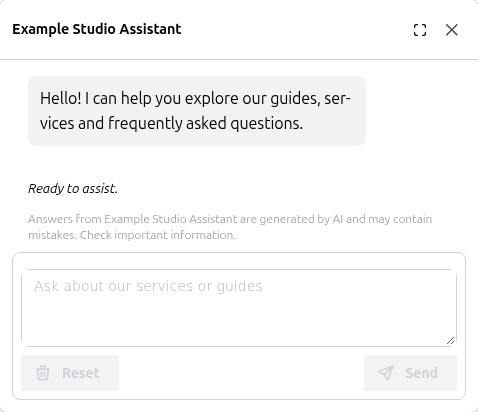
Pro: The site-wide chatbot welcomes visitors and invites questions.
Help visitors get answers from your WordPress content, documentation and connected services. AI-Kit combines a site-wide chatbot with an embeddable DocSearch component, supported by a shared knowledge base and a backend you control.
Answers for your visitors
* Site-wide chatbot (Pro): Add an assistant that visitors can open from any page. Configure its appearance, role, tone, topics and response guidance.
* DocSearch (Pro): Place semantic search in a page or other Gutenberg block area. Show a concise AI summary above a broad set of relevant knowledge sources. DocSearch applies category and tag filters only when the visitor explicitly selects them; it does not silently narrow the search with model-inferred taxonomy filters.
* Knowledge content: Select public posts, pages and supported public custom post types. Configure approval policies and inspect synchronization and backend ingestion separately.
* Connected information (Pro): Extend chatbot answers with shop or service data through administrator-approved, read-only REST and MCP tools. Optional Shopify shipping quotes use a separate, visibly confirmed step that may create a cart but cannot order or pay. Enable web grounding for selected, allowed HTTPS sources when current information is needed. These integrations require compatible endpoints and backend configuration; installing the plugin does not connect them automatically.
* Response controls (Pro): Set evidence and citation requirements, topic boundaries and behavior when evidence is missing. Review answers against your actual content and use cases.
* Page summaries (Pro): Give visitors a convenient way to summarize longer content with the AI-Kit Feature block or shortcode.
Setup that explains what is ready
Open SmartCloud Answers for guided setup, source status and backend-access guidance. The wizard saves its choices when you finish, and can be reopened with existing values. Detailed settings remain available on the same product page.
A connected WP Suite site, a Pro subscription and a configured, compatible AI-Kit backend are required for visitor chat and DocSearch. The backend is typically deployed into your own AWS account. A WP Suite site connection alone does not deploy that backend or grant access to its protected administration APIs.
Additional tools for authors
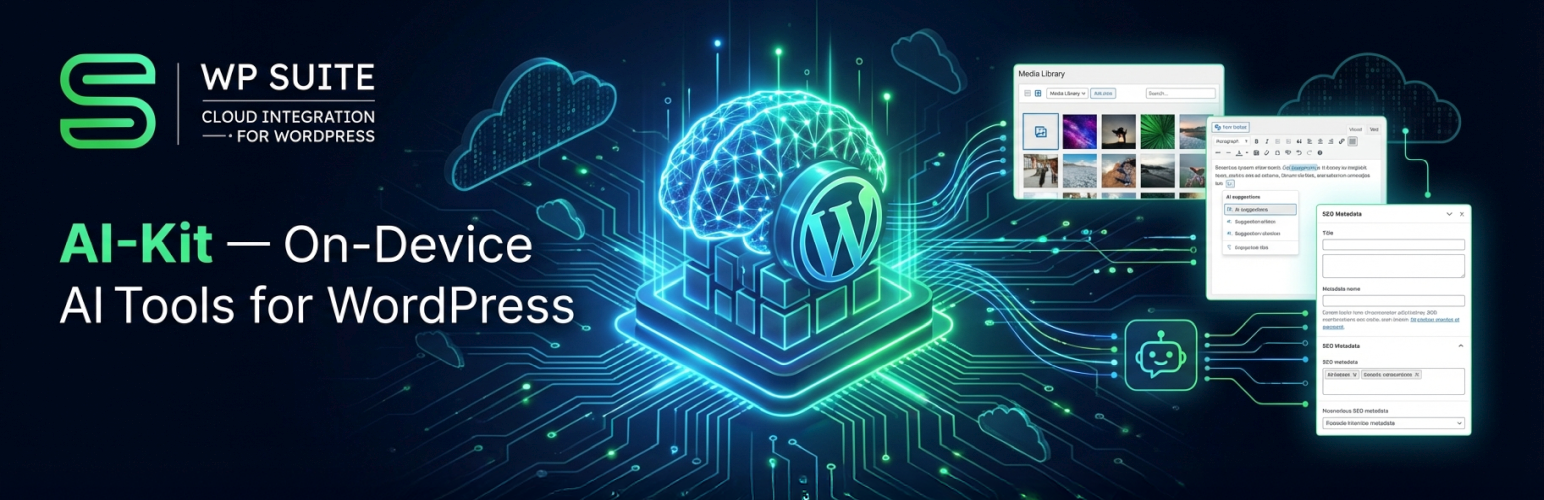
Free editor and Media Library tools use supported Chrome on-device AI when available: generate image and post metadata, draft text, and rewrite, translate or proofread selected content. Browser and device support determine which local tools are available. Pro can provide backend processing for supported tools. These authoring tools complement the visitor-facing Answers experience.
WordPress integration
* Gutenberg blocks and shortcodes for visitor search and AI features.
* Shared translation overrides under SmartCloud Platform Settings Translations and frontend language/direction controls.
* JavaScript APIs for developers integrating the supported features into their own interfaces.
AI-Kit is part of WP Suite by Smart Cloud Solutions, Inc. WordPress remains your content and editing system; optional connected services provide the AI backend and integrations.
Documentation: WP Suite – Docs
This plugin is not affiliated with or endorsed by Google, Amazon Web Services, or the WordPress Foundation. All trademarks are property of their respective owners.
Free and Premium Usage Notice
Free: Use supported on-device editor and Media Library tools without a WP Suite account, subscription or AI backend. You can also choose knowledge-source policies in WordPress; selecting content does not by itself deliver documents to a backend or enable visitor answers.
Pro: An active subscription on the connected WP Suite site enables the paid runtime for the chatbot, DocSearch, frontend AI Feature block/shortcodes and backend processing. Visitor answers and search additionally require a compatible, configured backend with accessible, indexed knowledge content. Chatbot REST/MCP tools and web grounding require their own explicit configuration.
Backend services normally run in your AWS account. AWS usage and any external service charges are separate. Authentication and permissions depend on the configured backend. For protected administration APIs, sign in to the site’s configured Cognito pool with the required role, or use the Gatey WordPress login integration. WP Suite workspace sign-in and a WordPress administrator session do not automatically authorize that backend.
Machine-readable resources
- AI plugin manifest: https://wpsuite.io/.well-known/ai-plugin.json
- OpenAPI spec: https://wpsuite.io/.well-known/openapi.yaml
External Services
This plugin may integrate with the following external services, depending on configuration:
-
Google reCAPTCHA v3
- What it is & what it’s used for:
Client-side bot detection. If enabled, AI-Kit can request reCAPTCHA tokens in the browser to protect certain interactions. - What data is sent & when:
The browser may contact Google to retrieve a reCAPTCHA token (client-side). - Configuration in WordPress:
Enter your reCAPTCHA site key in SmartCloud Platform Settings reCAPTCHA. - Links:
- About reCAPTCHA: https://www.google.com/recaptcha/about/
- Google Terms: https://policies.google.com/terms
- Google Privacy: https://policies.google.com/privacy
- What it is & what it’s used for:
-
Customer-configured AI backend endpoint (Pro only)
- What it is & what it’s used for:
An API endpoint you configure for visitor chat, semantic search, knowledge synchronization and backend AI processing. - What data is sent & when:
Chat messages, search queries, text and/or image-related inputs required for the requested feature. Knowledge Sync sends approved source content, metadata and site-specific synchronization information from WordPress. Conversation settings and approved tool arguments are sent when those features are used. - Where it goes:
Requests are sent to the API URL you provide — typically an AWS API deployed to your own AWS account (e.g., via the “wpsuite-ai-kit” SAR template). - How it’s called:
HTTPS requests from the browser for interactive features, and signed server-side HTTPS requests from WordPress for Knowledge Sync. Configured REST/MCP tools and web grounding make backend-to-service requests to administrator-approved destinations; review those services and their privacy terms before enabling them. Enabled display templates may load approved source image URLs directly in the visitor’s browser, disclosing the visitor’s IP address to that image host; images use no-referrer requests. Opening a navigation link visits its configured destination and does not execute a purchase or booking.
- What it is & what it’s used for:
-
WP Suite platform connection (optional; site/workspace linking & shared features)
- When it applies:
When you use WP Admin SmartCloud Connect your Site to WP Suite to link this WordPress site to a WP Suite workspace, or to switch/disconnect later. - What it’s used for:
Storing and retrieving Pro feature configuration (e.g., API/chatbot/feature settings) and enabling an admin-side preview experience so you can try Pro features in WP Admin before enabling them on the live site. - What data may be sent:
Minimal account/session data required for authentication, and minimal site/workspace linking data required to associate a WordPress site with a workspace (e.g., site/workspace identifiers and the site’s URL/domain). - Where it goes / how it’s called:
Secure HTTPS requests from the browser to WPSuite.io services (e.g. wpsuite.io and api.wpsuite.io). - Links:
- WPSuite.io Privacy Policy: https://wpsuite.io/privacy-policy
- WPSuite.io Terms of Use: https://wpsuite.io/terms-of-use
- When it applies:
-
Amazon Cognito (optional; authentication for WP Suite Hub and/or protected APIs)
- When it applies:
- When using the WP Suite Hub, users authenticate (sign in / sign up) before creating/selecting a workspace and linking a site.
- If a plugin is configured to access protected endpoints that rely on Cognito, authentication/token flows may also be used for those requests.
- What it’s used for:
User authentication and token-based authorization for subsequent API calls (e.g., to WPSuite.io APIs). - Links:
- AWS Service Terms: https://aws.amazon.com/service-terms/
- AWS Privacy: https://aws.amazon.com/privacy/
- When it applies:
-
Stripe (optional; subscription/purchase flow)
- When it applies: Only when the user opens the optional WP Suite subscription / purchase flow in the shared admin component.
- What it’s used for: Displaying hosted pricing/subscription UI for optional paid features.
- What data may be sent: Browser/session data required by Stripe to render the hosted purchase UI and process the purchase flow.
- Links:
- Terms: https://stripe.com/legal/consumer
- Privacy: https://stripe.com/privacy
-
Shopify (optional; administrator-configured catalog and shipping quotes, Pro only)
- What it is & what it is used for:
Read products, supported options, prices and available inventory from the configured merchant. Shipping quotes are separately enabled and require visible visitor confirmation; that action may create a Shopify cart solely to read shipping estimates. It does not order or pay. - What data is sent & when:
Catalog queries, filters and market context are sent during product searches. Only after the visitor submits the shipping-quote form are the displayed product variants, quantities and supplied delivery address sent through the configured backend to the configured Shopify store. Private Storefront authentication can also require forwarding the trusted visitor IP address. Do not put an address in the ordinary chat message. - Storage and limitations:
Structured address inputs are not added to model prompts, visible chat history or browser conversation storage. The backend processes confirmed inputs privately and retains a private cart reference for bounded quote retries; Shopify may retain the resulting cart and address according to the merchant’s configuration and applicable policies. General card brands or wallets do not prove checkout eligibility; missing delivery dates or payment options remain unknown. - Configuration and links:
Review the exact merchant domain, Shopify app permissions, runtime credential reference and quote setting in advanced conversation-profile Tools. Installing the plugin does not install an app, grant Shopify permissions or activate a connection.- Terms: https://www.shopify.com/legal/terms
- Privacy: https://www.shopify.com/legal/privacy
- Also review the configured merchant’s terms and privacy policy.
- What it is & what it is used for:
Trademark Notice
Google Chrome and reCAPTCHA are trademarks of Google LLC.
Amazon Web Services, AWS, Amazon Cognito, and Amazon Bedrock are trademarks of Amazon.com, Inc. or its affiliates.
AI-Kit is an independent project and is not affiliated with, sponsored by, or endorsed by Google, Amazon Web Services, or the WordPress Foundation.
Source & Build
Public (free) source code:
All code that ships in the public (free) version of AI-Kit is available here: https://github.com/smartcloudsol/ai-kit
Build & distribution:
AI-Kit is shipped to WordPress.org as a pre-built distribution. Build steps and developer notes are maintained in the GitHub repository documentation.
Shared WP Suite admin and localization:
The bundled WP Suite Hub admin originates from the wpsuite-admin/ module in https://github.com/smartcloudsol/smartcloud-wpsuite and is packaged under smartcloud-wpsuite/. It owns the site-wide custom translation catalog used by Gatey, AI-Kit, and Flow, alongside shared workspace linking, licence validation, and subscription management.
Pro-only features (source availability):
AI-Kit Pro includes additional functionality such as the chatbot, DocSearch, backend processing, and the frontend Feature block/shortcode experience. The code that enables these paid-only features is distributed to Pro users but is not published in the public repository.