
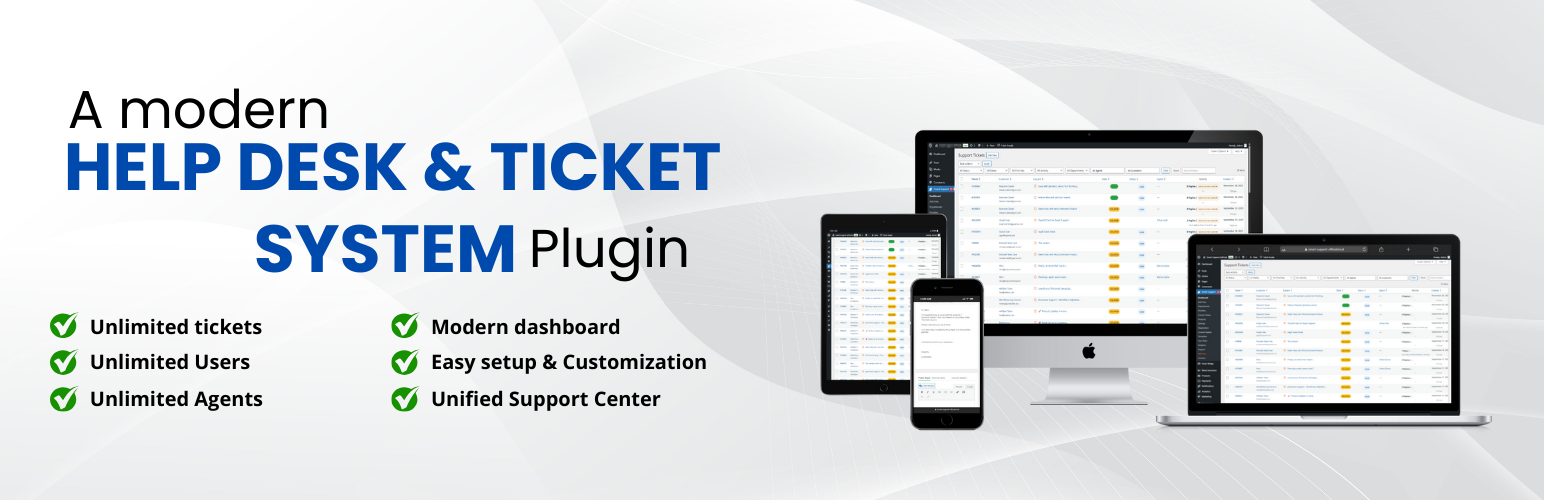

Smart Support – Self-Hosted Helpdesk & Custom Support Ticket System with AI Agent Support
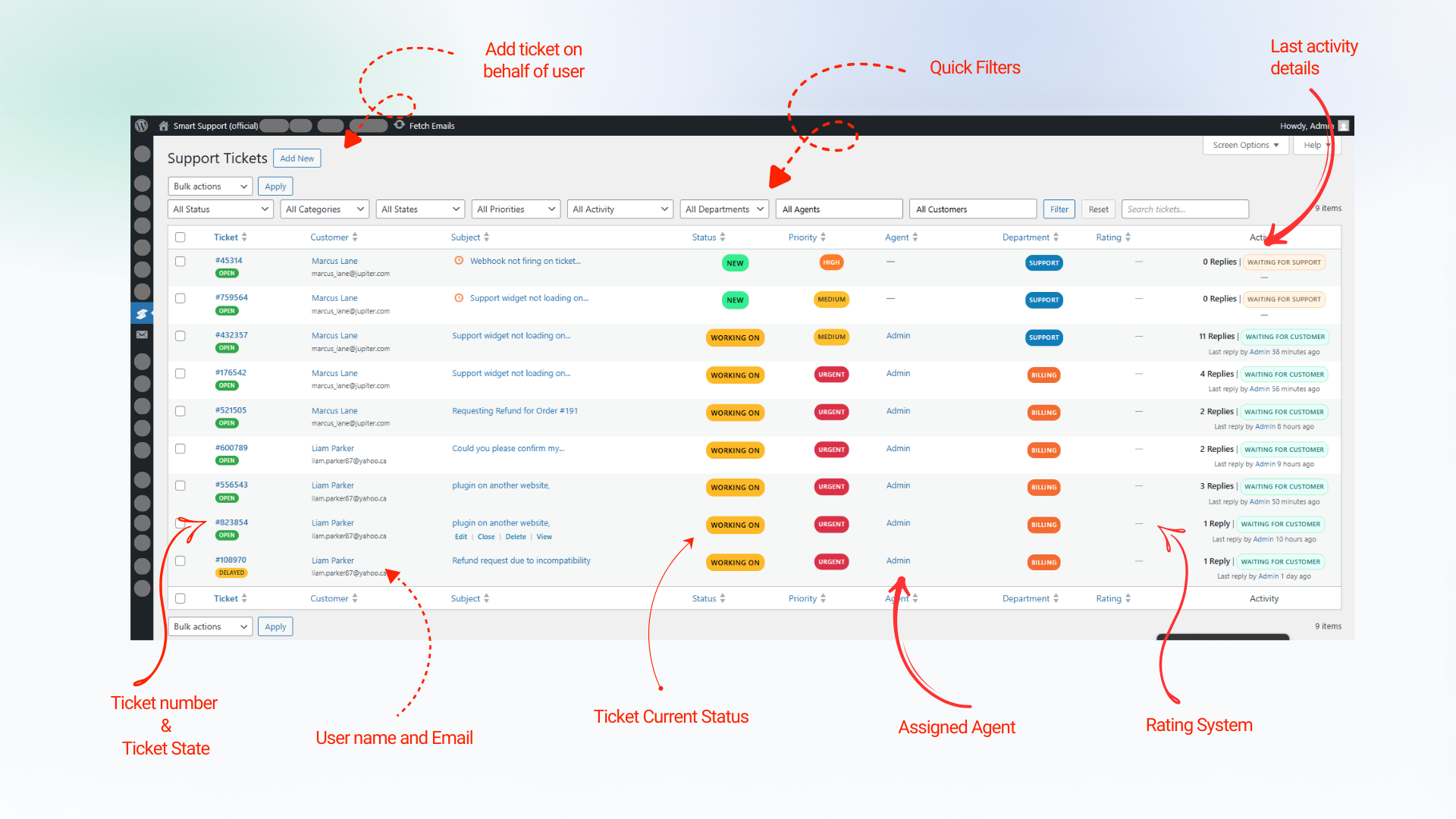
Ticket management interface in the WordPress admin area
Smart Support is a self-hosted WordPress helpdesk and support ticket system for businesses, agencies, online stores, membership sites, and service teams that want to manage customer support directly inside WordPress.
The plugin gives customers a clean frontend Support Center where they can register, log in, submit support tickets, upload attachments, review replies, search their ticket history, and track ticket status. Support agents and supervisors can manage tickets from the WordPress admin area with role-based access, departments, priorities, products, internal notes, reports, notifications, and ticket assignment controls.
Live Demo
Smart Support can be used as a:
- WordPress helpdesk plugin
- WordPress support ticket system
- Customer support ticket system
- Customer service help desk
- Support desk plugin
- Ticket management plugin
- Self-hosted helpdesk solution
Unlike a hosted support SaaS, Smart Support keeps your support workflow connected to your own WordPress website and database. You control the site, user accounts, ticket records, uploaded files, permissions, and integrations.
WordPress customer support from one dashboard
Smart Support turns WordPress into a complete customer support workspace. Customers use the frontend portal, while agents work with ticket details, replies, attachments, internal notes, departments, products, priorities, statuses, customer history, and notifications.
The plugin is suitable for small support teams, growing businesses, digital agencies, consultants, SaaS companies, WooCommerce stores, product support teams, and organizations that need a private support ticket system without sending users to a separate third-party portal.
Frontend Support Center for customers
Fresh installations create a Support Center page automatically. You can also add the following shortcode to any WordPress page: [smart_support_page]. The shortcode creates the main customer-facing support portal.
Customers can:
- Register and log in from the frontend
- Reset their password
- Use optional Google reCAPTCHA protection
- Submit a new support ticket
- Add a subject, message, department, product, priority, and other available fields
- Upload ticket attachments
- Review ticket replies and message history
- Search and filter their tickets
- View tickets by status, department, and state
- Close and reopen their own tickets when permitted
- Rate support replies with a 5-star rating system
- Use the portal on desktop, tablet, or mobile
Ticket management for agents and supervisors
Support agents and supervisors get a structured WordPress ticket management workflow with tools for organizing, assigning, replying to, and resolving customer requests.
Team features include:
- Open, delayed, and closed ticket states
- Reopen and close actions
- Reply and Close for faster ticket handling
- Ticket assignment and auto-assignment
- Agent visibility controls for own tickets, department tickets, or all tickets
- Departments, products, priorities, and ticket types
- Public replies and agent-only internal notes
- Ticket attachments and secure downloads
- Customer details and ticket history
- Search by ticket ID, subject, or content
- Status, department, state, and keyword filters
- Optional ticket sidebar for quick navigation
- Waiting indicators for unanswered tickets
- Configurable sequential or hash-based ticket numbers
- Capability-based roles and permissions
- Agent performance and rating reports
Email notifications and customer communication
Smart Support can send email notifications for important support ticket events, including new tickets, ticket replies, delayed tickets, closed tickets, reopened tickets, and account-related actions.
Email features include:
- Notification settings for customers and agents
- Editable email subjects and message templates
- Configurable sender name and sender email
- Template tags for customer, ticket, and agent information
- Translatable notification content
- Separate frontend and admin ticket URL template tags
- Dashboard notifications with ticket links
Optional AI assistance for support agents
Smart Support includes optional AI-assisted tools for authorized staff working on individual tickets. AI is disabled until a supported provider is configured.
Depending on your configuration, agents can:
- Summarize long ticket conversations
- Generate suggested replies
- Rewrite a reply draft before sending
- Preview rewritten content
- Ask follow-up questions about a ticket conversation
- Add custom instructions to an AI action
On WordPress 7.0 or later, Smart Support can use a configured WordPress Core AI provider. The plugin can also use the OpenAI-compatible provider settings available under Smart Support Settings Advanced AI as a fallback.
AI requests are sent from your WordPress server to the provider you configure. Smart Support does not route AI traffic through Smart Support vendor servers solely to provide this feature.
Reports and support performance
Smart Support includes reporting tools for monitoring ticket volume, ticket status, ratings, and agent performance.
Reporting features include:
- Ticket volume reports
- Status-based reporting
- Agent performance reports
- Average agent rating
- Total ratings per agent
- Dashboard ticket counts
- Chart.js-powered visual reports
Roles and access control
Smart Support uses capability-driven access controls so administrators can manage who can view, create, assign, reply to, and manage support tickets.
Built-in support roles include:
- Support User
- Support Agent
- Support Supervisor
Administrators can assign departments, change capabilities, control ticket visibility, configure whether agents can create tickets, and manage supervisor-level access.
Ticket automation
Built-in automation features help support teams manage inactive tickets and reduce repetitive work.
- Auto-close tickets after a configurable period of inactivity
- Optionally auto-close only tickets waiting for a customer response
- Auto-delay inactive tickets
- Notify customers when tickets are delayed or closed
- Auto-assign tickets when an agent replies
- Respect the configured maximum open tickets per agent
- Use 0 as the maximum for unlimited assignments
- Archive closed tickets manually or automatically after a configured number of days
- Keep archived tickets out of normal dashboards, reports, and ticket lists until restored
- Manage archived tickets from a dedicated Archive Tickets page with search, pagination, restore, and delete tools
Search, filters, and ticket navigation
Smart Support includes practical ticket search and filtering tools for busy support teams.
- Global search by ticket ID, subject, or message content
- Highlighted search results with result counts
- Filters for status, department, state, and assigned agent access
- Compact admin search bar
- Optional ticket list sidebar
- Status filter inside the ticket sidebar
- Quick navigation between support tickets
Ticket numbers
Administrators can choose the ticket number format that best matches their workflow:
- Sequential ticket numbers, such as
2501001and2501002 - Hash-based ticket numbers, such as
#121and#456
Responsive and translation-ready
The frontend Support Center and WordPress admin interfaces are designed for desktop, tablet, and mobile use. Smart Support is translation-ready and includes a .pot file in the languages directory.
The plugin is also designed for WordPress multisite environments.
Free Core Features
Smart Support includes the following features in the free core plugin:
- Frontend Support Center powered by
[smart_support_page] - Automatic Support Center page creation on fresh installations
- Frontend customer registration and login
- Password reset link
- Optional Remember Me setting
- Optional first-name and last-name auto-fill
- Optional Google reCAPTCHA v2, v2 Invisible, or v3
- Frontend ticket submission
- Rich text editor support
- Ticket attachments
- Secure attachment downloads
- Configurable attachment file types, sizes, and counts
- Customer ticket dashboard
- Customer ticket search and filters
- Public ticket replies
- Agent-only internal notes
- Ticket timeline and change history
- Open, delayed, and closed ticket states
- Ticket close and reopen actions
- Closed ticket archive and restore workflow
- Dedicated Archived Tickets page with search, pagination, restore, delete, bulk restore, and bulk delete tools
- Optional auto-archive rules for closed tickets
- Reply and Close action
- Customer close and reopen controls
- Departments
- Products
- Priorities
- Configurable Ticket Types
- Optional frontend Ticket Type field
- Ticket assignment
- Auto-assignment when an agent replies
- Maximum open tickets per agent
- Agent visibility for own, department, or all tickets
- Department-based agent access
- Support User, Support Agent, and Support Supervisor roles
- Capability-based access management
- Agent management screen
- Real-time capability assignment and removal
- Configurable agent ticket creation permission
- Customer and agent email notifications
- Configurable email templates
- Notification center with ticket links
- Open ticket count badge
- Waiting indicator for unanswered tickets
- 5-star reply ratings
- Average and total rating values
- Agent performance reports
- Ticket volume and status reports
- Chart.js reporting integration
- Global search by ticket ID, subject, or content
- Search highlighting and result counts
- Ticket status, department, and state filters
- Optional ticket navigation sidebar
- Sequential and hash-based ticket numbers
- Auto-close inactive tickets
- Auto-delay inactive tickets
- Configurable delay and close notifications
- Responsive frontend and admin interfaces
- Translation-ready strings
- Multisite compatibility
- Uninstall cleanup options for plugin data, settings, and roles
- Optional REST API with API key authentication
- Optional AI assistant for authorized support staff
Premium Add-ons
Smart Support offers optional premium add-ons for teams that need advanced integrations, automation, reporting, custom data, and larger support workflows.
Email Bridge: Convert incoming emails to support tickets and reply to tickets via email.
Canned Replies: Enable your team to create and use predefined responses for common issues.
Webhooks: Send ticket event notifications to external systems (CRMs, automations, custom apps) using secure, signed outgoing webhooks.
Custom Status: Create unlimited custom ticket statuses with colors, icons, and workflow rules.
Registration Fields: Add unlimited custom fields to your registration forms.
Custom Fields: Create unlimited custom ticket fields from the backend and automatically collect additional information during ticket submission.
Ticket Templates: Speed up ticket creation with reusable templates.
Front-end Support: Give your support agents a complete, professional frontend dashboard.
Gravity Forms Integration: Turn Gravity Forms submissions into Smart Support helpdesk tickets with field mapping, deduplication, and admin cross-links.
WooCommerce Tickets: Provide purchase-based support, link orders to tickets, and manage customer support seamlessly WooCommerce.
Organizations / Company Profile: Manage companies and teams as organizations.
Guest Support: Allow guests to submit support tickets without registration using email-only authentication.
Auto-Close Alert: Add warning reminder emails, batch limits, cron recurrence control, and richer auto-close email templates.
Smart Widget: Bring instant, on-page support with a customizable floating widget.
Auto Responder: Automatically send responses to support tickets based on intelligent rules.
Documentation: Instantly insert knowledge base articles into ticket replies.
Private Credentials: Securely exchange sensitive login details inside support tickets.
SLA (Service Level Agreement): Enforce response and resolution commitments with advanced SLA management.
Reports: Expand support reporting with deeper ticket analytics, performance insights, and export-ready operational data.
Scheduled Tickets: Create one-time or recurring support tickets automatically for maintenance, renewals, follow-ups, and planned customer work.
Time Tracking: Accurately track time spent on support tickets by agents, departments, and clients.
Productivity Suite: Enhance agent productivity with comprehensive workflow tools.
Additional add-ons, bundles, and pricing information are available at: Smart Support Pricing
REST API Integrations
Smart Support includes an optional REST API for server-to-server integrations such as CRM synchronization, automations, imports, and custom applications. The REST API is disabled by default. For setup and endpoint information, see the REST API documentation
External Services and Privacy
Smart Support is self-hosted, but some optional features connect to external services when an administrator enables and configures them. Smart Support uses Google reCAPTCHA (optional) for spam prevention (Terms of Service & Privacy Policy) and Chart.js in the admin for analytics (Terms of Service & Privacy Policy). The plugin validates permissions server‑side, escapes output, verifies nonces on all forms, and stores files securely using WordPress APIs.
AI providers
The Smart Support AI assistant is optional. It can use a connected WordPress Core AI provider on WordPress 7.0 or later, or the OpenAI-compatible provider. For more details read AI Documentation
Ticket and customer data
Smart Support stores the information needed to operate the support system on the WordPress site. Site owners are responsible for setting suitable privacy, access, retention, deletion, and backup policies for their support data.