

Smart Local AI – Browser-Based Private AI Tools
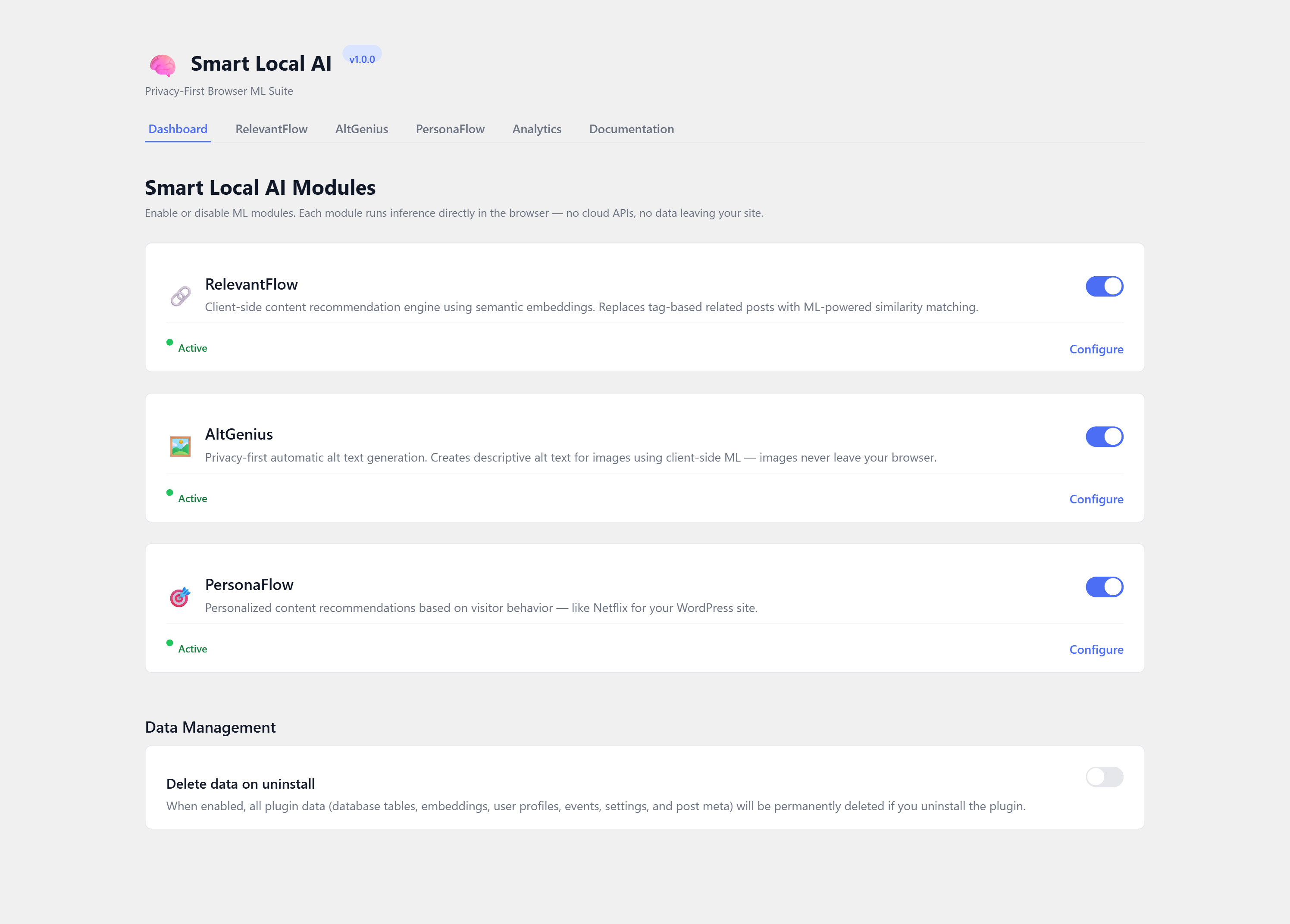
Smart Local AI Dashboard — Enable modules, select content type, and manage settings from a central dashboard with guided setup wizard
Smart Local AI brings machine learning directly to the browser. Every ML model runs on-device in the visitor’s or editor’s browser using Transformers.js and WebGPU/WASM. No data is ever sent to external servers, no cloud API keys are needed, and there are zero recurring costs.
Modules
RelevantFlow — Semantic Content Recommendations
Traditional related-posts plugins match by shared tags or categories. RelevantFlow uses a sentence-transformer model (all-MiniLM-L6-v2) to understand the meaning of your content and recommend posts that are genuinely related — even when they share no tags at all.
- Understands synonyms and concepts (e.g. “Salah” and “Islamic Prayer” match)
- Works with any content type — Posts, Pages, WooCommerce Products, or custom post types
- Displays a responsive card widget below your content
- Three layout templates: cards, list, and grid
- Custom placement via CSS selector or shortcode
[atlas_ai_relevantflow] - Theme customization with presets (Default, Light, Dark, Minimal) and custom colors
- Embedding index built in-browser by editors — zero server load
- Nightly cron flags new/updated content for re-indexing
PersonaFlow — Personalized Content Recommendations
PersonaFlow delivers personalized content recommendations based on visitor behavior — like Netflix for your WordPress site. It tracks 30 behavioral signals (scroll depth, reading time, click patterns, etc.) and computes a per-visitor taste vector to surface the most relevant content for each individual visitor.
- Personalized recommendations powered by real-time behavioral tracking
- 30 behavioral signals including scroll depth, reading time, and engagement patterns
- Per-visitor taste profile computed entirely in the browser — no server-side tracking
- WooCommerce integration for product recommendations
- Three layout templates: cards, list, and grid
- Custom placement via CSS selector or shortcode
[atlas_ai_personaflow] - Theme customization with presets and custom colors
- All tracking data stays on the visitor’s device — fully GDPR compliant
- Automatic taste decay ensures recommendations stay fresh and relevant
AltGenius — Automatic Alt Text Generation
Missing alt text hurts SEO rankings and violates ADA/WCAG accessibility guidelines. AltGenius generates descriptive alt text for every image in your media library — entirely in the browser.
- Two AI models: ViT-GPT2 (fast) and Florence-2 (detailed)
- Bulk Scan to audit and fix your entire media library at once
- Auto-generate on media upload
- Editor sidebar panel for per-image control with prefix/suffix
- No per-image fees, no cloud processing
Key Features
- Zero Cost — No API keys, no subscriptions, no per-request fees
- Privacy by Architecture — All ML inference runs in the browser; data never leaves the device
- GDPR Compliant — No external data transmission means no DPA required
- Shared Hosting Compatible — No server-side ML dependencies; works anywhere WordPress runs
- WebGPU + WASM — Hardware-accelerated inference with automatic fallback
- Modular — Enable only the modules you need; each can work standalone
- Cached Models — ML models are cached in IndexedDB after first download for instant reuse
- Themeable — Built-in theme presets and custom color options to match any WordPress theme
Upgrade to Pro
Get more powerful AI modules and premium features with Smart Local AI Pro.
Have questions or need support? Contact us.
How It Works
All AI processing runs in your browser. No server-side ML is required. On first use, models are downloaded from Hugging Face and cached in the browser’s IndexedDB — this one-time download may take 1–2 minutes depending on your connection. After that, models load instantly.
RelevantFlow (Related Posts)
- Go to Smart Local AI > Dashboard and enable the RelevantFlow module (or follow the setup wizard after activation)
- Select which content type to index from the Content Type selector on the Dashboard (defaults to Posts)
- Go to the RelevantFlow tab and click Build Index — this downloads the MiniLM model (~23 MB) and generates an embedding for each published item of the selected content type
- You need at least 2 published items of the selected content type for recommendations to appear
- Visit any item on the frontend — a “You Might Also Enjoy” section will appear below the content showing semantically related items
PersonaFlow (Personalized Recommendations)
- Go to Smart Local AI > Dashboard and enable the PersonaFlow module
- Go to the PersonaFlow tab to configure display settings (number of recommendations, layout template, appearance)
- Visit posts on the frontend — PersonaFlow will track reading behavior and build a taste profile
- After a few page views, personalized recommendations will appear below the content based on the visitor’s interests
- Use the shortcode
[atlas_ai_personaflow]to place recommendations anywhere in your theme
AltGenius (Image Alt Text)
- Go to Smart Local AI > Dashboard and enable the AltGenius module
- Upload an image via Media > Add New Media File — the model downloads on first use (~300 MB for ViT-GPT2) and alt text is generated automatically
- Or go to Smart Local AI > Bulk Alt Text and click Start Bulk Scan to generate alt text for all existing images missing it
- Or edit any post with images in the Block Editor — the AltGenius sidebar panel shows each image with a Generate Alt Text button
External Services
This plugin connects to the following external services. No user data or site content is transmitted to these services — only the ML model files are downloaded.
Hugging Face Model Hub
ML models are downloaded from the Hugging Face Model Hub (https://huggingface.co/) on first use and cached in the browser’s IndexedDB. The following models are used:
- RelevantFlow:
Xenova/all-MiniLM-L6-v2(~23 MB) — Sentence transformer for content embeddings - AltGenius (ViT-GPT2):
Xenova/vit-gpt2-image-captioning(~300 MB) — Image captioning model - AltGenius (Florence-2):
onnx-community/Florence-2-base-ft(~460 MB) — Advanced image captioning model
These models are open-source and licensed under Apache 2.0 or MIT. No user content, images, or site data is uploaded to Hugging Face — the connection is download-only.