


Smart Download Redirector
0/5 (0 ratings) — active installs Updated Oct 1, 2026
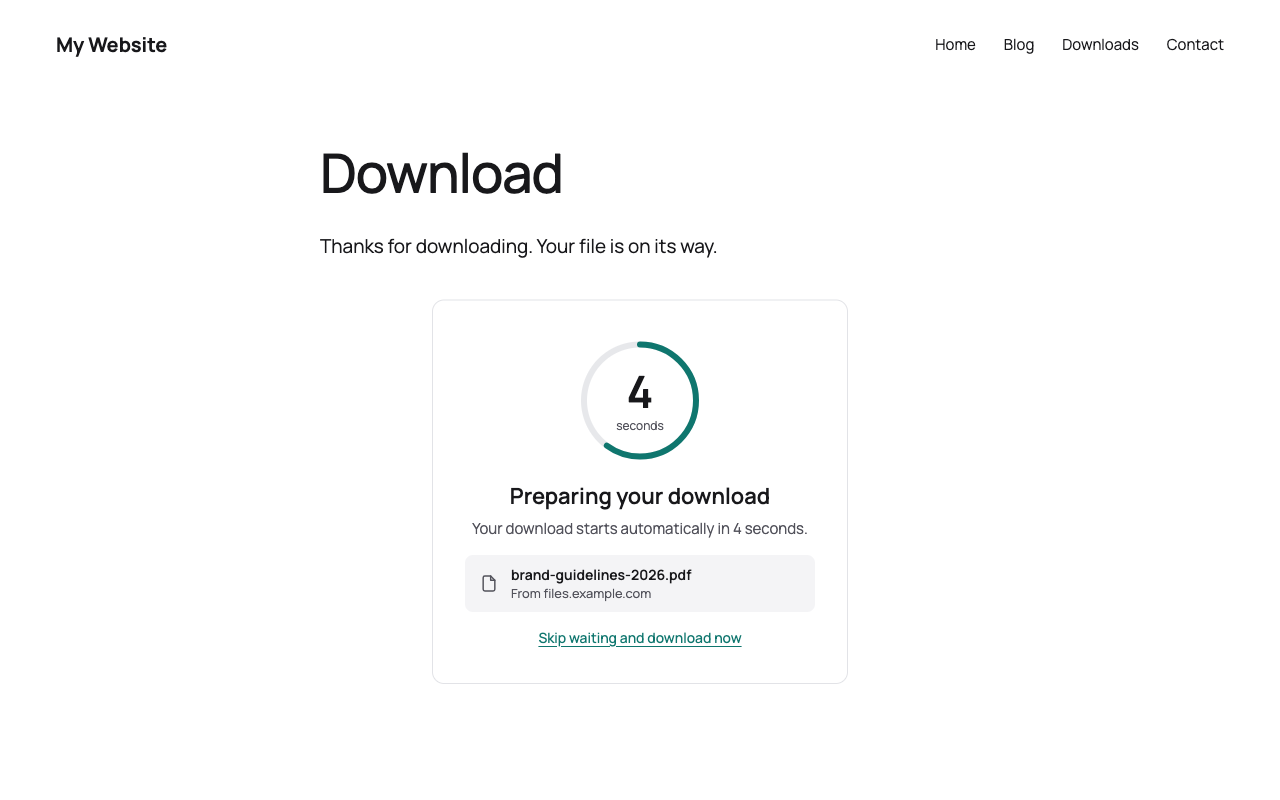
Layout Card: countdown with progress ring
Smart Download Redirector sends chosen links through a countdown page before the visitor reaches the target. It handles two kinds of links, each with its own screen and texts:
- Downloads (links to files like zip or pdf): “Preparing your download”, file name, download button
- External links (links to other websites): “You are leaving this website”, target domain, “Continue to …” button
Use it to announce downloads from other servers, to show a short notice before visitors leave your site, or to count how often your files and partner links are used.
You choose which links go through the countdown. The plugin changes those links on your site automatically, you do not have to edit your posts.
Features
- Three layouts: Card (centered, progress ring), Minimal (large number, thin bar, no box) and Inline (compact bar between your content)
- Live preview in the settings: every change to colors, corners, texts and timing shows up right away, including all stages of the countdown (counting, at zero, fallback button, invalid link)
- Downloads and external links: the plugin detects the kind of every link and shows the matching screen and texts
- Link rules: domains (with subdomains), file types (zip, pdf, …), files from your media library, or all external links. Exclusions and a “smartdr-skip” class for single links
- Show what you want: file name, target domain and the skip link can each be hidden; the skip link can also appear only in the last seconds
- Link tester: paste a link and see which rule applies, with the finished countdown link to copy
- Download statistics: countdown views and downloads per file, completion rate, chart per day and a dashboard widget. Only totals per file and day are stored, no IP addresses, no cookies
- Fallback button: if the browser stays on the page, visitors get a “Download now” button. Visitors without JavaScript get it right away
- Visitor friendly: the timer pauses in background tabs, screen readers hear every state change, animations follow “reduce motion”
- One-click setup: create the download page with a button, or use any page with the “Download Countdown” block or the shortcode
- Cache friendly: countdown links are signed with a secret key of your site, they never expire and work with page caching plugins
- Download limit per visitor against bots (the IP address is only used as a salted hash for a short time)
- Multilingual: texts can be translated with WPML or Polylang, the translated download page is used automatically
- Theme friendly: font and text color come from your theme, you only pick an accent color
Build the rest of the download page as you like
The download page is a normal WordPress page. Place the “Download Countdown” block where you want and add anything around it: a thank-you note, a donation link, a newsletter form or related downloads.
For developers
smartdr_generate_download_url( $url )returns the countdown link for a URL (or the URL unchanged if no rule matches)- Filter
smartdr_rate_limit_settingschanges the download limit - Filter
smartdr_target_kinddecides whether a target is shown as download (file) or external link (link) - Filter
smartdr_fallback_delaychanges the time in milliseconds before the fallback button appears (default 3000)