


Smart Cycle Discounts – AI Dynamic Pricing & Scheduled Sales for WooCommerce
Setup wizard - Scans your store, detects conflicting plugins, and guides you to your first campaign
Automated dynamic pricing and scheduled sales for WooCommerce. Smart Cycle Discounts lets you create a discount campaign in minutes and run it on autopilot — sale prices apply on schedule, conflicts are caught before they cost you money, and your prices revert cleanly when the sale ends.
Cycle AI — describe the sale you want in plain English and the AI drafts a complete campaign in seconds. It reads your real catalog, picks the right products and discount type, and drops everything into the wizard for your review. Keep chatting to refine (“make it 25% instead,” “limit to 200 uses”) and launch when you’re ready.
No more editing products one by one. No more forgetting to end a sale. No more wondering which discount is overriding which.
Pick your discount type (percentage off, BOGO, tiered pricing, and more), choose your products, set your schedule, and the plugin handles the rest — from activation to expiration, automatically.
A built-in setup wizard scans your store on first install, detects conflicting plugins, and walks you through creating your first campaign. Most merchants are up and running in under 3 minutes.
Video Tutorial
Key Features
- Cycle AI — describe what you want in plain English, the AI drafts a store-aware campaign. Free: 10 drafts/month. Pro: 50/day
- Set it and forget it — campaigns activate and expire on schedule, no manual work
- Auto-apply or coupon code delivery — every campaign can either fire automatically at checkout or require a code customers enter, on every discount type (not just percentage/fixed)
- Percentage off, fixed amount, BOGO — all free, no upgrade required
- Tiered pricing, spend thresholds, bundles — available in Pro
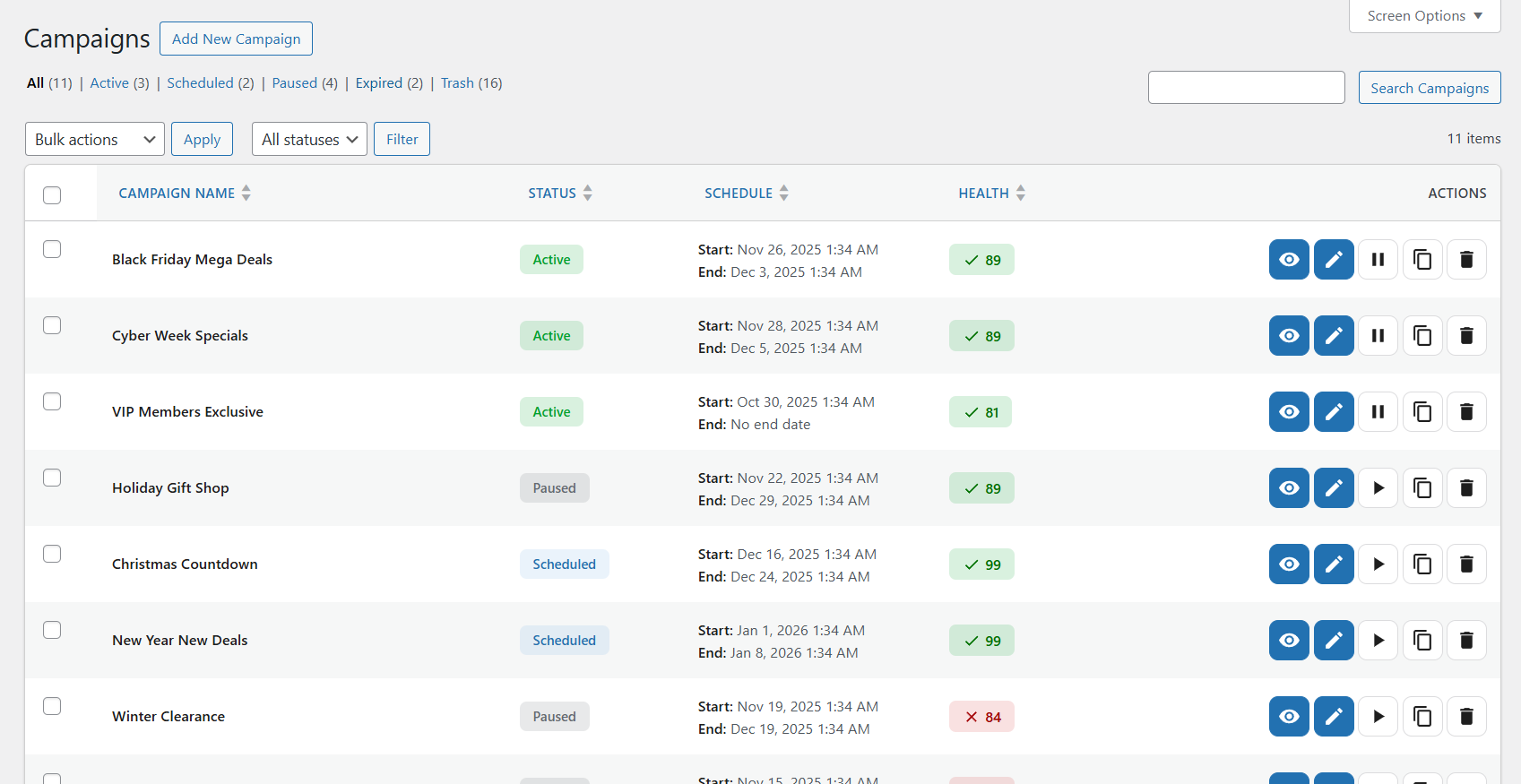
- Recurring promotions — set up a “Weekend Sale” once, it repeats automatically
- Smart conflict detection — the plugin warns you before overlapping discounts cause problems
- Campaign Intelligence — tells you which promotions are working and what to do next
- 5-step wizard — create a campaign in minutes with guided setup and live preview
- Setup wizard — scans your store on first install, detects conflicts, gets you started fast
- Priority system — control exactly which discount wins when campaigns overlap
- Works with any theme — uses WooCommerce’s native sale price system
Perfect For
- Stores running seasonal sales (Black Friday, holiday, summer) that need to start and stop on time
- Stores with multiple promotions that need to avoid conflicts and overlapping discounts
- Stores that want to automate recurring deals (weekly specials, daily flash sales)
- B2B and wholesale stores using role-based or tiered quantity pricing
- Anyone tired of manually editing product prices every time a sale starts or ends
WooCommerce Discount Types and Dynamic Pricing Features
Free version includes:
- Percentage discounts
- Fixed amount discounts
- BOGO (Buy One Get One) deals
- Coupon-code campaigns — require a shared code at checkout for any discount type
- URL auto-apply (
?wsscd_code=YOURCODE) for sharing codes in emails and social posts - Free shipping toggle inside campaign setup
- User role targeting (include/exclude roles)
- Location targeting by billing or shipping country
- Recurring campaign scheduling — certain weekdays, days of the month, or daily time windows
Pro version adds:
- Tiered quantity discounts (volume pricing)
- Spend threshold discounts (cart-based conditions)
- Bundle deals (percentage, fixed, flat bundle pricing)
- Bulk unique-code generation (up to 50,000 single-use codes per campaign, CSV export)
- Single-use enforcement (lock a code to one redemption per code or per customer)
- Advanced discount-rule controls for deeper eligibility and margin protection
- Advanced subscription discount controls (when WooCommerce Subscriptions is active)
- Full analytics dashboard and advanced exports
Advanced WooCommerce Promotion Engine
Smart Cycle Discounts is built as a campaign system, not a one-off rule editor.
- Campaign lifecycle management (draft scheduled active expired)
- Smart product targeting (all products, specific products, random products, categories, advanced filters)
- Timezone-aware scheduling automation
- Priority resolution when campaigns overlap
- Optimized caching and operations for larger WooCommerce catalogs
WooCommerce Promotion Conflict Detection
Before launch, Campaign Health and Campaign Intelligence evaluate operational risks including:
- Promotion conflicts and overlapping discounts
- Priority ties across concurrent campaigns
- Stock exposure and product readiness
- Schedule and timing consistency
- Discount integrity and risk indicators
This shifts teams from reactive troubleshooting to proactive promotion control.
WooCommerce Campaign Analytics and Intelligence
Smart Cycle Discounts includes campaign-level operational insight so you can evaluate:
- Which campaigns are driving meaningful revenue
- Which discounted products perform best
- Which promotions should be scaled, paused, or redesigned
The analytics dashboard helps stores optimize promotions instead of guessing which discounts work best.
Advanced analytics depth and exports are available in Pro, while base Campaign Intelligence guidance is included in the free version.
Popular WooCommerce Promotion Use Cases
Smart Cycle Discounts can be used to run:
- WooCommerce BOGO campaigns
- WooCommerce bulk discount and tiered pricing campaigns
- WooCommerce scheduled sales and recurring promotions
- WooCommerce bundle discount campaigns and product packages
- WooCommerce flash sales and seasonal campaigns
- WooCommerce customer-segment discounts (roles and locations)
- WooCommerce coupon code campaigns (private codes for email blasts, influencer codes, loyalty rewards)
- WooCommerce promotion cycles with planned campaign scheduling
Why Store Owners Switch to Smart Cycle Discounts
Most discount plugins let you create rules. Smart Cycle Discounts lets you run promotions.
Common problems with other discount plugins:
- Discounts calculated on-the-fly slow your store to a crawl
- “Sale” filter plugins can’t find your discounted products
- Two discounts overlap and customers get double savings you didn’t intend
- The free version is empty — every useful feature is locked behind Pro
- Uninstalling leaves leftover sale tags and data in your database
How Smart Cycle Discounts is different:
- Sale badges and strikethrough on your storefront — discounts render through WooCommerce’s price filters, so your theme’s “Sale!” badge and crossed-out pricing appear automatically on shop, category, product, and search pages. No frontend JavaScript, and no bulk price rewrites on activation — active-campaign data is cached and product terms batch-loaded to keep pages fast.
- Built-in conflict detection — Campaign Intelligence catches overlapping discounts, priority ties, and pricing risks before your customers do. You’ll know about problems before they cost you money.
- Genuinely useful free version — percentage off, fixed amount, BOGO, scheduling, recurring campaigns, role targeting, and location targeting are all included free. No bait-and-switch.
- Clean uninstall — deactivating or removing the plugin restores your original prices and removes all plugin data. No leftover sale tags or orphaned database entries.
- Performance-first architecture — active campaigns are cached, product terms are batch-loaded, and admin assets only load on plugin pages. Your store stays fast.
Documentation & Resources
Getting started
Guides
- Discount types reference
- Scheduling & recurring campaigns
- Cycle AI
- Use case walkthroughs
- Developer documentation
- Troubleshooting
More
More from Webstepper
TrustLens — Fraud Prevention & Chargeback Defense for WooCommerce — Smart Cycle Discounts grows your revenue; TrustLens protects it. It scores every customer 0–100 and catches return abuse, coupon fraud, fraud rings, and card-testing attacks before they hit your margin — all 8 detection modules free, and you stay in control: block, allowlist, or just watch.
Get Started
- Install and activate the plugin
- The setup wizard scans your store and checks for conflicts
- Create your first campaign — describe it to Cycle AI or use the 5-step wizard
- Your discounts go live automatically — no product editing needed
Need Help?
External Services
This plugin’s Cycle AI feature (optional, opt-in) relies on a hosted AI service operated by Webstepper to generate campaign drafts from natural-language descriptions.
What the service does. When you use Cycle AI, the plugin sends your typed prompt and a summary of your store catalog to Webstepper’s hosted endpoint at cycle-ai-proxy.usa-mv96.workers.dev. That endpoint verifies your plan tier with Freemius, enforces a per-plan usage quota, then forwards the request to OpenAI (api.openai.com). OpenAI generates the campaign draft, which is returned to your site and rendered in the Cycle AI chat panel for your review. The draft is never published as a live campaign until you explicitly approve and save it through the wizard.
What data is sent.
- Your typed prompt and the conversation history for the current draft.
- A summary of your store catalog: product names, IDs, category names, tag names, and category product counts. Used so the AI can reference real products and categories when drafting campaigns.
- Your Freemius install ID, anonymous install UID, and (if you have a Pro license) your license secret key. Used to validate your plan tier and enforce quotas.
What data is NOT sent. The plugin does not transmit customer names, customer email addresses, order data, transaction history, or any personally identifiable information about your shoppers.
When data is sent. Only when you explicitly click a button that invokes Cycle AI (typing a prompt and pressing Send, or refining an existing draft). The plugin does not make any background calls to the service.
Consent. Before the first Cycle AI call, the plugin shows a consent modal listing exactly what data will be sent and linking to Webstepper’s privacy policy and terms of service. No data is transmitted until you accept. You can revoke consent at any time by disabling the feature.
Providers and policies.
- Webstepper (hosted AI service, rate limiting, tier validation): Privacy Policy — Terms of Service
- OpenAI (the underlying language model): Privacy Policy — Terms of Use
If you do not use Cycle AI, no external service calls are made by this plugin.