
Smart Auto Upload Images – Import External Images
Smart Auto Upload Images imports external images from your post content into the WordPress Media Library when you save or update a post. It replaces the original image URLs with local URLs, helping you keep a copy of the images your content depends on.
Automatic image imports
- Detects external image URLs in
imgtags, includingsrcandsrcset. - Imports supported images into the Media Library and updates matching URLs in post content.
- Works with the Classic Editor, image markup in block content, and custom post types.
- Supports external featured image imports from the post editor or REST API.
Settings for your workflow
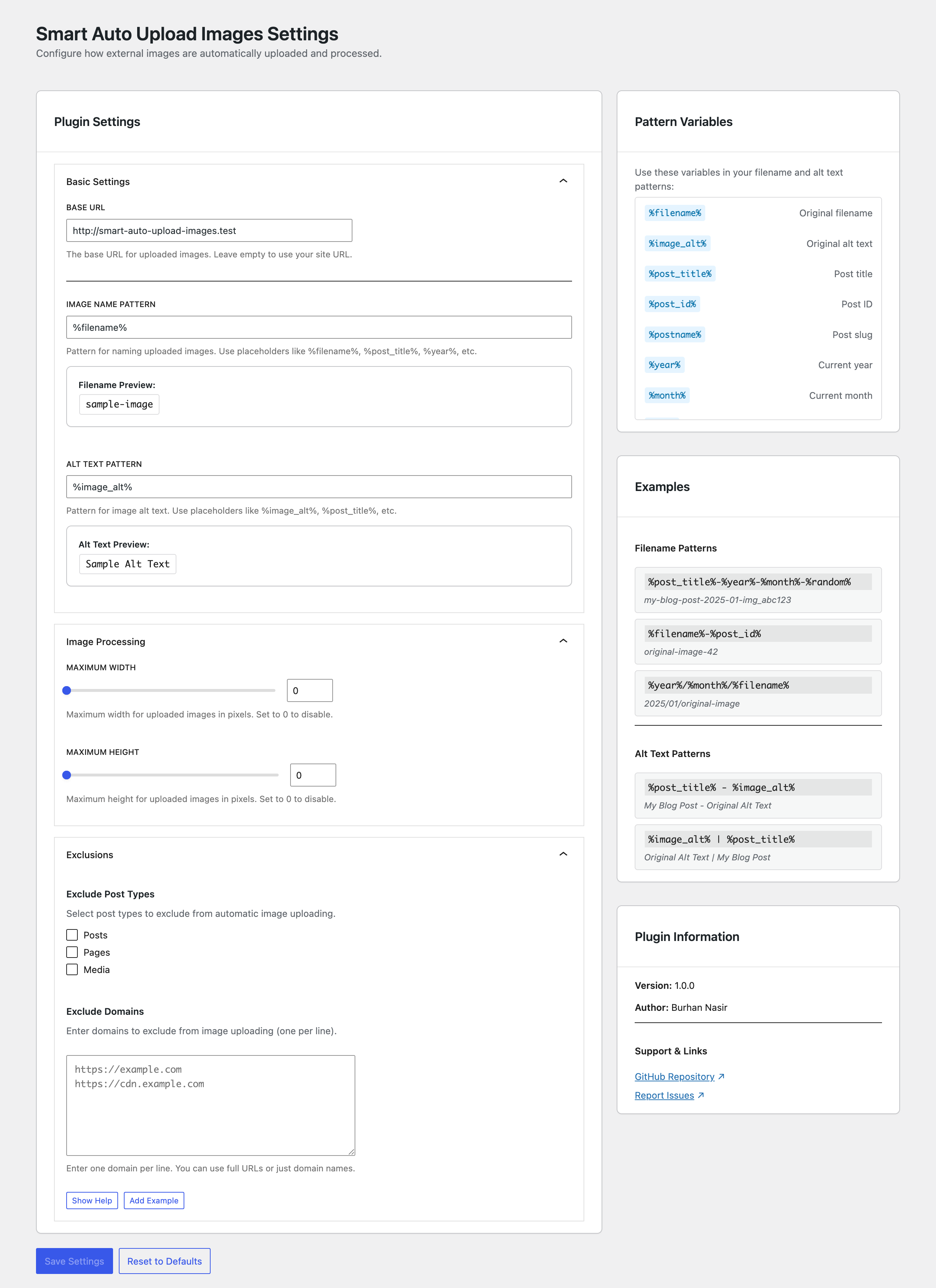
- Customize imported filenames and image alt text with pattern variables.
- Set maximum image width and height.
- Exclude specific post types or external domains.
- Set a custom base URL for imported image links.
- Reuse an existing image when the generated filename and downloaded file contents match.
Import history and recovery — new in 1.3.0
Open Settings Smart Auto Upload Images History to review recent successful post-content imports. Each entry shows the post, import time, image count, and original and imported URLs.
Select Restore original URLs to replace imported URLs that are still present in that post. Recovery preserves other post edits and keeps imported files in the Media Library.
- History starts with imports made after updating to 1.3.0; older imports are not added retroactively.
- The plugin stores up to 500 import events per site and displays the latest 50 that you can edit.
- Recovery applies to recorded URL replacements in post content. It does not restore alt text or featured images, or act as a full post backup.
- If different original URLs share one imported image URL, recovery is blocked to avoid restoring the wrong source.
- Recovered external URLs may be imported again when the post is saved normally. Exclude their domain or post type if you want them to remain external.
- Administrators can access history and must have permission to edit a post before recovering it.
The Settings and History tabs have separate URLs, so you can bookmark a tab and use browser Back and Forward.
Filename and alt text patterns
Use variables such as:
%filename%— original filename without its extension.%image_alt%and%image_title%— original image attributes.%post_title%and%post_name%— post title and slug.%year%,%month%,%day%, and%today_date%— current UTC date values.%post_date%— post date.%timestamp%and%random%— timestamp or generated identifier.
For example, use %post_name%-%filename% for filenames or %image_alt% - %post_title% for alt text. The settings sidebar lists available variables.
Exclude external domains
In Settings Smart Auto Upload Images Settings, open Exclusions and enter one hostname or URL per line, such as cdn.example.com or https://cdn.example.com. Hostnames match without case sensitivity; add subdomains separately when needed.
Compatibility and limits
Images must be publicly accessible and pass WordPress URL and file validation. Importing many or large images can increase post save time and consume disk space. Maximum dimensions control resizing, not download size.
Page builders are supported when they store image markup in post content. Images stored only in custom fields, CSS backgrounds, or other separate builder data are not guaranteed to be imported. There is no dedicated bulk import screen; existing content is processed when its posts are saved.
Only import images you have permission to use. The plugin contacts the image hosts referenced in your content to download files.