
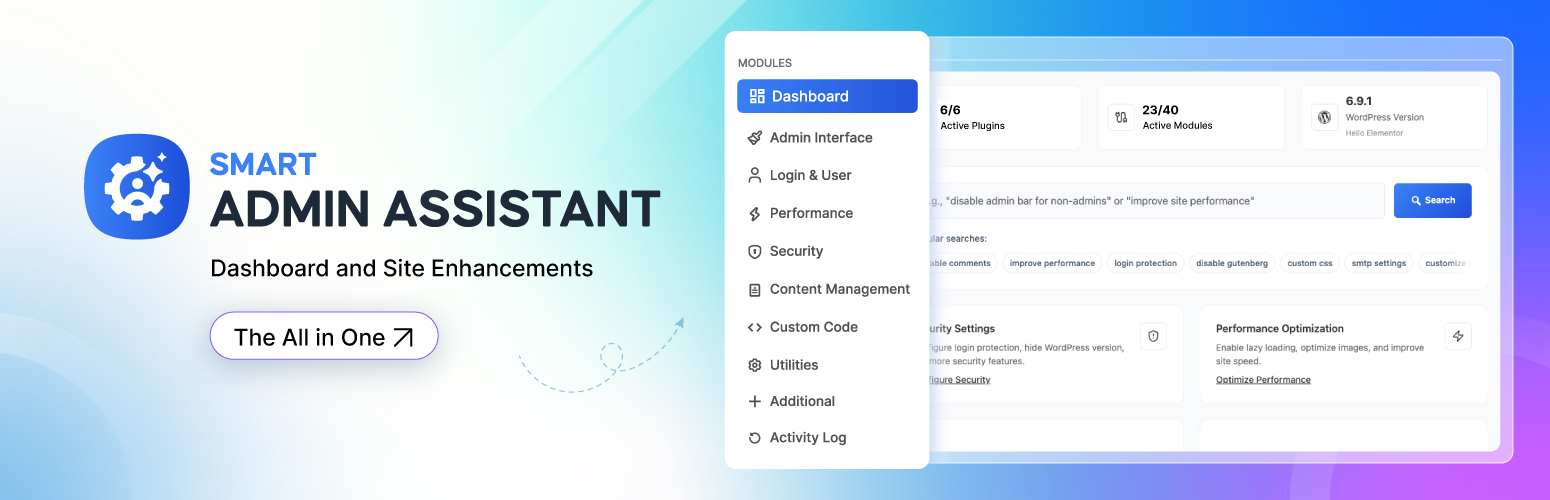

Smart Admin Assistant

Modules of Smart Admin Assistant
Smart Admin Assistant bundles the everyday admin, security, performance and content tools most sites install as separate plugins into one modular plugin. Every module ships fully working — enable only the ones you need.
Replace multiple single-purpose plugins with one centralized solution.
Try Live Demo | Read Documentation
Why Choose Smart Admin Assistant
- All-in-One Solution
- Modular Architecture — every module can be switched off individually
- Performance Optimized
- Security First
- Regular Updates and 24/7 Support
Modules & Features
Admin Interface
Creates a cleaner, more personalized dashboard experience. Remove distractions and improve visibility across daily admin tasks.
- Hide the admin bar in the backend and/or on the frontend
- Admin bar cleanup — remove WordPress logo, updates, comments, “New” and other default items
- Hide all admin notices from plugins and WordPress
- Add the user role to the frontend body class
- Add user info to the admin body class
- Custom admin footer text (shortcode & basic HTML support) and hide the WordPress version in the footer
Login & User Management
Strengthens site security and gives you control over how users sign in.
- Replace the default WordPress login URL with a custom slug
- Restrict login to username only or email address only
- Login page layout templates — Split Screen, Modern Center and Underline Split designs
Performance
Improves page speed and reduces server load.
- Revision control — limit stored revisions per post and clean up existing revisions
- Heartbeat API management — frequency control and disable per screen
- Lazy-load images
- Page cache for anonymous visitors, purged automatically on content changes
Security
Layered protection through security hardening and access controls.
- Login protection — attempt limits, lockouts and blocked-IP management
- Email address obfuscation against spam bots
- HTTP security headers
- WordPress hardening — hide the version, disable file editing, XML-RPC and more
- IP management — current status and manual IP blocking
- Security scanner and site-health scan
- Security widget on the WordPress dashboard
Content Management
Reduces repetitive editorial work while keeping content structured and manageable.
- One-click duplication of pages, posts and post meta
- Auto-generated post excerpts
- Editor selection — Classic Editor globally or per post type
- Comments management — disable globally or per post type, close comments on old content
- SVG uploads with security sanitization
- AVIF uploads
- Scheduled posts recovery — automatically publish “missed schedule” posts
Utilities
- Coming Soon / maintenance page for non-logged-in visitors with title, description, countdown timer and progress bar
- Restore all settings to their defaults
Additional
- Advanced user management — private admin notes on user profiles and additional bulk user actions
System Information
- Server, PHP and WordPress environment details in a dedicated tab, with one-click copy for support tickets
AI Settings Search
- Describe what you want in plain language and jump straight to the matching setting
Who Is Smart Admin Assistant For
-
Site Owners/Administrators – Business owners, bloggers, and organizations who need specific functionality for their websites but may not have technical expertise to code solutions themselves.
-
Content Creators – Writers, marketers, and content managers who use plugins to enhance their publishing workflow, and content presentation.
-
Developers/Agencies – Web developers and agencies who use plugins as building blocks to create custom solutions for clients, extending WordPress functionality without reinventing the wheel.
-
Small to Medium Businesses – Companies that need professional website features without custom development costs.
Pro version
A separate premium plugin, Smart Admin Assistant Pro, is available from store.bdthemes.com. It is installed alongside this plugin and adds its own modules (SEO, activity log, SMTP, menu customization, and more). Everything listed above works without it.
Smart Admin Assistant 2.4.0 requires Smart Admin Assistant Pro 2.4.0 or newer.
External Services
This plugin does not connect to any third-party service. It sends no telemetry, checks no remote feeds and loads no remote fonts or scripts.
The only HTTP requests it makes are loopback requests to your own site — for example fetching your homepage, robots.txt, a sitemap URL or a core script URL from your own domain — and only when you run the site-health scan from the plugin dashboard. Nothing is sent to any external server.
Source Code and Build Process
This plugin ships with the complete, human-readable source for every generated
file it loads. Nothing you need in order to read, study, modify or rebuild the
plugin is withheld.
src/admin/— React source (JSX) for the admin application, built todist/admin/src/scss/— Sass source for every stylesheet, built todist/css/src/js/— JavaScript source for the classic admin screens, built todist/js/
The build configuration is included as well: package.json, webpack.config.js
(via @wordpress/scripts), vite.config.js, postcss.config.js,
tailwind.config.js and tailwind.preset.js.
To rebuild the distributed files from source, from the plugin directory:
npm install
npm run build

npm run build runs `@wordpress/scripts` (webpack) for the React admin app and
Vite for the stylesheets and classic scripts, writing the result to dist/.
npm run dev and npm run dev:scss are the watch-mode equivalents. The PHP
autoloader is generated with composer dump-autoload -o.
No minified third-party library is bundled without its source.
Support & Documentation
- Plugin Support: Available through WordPress.org support forums
- Documentation: Comprehensive guides available on our website
- Feature Requests: We listen to our community for future enhancements