


Slider by 10Web – Responsive Image Slider
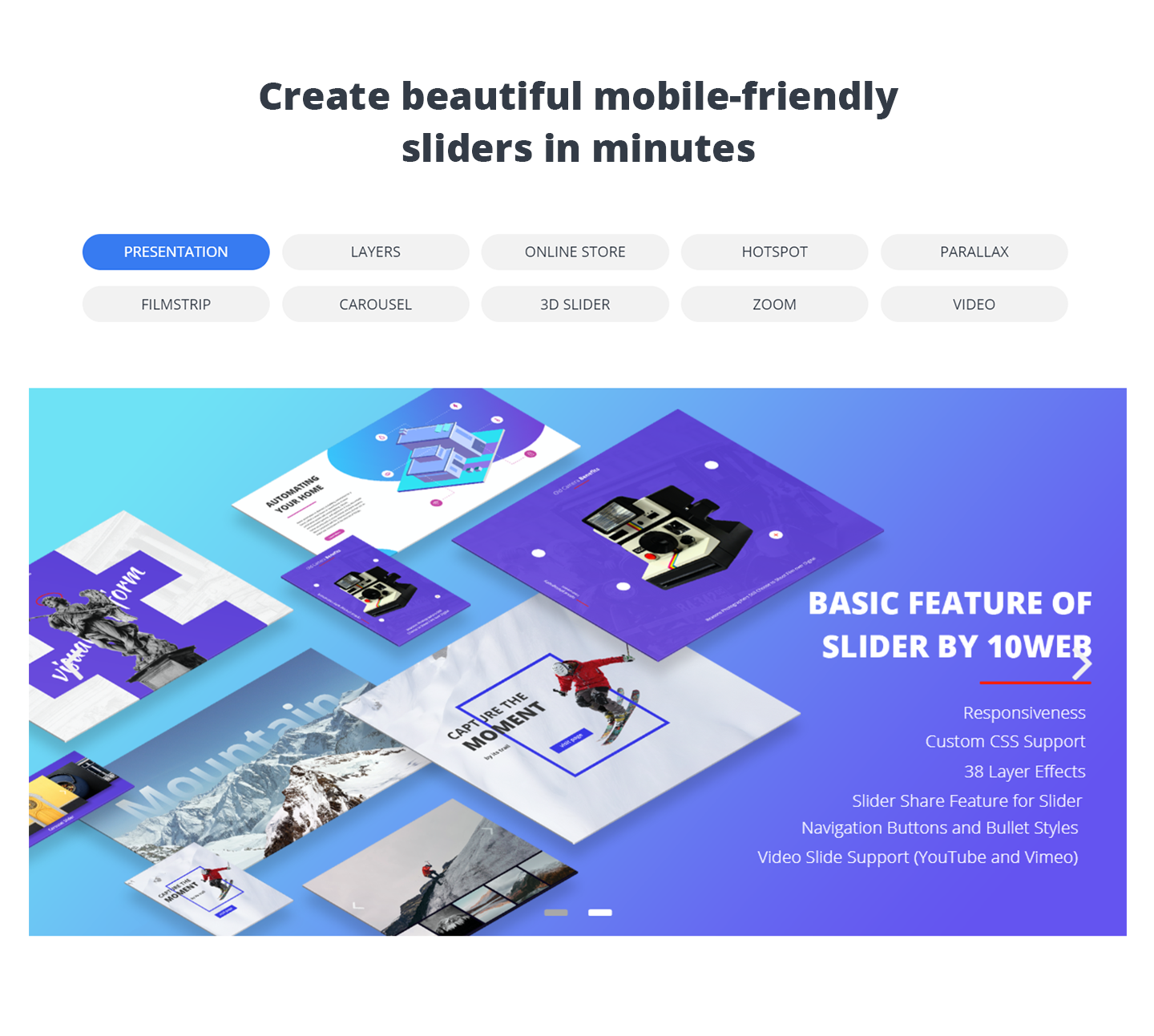
Slider by 10Web - Slider 1
Useful Links:
Special Offer for all Premium Plugins
WordPress Slider Plugin
Demo
User Manual
Support Forum
Slider by 10Web is a versatile solution to help you add fast loading, responsive and SEO-friendly sliders to your website pages, posts, theme header or any other location. The plugin supports both images and videos on the slides, which further could be spiced up with various transition effects. Filmstrip, carousel and parallax effects of Premium version will have your slides look even better. You can create multi-functional sliders in Premium version, by applying text, image, video, hotspot and social media button layers to the slides. Every feature of the slides, from text size, navigation buttons to slide loading icon, can be customized, giving you a myriad of options to experiment with style and design. It’s by far the easiest solution to create beautiful sliders, which you can add to your website with a shortcode, by inserting into the theme using the PHP function or through widget. Slider by 10Web supports swipe control to make sure your slides look great on touchscreen devices. If you’re looking for power-packed slider plugin which is also user-friendly, go ahead, download it and test the plugin yourself.
Benefits
- User engagement – Sliders are engaging. Once you add beautiful slides to your posts or pages with some high quality images and appealing styling, you may observe improved user engagement rates.
- Better user experience – With its swipe control support Slider by 10Web will provide better user experience on your website. No matter the device or the screen size you can make sure your slides will perform as they should.
- Differentiation – From simple text color and fonts, to hotspot animation and effect duration, there are almost unlimited styling options you can try. Factor in support for custom CSS and you will have more space and flexibility with the styling of your sliders.
- High level of personalization – One of the best things about Slider by 10Web is its flexibility! You can adjust and customize every aspect of your slides.You can play with all the features of the slides and have them match with your website’s design and overall look and feel.
- Grabbing users’ attention – Since the sliders can be basically placed anywhere on your website, it’s a great way to bring attention to any information you want to highlight. Whether it’s an announcement, new post, or just one of your recent video tutorials, you can make sure it will catch the eye.
- Easy to set up, use and customize – Plugin was developed with users in mind. Anyone from beginners to WordPress profs will be able to easily create and customize the sliders without any coding skills.
- Get Support – Ger timely and effective support to all its users. We keep standards high and response time low.
What’s in it
UNLIMITED SLIDES AND SLIDERS
Slider by 10Web allows you to add unlimited number of sliders to your website with as many slides as you want. Easily insert the sliders to any of your posts or pages with the generated shortcode.
MULTIPLE LAYERS
The Premium version allows for creation of multi-functional sliders using the available image, text, video , social media and hotspot layers. Apart from uploading video files from your pc, you can also embed media from YouTube, Vimeo, Instagram, Flickr or Dailymotion using the file’s URL.
MULTIPLE TRANSITION AND LAYER EFFECTS
Slider by 10Web Premium version offers 27 slide transition and 38 mind-blowing layer effects to give your slides a distinct look. You can specify the start/end point of the effects, as well as specify the effect duration.
IMAGE WATERMARKING
Add text and image watermarks to your slides, by selecting the size, transparency, and one of the available nine watermark positions.
SOCIAL SHARING BUTTONS
Add a social sharing buttons’ layer to your slides in Premium version. You can customize almost every aspect of the buttons and enable your visitors to share your slides across the major social media platforms, like Facebook, Google +, Twitter, Pinterest and Tumbler.
PARALLAX AND CAROUSEL SUPPORT
Premium version adds Parallax and carousel support. You can set to display the slides in carousel view, which shows the main image at the foreground, while having the rest of the images at the background. The parallax effect will create modern 3D-like effects on the slides and take them to the next level.
SLIDER EXPORT/IMPORT
If you want to export/import your slides from one website to another, that’s absolutely doable with Slider by 10Web Premium version. You can choose to transfer the slider with pictures and settings, or you can transfer only the settings of the slider and then add your images afterwards.
SETTINGS/CUSTOMIZATION
*Some customizations described here are available in Premium version. Please refer to feature summary for additional info.
Slider by 10Web has an intuitive drag and drop interface, which makes it easy to create, organize and customize your slides. All the slider options as well as the plugin overview is available at the admin panel. This is basically where you can create the sliders and make the necessary changes as you go. Under the plugin’s global options, you’ll find the default options for layers and some other general settings, such as enabling Slider by 10Web media upload, choosing the loading icon,adding font families, etc. All the other options for customizing the slides can be found under the sliders section, the place where you can actually start adding new slides. The user friendly interface lets you easily add images and videos to the slides, as well as embed media from popular social platforms. Beneath the added slides you’ll find the available layers that you can apply to them, each of the layers coming with its own set of settings. Before you save the final version of the slide you can preview all the changes you’ve made. At the top of the page,you’ll also find a settings icon,where you can configure the settings for the slider you’re working on. From this section you can activate carousel view, give custom styling to bullets and buttons, adjust settings for filmstrip view, as well as configure the settings for watermarking. Also, you can add custom CSS to the slides for the additional styling features.
- 27 Transition effects for slider
- 38 Layer effects
- Support for posts in the slides
- Video Slide support (YouTube slider and Vimeo slider)
- Dailymotion, Instagram and Flickr embed
- Layers (text, image and media embed)- Video Manual
- Social sharing buttons layer (Google+, Tumblr, Twitter, Pinterest and Facebook)
- Hotspot layer
- Filmstrip support
- Custom styles for navigation buttons/bullets
- Support for Parallax Slider
- Support for Carousel effect
- Video Slide and layer (mp4)
- Slider Export/Import.
IMPORTANT:
If you think you found a bug in Slider by 10Web or have any problem/question concerning the plugin, please check out WordPress Slider Support Forum in our website. If you do not find a solution here, do not hesitate to click here to contact us.