
SimplyIrfan Markdown

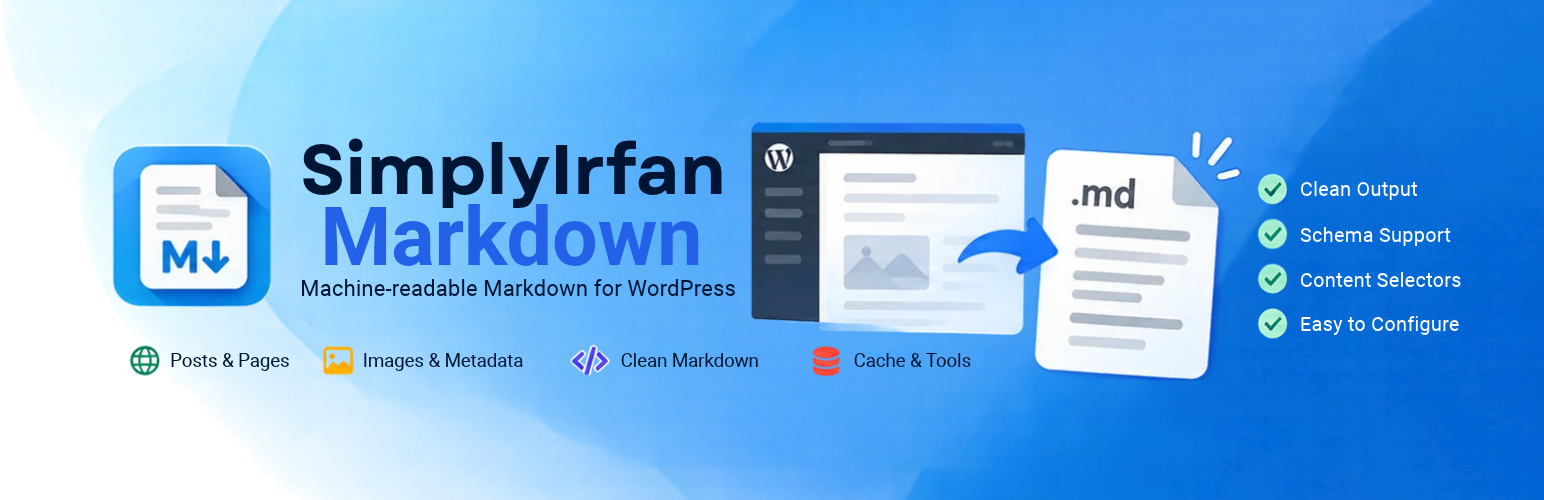
SimplyIrfan Markdown creates an alternate Markdown representation of eligible public WordPress content without creating duplicate posts or changing the original HTML page.
For a normal post such as:
https://example.com/my-post/
it can provide:
https://example.com/my-post.md
The plugin converts the rendered front-end page, rather than only raw post content. This helps preserve server-rendered Gutenberg blocks, shortcodes, theme output, tables, figures, links, lists, and other content that exists after WordPress has processed the page.
The plugin is created and maintained by Irfan under the SimplyIrfan brand.
Features
- Clean
.mdURLs for public posts, pages, and selected public custom post types. - YAML front matter with title, ID, post type, slug, dates, canonical URL, Markdown URL, excerpt, and public taxonomy terms.
- Featured image metadata including URL, alt text, dimensions, attachment ID, MIME type, caption, and file size when available.
- Optional page-aware JSON-LD that prioritizes the appropriate schema entity for the content type and uses consistent properties for article-like types and webpages.
- Optional HTTP content negotiation: a normal HTML URL can return Markdown when the client sends
Accept: text/markdown. - Cache-aware Markdown negotiation using
Vary: Accept, no-store headers for negotiated responses, WordPress no-cache constants, and integrations with supported cache-plugin hooks. - Cache-plugin agnostic design: the plugin uses standard HTTP/WordPress controls and best-effort integrations where cache plugins expose public bypass hooks; a CDN or web-server cache that runs before PHP must still be configured to vary/bypass on
Accept. - Converts headings, paragraphs, emphasis, links, lists, blockquotes, code, horizontal rules, deletion text, figures, captions, and simple tables.
- Optional content images with common lazy-loading attributes and alt/title handling.
- Configurable main-content selectors.
- Configurable selectors for removing navigation, forms, banners, related content, or other unwanted elements.
- Optional Yoast SEO noindex protection.
- Password-protected and non-public content is rejected.
- Automatic Markdown discovery using
rel="alternate"withtype="text/markdown". - Anonymous Markdown response caching with cache invalidation tools.
- Optional advanced
Accept: text/markdowncontent negotiation, disabled by default. - No external API or SaaS service is required.
Markdown metadata
A typical document can contain fields such as:
title, `id`, `type`, `slug`, `published_at`, `modified_at`, `url`, `markdown_url`, `excerpt`, taxonomy fields, and featured-image metadata.
When enabled, page-aware JSON-LD is appended as a fenced JSON section. It describes the original HTML article and does not replace schema generated by Rank Math, Yoast SEO, or the active theme on the normal HTML URL.
Settings
Go to Settings Markdown Output after activation.
Options
- Select the public content types that should expose Markdown.
- Honor Yoast noindex values.
- Include images inside the Markdown body.
- Include featured-image metadata.
- Include page-aware JSON-LD.
- Enable response cleanup for unusual server/theme output.
DOM & Selectors
- Choose the primary content container with simple CSS selectors.
- Exclude unwanted elements with additional selectors.
Advanced
- Enable content negotiation only if your CDN and page cache correctly honor
Vary: Accept. - Optionally allow broader
text/*Accept headers.
Tools
- Clear generated Markdown caches after site-wide template or content changes.
Installation
- Upload the
simplyirfan-markdownplugin folder to/wp-content/plugins/, or install the ZIP from Plugins Add New Plugin Upload Plugin. - Activate SimplyIrfan Markdown.
- Go to Settings Markdown Output.
- Select the content types you want to expose.
- Append
.mdto an eligible public permalink to test the Markdown representation.
Frequently Asked Questions
Does it create physical Markdown files?
No. .md URLs are generated by WordPress rewrite rules. Temporary caches are used for performance, but the plugin does not create a second file tree or duplicate posts.
Does this create duplicate SEO pages?
The Markdown URL is an alternate machine-readable representation of the canonical HTML page. It is not intended to be a second independent article. The Markdown response identifies the HTML URL as canonical.
Can I use it for AI crawlers?
Yes. The plugin provides a predictable Markdown representation and advertises it from eligible HTML pages. It does not guarantee that any particular crawler, model, or search engine will discover or use the representation.
Are featured images included?
Yes. Featured-image metadata is enabled by default and can be disabled from Settings Markdown Output. The metadata can include the original image URL, alt text, width, height, attachment ID, MIME type, caption, and file size when WordPress has that information.
Are images inside the article included?
They can be. Enable Images in Markdown to convert images found inside the selected content area. Common lazy-loading attributes are supported.
Does it support Gutenberg and shortcodes?
The converter uses the rendered front-end page, so server-rendered block and shortcode output can be represented. Content inserted only by browser-side JavaScript is not available to the server-side renderer.
Can I control which part of my theme becomes Markdown?
Yes. Use Main Content Selectors and Excluded Content Selectors. The selector implementation supports a practical subset including tags, IDs, classes, descendants, direct children, and comma-separated alternatives.
Does it expose private content?
No. The plugin only serves publicly viewable content from enabled public post types. Password-protected content is rejected. Additional access-control integrations can use the simplyirfan_markdown_can_serve_post filter.
Does it modify Rank Math or my existing schema?
No. The plugin generates its own alternate Markdown response. The optional Article JSON-LD is only part of that Markdown representation; it does not modify the normal HTML page or existing Rank Math/Yoast schema.
Should I enable content negotiation?
It is optional and disabled by default. When enabled, a client can request Markdown from the normal canonical URL with Accept: text/markdown. This requires all caches/CDNs in front of the site to honor Vary: Accept. Test carefully before enabling it.
What happens if rendered-page retrieval fails?
The plugin returns a non-cacheable HTTP 503 response instead of caching an empty or incomplete document.
How do I clear the cache?
Go to Settings Markdown Output Tools Clear Markdown Cache. Cache generation also changes automatically after relevant settings changes, theme switches, and navigation-menu updates.
Does it require an external service?
No external API or SaaS service is required. The plugin runs on the WordPress site. The rendered-content approach makes a loopback HTTP request to the site’s canonical page; hosting configurations that block safe loopback requests may require testing or selector adjustments.
Developer filters
The plugin provides filters including:
simplyirfan_markdown_can_serve_postsimplyirfan_markdown_is_noindex_postsimplyirfan_markdown_include_taxonomysimplyirfan_markdown_front_mattersimplyirfan_markdown_schemasimplyirfan_markdown_markdown_documentsimplyirfan_markdown_cache_ttl
Privacy
SimplyIrfan Markdown does not send post content to an external service. It processes eligible content on the WordPress site and uses WordPress’s own temporary caching mechanisms.
License
SimplyIrfan Markdown is licensed under the GNU General Public License v2 or later.