

Simple Tournament Brackets
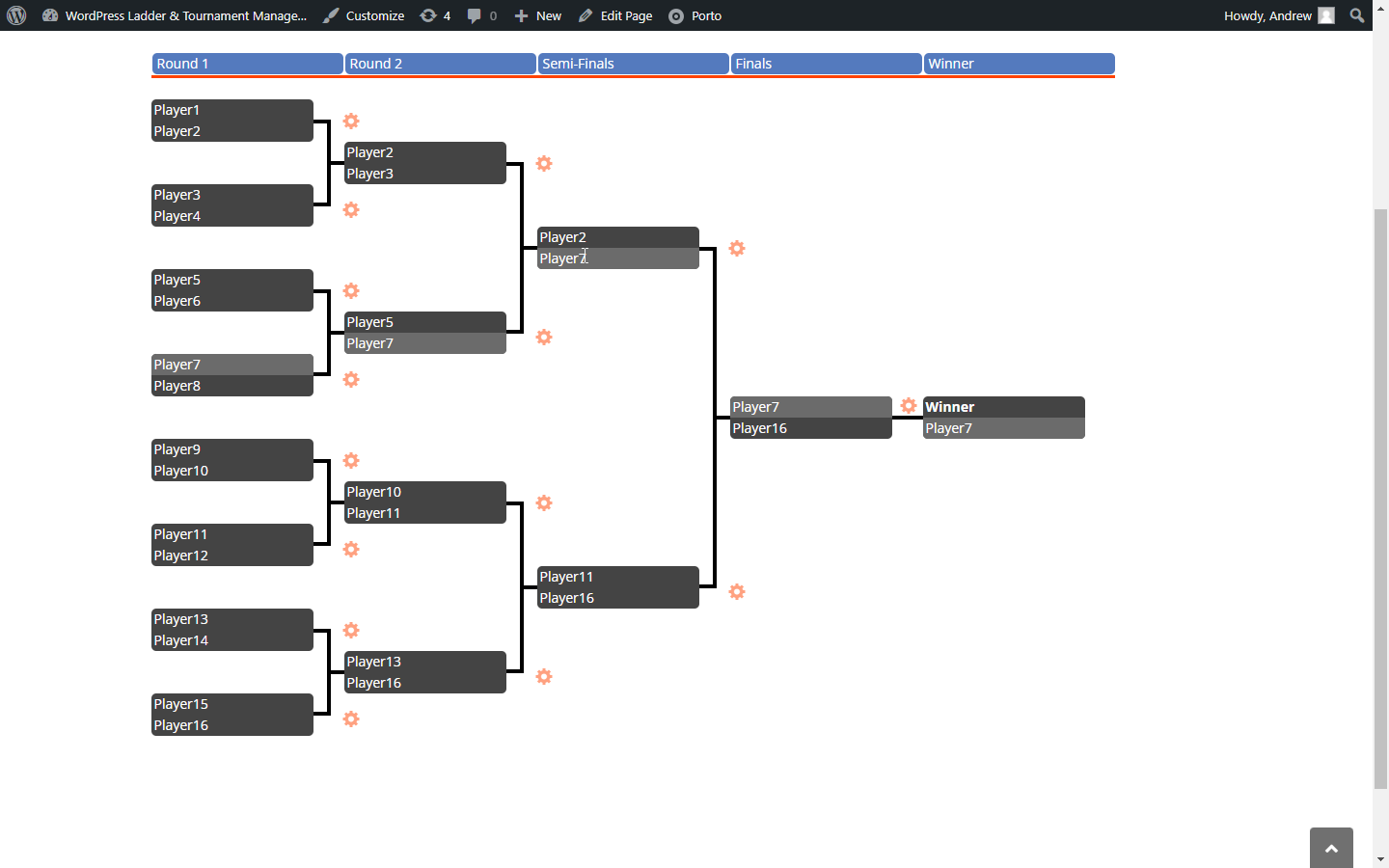
A 16-competitor tournament. The cursor is hovering over Player7, and the brackets highlight Player7's path through the brackets.
Transform your website into a tournament hub with professional-looking brackets that engage your audience. Simple Tournament Brackets makes it effortless to create and manage single-elimination tournaments for any competition – from esports events to office fantasy leagues, sporting competitions to gaming tournaments.
Key Features:
– Flexible Tournament Sizes: Support for 4-256 competitors with automatic bye management
– Professional Presentation: Clean, responsive bracket displays that look great on any device
– Easy Management: Intuitive admin interface for seeding competitors and advancing matches
– Customizable Design: Match your site’s branding with customizable colors and styling
– Simple Integration: Display brackets anywhere with easy shortcodes
– Real-time Updates: Brackets update instantly as matches progress
Perfect for sports leagues, gaming communities, corporate events, educational competitions, and any scenario where you need to showcase tournament progression in a professional, engaging format.
You can display the brackets on any page using the [simple-tournament-brackets tournament_id="$id"] shortcode where $id corresponds to the post_id of the created tournament. For example, if the post_id for a tournament you want to display is 2025, then you should use the shortcode [simple-tournament-brackets tournament_id="2025"]. The shortcode to use is also displayed for each tournament on the WordPress backend All Tournaments page.
You can display a list of tournament matches on any page using the [simple-tournament-brackets-match-list tournament_id="$id"] shortcode where $id corresponds to the post_id of the created tournament. For example, if the post_id for the match list you want to display is 66, then you should use the shortcode [simple-tournament-brackets-match-list tournament_id="66"]. The shortcode to use is also displayed for each tournament on the WordPress backend All Tournaments page.
Need support or have a feature request? Please reach out to us here on the WordPress.org forums or visit our website at www.simpletournamentbrackets.com.