
S
Silverlight Bing Maps
0/5 (0 ratings) 10 active installs Updated May 12, 2010
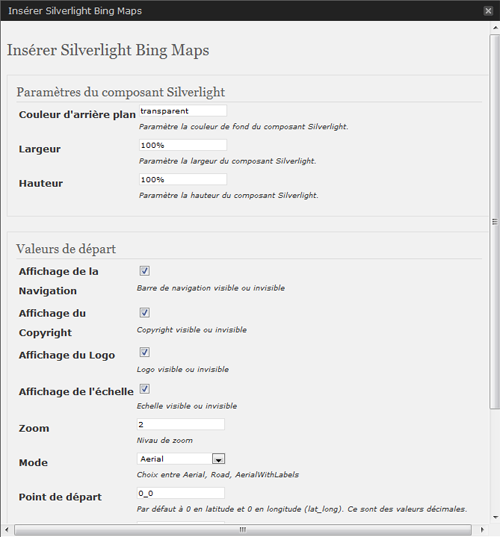
Settings Module
This BingMap plugin allows a smooth integration of an interactive map in your WordPress site. The administration section will offer you some parameters to customize the presentation.
Just write use the adminpanel or write a tag like :
[sl-bingmaps background=”transparent” width=”100%” height=”300″ NavigationVisibility=”1″ CopyrightVisibility=”1″ LogoVisibility=”1″ ScaleVisibility=”1″ ZoomLevel=”5″ Mode=”Aerial” StartLocation=”48.8756271_2.3493838″ Pushpin=”48.8756271_2.3493838″ Culture=”fr_FR”]
The plugin offers the following features:
* Width and Height customization - percent value are possible
   //width=400 or 100%
* Display navigation menu or not
   //NavigationVisibility="1"
* Display copyright in the map or not
   //CopyrightVisibility="1"
* Display the Bing logo or not
   //LogoVisibility="1"
* Display Scale indication
   //ScaleVisibility="1"
* Set the zoom level
   //ZoomLevel="5"
* Set the display mode
   //Mode="Aerial" //Aerialwithlabels //road
* Set camera center
   //StartLocation="48.8756271_2.3493838"
* Set point of interest
   //Pushpin="48.8756271_2.3493838"
* Set Culture
   //Culture="fr_FR"
Arbitrary section
A brief Markdown Example
<?php code(); // goes in backticks ?>