

Siftra – Free WCAG & ADA Accessibility Checker
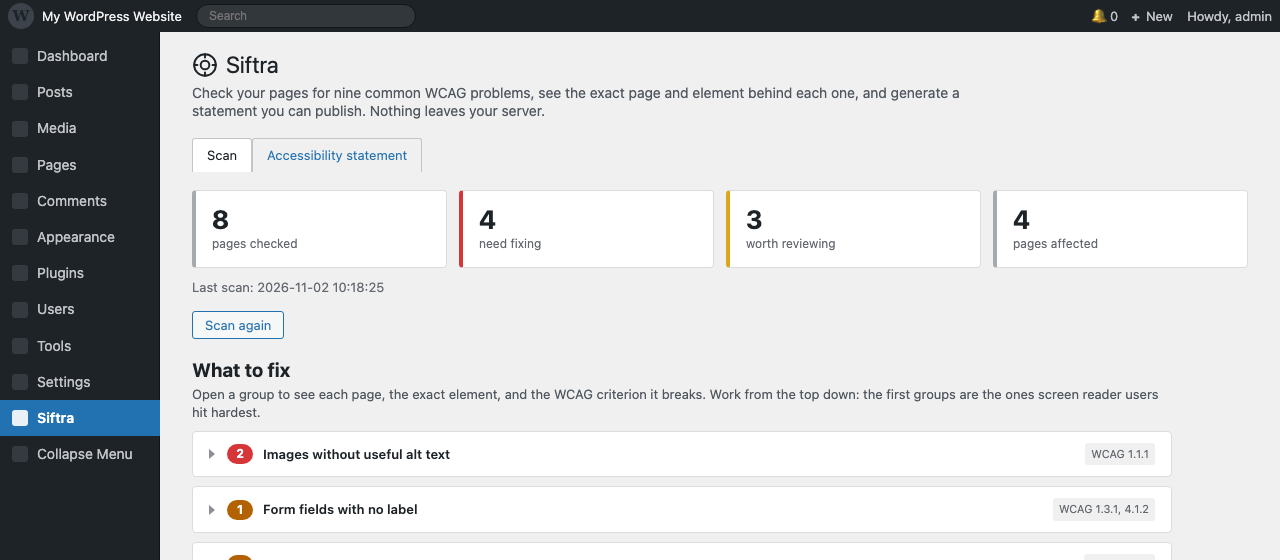
The scan summary: pages checked, findings that need fixing, findings worth reviewing, and pages affected.
Siftra runs a free accessibility scan of your published pages and tells you what to change, element by element.
If you want to know why that is worth ten minutes, here is the state of the web. The WebAIM Million analyses one million home pages every year. In the 2026 edition, 53.1% of them had images with no alt text, 51% had form fields with no label, 46.3% had empty links, 30.6% had empty buttons, and 13.5% declared no page language. Those five failure types are decided from markup alone, and they are four of the nine checks in this plugin.
The sixth most common failure, low contrast text, was found on 83.9% of pages. It needs the rendered page, so no server-side scanner can decide it, including this one. Siftra says so in the report rather than quietly leaving it out.
Nothing is added to your front end: no overlay, no widget, no script. There is no account to create, and nothing leaves your database.
And it ends with something you can use: an accessibility statement, with the known limitations from the last scan already filled in. That is the document you hand to a client.
What it does
- Scans up to 50 of your published pages by default, five at a time, in the background. You can raise the limit to 300 before you start.
- Reports nine kinds of problem that automated testing can actually decide from the markup: missing image descriptions (alt text), unlabeled form fields, broken heading order, “click here” links, missing page language, empty buttons and links, tables without header cells, untitled iframes, and media that plays by itself.
- Shows the page, the element, the WCAG criterion, and the fix for every finding. No vague “12 issues found”.
- Includes a free, unlimited accessibility statement generator. Where the European Accessibility Act (EAA) applies, it asks for a published statement and a feedback channel.
What it does not do
- No overlay widget, and no automatic rewriting of your pages. The plugin reports what it finds on each element; you decide what to change.
- No “one-click fix” and no “AI makes your site compliant”. Automated testing cannot make that promise, and this plugin does not make it.
- No account, no email, no usage data, no third-party requests.
- No claim of compliance. A clean scan means the nine automated checks passed. It does not mean your site is accessible, and the plugin says so in the report and in every generated statement.
Who it is for
Site owners and small agencies who want to know what is wrong before they pay anyone for an audit. The aim is to stop guessing, not to wait for a complaint.
If you look after sites for other people
Two things are built for that job rather than for a single site owner. On the Client report tab you enter your own name, email and website once. From then on:
- The report you copy out is a plain-text document addressed to your own client, ending with your name on it, not this plugin’s.
- The accessibility statement says the site is maintained by you on behalf of the client, with your contact details in it.
- The one line that mentions Siftra is a checkbox. Switch it off and the documents carry your brand only.
The report is deliberately plain text: it survives being pasted into an email, a ticket or a document, and every finding names the page and the fix, so your client can see what they are paying for. The exact element behind each finding stays in your dashboard, which is where the work gets done.
In the EU, the European Accessibility Act has applied since June 2025. In the US, Section 508 covers federal agencies, and Seyfarth Shaw counted 3,117 website accessibility lawsuits in federal court in 2025, up 27% from 2024.
Four of the six problems cited most often in those lawsuits are covered by the nine checks: missing alt text, unlabeled form fields, empty links and buttons, and missing page language.
How to read your first number
WebAIM found that 20.5% of home pages had five or fewer detectable errors and 30.4% had ten or fewer. So a first scan that comes back with forty findings is not a broken plugin: on a page with sixty images and a contact form, that is the normal range, and every site owner sees roughly the same distribution.
The useful signal is not the total. It is whether the same three or four types of problem keep appearing on every page. That pattern means one theme or template change fixes everything at once, which is a different job from chasing individual images.
About
I am one developer, not a company. Siftra exists because I wanted to know what was wrong with a page before paying someone for an audit. Every tool I tried either put a widget on the front end, or told me the site was compliant when it plainly was not.
I am not an accessibility expert, and the plugin does not pretend to be one. The nine checks are the ones that can be decided from markup without guessing; anything that needs a browser or a human is listed as a limit instead of being guessed at. If you hit a false positive, report it in the support forum and I will fix it. That is the whole roadmap for this version.
Source is GPLv2. No tracking, no upsell, no account.