

ShadowScan Security Link
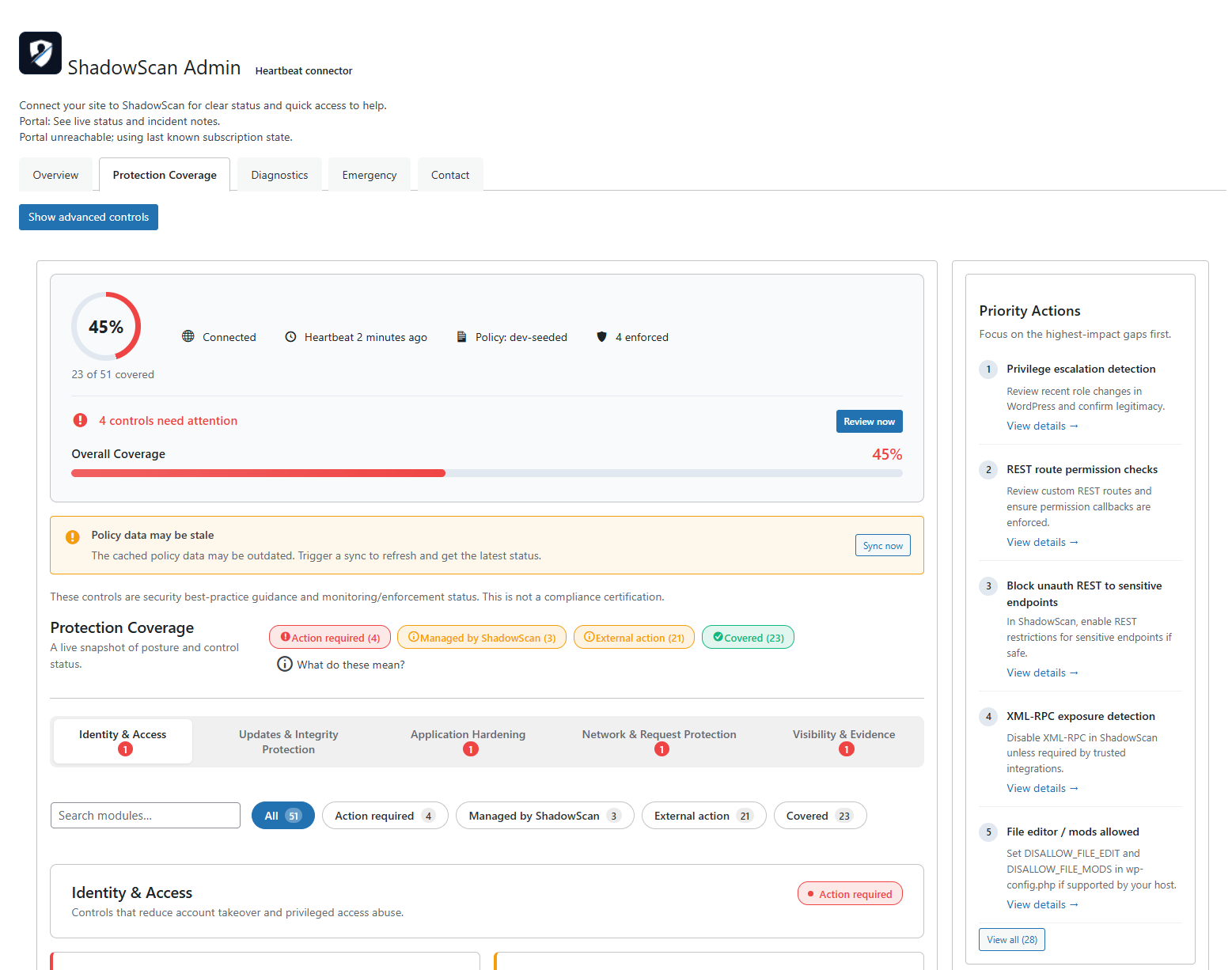
ShadowScan setup dashboard in WordPress admin.
ShadowScan Security Link gives you ShadowScan Guard local WordPress hardening for plugin auto-updates, username enumeration reduction, version/plugin exposure reduction, sensitive-file blocking, and basic connection/self-check diagnostics.
The plugin supports dual backend pairing with both Guard and ShadowScan. Pair with Guard backend for Guard-specific features, or connect to ShadowScan Portal to sync heartbeat status and unlock managed features for sites with an active Essential or Premium plan, or an approved reviewed pricing path. Basic Hosting can stay hosting-only, while ShadowScan Guard local hardening remains available in the plugin until managed entitlements are active.
Pairing the plugin and enabling remote diagnostics each require an explicit administrator acknowledgment in WP Admin. Those checkpoints are covered by the ShadowScan Plugin Addendum.
ShadowScan does not install, activate, or configure third-party security tools. If another security plugin is present, the connector only records its presence as metadata.
External services
This plugin can connect to external services to sync status, process security workflows, and support optional diagnostics after an admin pairs the site to ShadowScan.
- Service: ShadowScan API (hosted at Supabase Edge Functions)
- URL: ShadowScan API
- Used for: ShadowScan pairing, heartbeat sync, command polling, command-result upload, subscription/policy sync, and support contact submissions.
- Data sent and when: site URL, WordPress version, PHP version, connector version, Guard Layer/control status, heartbeat timestamps, and command execution metadata whenever the connector syncs with ShadowScan; contact form fields only when an admin submits support contact.
- Terms: shadowscan.com.au/terms
- Privacy: shadowscan.com.au/privacy
-
Plugin Addendum: shadowscan.com.au/plugin-addendum
-
Service: Guard API (hosted at Supabase Edge Functions)
- URL: Guard API
- Used for: Guard pairing validation, migration token validation, and Guard backend operations.
- Data sent and when: pairing codes, migration tokens, and site metadata only when pairing with Guard backend or processing migration scenarios.
- Terms: shadowscan.com.au/terms
- Privacy: shadowscan.com.au/privacy
-
Plugin Addendum: shadowscan.com.au/plugin-addendum
-
Service: Have I Been Pwned Passwords API
- URL: api.pwnedpasswords.com
- Used for: optional breached-password checks in password policy enforcement.
- Data sent and when: k-anonymity password hash prefix (first 5 SHA-1 characters, no raw passwords) only when a password is checked by the policy flow.
- Terms: haveibeenpwned.com/TermsOfUse
-
Privacy: haveibeenpwned.com/Privacy
-
Service: Sentry
- URL: sentry.io
- Used for: optional error and fatal-event telemetry to assist troubleshooting.
- Data sent and when: error event metadata (such as exception messages, stack traces, and runtime context) only after an admin explicitly enables Sentry telemetry in plugin settings and a Sentry DSN is configured; the optional MU diagnostics helper can send early-startup fatal errors only while both Sentry telemetry and remote diagnostics are enabled.
- Terms: sentry.io/terms
- Privacy: sentry.io/privacy
Third-Party Libraries
This plugin bundles:
* pragmarx/google2fa (MIT License)
* bacon/bacon-qr-code (BSD-2-Clause; Copyright (c) 2017-present, Ben Scholzen “DASPRiD”)
Hooks
shadowscan_log
Fires when the plugin emits an internal log message. You can hook this in a must-use plugin or theme if you want to capture logs.