


Sendity
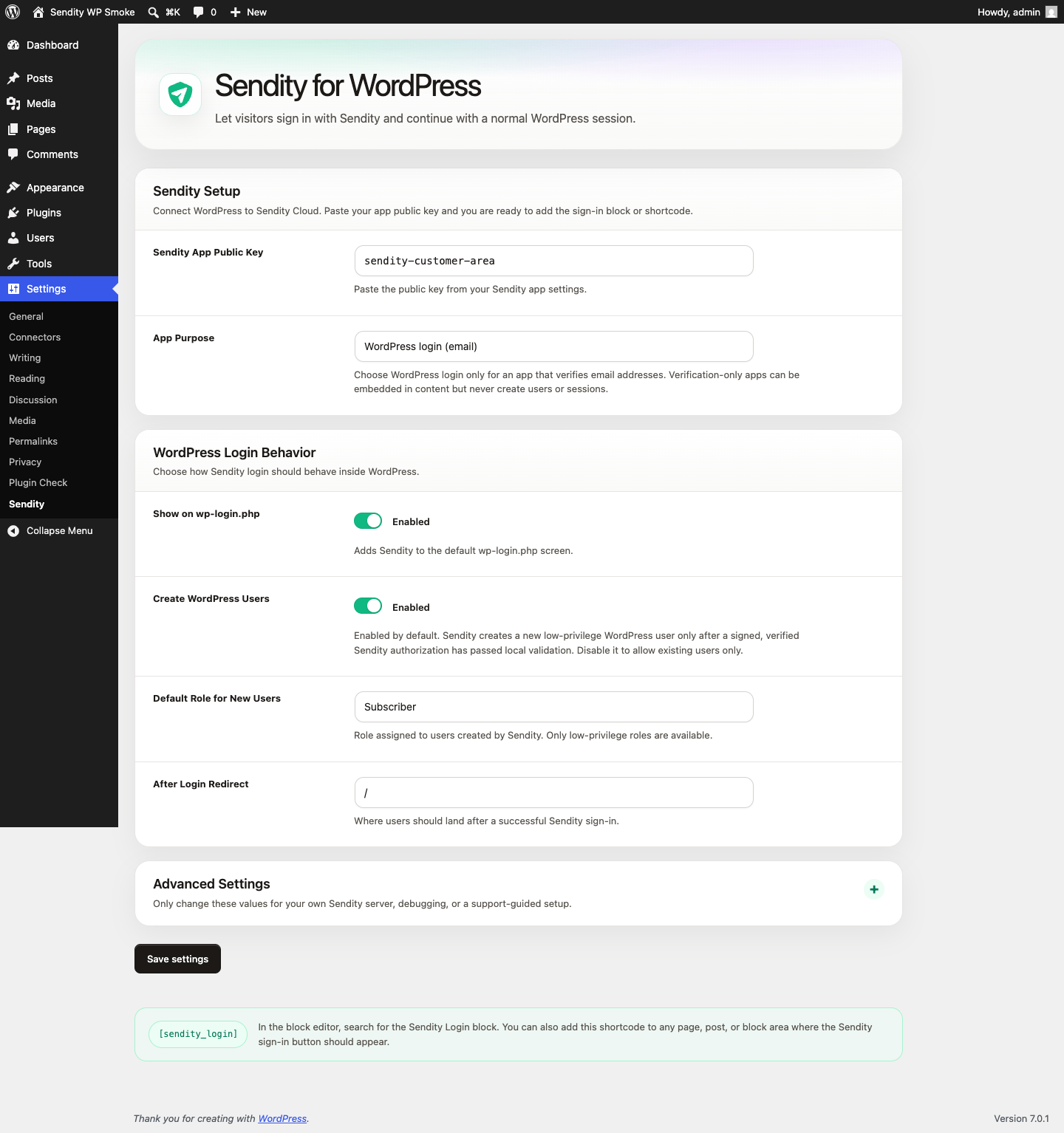
Sendity settings page in the WordPress admin.
Sendity connects WordPress to Sendity Cloud or your own Sendity server. It provides a Sendity Login editor block and [sendity_login] shortcode, can appear on wp-login.php, and validates signed Sendity authorizations before starting a normal WordPress session.
Features
- Bundle Sendity Client 0.3.3 locally; no runtime CDN or remote JavaScript.
- Discover public signing keys through JWKS discovery using the WordPress HTTP API.
- Require a valid signature, issuer, audience, pairwise subject, separate auth-request/token IDs, expiry, auth time, AMR/channel, and standard verified email or phone claims.
- Reject replayed or oversized login tokens.
- Create or reuse low-privilege WordPress users only for verified email identities.
- Support verification-only apps, including apps that verify phone numbers, without creating WordPress users or sessions.
This plugin is a WordPress integration, not a Sendity server.
External services
By default, this plugin connects visitors’ browsers to Sendity Cloud, an external verification service operated by Dachs Consulting GmbH. A site administrator can instead configure a self-hosted Sendity server.
When verification starts, the browser sends the Sendity App Public Key, site origin, localized interface templates, and transport configuration to the configured Sendity server. Normal web requests also disclose technical data such as the visitor’s IP address and user agent. The visitor then sends the displayed code through the configured channel, which may disclose the email address or phone number being verified to that Sendity service and the relevant email or telecommunications provider. Short-lived authentication request data, including the request ID and client secret, is stored in browser session storage for the flow.
For WordPress login apps, Sendity returns a signed authorization containing the verified email address and potentially profile data supplied through the verification channel. The plugin fetches public signing keys from the configured JWKS endpoint, verifies the authorization locally, prevents replay, creates or reuses the WordPress user, and stores verification metadata as user meta. WordPress passwords and administrator credentials are never sent to Sendity.
For Sendity Cloud:
- Terms of Service: https://sendity.io/terms
- Privacy Policy: https://sendity.io/privacy
- Service website: https://sendity.io
For a self-hosted Sendity server, that operator’s terms and privacy policy apply.
Source code and bundled assets
WordPress integration source: https://gitlab.com/sendity/integrations/wordpress
Bundled Sendity Client source: https://gitlab.com/sendity/client/custom-element/-/tree/v0.3.3
The release ZIP includes the generated browser bundle so WordPress does not need Composer, npm, or an external CDN at runtime. Exact source revision, checksum, build command, license, and dependency notices are included in assets/sendity-client/SOURCE.md and assets/sendity-client/THIRD-PARTY-NOTICES.md.
Configuration
Important options under Settings -> Sendity:
- Sendity App Public Key: the public key from the Sendity app settings.
- App Purpose:
WordPress login (email)orVerification onlyfor apps such as phone verification. - Show on wp-login.php: available for WordPress login apps.
- Create WordPress Users: create a low-privilege user after verified email login; enabled by default.
- Default Role for New Users: defaults to
subscriber; privileged roles are unavailable. - Login Redirect: defaults to
/. - Server URL: defaults to
https://sendity.io/api; change only for a self-hosted server. - JWKS URL Override: optional; leave empty for automatic JWKS discovery.
- Transport:
Autois recommended. - Replay TTL: how long used authorizations are remembered.
Constants such as SENDITY_SERVER_URL, SENDITY_ISSUER, SENDITY_AUDIENCE, SENDITY_APP_PUBLIC_KEY, and SENDITY_JWKS_URL may be defined in wp-config.php.