
seljeVisitorsFlags

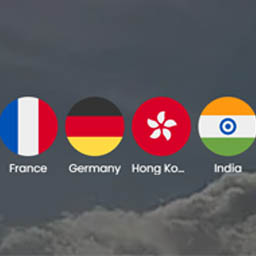
Frontpage rounded flags.
seljeVisitorsFlags lets you display country flags anywhere on your WordPress site using a simple shortcode. It’s ideal for showing the countries you’ve visited, highlighting where your visitors come from, or adding an international feel to landing pages, sidebars, and content sections.
After activation, go to Tools seljeVisitorsFlags to choose which countries to show, arrange their order, and configure display defaults. Once saved, you can output the flags with the default shortcode:
[seljev_flags]
You can also build customized shortcodes using the built-in Shortcode Builder tab, which helps you generate variants for different pages without needing to remember every parameter.
Frontend display options include a normal static list/grid and a continuous scrolling ticker (scroller). Ticker mode is designed to look smooth and modern, while still being mindful of performance: the animation pauses when it’s off-screen or when the browser tab is hidden.
The plugin includes multiple visual options so the output can match your site: sizing, spacing, alignment, and optional names/tooltip labeling. Flag images include explicit dimensions to reduce layout shifts during loading for a more stable page layout.
Accessibility and admin usability are also considered: tooltip behavior supports keyboard focus, and the country picker provides clear feedback (including a live selected-count indicator). You can quickly select all countries, apply EU/EEA presets, clear your selection with confirmation, and undo a clear action if you clicked it by mistake.
Whether you want a clean row of flags, a polished animated scroller, or a simple “countries list” section, seljeVisitorsFlags keeps setup fast and output flexible—without requiring a page builder or custom code.
Find this free plugin useful? Please support my work on this plugin by sending me a one-time donation (50% of the proceeds go to Ukraine).
Key features
- Choose countries from a searchable list
- Drag-and-drop reorder of selected countries
- Bulk actions: Select all, Select EU, Select EEA
- Static display and continuous scrolling ticker/scroller mode
- Shortcode Builder for easy customized shortcodes
- Tooltip keyboard focus support
- Performance-friendly scroller (pauses off-screen / tab hidden)
- Reduced layout shift by setting explicit image dimensions
Find this free plugin useful? Please support my work on this plugin by making a donation.
Documentation
Getting started (admin page)
After activating the plugin, go to:
Tools -> seljeVisitorsFlags
You will see four tabs:
- Countries
- Settings
- Shortcodes
- Preview
Countries tab (choose which flags to show)
- Use the Search box to find countries quickly.
- Click a country to add it to Selected countries.
- In Selected countries, drag to reorder the flags (this affects display order).
- Use bulk actions if needed:
- Select all
- Select EU
- Select EEA
- Clear all
- Click Save Changes when you are done.
Tip: If you do not select any countries, the shortcode output may be empty.
Settings tab (display defaults)
These settings control the default output for the [seljev_flags] shortcode (unless you override them in a shortcode).
Common settings:
- Flag size (px): controls how large each flag appears.
- Flag source:
- FlagCDN (SVG): load SVG flags from flagcdn.com
- User flags folder: load flags from your own uploaded files
If using User flags folder:
- Upload your flag files into the plugin user flags folder (as shown in the Settings tab).
- Use ISO 2-letter country codes as filenames, typically uppercase (example: NO.svg or NO.png).
- The plugin will try .svg first, then .png.
Display mode:
- Show all flags (static)
- Continuous scroller (ticker)
If you choose Continuous scroller:
- Scroller direction: choose the scroll direction.
- Scroller speed (seconds per loop): lower = faster, higher = slower (allowed range: 5 to 120).
- Edge fade: fades the flags near the edges of the scroller.
- Bouncing flags: adds a subtle bounce animation while scrolling.
If you choose Show all flags (static):
- Layout: row or grid
- Columns (grid only)
- Gap (px): spacing between flags
- Align: left, center, or right
- Names: none, tooltip, or caption
- Entrance animation settings: animation, duration, stagger, trigger
Shortcodes tab (copy and paste)
The main shortcode is:
[seljev_flags]
This uses:
- Your selected countries (from the Countries tab)
- Your display defaults (from the Settings tab)
You can also generate a shortcode that includes specific countries, for example:
[seljev_flags countries=”NO,SE,DK”]
Shortcode Builder (recommended)
In the Shortcodes tab, use the Shortcode Builder to create a shortcode with options (toggles/selects) without memorizing attributes.
- Choose whether to use saved selection or specify countries.
- Choose a display mode (default/static/ticker).
- Configure only the options relevant to that mode.
- Copy the generated shortcode using the Copy button.
Preview tab (test before publishing)
Use Preview to test how the flags will look with your current settings before placing the shortcode on a live page.
If Preview is empty:
- Make sure you selected at least one country and saved.
Troubleshooting
No flags show up:
- Select at least one country in the Countries tab and click Save Changes.
- If using countries=”…”, ensure you used valid ISO 2-letter codes (comma-separated, e.g. [seljev_flags countries=”NO,SE,DK”]).
Some flags missing when using User flags folder:
- Confirm the file exists for that country code (SVG or PNG).
- Check filename casing (some servers treat NO.svg and no.svg differently).
Scroller too fast/slow:
- Adjust Scroller speed (seconds per loop). Lower is faster, higher is slower.
Copy button does not work:
- Some browsers or security settings may block clipboard access. Try another browser if needed.
Plugin settings
All settings are found under Settings seljeVisitorsFlags in the WordPress admin.
Countries tab
This is where you choose which country flags to display.
- Search box — Filter the full list of 250+ countries by name or ISO code as you type.
- All countries list — Click any country to move it to the Selected countries panel.
- Bulk action buttons:
- Select all — Adds every available country to the selection.
- Select EU — Adds all 27 EU member states.
- Select EEA — Adds all 30 EEA countries (EU + Norway, Iceland, Liechtenstein).
- Clear all — Removes all selected countries (with undo support).
- Selected countries panel — Drag the handle (☰) to reorder flags. The display order on your site matches the order here. Click Remove on any item to deselect it.
- Save Flags button — Saves the current selection. The shortcode will output nothing until at least one country is saved.
Display Defaults tab
These settings control the default appearance of [seljev_flags]. Any of them can be overridden per-shortcode via the Shortcode Builder.
Flag size (px)
Width of each flag image in pixels. Applies to all display modes. Range: 8–256. Default: 48.
Flag source
Where flag images are loaded from:
* FlagCDN (SVG) — Scalable vector flags loaded from flagcdn.com (recommended, sharpest at any size).
* FlagCDN (PNG 4:3) — Raster PNG flags from flagcdn.com; best for older browsers that don’t support SVG.
* Circle Flags (SVG) — Round/circular-style flag SVGs, loaded from a GitHub CDN.
* User flags folder — Load your own image files from wp-content/plugins/seljevisitorsflags/assets/flags/userflags/. Name files using uppercase ISO 2-letter codes (e.g. NO.svg, SE.png). The plugin tries .svg first, then .png.
Display mode
* Show all flags (static) — Displays all selected flags at once in a grid or row. Use the layout, alignment, and entrance animation settings below.
* Continuous scroller (animated ticker) — Loops the flags past continuously. Entrance animations are disabled in this mode. The scroller pauses when off-screen or when the browser tab is hidden.
Continuous scroller settings (only visible when Display mode = Continuous scroller)
- Scroller direction — Which way the flags move: Right to left, Left to right, Top to bottom, or Bottom to top.
- Scroller speed (seconds per loop) — How many seconds one full loop takes. Lower = faster. Range: 5–120 s. Default: 20.
- Edge fade — Fades the flags near the edges of the scroller container for a polished look.
- Bouncing flags — Adds a gentle up-and-down bounce animation to each flag while it scrolls.
Layout (static mode only)
* Row — Flags wrap into a horizontal line, breaking onto new lines if the container is too narrow.
* Grid — Flags are arranged in a fixed-column grid.
Grid columns (static mode, Grid layout only)
Number of columns in the grid. Range: 1–20. Default: 6.
Gap (px)
Space between individual flags. Range: 0–64 px. Default: 8.
Alignment (static mode only)
Horizontal alignment of the flag group within its container: Left, Center, or Right.
Country names
* None — Only the flag image is shown.
* Tooltip on hover — The country name appears in a tooltip on mouse hover and keyboard focus.
* Caption below flag — The country name is shown as a text label directly below each flag.
Text color
* Follow theme — Caption and tooltip text inherits the color from surrounding page text.
* Custom color — Pick a specific hex color for captions and tooltip text.
Entrance animation (static mode only)
The animation played as each flag enters the viewport:
* None — No animation; flags appear instantly.
* Fade in — Flags fade in from transparent.
* Fly in from left/right/bottom/top — Flags slide into position from the chosen direction.
* Zoom in — Flags scale up from slightly smaller.
Animation duration (ms)
How long each flag’s entrance animation takes. Range: 0–5000 ms. Default: 400.
Stagger delay (ms)
Extra delay between each successive flag’s animation, creating a wave-like cascade effect. Set to 0 for all flags to animate simultaneously. Range: 0–2000 ms. Default: 50.
Animation trigger
* On scroll into view — The animation fires only when the flags scroll into the visible viewport (recommended; saves performance).
* On page load — The animation fires immediately when the page loads, regardless of scroll position.
Shortcode Builder tab
Generates a ready-to-paste shortcode with custom overrides. Every option here has a Default choice that falls back to the saved Display Defaults above.
Set a value only when you want that specific shortcode to behave differently from your defaults. Copy the generated shortcode with the Copy button and paste it into any page, post, block, or widget.
Preview tab
Shows a live render of your flags using the current Display Defaults. Save any changes on the Display Defaults tab first to see them reflected here.