
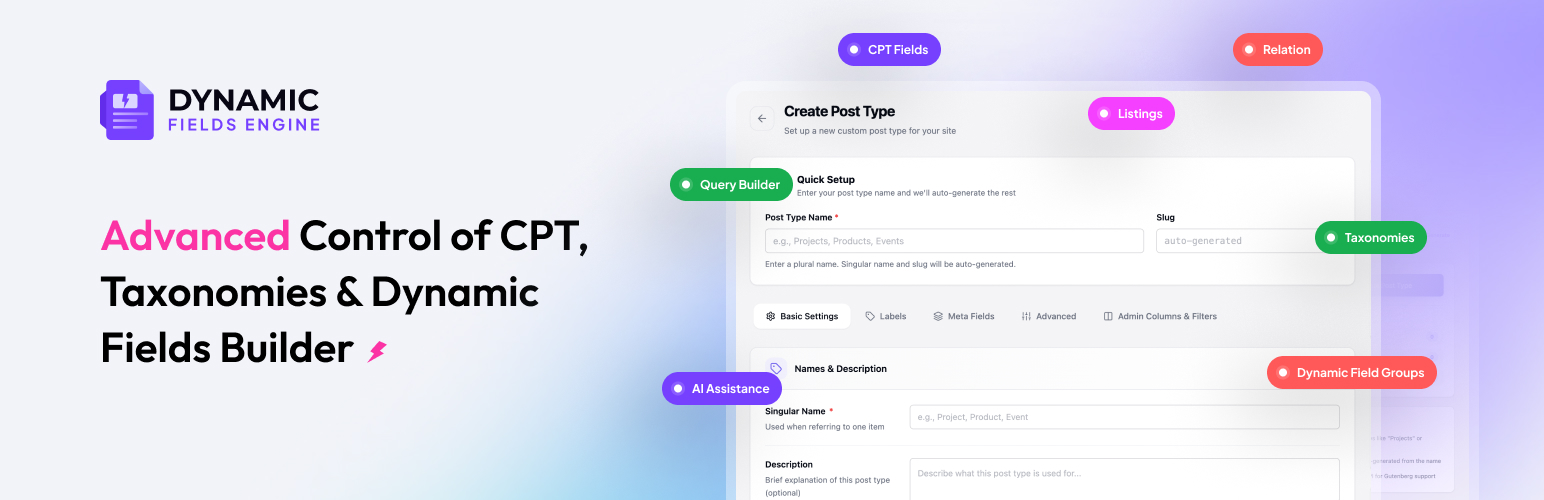

Dynamic Fields Engine – Custom post types, Custom fields, Meta fields, Taxonomies, Listing builder, Query builder and Relations
Dynamic Fields Engine (DFE) is a WordPress custom post type plugin for building custom post types, custom taxonomies, and meta fields without writing PHP. Whether you need a simple wp custom post type or a complex multi-CPT architecture, DFE handles it from one admin.
This WordPress metadata plugin lets you create custom post types, custom taxonomies, add metadata in WordPress, and manage options pages, and global settings from a clean one-stop hub. Where users can extend their content structure capabilities through saved queries, frontend listing templates, and post relationships.
DFE is an AI-powered WordPress CPT plugin. Its AI Assistant drafts and reviews every wp custom post type schema before deploying, so each configuration is validated, exportable, and protects custom post types in WordPress.
| Dynamic Field Engine Home Page | DFE Custom Post Type | Documentation | Need Support? | How to get started with DFE Plugin |
Key Features
One admin. Full content model: Custom post types, taxonomies, field groups, and options pages from a single React interface.
26 field types to add and edit metadata in WordPress: Add and edit metadata in WordPress with text, number, date, color, select, image, file, WYSIWYG, etc.
Import / export with rollback: JSON portability with diff preview and snapshot rollback.
PHP Registration API: Register post types, taxonomies, and field groups in PHP for theme bundling and version control.
REST-first config API: Every setting backed by REST endpoints for CI/CD, headless, and programmatic management.
Built-in Schema validation: Configurations validated before applying, with structured errors and automatic rollback.
AI Assistant: Describe your content model in plain language and get CPTs, taxonomies, fields, queries, listings, and relations in seconds.
Custom Post Types
Get a visual interface to create & manage custom post types in WordPress without touching functions.php. Control labels, supports, REST visibility, archive behavior, custom post type permalinks, capability type, and menu placement. Then, attach multiple taxonomies and meta field groups directly to any wp custom post type.
Plus, export any wp custom post type configuration to PHP with one click from Settings Tools PHP Generation and drop it into a theme or plugin for version-controlled deployments. This also protects custom post types in WordPress, since the PHP-registered schema lives in your theme, so your content types survive even if the plugin is deactivated.
Basic settings: Plural/singular labels, slug, description, menu icon, menu position
Labels tab: Customize every WordPress admin string (Add New, Edit Item, Featured Image, Archives, and more)
Inline meta fields: Attach fields directly to a post type for fast setup without a separate metabox
Advanced settings: Public/queryable, hierarchical, REST API, rewrite slug, capability type, supports (title, editor, thumbnail, excerpt, author, comments, revisions, page attributes, custom fields, post formats), exclude from search, has archive
WordPress Custom Taxonomies
WordPress taxonomies let you organize and filter content across any custom post type. DFE helps you create custom taxonomy in WordPress, both hierarchical (like categories) or flat (like tags), and attach them to one or more post types. Use a custom taxonomy template to display grouped WordPress taxonomies, or add term meta fields for richer filtering.
You can configure slugs, rewrite rules, REST visibility, admin column display, and tag cloud support. Taxonomy term screens support custom meta fields to add a color swatch, image, or SEO label to any term.
Type: Hierarchical (like categories) or flat (like tags)
Attachment: Attach to one or multiple post types at once
Slugs and rewrite: Custom permalink base, with_front toggle, REST visibility
Term meta fields: Add custom fields to term add/edit screens (color, image, description override, etc.)
Admin column: Show taxonomy terms as a column in the CPT list table
Custom taxonomy template: Use WordPress template hierarchy (taxonomy-{slug}.php) or Pro listing templates to display taxonomy archives without touching theme files
Meta Boxes, Custom Fields & WordPress Metadata
With DFE Meta Boxes, you can add structured custom fields to any post type, taxonomy term, user profile, or options page. This is where you add metadata in WordPress with precise control over where fields appear and how they group together.
Field groups use location rules to target the exact screen to add and edit metadata in WordPress. This WordPress metadata plugin has 26+ field types and stores predictable meta keys that your templates and listings can read.
16+ FREE field types
Text, Textarea, Number, Email, URL, Date, Time, Date & Time, Color, Select (single & multi), Checkbox, Radio, Toggle, Image, File, WYSIWYG, all free, no Pro needed.
10+ Advanced field types
Group: Nest related sub-fields together for address blocks or pricing tiers
Repeater: Repeat a set of sub-fields for feature lists, spec rows, or team members
Gallery: Select multiple images for property photos or portfolio galleries
Relationship: Search and attach other posts (articles to authors, products to brands)
Taxonomy Picker: Choose taxonomy terms for curated category picks on a post
User Picker: Select WordPress users to assign account managers or instructors
Tab: Tab headings inside large forms (General, Media, SEO sections)
Accordion: Collapsible field sections for cleaner long metaboxes
Endpoint: Close a tab or accordion section in structured layouts
HTML: Raw HTML block for custom notices or embedded markup
Advanced field settings (Pro):
From the easy-to-use dashboard, set labels, slugs, defaults, required, placeholder, width (25–100%), character limits, min/max, REST visibility
Conditional logic: Show or hide fields based on other field values
Pattern validation: Custom regex with custom error messages
Quick Edit: Surface fields on the CPT post-list Quick Edit panel
Revision tracking: Include field meta when comparing post revision values
Location Rules
Location rules decide where a field group (metabox) appears across your WordPress admin. Target any screen: post editor, term editor, user profile, or options page using one or more conditions that must all matches.
Post screens: post type, specific post, post status
Term screens: taxonomy, specific term
User screens: user form (Add New / Edit / Profile), user role of the user being edited
Options screens: options page menu slug
Rule groups use AND logic. So, all conditions must match for the metabox to appear. For example, show “Project Details” only on published posts in the project post type.
Pro adds more targeting parameters (page template, post parent, post author, post format, taxonomy term, current user role and capability), plus OR rule groups and metabox priority ordering.
Options Pages
Register global admin settings pages alongside your custom post types to store site-wide data — header settings, social links, contact info, API keys, and global defaults — in the WordPress options table. You can use the same 26-type field builder as post types & meta boxes.
For a better site content structure, implement this setting within store header/footer content, contact details, social links, or any global configuration.
Import, Export & Snapshots
Export and import custom post types, taxonomies, and field groups between sites with JSON. The import flow validates the incoming file, shows a diff preview of exactly what will change, and lets you resolve slug conflicts before applying. Snapshots let you roll back to a previous state at any time with no complex setup.
The diff preview option is something that only DFE provides compared to other dynamic CPT plugins.
Export: CPTs, taxonomies, field groups, and options pages as a single JSON bundle
Import with diff preview: See exactly what changes before anything is applied
Conflict resolution: Handle slug clashes on import without data loss
Snapshot rollback: Revert any apply with one click; snapshots are automatic
Pro extras: Export includes queries, listings, and relations
AI Assistant – Build Your Content Model in No Time
The AI Assistant is the fastest way to go from a blank site to a structured content model. Describe what you are building in plain language, and DFE generates a complete schema: custom post types, taxonomies, meta fields, saved queries, listing templates, and post relations. Plus, AI-generated schemas are validated and ready to apply.
Create New mode: Start from a natural-language prompt. ‘Build a real estate site with Properties, Agents, and a commission rate on each property-agent connection’ produces the complete configuration in one step.
Modify Existing mode: Extend a post type you already built. ‘Add SEO fields to my Projects CPT’ appends meta title, description, and OG image without touching what exists.
Fix Schema mode: Paste broken or partial JSON and ask AI to repair it. Particularly useful when migrating from another plugin.
Quick Start templates: Five preset prompts cover Real Estate, Events, Courses, Team Members, and Job Boards. One click fills the prompt; you review before applying.
Snapshot before every apply: AI changes are always preceded by an automatic snapshot. Rollback to the pre-AI state with one click if the result is not what you expected.
Saved Queries & Listing Templates
Build reusable query configurations for posts, terms, and users visually. Then display results with a drag-and-drop listing engine. No PHP required for property grids, team directories, course catalogs, or designed archive pages.
Query Builder: visual builder for WP_Query, WP_Term_Query, and WP_User_Query; stored and reused across listings, shortcodes, and components
Filters: post type, status, author, date range, include/exclude IDs, user roles
Tax Query: taxonomy rules with IN, NOT IN, AND, EXISTS operators
Meta Query: meta key comparisons (=, !=, >, LIKE, BETWEEN, EXISTS) with type casting
Relations filter: filter by relation pairs (IN, NOT IN, EXISTS, INHERITED IN for hierarchical content)
Ordering: date, title, menu order, meta value, random; posts per page and offset
Macro tokens: runtime context via {{current_post_id}}, {{current_user_id}}, {{url_param:key}}, {{related::title}}, {{related_count:}}
Live Preview: run and validate the query inside the admin before publishing
Card: reusable single-item layout used inside grids
Grid: multi-card output from a saved query, default loop, or relation children
Single Page: override single-post templates for one or more post types
Archive Page: override archive URLs for a post type
Visual Canvas Builder
Drag-and-drop component palette with layers tree, live canvas preview, and component inspector
Preset gallery and Generate with AI for starter layouts
Undo/redo, duplicate, keyboard shortcuts
17+ Listing Components
Dynamic Text, Dynamic Image, Dynamic Link, Dynamic Meta, Term Badges, Repeater Output, Post Content, Breadcrumbs, Post Navigation, Comments, Author Box, Share Buttons, Related Posts, Archive Title, Archive Description, Pagination, Posts Count
Source tokens – title, excerpt, permalink, field:, pair_meta:, related_posts:, featured image, author, dates
Embed & Display Options
Shortcode: [rdcfe_listing id=”123″]
Gutenberg block: DFE Listing Grid
Elementor widget: DFE Listing Grid
Single and archive editors: DFE visual builder, linked Gutenberg page, or linked Elementor page
Placement: Full page override, replace content only, before/after content; canvas modes (full width, theme default, blank canvas)
Dynamic Visibility
Show or hide listings or individual components based on login state, user role, field value, relation existence, or taxonomy term, without writing conditional PHP.
Pagination
None, numeric, or load more – configurable per listing.
Post Relations
Connect any two WordPress objects, like posts, taxonomy terms, or users, with the exact relationship type your content needs: one-to-one, one-to-many, or many-to-many. Real-world examples like Properties Agents, Courses Instructors, or Products Brands work out of the box.
Each connection can carry its own custom fields (commission rate, role, start date), and related items can be queried in saved queries and displayed using relation_children listing grids.
Object kinds: Posts, terms, or users on both source and target sides
Cardinality: One-to-one, one-to-many, many-to-many
Bidirectional meta boxes: Edit connections from either side
Pair custom fields: Store data on the connection itself (commission rate, role, start date)
Limits: Maximum items per side
Hierarchy: Inherit relations from parent posts, cascade to descendants
Dedicated Storage: wp_rdcfe_relations table for efficient queries
Admin Columns & Filters
Customize the WordPress post-list table for any CPT without writing code. Add sortable meta columns, taxonomy term columns, and dropdown filters driven by actual stored values.
Columns: Sortable meta columns with prefix/suffix, taxonomy term columns, post ID column
Filters: Dropdown filters above the list table driven by taxonomy terms or live meta values
Dynamic blocks and widgets
Standalone Gutenberg blocks and Elementor widgets for individual field output outside the listing builder. So, you can build single-page templates in Gutenberg or Elementor with per-field dynamic binding.
Dynamic Field, Dynamic Image, Dynamic Link, Dynamic Meta, Dynamic Terms, Dynamic Repeater, Relation List, Template Render, Archive Title, Archive Description, Listing Grid block/widget.
Developer Tools
Dynamic Fields Engine is a WordPress CPT plugin built on PHP 8.0+ with PSR-4 autoloading and a repository pattern. Register every wp custom post type, taxonomy, and field group in PHP via the registration API or drive everything over REST. Designed for theme bundling, plugin distribution, CI/CD, and test environments.
PHP Registration API: rdcfe_register_post_type(), rdcfe_add_local_field_group(), and related functions
REST config API: /rdcfe/v1/… endpoints with full CRUD and capability middleware
PHP Generation: Export any configuration as drop-in PHP code from Settings Tools
Filters & actions: Hooks for registration, validation, and extension
Who Is This Dynamic CPT Plugin For?
Freelancers and agencies: Build content models once, export as JSON, deploy to client sites. PHP Generation ships the schema inside a theme so it survives plugin deactivation. Whether you need a wp custom post type for a client portfolio, a job board, or a real estate directory, build it once, export as JSON, and deploy to any site.
WordPress developers: PSR-4 codebase, typed interfaces, REST config API, and PHP registration API support CI/CD, version control, and plugin distribution workflows.
Content-heavy site owners: Create CPTs and custom taxonomy in WordPress for team members, products, services, case studies, or testimonials, and attach exactly the fields your editors need to add metadata in WordPress without a developer.
Builders replacing page-builder dependency: Saved Queries + Listing templates give you content model and frontend output from one plugin, without requiring Elementor Pro or a separate display plugin.
Privacy Policy
Dynamic Fields Engine does not collect or transmit site data to external servers, and the plugin authors collect no personal data through the free plugin. All custom post type, taxonomy, and field data is stored in your WordPress database and follows WordPress data handling practices. For more visit our privacy policy page.
The only exception is the Pro AI Assistant, which sends prompts and schema context to OpenAI, and only when you provide an API key and run generation. Nothing is sent until you add your API key and click Generate. Review OpenAI’s terms and privacy policy before use.