


RobArt Update Guard
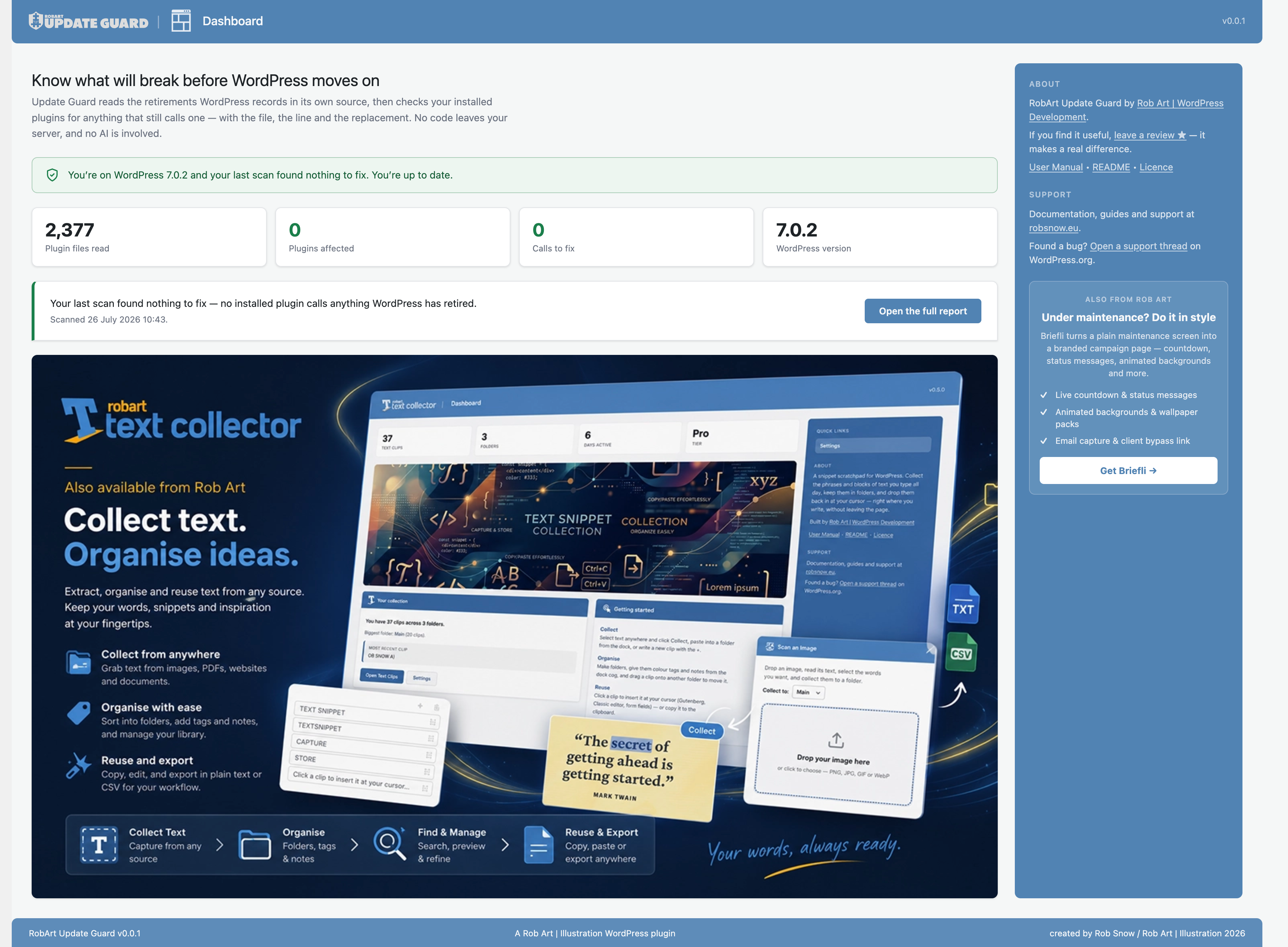
The Dashboard — an at-a-glance summary of your last scan, with a heads-up when WordPress has an update waiting or has moved on since you last scanned.
Every WordPress release quietly retires a few things — a function, a class, a core file, an action or filter. Nothing is removed the day it is deprecated, so a plugin that still calls a retired function keeps working for a while. Then a later release finally drops it and something breaks, often with no error you can see — just a button that no longer does anything.
RobArt Update Guard tells you, before that happens, which of your installed plugins still lean on something WordPress has retired — with the file, the line, and what to use instead.
How it works
WordPress marks its own retirements directly in its source code. A single line like _deprecated_function( __FUNCTION__, '5.5.0', 'add_allowed_options()' ) carries all three facts a report needs: what was retired, when, and what to use instead. Update Guard reads those markings from the copy of WordPress already on your site, builds an index, then walks the PHP of your installed plugins for anything that still calls one.
Because the answer comes from your own WordPress install, it is as authoritative as your site itself — no changelog parsing, no external service, no guesswork, and no AI.
What it does
- Report — scan every installed plugin and list what still calls a retired function, class, core file, action or filter, with the exact file and line and the recommended replacement.
- Appearance exposure — see where your plugins lean on WordPress’s own admin styling, so you know which screens to glance at after a core restyle (nothing broken — just a heads-up on where the look may shift).
- Lexicon — a searchable reference of everything your WordPress version has retired, grouped by the release that retired it, with replacements.
What it covers reliably
Retired functions, classes, core files, and actions/filters — each with a real, exact line number, because all four can be found unambiguously in source.
What it deliberately leaves out
Update Guard is honest about its edges rather than padding the report with guesses:
- Class methods — many share everyday names (
reset(),render()); telling a retired one from an unrelated method needs runtime type information a static scan doesn’t have. - Same-name behaviour changes — when a function keeps its name but changes what it does. This is the commonest cause of breakage and no code reader can detect it, so a clean report means “no known retirements,” not “guaranteed safe.”
- jQuery in plainly named variables — it reports only calls whose receiver is visibly jQuery, because the removed jQuery names are ordinary words like
loadanderrorand matching them loosely would bury real findings in noise. - Minified and bundled files, and third-party libraries inside plugins (
vendor/,node_modules/) — not yours to change, and they would dominate the results.
Privacy
Everything is read from the copy of WordPress and the plugins already on your site. No code leaves your server, nothing is fetched from the network, and no AI is involved. Update Guard bundles no third-party libraries. It only reads — it never edits a plugin or makes changes for you.
Uninstall
Update Guard cleans up after itself. When you delete the plugin from the Plugins screen, it removes everything it stored:
- Its options (install date, last-scan record, and onboarding state).
- Its cached scan reports (stored as transients).
It creates no custom database tables, writes nothing outside your own site, and leaves no orphaned data behind. Deactivating the plugin keeps your settings and last report; only deleting the plugin runs the clean-up.
External services
Update Guard performs all of its scanning locally on your own server. It makes no automatic network requests and sends no data anywhere.
The plugin displays a few ordinary links to information pages for other Rob Art plugins, hosted at robsnow.eu. These are plain links you may choose to click; the plugin never contacts any external service on its own, and no data is transmitted unless you follow a link.
Support and review links point to WordPress.org, which is governed by the WordPress.org privacy policy.