


RobArt Colour Collector
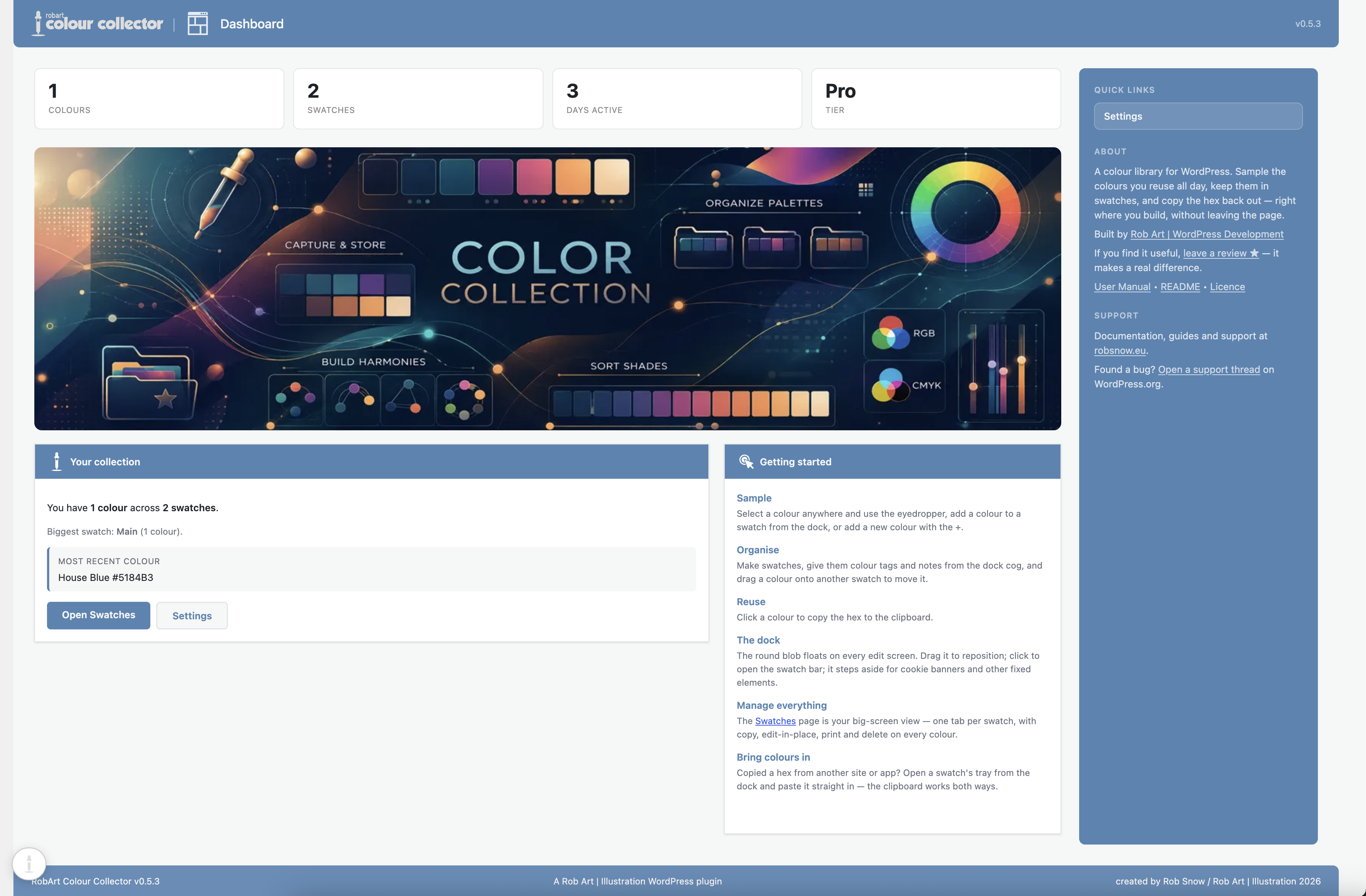
The Dashboard — your colour library at a glance, with quick stats, a getting-started guide, and the floating collector dock.
A personal colour library that lives in WordPress. Sample colours from anywhere on your screen, organise them into swatches, and reuse the hex wherever you work. This is not for your site’s palette — it’s for yours: the colours you keep coming back to, wherever you happen to be building.
A small floating dock rides along wherever you edit in WordPress. Click its eyedropper and pick a colour from anywhere on screen — then click a saved colour to copy its hex, ready to paste into the block editor, a colour field, or your CSS.
Capture
- Click the eyedropper on the floating dock and pick a colour. In Chrome and Edge the browser’s built-in eyedropper samples any pixel on screen, even outside the browser window; Safari and other browsers open the system colour picker instead.
- The picker is sticky — after each pick it re-arms, so you can collect several colours in a row. Click the eyedropper again or press Esc to stop.
- Every captured colour is auto-named from a built-in name list, so it arrives labelled.
Add by hex
- An Add-colour form (and inline edit) with a hex field, a live colour preview, and a system colour-picker block that all stay in sync.
- Type a hex, pick from the OS picker, or edit an existing colour’s name and hex together.
Organise
- Colours live in swatches — a swatch is a named group of colours, each with an optional note.
- A pinned Main swatch to start; add your own.
- Rename, note, merge or delete a swatch from its settings cog.
- A full Swatches admin page mirrors the dock: one tab per swatch, and each colour is a row with a colour square, its name and hex, plus copy-hex / edit-in-place / print / delete.
Reuse
- Click a colour to copy its hex to the clipboard, ready to paste into the block editor, a colour field, or your CSS.
Your colours are stored only in your own site’s database. There are no external services in the free plugin.
Free vs Pro
The free plugin is the whole capture organise reuse workflow, in full: the dock, the eyedropper, add-by-hex, unlimited swatches, auto-names, notes and copy-hex.
Pro adds hands-on tools for a growing library:
- Scan an image for its colours — arm the scan tool on the dock, click any image on the page, and the plugin pulls out its dominant colours as ready-to-save swatches. It runs entirely in your browser; no image is ever uploaded.
- Search and filter your colours.
- Alt-drag to reorder swatches and colours.
- Export a swatch as CSS custom properties, CSV, or a swatch file.
Pro is a one-time purchase (it includes every version 1.x update). The Pro add-on is what talks to the licence server; the free plugin never does.
A note on the licence server (Pro only)
The free plugin makes no external calls. The paid Pro add-on validates your licence key with the author’s licence server at robsnow.eu (which in turn checks Lemon Squeezy). It sends only your licence key and your site URL, and only when you activate, deactivate, or during a periodic re-check. See the author’s site for the privacy policy and terms.
External Services
The free plugin makes no external requests — your colours are stored only in your own site’s database.
The paid RobArt Colour Collector Pro add-on (a separate download, not part of this free plugin) validates your licence key with the author’s licence server so Pro features can be unlocked on your site. This applies only if you install the Pro add-on and enter a key.
- Service: RobArt / WPRobarts licence server at robsnow.eu, which in turn verifies the licence with Lemon Squeezy (the payment processor).
- What is sent, and when: your licence key and your site URL — sent only when you activate a licence, deactivate it, or during a periodic background re-check of an active licence. No personal data, and nothing about your colours, is ever sent.
- Why: to confirm the licence is valid and tied to your site, and to release Pro updates to licensed sites.
- Terms & privacy: see the author’s site at https://robsnow.eu/ for the privacy policy and terms of service, and Lemon Squeezy’s policies at https://www.lemonsqueezy.com/privacy and https://www.lemonsqueezy.com/terms .
Support
Questions, bug reports and feature requests are welcome on the plugin’s support forum on WordPress.org. Documentation and guides are available at https://robsnow.eu/plugins-wordpress-development/ .
Uninstall
Deleting the plugin from the Plugins screen removes all of its data: your swatches and colours (the plugin’s two custom tables), its settings and licence record, its transients, and the per-user “Main swatch” reference. Deactivating the plugin keeps everything — only Delete removes data.