
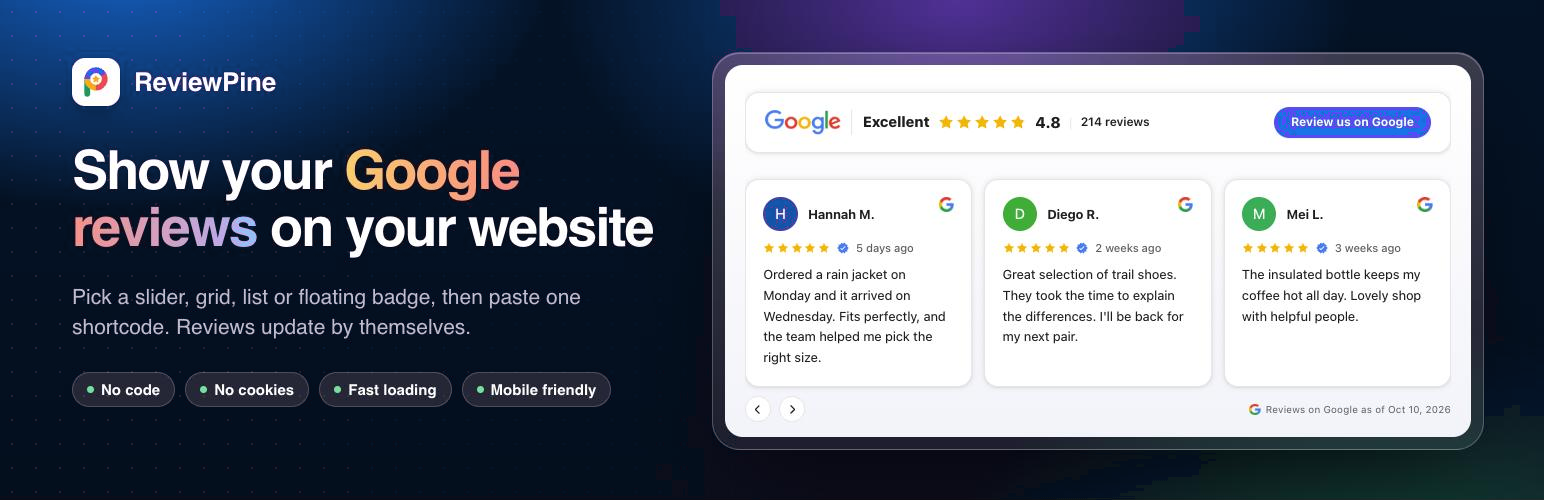

ReviewPine: Google Reviews Widget, Slider and Badge
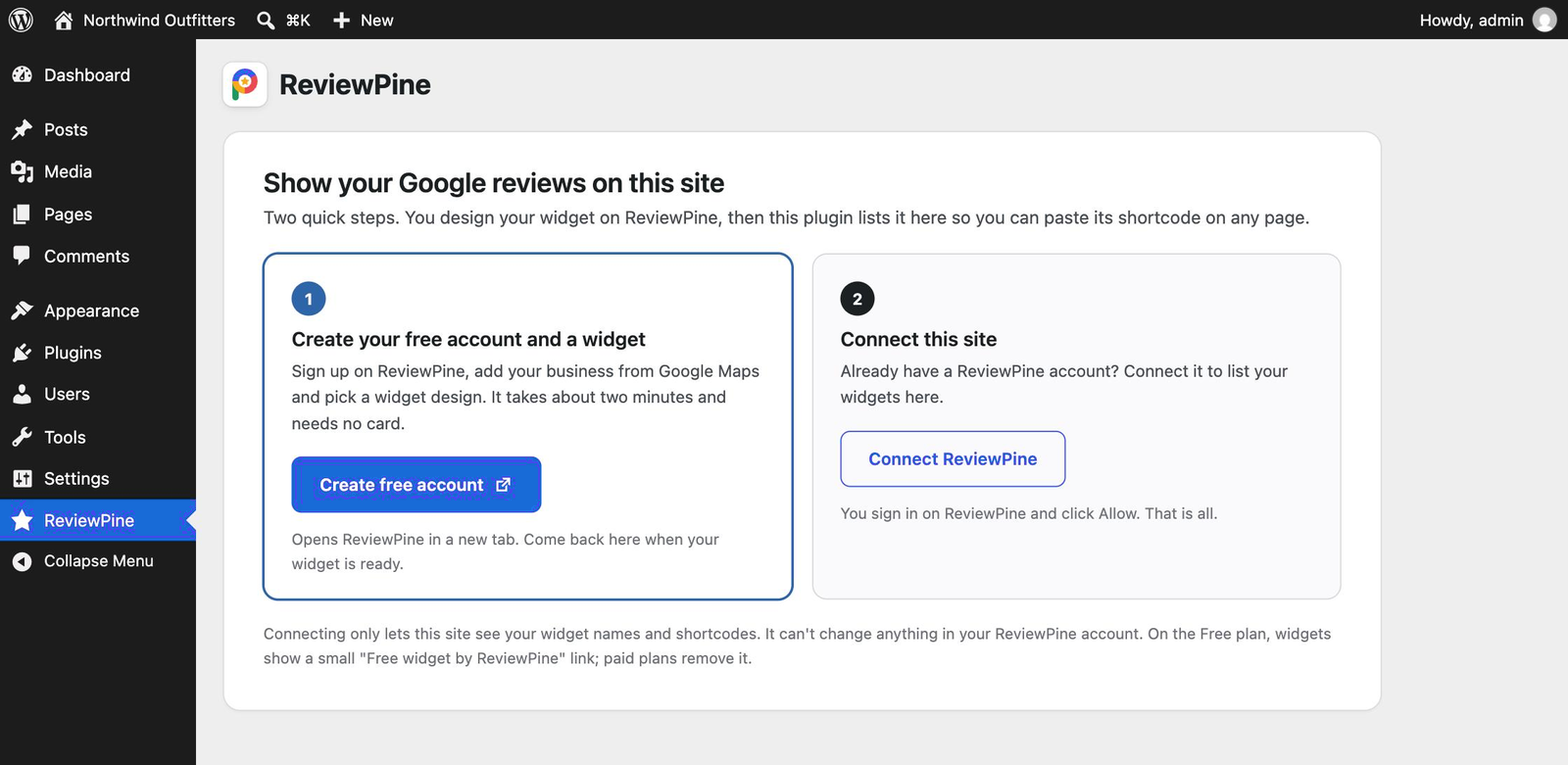
Setup: create a free account or connect the one you have; either way it is one trip to ReviewPine and back.
ReviewPine is a Google reviews widget for WordPress. Embed your real Google reviews on any page as a reviews slider, grid, list, badge or floating widget, in a design that fits your brand. Find your business by name, pick a layout and paste one shortcode. New Google reviews show up by themselves.
Let your happiest customers do the talking, right where visitors decide to buy, book or get in touch.
Start with a free trial. Try every layout and the full customiser free during your trial. After it, one widget can stay live on the Free plan with your 10 newest 4 and 5 star reviews.
What you get
- 21 layouts for every spot: slider, two-way slider, grid, list, sidebar and spotlight; bento wall, card stack and rating showcase; Trust, Google and rating badges, a rating line and pill; and edge-of-page widgets: floating badge, review toasts, side tab, review bubble, corner card and phone review bar.
- Light and dark, your colours: every layout comes in light and dark, with 24 ready-made looks, your own colours, fonts, headline and text, and a live preview.
- Always up to date: new Google reviews appear on your site automatically. Nothing to copy or paste again.
- Show it on every page with one click: edge-of-page widgets need no shortcode.
- Review us on Google button: invite happy customers to leave a review.
- Fast pages: under 32 KB, loading only the code for the layout you chose, after your page, no layout shift; the plugin adds nothing to pages without a widget.
- No view limits: no counting of page views, on any plan.
- Privacy friendly: the widget sets no cookies, uses no browser storage and does no tracking, so it adds nothing to your cookie banner.
- Mobile friendly and accessible: layouts adapt to any screen and work with a keyboard and screen readers.
- Works with your setup: the block editor, page builders, widget areas and caching plugins.
- For agencies: manage every client’s business from one account. Yearly plans cover 1, 5 or 25 businesses, with invoices (GST invoices in India).
- For web designers and freelancers: resell ReviewPine to your clients at volume prices, or refer them and earn 25% of their first year. See the partner programme: https://reviewpine.com/partners
How it works
- In WordPress, open ReviewPine and click Create free account (new to ReviewPine) or Connect your account (you already have one).
- On ReviewPine, sign up or sign in, add your business (search it by name, or paste its Google Maps link), pick a layout and a look, then publish. If you already have a widget, this step is skipped.
- Allow this site. You come straight back to WordPress with your widget listed.
- Click Copy shortcode on a widget and paste it into any page, post or widget area.
Design changes you make later on ReviewPine show on your site by themselves.
Good to know
- A ReviewPine account is needed. ReviewPine is an online service by Ainygo Technologies that fetches your business’s public Google reviews (see External services below). Creating an account is free and starts with a free trial.
- Safe by design. Connecting gives this site read-only access to your widget list (names and shortcodes). It can’t change anything in your ReviewPine account, and you can disconnect at any time.
- Free plan. After the free trial, one widget can stay live for free with your 10 newest 4 and 5 star reviews. Free widgets show a small “Free widget by ReviewPine” link at the bottom. Paid plans remove the link and show your recent reviews, up to several hundred per business.
External services
This plugin relies on ReviewPine, an external service provided by Ainygo Technologies (https://reviewpine.com). ReviewPine fetches a business’s public Google reviews and displays them in a widget. The plugin needs it to list your widgets in wp-admin and to show the widgets on your pages. You need a ReviewPine account, and nothing is sent to ReviewPine until you click Create free account or Connect your account.
The plugin uses two ReviewPine addresses:
1. ReviewPine app: https://app.reviewpine.com (wp-admin only)
- When you click Create free account, Connect your account or Create a widget, your browser opens https://app.reviewpine.com/connect/wordpress/start, where you sign up or sign in, set up a widget if needed and approve the connection. Sent: your site’s address, the address of the plugin’s admin page and a one-time security value.
- Right after you approve, WordPress sends https://app.reviewpine.com/api/wp/v1/token the one-time code, a verification value and your site’s address, and receives a read-only connection token plus your ReviewPine account name and a masked email address.
- When the plugin page is opened (at most once every 12 hours) or you click Refresh list, WordPress requests https://app.reviewpine.com/api/wp/v1/widgets. Sent: the connection token and your site’s address. Received: your widget names, business names, layouts and statuses.
- When you click Disconnect or delete the plugin, WordPress sends the connection token to https://app.reviewpine.com/api/wp/v1/disconnect so ReviewPine deletes the connection.
2. ReviewPine widget: https://cdn.reviewpine.com (public pages and the preview)
- On pages that contain the
[reviewpine]shortcode, each visitor’s browser loads the widget script https://cdn.reviewpine.com/widget.v1.js, the small code files it loads for the chosen layout (https://cdn.reviewpine.com/rt/…), and then the widget’s reviews (https://cdn.reviewpine.com/w/WIDGET-ID.json) when the visitor scrolls near the widget. If you choose Show on every page for a floating badge, every page of your site loads the same script and that widget’s reviews after the page has loaded. Like any file request, this involves the visitor’s IP address and browser details. The widget sets no cookies, uses no browser storage and sends no tracking or analytics data. Reviewer profile pictures and the Google logo shown in the widget are loaded from Google’s servers. - When you click Preview on the plugin page in wp-admin, your browser loads the same widget script and reviews from https://cdn.reviewpine.com to show the widget.
ReviewPine terms of service: https://reviewpine.com/terms
ReviewPine privacy policy: https://reviewpine.com/privacy
Google privacy policy (profile pictures and logo): https://policies.google.com/privacy