

RepeaterKit – Repeater Fields for ACF

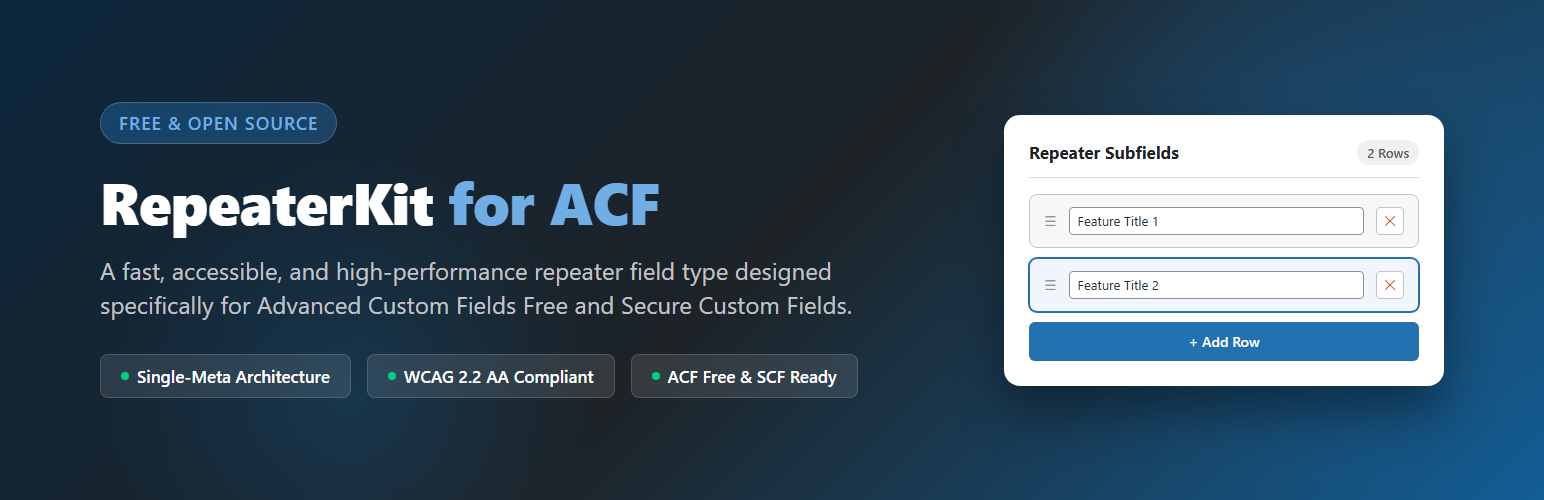
RepeaterKit field in edit screen with Table layout and drag-and-drop reordering.
RepeaterKit is a lightweight, high-performance, and developer-friendly repeater field plugin designed specifically for the free version of Advanced Custom Fields (ACF Free) and Secure Custom Fields (SCF).
Need to build repeatable rows of content – like FAQs, customer reviews, team rosters, pricing tables, product specs, or feature lists – without paying for an expensive subscription? RepeaterKit brings full repeater capabilities straight to your free ACF or SCF setup with zero bloat and zero upsells.
🌟 Key Highlights
- 100% Free & Open Source: Full repeater functionality for ACF Free and SCF without recurring costs.
- Lightning-Fast Single-Meta Architecture: Unlike traditional repeaters that insert dozens of separate rows into your
wp_postmetadatabase table, RepeaterKit stores all row data in a single clean, optimized record. Your database stays lean and queries run at peak speed. - Accessibility First (WCAG 2.2 AA): Engineered from the ground up for full keyboard accessibility and screen readers. Features ARIA landmarks, keyboard-operable row reordering, and live announcements via WordPress
wp.a11y.speak. - Three Polished Layouts: Seamlessly switch between Table, Block, and Row layouts to fit any admin editing workflow.
- 19+ Subfield Types: Mix and match text, images, media files, rich WYSIWYG editors, color pickers, date-time pickers, dropdowns, and checkboxes inside your repeaters.
- One-Click JSON Import & Export: Instantly backup, copy, or migrate row data across staging and production sites.
- Clean, Documented Template API: Use familiar, human-readable helper functions or query rows directly with native
get_field(). - Privacy-Respecting & Bloat-Free: Zero tracking, zero telemetry, zero external API calls, and no intrusive dashboard notices.
🎯 Common Use Cases
- FAQ Accordions: Let editors add, reorder, and update questions and answers with rich text.
- Customer Testimonials & Reviews: Capture client quotes, avatars, company names, and star ratings.
- Team & Staff Directories: Manage employee cards with photos, job titles, bios, and social links.
- Pricing & Comparison Tables: Build flexible pricing columns, feature checklists, and CTA buttons.
- Product Specifications: Create key-value specification tables for eCommerce and portfolio items.
- Project Timelines & Milestones: Detail step-by-step roadmaps, release notes, and case studies.
🧩 19+ Supported Subfield Types
RepeaterKit includes built-in support for all primary field types:
- Text & Content: Text, Text Area, WYSIWYG Editor (TinyMCE), Number, Email, URL.
- Choices & Selectors: Select (Dropdown), Checkbox, Radio Buttons, Button Group, True / False (Toggle).
- Media & Attachments: Image (WordPress Media Library picker), File attachment.
- Pickers & Controls: Date Picker, Time Picker, Date-Time Picker, Color Picker, Range Slider.
- Links & Relationships: Custom URL / Link input.
🚀 Quick Start Guide
- Make sure Advanced Custom Fields (ACF Free 6.0+) or Secure Custom Fields (SCF) is installed and active.
- In your WordPress admin, navigate to ACF > Field Groups (or Custom Fields > Field Groups).
- Create a new field group (or edit an existing one), click + Add Field, and select RepeaterKit Repeater as the field type.
- Choose your preferred layout (Table, Block, or Row), set optional minimum or maximum row limits, and add your desired subfields in the Subfields Builder.
- Save the field group.
- Open any post or page where the field group is assigned to add, drag-and-drop reorder, duplicate, or remove rows.
💻 Developer Template API
RepeaterKit provides a modern, secure, and context-aware loop API modeled after classic WordPress conventions.
Example 1: Basic Template Loop
Outputting a list of repeatable items on your single template or page template:
<?php if ( repeaterkit_have_rows( 'faq_list' ) ) : ?>
    <div class="faq-accordion">
        <?php while ( repeaterkit_have_rows( 'faq_list' ) ) : repeaterkit_the_row(); ?>
            <div class="faq-item">
                <h3><?php repeaterkit_the_sub_field( 'question' ); ?></h3>
                <div class="faq-answer">
                    <?php repeaterkit_the_sub_field( 'answer', 'wysiwyg' ); ?>
                </div>
            </div>
        <?php endwhile; ?>
    </div>
<?php endif; ?>
Example 2: Getting Subfield Values with Conditional Logic
When you need to perform calculations, check conditions, or manipulate values before displaying:
<?php if ( repeaterkit_have_rows( 'team_members' ) ) : ?>
    <div class="team-grid">
        <?php while ( repeaterkit_have_rows( 'team_members' ) ) : repeaterkit_the_row(); ?>
            <?php
            $name     = repeaterkit_get_sub_field( 'name', 'Team Member' );
            $role     = repeaterkit_get_sub_field( 'role', '' );
            $image_id = repeaterkit_get_sub_field( 'photo' );
            $bio      = repeaterkit_get_sub_field( 'bio', '' );
            ?>
            <div class="team-card">
                <?php if ( $image_id ) : ?>
                    <?php echo wp_get_attachment_image( (int) $image_id, 'medium', false, array( 'class' => 'team-avatar' ) ); ?>
                <?php endif; ?>
                <h4><?php echo esc_html( $name ); ?></h4>
                <?php if ( $role ) : ?>
                    <span class="team-role"><?php echo esc_html( $role ); ?></span>
                <?php endif; ?>
                <?php if ( $bio ) : ?>
                    <p class="team-bio"><?php echo esc_html( $bio ); ?></p>
                <?php endif; ?>
            </div>
        <?php endwhile; ?>
    </div>
<?php endif; ?>
Example 3: Contextual Escaping with repeaterkit_the_sub_field()
repeaterkit_the_sub_field() accepts an optional second parameter to ensure proper escaping for your target context:

<?php // Escaping as safe HTML (default) ?>
<p><?php repeaterkit_the_sub_field( 'description', 'html' ); ?></p>

<?php // Escaping inside an HTML attribute ?>
<input type="text" value="<?php repeaterkit_the_sub_field( 'default_text', 'attr' ); ?>" />

<?php // Escaping as a clean URL ?>
<a href="<?php repeaterkit_the_sub_field( 'website_url', 'url' ); ?>">Visit Website</a>

<?php // Escaping rich WYSIWYG markup (wp_kses_post) ?>
<div class="rich-content"><?php repeaterkit_the_sub_field( 'long_bio', 'wysiwyg' ); ?></div>
Example 4: Row Counts and Indices
<?php if ( repeaterkit_have_rows( 'features' ) ) : ?>
    <p>Total Features: <?php echo esc_html( repeaterkit_get_row_count( 'features' ) ); ?></p>
    <ul>
        <?php while ( repeaterkit_have_rows( 'features' ) ) : repeaterkit_the_row(); ?>
            <li>
                <strong>#<?php echo esc_html( repeaterkit_get_row_index() ); ?>:</strong>
                <?php repeaterkit_the_sub_field( 'feature_name' ); ?>
            </li>
        <?php endwhile; ?>
    </ul>
<?php endif; ?>
Example 5: Native get_field() Direct Access
If you prefer working with raw arrays or passing data to REST APIs, JavaScript applications, or block themes:
<?php
$rows = get_field( 'pricing_packages' );
if ( ! empty( $rows ) && is_array( $rows ) ) {
    foreach ( $rows as $row ) {
        echo '<div class="package">';
        echo '<h3>' . esc_html( $row['package_name'] ?? '' ) . '</h3>';
        echo '<p>Price: $' . esc_html( $row['price'] ?? 0 ) . '</p>';
        echo '</div>';
    }
}
?>
📦 JSON Export and Import
RepeaterKit includes built-in per-field JSON export and import:
* Export: Click the Export JSON button in the repeater controls to instantly copy the field’s complete row structure and data to your clipboard.
* Import: Click Import JSON, paste your JSON payload, and RepeaterKit validates the schema, verifies nonces and user capabilities, sanitizes all inputs, and regenerates your rows cleanly.
⚖️ Trademark Disclaimer
RepeaterKit is an independent open-source plugin. It is not affiliated with, sponsored by, endorsed by, or in any way associated with Advanced Custom Fields (ACF), WP Engine, or WordPress.org. “ACF” and “Advanced Custom Fields” are registered trademarks of their respective owners.