


ReadyGo Gift Wrap – Gift Wrapping, Gift Message & Wrapping Fee for WooCommerce
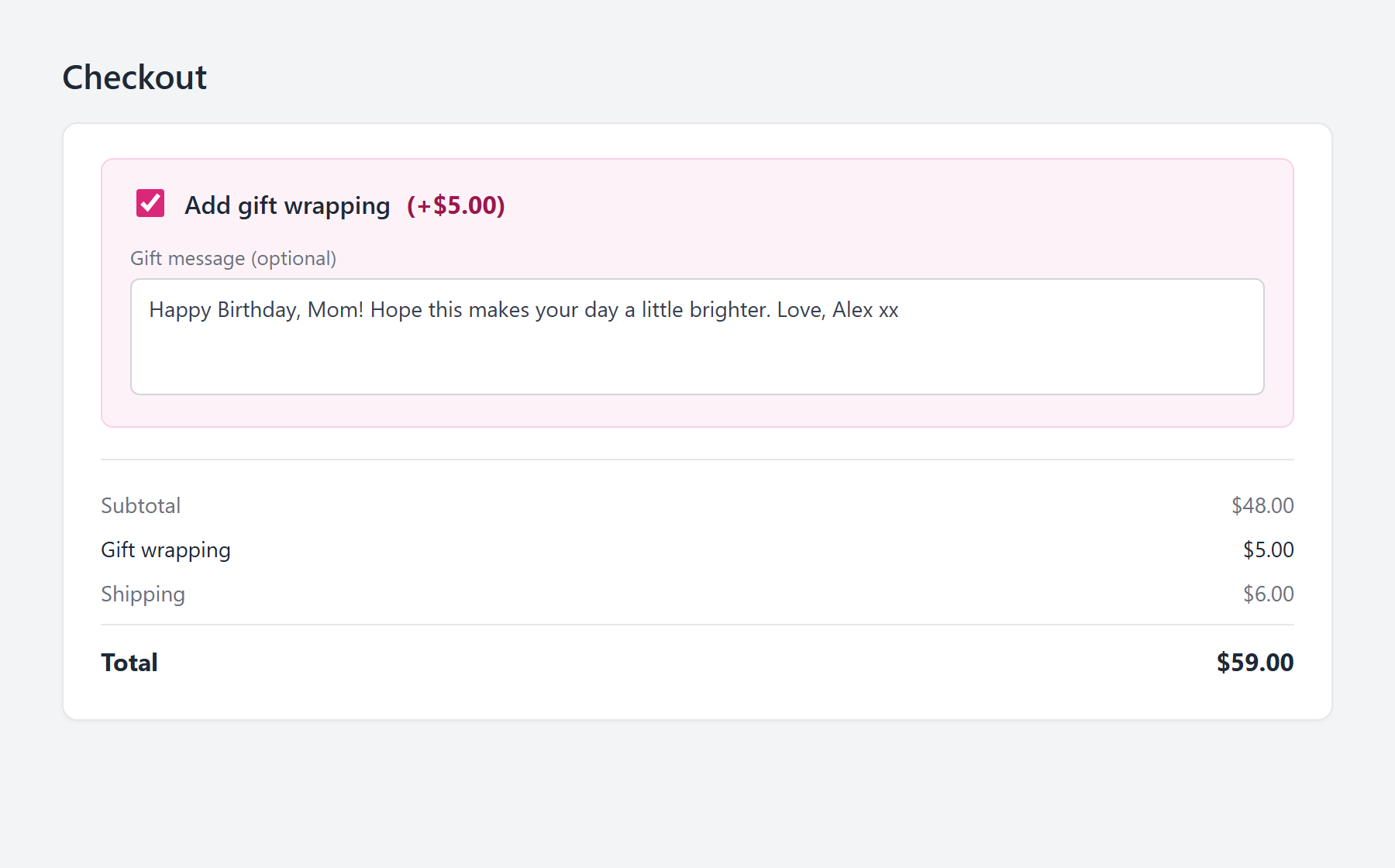
The gift-wrap option and gift message on the checkout page.
Give shoppers the option to gift wrap their order. WooCommerce has no built-in gift wrapping feature, so ReadyGo Gift Wrap for WooCommerce adds a tidy “Add gift wrapping” option to your checkout, charges the gift wrap fee you set, and lets the customer leave a gift message. Both the wrapping choice and the message are saved to the order and shown to you for fulfillment.
Free, self-hosted, and there is no paid upgrade or locked feature.
Built by ReadyGo Tools, a division of MKB Platinum.
How to add a gift wrapping option in WooCommerce
Install and activate the plugin, open the Gift Wrap settings screen under WooCommerce, set your gift wrap fee and the wording you want, and save. The gift wrapping checkbox appears on your checkout page straight away. There is no shortcode to place, no template file to override and no theme code to write.
What the customer sees at checkout
The shopper gets a single “Add gift wrapping” checkbox with your fee shown beside it. Ticking it reveals an optional gift message box and adds the wrapping fee to the order total immediately, as a proper WooCommerce fee line. Nothing else about your checkout layout changes.
What you see on the order
Every wrapped order carries its gift wrap status and the customer’s gift message through to the WooCommerce order screen in your admin, the customer’s order confirmation page, and your WooCommerce order emails. Whoever packs the box has the message in front of them without opening a second tab.
Features
- Gift wrap option at checkout. A clear “Add gift wrapping” checkbox on the WooCommerce checkout page, shown automatically.
- Gift message field. An optional message box that appears only when the shopper chooses wrapping.
- Set your own gift wrap fee. Charge whatever you like. It is added to the order as a standard WooCommerce fee line, so it shows in totals, reports and receipts.
- Free gift wrapping supported. Set the fee to 0 and offer wrapping as a free perk instead of a paid add-on.
- Your own wording. Change the checkbox label, the fee label and the gift message prompt to match your store’s voice or language.
- Saved to the order. Wrapping status and message appear in the admin order screen, on the order details page and in order emails.
- Fast and lightweight. Front-end assets load only on the checkout page and nowhere else on your site.
- HPOS compatible. Declared compatible with WooCommerce High-Performance Order Storage.
- No AI, no scraping, no external services. Everything runs on your own site and nothing is sent anywhere.
Who it is for
Any WooCommerce store selling something giftable: jewellery, candles, books, hampers, cosmetics, toys, stationery, homeware. It pays for itself fastest in the run up to Christmas, Valentine’s Day and Mother’s Day, when a paid wrapping option is both a genuine convenience for the buyer and a margin line for you.
Does WooCommerce have gift wrapping built in?
No. Core WooCommerce has no gift wrap option, no gift message field, and no way to charge a wrapping fee at checkout. Store owners usually end up doing one of three things: selling “gift wrapping” as a separate product, which makes a mess of stock, shipping and order totals; adding a custom checkout field by hand in functions.php; or installing a plugin. This plugin is the direct route, and it is free.
Built by ReadyGo Tools
Part of the ReadyGo Tools family of free WordPress plugins. Browse more at readygotools.com.