
Rankology SEO and Analytics Tool

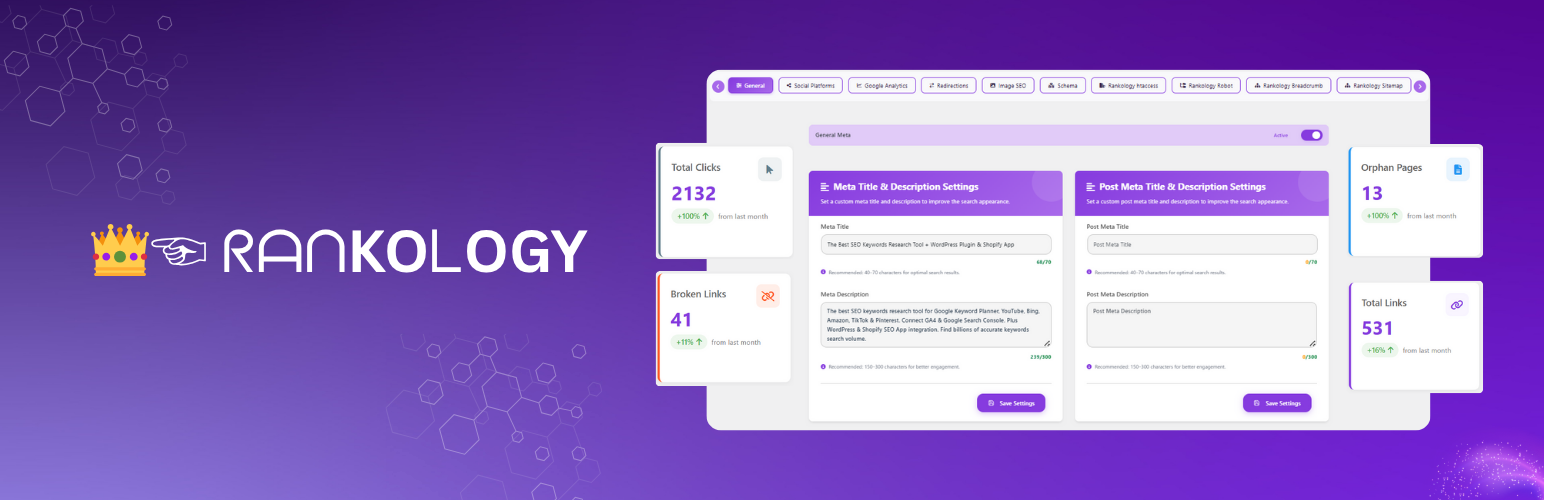
LinkFlow Overview — central dashboard for monitoring internal/external link distribution, link strength, and crawlability insights.
Rankology SEO and Analytics Tool is a comprehensive WordPress SEO plugin that helps sites rank higher in search engines, built to WordPress.org Plugin Check standards for secure, well-sanitized, and internationalization-ready code. Features include:
AI Content Generator: Generate content using your own OpenAI or Gemini API key, with model selection, streaming output, and usage/cost tracking.
Core & Advanced SEO: Meta titles/descriptions, focus keywords, canonical URLs, content scoring, schema markup (Article, FAQ, Review, Organization, Local Business), robots.txt & .htaccess management, and XML sitemaps.
Rankology LinkFlow: Smart internal linking suggestions, broken/orphan link detection, engagement tracking, and interlinking/sitemap visualizations.
Google Integration: Connect GA4 and Search Console for at-a-glance performance metrics (sessions, clicks, impressions, CTR, position) with filters and reports.
Bing Webmaster Tools: Connect your site via OAuth 2.0 to view Search Performance, Crawl & Index health, and Links reports, plus submit/manage XML sitemaps and individual URLs — all free, with no separate API key required.
Speed Optimization: HTML/CSS/JS minification, full-page caching, image compression & WebP conversion, server cache headers, and GZIP/Brotli compression.
Web Performance & Core Web Vitals: PageSpeed Insights dashboard measuring LCP, FCP, CLS, INP, TBT, TTI, and TTFB, with history, comparisons, and shareable reports.
Settings & Customization: Global meta settings, social sharing, breadcrumbs, header/footer code injection, import/export, and Cloudflare CDN integration.
Technical SEO Controls
- Server Settings: Add custom rules to the
.htaccessfile (Apache servers only) via a manual input field. - Robots.txt Settings: Manually edit robots.txt, plus a dedicated Bot Reference tab listing well-known bots/crawlers you can add or remove with one click, showing each rule’s current Added/Not Added status.
- Sitemap Settings: Auto-generate XML sitemap, exclude specific pages/posts, automatic updates on new content, and direct submission to Google & Bing.
- Image SEO Settings: Auto-use filename as alt text/title on upload, set post title from image metadata, and automatically clean uploaded filenames.
- Crawling Options: Control site visibility, disable link/image indexing, disable descriptions in Google, and exclude paginated or attachment pages from indexing.
- Alerts & Warnings: Notices for “Discourage search engines,” robots.txt status, and sitemap status.
Rankology Speed Booster
Boost your site’s loading speed with advanced optimization tools for performance and Core Web Vitals, organized into 5 tabs:
- Feature Control: Master toggle plus individual switches for HTML, CSS, and JavaScript minification with live status indicators.
- Cache Generation: HTML/CSS/JS minification with automatic AJAX-based cache rebuilding and one-click cache clearing.
- Image Optimization: Multi-method compression (Spatie, Imagick, GD), automatic WebP conversion, lazy loading, and bulk optimization with real-time stats.
- Server Configuration: Cache-Control/Expires headers, GZIP/Brotli compression (Apache/LiteSpeed), .htaccess-based caching, and object cache support.
- Performance Stats: Cache hit-rate metrics, overall performance score, and optimization recommendations.
- Web Performance & Core Web Vitals: PageSpeed Insights dashboard measuring LCP, FCP, CLS, INP, TBT, TTI, and TTFB, with report history, side-by-side comparisons, shareable public report links, email sharing, and automatic mobile analysis — powered by the Rankology API (no Google API key required).
External Services
This plugin connects to the following external services:
- Rankology API Services
- Purpose: Fetch Google Analytics and Search Console data, submit URLs for indexing, provide SEO insights, and analyze PageSpeed performance
- Data Sent: Website URL, API key (encrypted), requested metrics, and PageSpeed analysis requests
- When: When loading analytics dashboards, submitting URLs for indexing, or analyzing page performance
- Endpoints:
- https://app.rankology.io/api/rankology/url-inspection/single
- https://app.rankology.io/api/rankology/submit-urls
- https://app.rankology.io/api/rankology/google-analytics/google-insights
- https://app.rankology.io/api/rankology/google-search-console/google-insights
- https://app.rankology.io/api/rankology/connect-app
- https://app.rankology.io/api/rankology-pagespeed/wordpress/get-site-speedinsight (PageSpeed Insights analysis)
- Rankology Privacy Policy
- Rankology Terms of Service
1a. Rankology Webhook System (Plugin Lifecycle)
* Purpose: Secure communication with Rankology servers for plugin activation and deactivation events
* Data Sent:
– On Activation: Site URL, site name, WordPress version, PHP version, plugin version, timestamp, nonce, and HMAC-SHA256 signature (if webhook secret exists)
– On Deactivation: All activation data plus stored API key (if available)
* When:
– Plugin Activation: Sends blocking request to receive webhook secret and API key from server
– Plugin Deactivation: Sends non-blocking request to notify server of deactivation
* Security Features:
– HMAC-SHA256 signature verification for request authenticity
– Nonce generation for request validation
– Rate limiting (5-second cooldown between requests)
– SSL certificate verification
– Secure storage of webhook secret and API key in WordPress options
* Endpoints:
– https://app.rankology.io/api/rankology-pagespeed/wordpress/plugin-install (activation)
– https://app.rankology.io/api/rankology-pagespeed/wordpress/plugin-uninstall (deactivation)
* Data Storage: Webhook secret and API key are stored securely in WordPress options table and only sent to Rankology API endpoints
* Note: The webhook system ensures seamless integration with Rankology services and automatic API key provisioning upon plugin activation
* Rankology Privacy Policy
* Rankology Terms of Service
-
Cloudflare API
- Purpose: Manage CDN cache, security settings, performance rules, and analytics data
- Data Sent:
- API credentials (API key/token and optionally email address for Global API Key authentication)
- Zone ID (identifier for your Cloudflare zone/domain)
- Cache management commands (purge all cache, purge specific URLs)
- Security settings (WAF status, security level, bot fight mode, browser integrity check)
- Performance settings (cache level, browser cache TTL, auto minify settings, rocket loader, polish, WebP)
- Page rule configurations (URL patterns, cache rules, security rules)
- Analytics queries (time range parameters for performance and security analytics)
- When:
- When testing Cloudflare connection (sends zone ID to verify credentials)
- When purging cache (manually or automatically after content updates)
- When updating security settings (WAF, security level, bot protection)
- When updating performance settings (cache level, minification, optimization)
- When creating or deleting page rules
- When fetching analytics data (performance metrics, security events, top statistics)
- When toggling development mode
- Endpoints:
- https://api.cloudflare.com/client/v4/ (REST API for cache, security, and settings management)
- https://api.cloudflare.com/client/v4/graphql (GraphQL API for analytics and advanced queries)
- Note: All API credentials are stored securely in WordPress options and only sent to Cloudflare API endpoints. No user data or website content is sent to Cloudflare.
- Cloudflare Privacy Policy
- Cloudflare Terms of Service
-
Google Autocomplete API
- Purpose: Fetch real-time keyword suggestions for SEO optimization
- Data Sent: Search queries (keywords), locale, and country data
- When: When using the “Get Suggestions” button in SEO fields
- Endpoint: https://www.google.com/complete/search
- Google Privacy Policy
-
Google Analytics Data API (GA4) & Google Search Console API
- Purpose: Fetch Google Analytics (GA4) reporting metrics and Google Search Console performance data (and URL Inspection, if enabled) inside the Rankology dashboard
- Data Sent:
- Your configured GA4 Property ID and/or Search Console Property URL
- Requested date range, filters (e.g., country/device), dimensions/metrics, and URL(s) used for reporting
- Authentication data required to obtain an access token (service-account based OAuth2 flow)
- When: When you enable Google Analytics / Search Console integration and load GA/SC dashboards, reports, or URL inspection features
- Endpoints:
- https://oauth2.googleapis.com/token (token exchange)
- https://analyticsdata.googleapis.com/v1beta/ (GA4 Data API)
- https://searchconsole.googleapis.com/webmasters/v3/ (Search Console Search Analytics)
- https://searchconsole.googleapis.com/v1/urlInspection/index:inspect (Search Console URL Inspection)
- Note: Rankology uses the bundled Google API Client Library for PHP (
google/apiclient) to handle authentication and requests. - Google Privacy Policy
Source Code
This plugin includes minified JavaScript and CSS files for performance. The source code and build process are available at:
- Plugin Source Code: https://github.com/rankology/rankology-seo-wordpress-plugin
- Third-party Libraries:
- DataTables: https://github.com/DataTables/DataTablesSrc
- Chart.js: https://github.com/chartjs/Chart.js
- vis-network: https://github.com/visjs/vis-network
- cytoscape.js: https://github.com/cytoscape/cytoscape.js
- Select2: https://github.com/select2/select2
- Tagify: https://github.com/yaircohen/tagify
- html2pdf.js: https://github.com/eKoopmans/html2pdf.js
- Google API Client Library for PHP (google/apiclient): https://github.com/googleapis/google-api-php-client
Note: Some JavaScript files (vis-network.min.js, cytoscape.min.js) are minified for performance. The source code is available at the GitHub links above. The plugin uses build tools (npm/composer) to generate production files. To build from source, clone the repository and run the build commands as documented in the repository.