
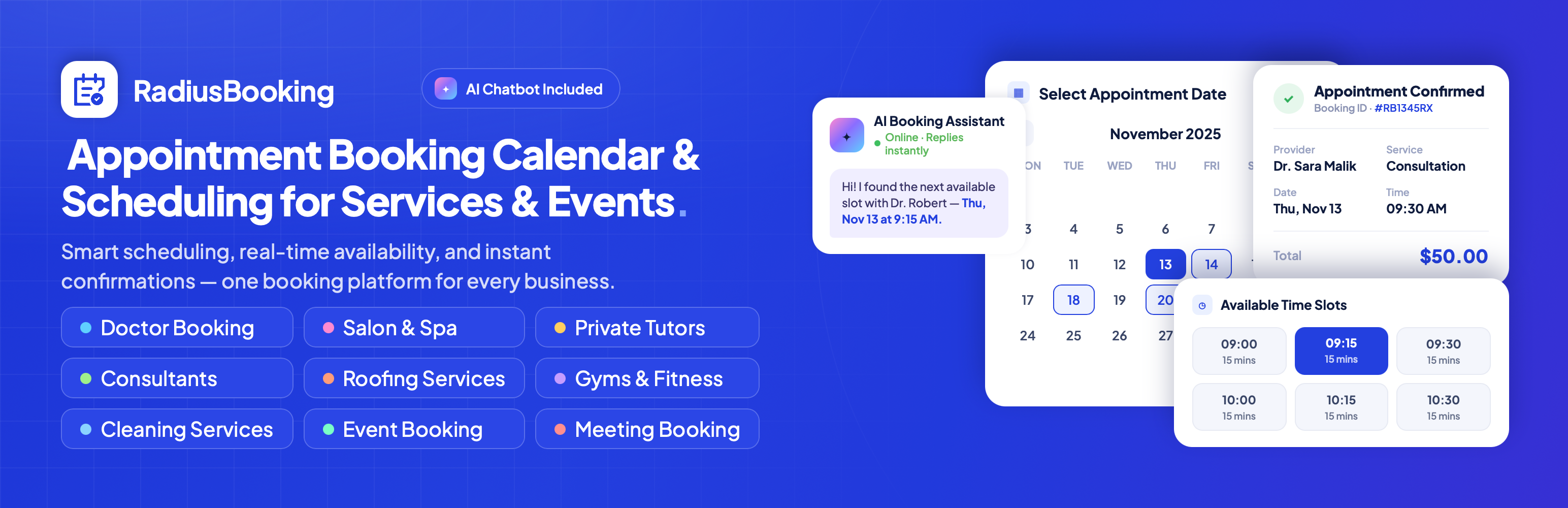

Radius Booking – Appointment Booking Calendar & Scheduling for Services & Events
Booking calendar front-end view — Clean interface for customers to select appointments
Radius Booking is an appointment booking calendar and scheduling plugin for WordPress. It lets customers book service appointments, register for events and schedule meetings from your website, while you manage staff, availability, customers and payments from one admin panel.
The free version includes the full appointment booking system: unlimited services and staff, a real-time booking calendar, email notifications, a customer portal, PayPal payments, Google Calendar sync and Google Meet links. Radius Booking Pro adds Stripe, WooCommerce checkout, deposits, coupons, dynamic pricing, recurring appointments, multi-location support, staff payouts, WhatsApp reminders, advanced analytics and a conversational AI booking assistant.
👉 Plugin Demo | Documentation | Get Pro 👈
Video Tutorial
Appointment Booking Calendar for Any Service Business
Radius Booking replaces phone calls and back-and-forth emails with an online booking calendar that shows your real availability. Customers pick a service, choose a staff member, select an open time slot and confirm, with or without paying online. Every booking appears in your admin calendar, syncs to Google Calendar and triggers email notifications to the customer, the assigned staff member and the site admin.
It is built for salons and spas, clinics and healthcare practices, consultants, tutors, coaches, cleaning and home service companies, fitness studios and anyone who takes appointments.
Three Booking Types in One Plugin
Most appointment plugins handle one kind of booking. Radius Booking includes three modules that can be turned on or off independently:
- Service appointments – service-first or staff-first booking flows, real-time availability, buffer times, capacity limits and guest checkout.
- Meeting scheduling – define meeting types with fixed durations (15, 30, 60 minutes), set availability windows per staff member, control notice periods and daily limits, require approval if needed, and auto-generate Google Meet links. Works like a personal scheduling link for consultations, discovery calls and demos.
- Event registration – create events with multiple sessions and ticket types, set capacity, sale windows and registration deadlines, enable a waitlist, and manage registrations and check-ins.
🌟 Who Uses Radius Booking
Salons, spas and barbershops – Clients choose their preferred stylist or therapist, book an open slot and pay online. Buffer times give staff room between appointments.
Clinics and healthcare providers – Doctors, dentists, chiropractors and therapists use automated confirmations and reminders, keep patient booking history in the customer database, and collect intake details with custom fields (Pro).
Home and cleaning services – Plumbers, electricians, HVAC technicians and cleaning companies let homeowners request service visits from the website and capture job details up front.
Tutors and educators – Music teachers, language instructors and academic coaches manage student sessions, with recurring bookings (Pro) for weekly lessons.
Fitness and wellness – Personal trainers, yoga and pilates studios handle one-on-one sessions and class bookings across multiple staff calendars.
Consultants and professional services – Lawyers, accountants, financial advisors and agencies use meeting booking with Google Meet or Zoom (Pro) for virtual consultations.
Event organizers – Workshop hosts, trainers and community groups sell tickets, track capacity and manage attendance from the same plugin.
✅ Classified Listing Integration
Radius Booking integrates with our Classified Listing directory plugin. Listings sync as bookable services, listing owners become staff members, booking forms pre-fill with listing details, and a Book Now button appears on listing pages, turning a business directory into a service marketplace with built-in booking.
Free Features
Appointment Booking System
Customers browse services, select a staff member, pick a date and time from the live booking calendar and confirm. Choose a service-first or staff-first flow. A multi-step form with a progress indicator and running summary keeps the process clear on desktop and mobile. Guest checkout is supported, with optional account creation.
Booking Calendar and Availability
Set business hours, multiple working periods per day, named breaks, special days with custom hours, and days off or vacation ranges with optional annual recurrence. Special days override weekday schedules, which override global defaults. Time periods can be scoped to specific services and locations.
Meeting Scheduling
Create meeting types with their own duration, price and color. Each staff member sets weekly availability windows, with buffer time before and after slots and date overrides for specific days. Set minimum notice, maximum advance booking days and maximum bookings per day. Meetings can be online, in person or hybrid, and can require admin approval. Customers reschedule through a unique link without logging in.
Event Registration and Ticketing
Create events with multiple sessions, each with its own date, time, speaker, capacity and location. Offer multiple ticket types (paid, free or early-bird) with sale windows and minimum or maximum tickets per order. Capacity is enforced in real time, with an optional waitlist, registration deadline and featured flag. Manage registrations, check-ins and event status from draft to completed.
Admin Calendar View
See all appointments, events and meetings in month and day views. Filter by service, staff member or customer to find openings and busy periods.
Appointment Management
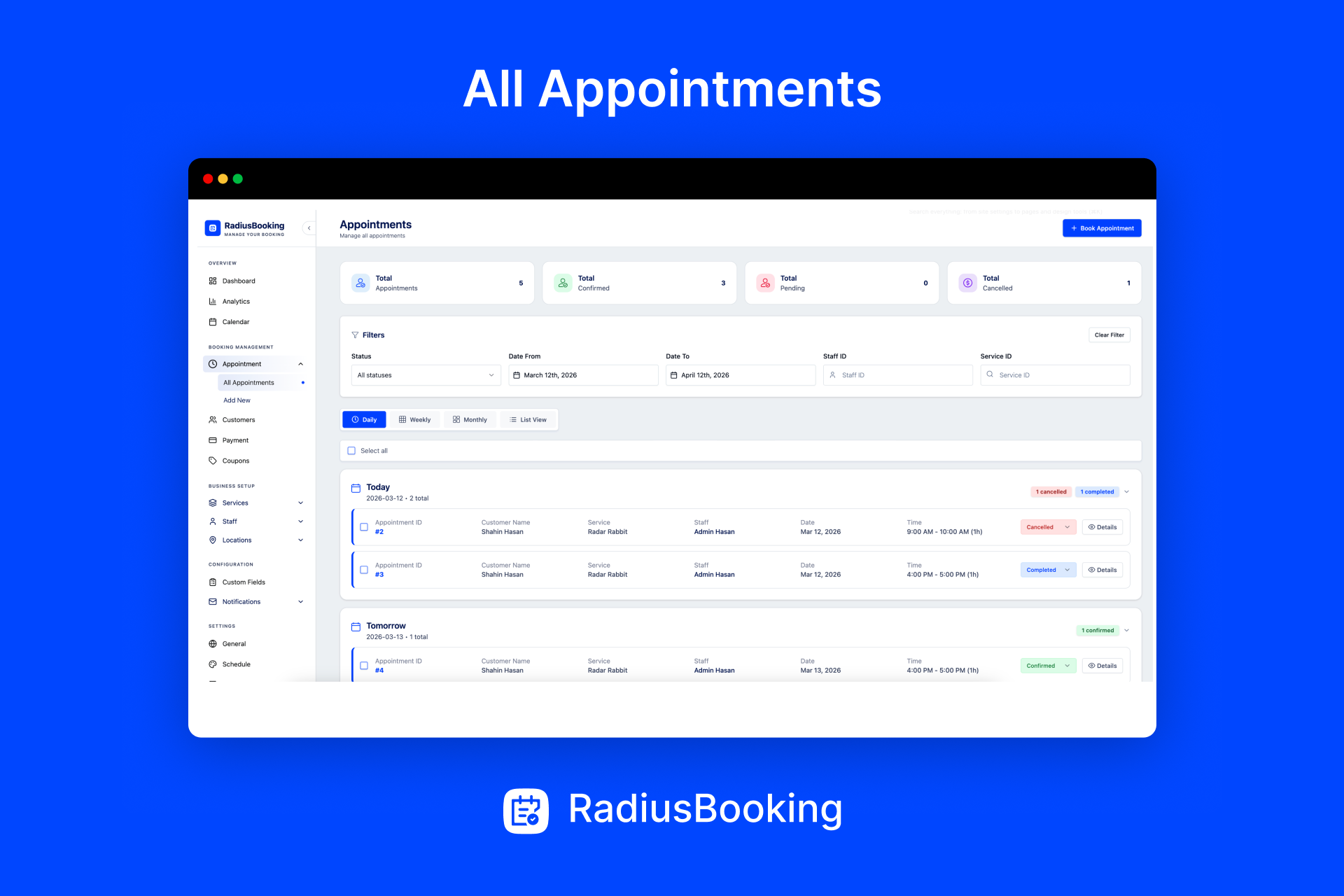
View, filter and search bookings by date, staff, service or status (pending, confirmed, completed, cancelled). Assign or reassign staff and keep a full booking history.
Service Management
* Unlimited services with descriptions, images, duration and pricing
* Service categories
* Buffer time before and after each appointment, set separately
* Minimum and maximum customers per slot
* Extra guests with per-service limits and flat or per-person pricing
* Per-customer booking limits (for example, three bookings per month)
* Visible, hidden or disabled service states
* Automatic staff assignment by price or workload
Staff Management
* Unlimited staff members with profiles, photos and contact details
* Assign services to each staff member with optional custom pricing and capacity
* Individual working hours, breaks, special days and days off
* Staff dashboard to view appointments, customer details and edit assigned services
* Dedicated staff role with granular permissions
Customer Management and Portal
A central customer database with contact details, booking history, internal notes, search and filtering. Optionally create WordPress user accounts when customers book. Customers get their own portal to view upcoming and past bookings with payment details and manage their profile and password.
Email Notifications
Customizable email templates for every booking event, sent to customers, staff and admins. Merge tags insert customer name, service, date, time, price, booking ID, staff details, phone numbers, confirmation or cancellation links and custom fields. Set the sender name, address and reply-to. One appointment reminder can be scheduled before each booking.
Payments and Pricing
Accept PayPal payments at booking time, or offer pay-later and offline options such as cash or bank transfer. Set fixed, variable or per-staff pricing. A transaction ledger records every payment and refund with status tracking.
Google Calendar, Google Meet and Google Maps
Two-way Google Calendar sync creates, updates and deletes calendar events and blocks busy times. Google Meet links are generated automatically for meeting bookings. Google Maps geolocation detects customer location for location-aware booking.
AI Chat Widget
A floating chat widget with a configurable bot name, colors, position, icon and welcome message, shown on all pages or selected ones. Live conversational booking requires Pro.
Dashboard
An overview of today’s appointments, revenue, recent activity and upcoming bookings with appointment and revenue charts.
Elementor, Gutenberg and Shortcodes
Elementor widgets and Gutenberg blocks for the booking form, service list, staff list, meeting list, event list and event registration, with layout, filtering and styling options. Shortcodes are available for every component:
[radius_booking_form]– appointment booking form[rtrb_service_list]– service catalog[rtrb_employee_list]– staff directory[rtrb_my_booking]– customer portal[rtrb_meeting_list]and[rtrb_meeting_booking]– meeting types and booking form[rtrb_event_list]and[rtrb_event_registration]– events and registration form
Appearance Settings
Customize colors, typography, layout, field labels and placeholder text. The front end is fully responsive and styled with CSS variables for easy theming.
Import and Export
Export and import services, categories, staff, locations, customers, appointments and settings in batches, with relationships preserved.
Translation Ready and Multisite
Ships with translation files for 33 languages, supports right-to-left scripts and works with Loco Translate. Supports WordPress Multisite with per-site configuration and network activation.
💎 Pro Features
Radius Booking Pro extends the free plugin with:
AI Booking Assistant
The chat widget becomes a working booking assistant. Connect your own OpenAI or Google Gemini API key and choose the model. Through natural conversation the assistant can list services and staff, check availability, create bookings, retrieve booking details, and reschedule or cancel appointments. It handles multi-step conversations, shows structured cards alongside text and answers questions from a custom knowledge base of Q&A entries organized by category. You pay your AI provider directly; the plugin adds no per-booking fees.
How to configure the AI Booking Assistant
Payment Gateways
*Stripe Payment Gateway: Accept credit card payments securely with Stripe. Provide a seamless checkout experience supporting all major credit cards, PCI-compliant processing, automatic payment confirmations, and refund management.
- WooCommerce checkout: route bookings through the WooCommerce cart, sync appointment status with order status, cancel on refund, hold unpaid slots for a set time and use any WooCommerce payment gateway
*Deposit Payments: Secure bookings with upfront partial payments. Set deposit amounts as a percentage or fixed amount, reduce no-shows through financial commitment, improve cash flow predictability, and collect remaining balances at service time.
Pricing and Promotions
* Dynamic pricing rules by time of day, day of week, date range, season or slot availability, with percentage or fixed adjustments and first-match-wins ordering
* Per-location pricing for the same service
* Coupons and discount codes with percentage or fixed discounts, usage limits, minimum order amounts, maximum discount caps, expiry dates, per-service scoping and auto-apply
* Tax rates (inclusive or exclusive) with custom labels, reflected in invoices
PDF Invoices
Generate invoices with line items for services, staff, dates, prices, dynamic pricing adjustments, coupon discounts, taxes and totals. Email invoices to customers and set your own numbering scheme.
Team Management
* Staff edit their own working hours, days off and special days
* Staff create and delete their own services
* Sub-staff hierarchy: staff create and manage sub-staff and control their permissions
* Multi-staff bookings for services that need more than one person, with simultaneous availability checks
* No-staff booking flow with staff assigned later
Scheduling
* Recurring appointments (daily, weekly, monthly, yearly or custom intervals), with the option to charge the whole series upfront, charge only the first appointment or make follow-ups free, plus per-instance date overrides
* Multi-location management with addresses, contact details and staff assignment
* Per-service booking rules that override global defaults for minimum notice, cancellation windows, reschedule notice and advance booking period
* Self-service cancellation with reason capture and self-service rescheduling with availability re-validation, within policies you define
Notifications
* Multiple appointment reminders at different intervals (for example, 24 hours and 1 hour before)
* WhatsApp notifications via Twilio or the Meta WhatsApp Cloud API for appointment, meeting and event confirmations, reminders, rescheduling and cancellations, with a connection test and delivery log
Custom Fields and Roles
* Custom fields scoped to individual services, meetings or events, with conditional logic
* Custom admin roles with a capabilities matrix editor
Advanced Analytics
KPI summary of total revenue, appointments, new customers, average revenue per appointment and cancellation rate, each compared with the previous period. Revenue trends and sources, appointment volume and status breakdown, staff earnings and bookings, service profitability, and customer repeat rates and lifetime value. Filter by any date range and export to CSV.
Integrations
* Zoom meetings created automatically for service and meeting bookings, with links in confirmation emails and configurable password and waiting room settings
* Apple Calendar and Outlook via ICS download, a direct add-to-Outlook link and a live calendar feed with embedded reminders
Data and Updates
* Import and export coupons, custom fields, dynamic pricing rules and payouts
* License activation with automatic updates
Support and Documentation
🔥 More WordPress Plugins by RadiusTheme
If you find Radius Booking helpful, check out our other WordPress plugins:
- Classified Listing – Best Classified ads and Directory WordPress Plugin
- Variation Swatches – WooCommerce Variation Swatches plugin converts variation select fields into radio, images, colors, and labels.
- Variation Gallery – WooCommerce Variation Gallery plugin allows adding additional images for each product variation.
- ShopBuilder – Elementor WooCommerce Builder Addons with 84+ widgets and 10+ modules.
- Food Menu – Restaurant Menu & Online Ordering using WooCommerce.