

Quick META Keywords
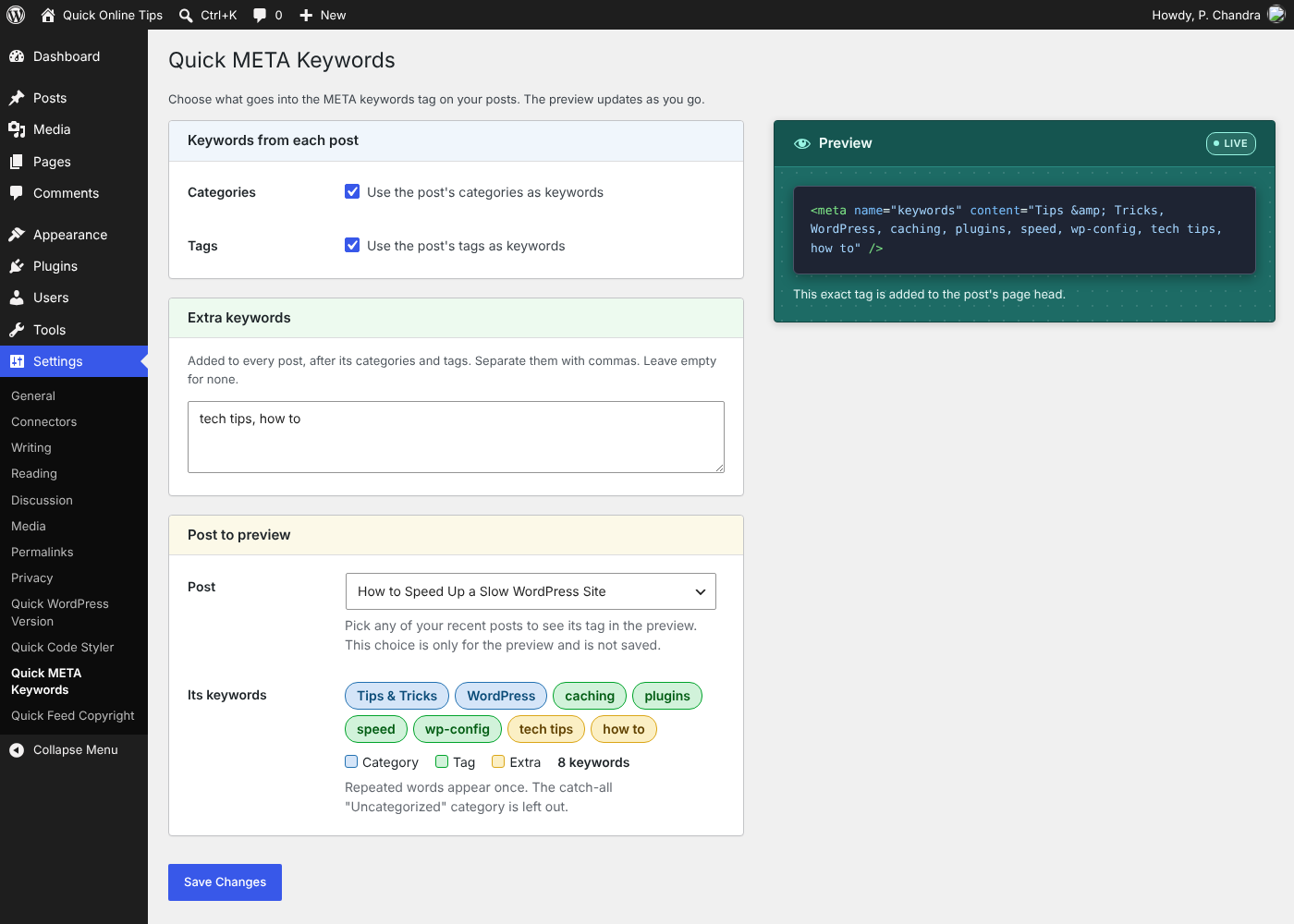
The settings page: choose categories, tags and extra keywords, and see a live preview of the tag for any recent post.
Quick META Keywords adds a META keywords tag to the head of your posts, filled with the post’s own topics. Activate it and every post, new and old, gets a tidy keywords tag with nothing to type.
Refreshed for 2026. First released in 2007, Quick META Keywords 2.0 is rebuilt with a settings page and a live preview. Choose categories, tags or both, add your own extra keywords, and see the exact tag before you save. You decide what goes in, far more than the original plugin ever allowed.
You choose what goes in:
- Categories. The post’s categories become keywords.
- Tags. The post’s tags become keywords.
- Extra keywords. Add a few words of your own, such as your site’s main topics, to every post.
Go to Settings > Quick META Keywords to turn categories and tags on or off and add extra keywords. A live preview shows the exact tag for any of your recent posts as you make changes, before you save.
What the tag looks like
<meta name="keywords" content="WordPress, Tips & Tricks, plugins, blogging, beginners" />
Small touches
- Repeated words appear only once, so a category and tag with the same name are not listed twice.
- The catch-all “Uncategorized” category is left out.
- Posts with no categories, tags or extra keywords get no empty tag.
- Works next to Rank Math, Yoast SEO and other SEO plugins. It adds only the keywords tag and leaves titles and descriptions to them.
Light and simple
- One small PHP file. Nothing is loaded on your visitors’ pages except the one META tag.
- No database tables, no tracking, no ads, no upsells.
- Delete the plugin and its settings are removed too.
Made by Quick Online Tips, tech help that works since 2004. See the Quick META Keywords plugin page for more.
Where META keywords fit in 2026
When this plugin first came out, the keywords tag was a standard part of SEO. Search engines have moved on, and Google and Bing no longer use it for ranking, so think of it as a tidy topic label for each post rather than a ranking tool.
It still earns its place:
- Site search and other tools. Some site search engines, intranet search tools and content directories read the keywords tag as a list of the page’s topics.
- A clear topic label. Every post gets a short, accurate summary of its topics in the page source, taken from the categories and tags you already chose.
- Clean and honest by design. Your real categories and tags keep the tag relevant, with no stuffing.
Keep it short and true to each post, and it does its job quietly in the background. For what helps your rankings today, see our SEO guides.