
Qtyra Quantity Rules & Tiered Pricing

Store-wide quantity & pricing settings
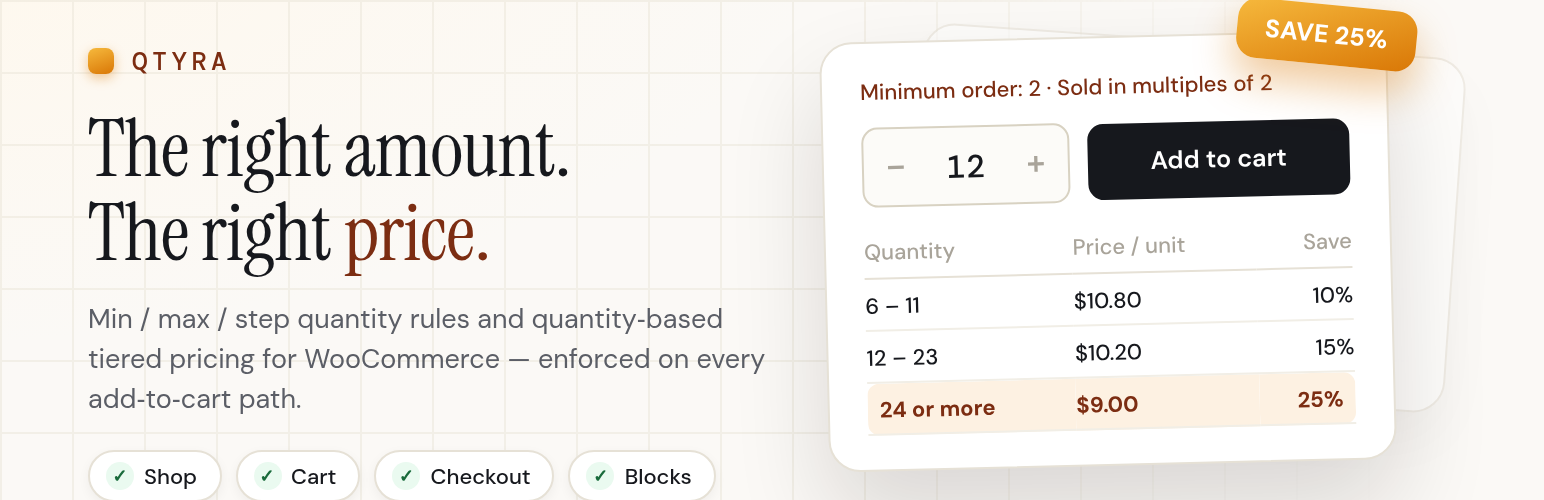
Selling wholesale, or need customers to order in case packs because that’s how your supplier ships? Qtyra lets you set minimum, maximum, step and default quantities for your WooCommerce store. Bigger orders can also unlock tiered pricing, so bulk buyers get a better price automatically.
These rules follow the product wherever it can be added to the cart. That includes the product page, the shop grid, carousels, the classic and block cart, checkout, and the WooCommerce Store API. If a shopper enters a quantity that doesn’t work, they get a plain message telling them what to change instead of a confusing error at checkout.
Free features
- Minimum, maximum, step (“group of”) and default quantity, set store-wide, per product, or per variation.
- Tiered pricing per product and per variation: percent off, a fixed unit price, or an amount off, shown as a price table on the product page with a “from $X” hint in the catalog.
- Rules work everywhere: the single product page, shop and archive pages, carousels, classic cart, block cart and checkout, and the Store API.
- Clear guidance for shoppers, like “The minimum order for X is 6. Please add 2 more.” No cryptic errors at checkout.
- Variable products just work. The quantity field, rules and price table update the moment a shopper picks a variation.
- Native block quantity stepper support (min, max, “multiple of”).
- Lightweight. One small script and stylesheet, only loaded on shop, product, cart and checkout pages.
- Translation ready.
PRO features
- Category‑wide tier tables and a store‑wide default tier table that every product inherits.
- Category‑level quantity rules with priority / most‑restrictive conflict handling.
- Role‑based rules (retail vs wholesale) at store and product level.
- Cart‑level minimum / maximum (items or order value).
- Fixed / dropdown quantities (only allow 12, 24, 48…).
- Decimal / fractional quantities with a unit label (“kg”, “m”).
- Bulk editor + CSV import / export.
See PRO plans and pricing . PRO licensing and updates are handled by Freemius.
Third party services
This plugin uses Freemius for optional usage tracking, PRO licence activation and PRO update delivery.
Nothing is sent anywhere unless you explicitly opt in on the activation screen (“Allow & Continue”) or activate a PRO licence key. If you click “Skip”, the plugin works fully and never contacts Freemius. After opting in, the plugin communicates with api.freemius.com and shares: site URL, WordPress / PHP / WooCommerce / plugin versions, site language, and the administrator’s name and email address (used for the Freemius account and licence).