


PushEngage – Web Push Notifications, WooCommerce Automation & Chat Widget
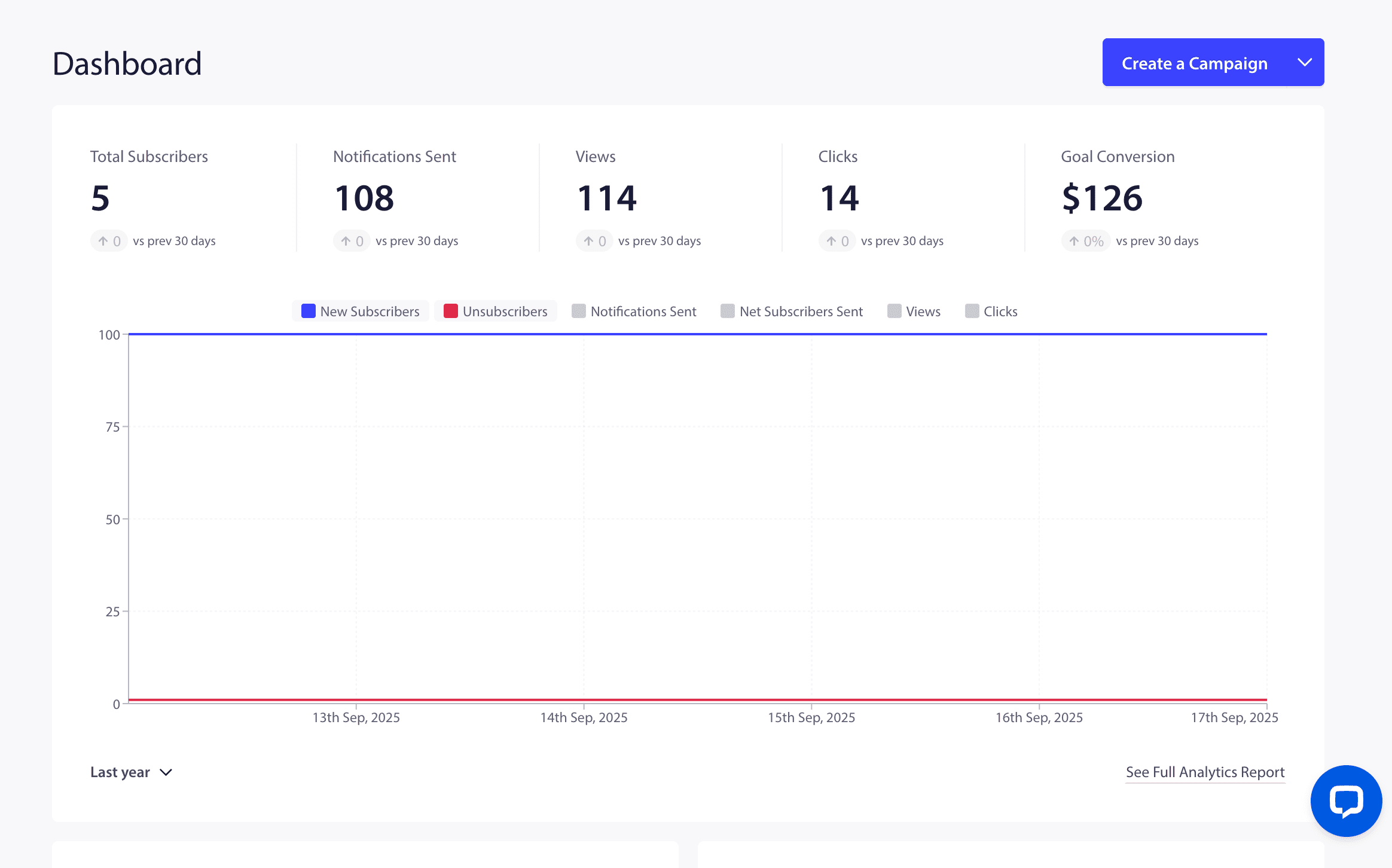
PushEngage Dashboard — Push notification campaign overview with subscriber growth, browser notification delivery stats, and performance metrics
WordPress Push Notifications, WooCommerce Automation & Chat Widget Made Easy
PushEngage is the most powerful and beginner-friendly push notification, WooCommerce automation, and chat widget plugin for WordPress. Send browser notifications to re-engage visitors, recover abandoned WooCommerce carts with push notifications and WhatsApp automation on autopilot, and connect with customers through a multichannel click to chat widget — all from one plugin.
PushEngage delivers push notifications directly to your subscribers’ browsers — often called browser notifications — appearing as alerts even when they’ve left your site. No email. No app. No spam folder.
Over 75,000+ businesses trust PushEngage to send millions of targeted push notifications every month — driving repeat traffic, recovering abandoned carts, and boosting revenue on autopilot. PushEngage comes with pre-built campaign templates, smart automation workflows, and AI-powered setup so you can start sending high-converting notifications in under 5 minutes — without writing a single line of code.
What’s New in PushEngage
Workflows come to WordPress. List your workflows — view every workflow with Entered, Active, Completed, and Failed stats, explore date-range analytics with conversion goals and revenue tracking, and activate, duplicate, or export campaigns in a click.
Smarter value typing for Audience Filters. Audience group attribute filters now preserve the correct value type (number, date, boolean, or text), fixing a class of silent mismatches where values were sent to the backend with the wrong type — so your segments match exactly as configured.PushEngage Growth & Premium Plans
PushEngage is free to get started with push broadcasts, subscription popups, and basic segmentation. Unlock cart abandonment recovery, browse abandonment, price drop alerts, back-in-stock notifications, advanced segmentation, A/B testing, drip campaigns, and more by upgrading your plan directly from the plugin dashboard. See all plans and pricing!
Browser Notifications for Every Platform
PushEngage delivers browser notifications across all major platforms — Chrome, Firefox, Safari, Edge, Opera, Brave, Samsung Internet, and UC Browser. Your subscribers receive native browser notifications on both desktop and mobile devices, even when they’re not actively browsing your website.
Unlike email that gets buried in inboxes or social media posts that get lost in feeds, browser notifications appear as real-time OS-level alerts that demand attention. With PushEngage, you get:
- Instant browser notification delivery — messages arrive in seconds, not hours
- No app install required — subscribers opt in directly from their browser
- No email address needed — lower friction means higher opt-in rates
- Cross-device reach — one subscriber, browser notifications on every browser they use
- Smart delivery optimization — send browser notifications at each subscriber’s optimal engagement time
WooCommerce Automation & Cart Abandonment Recovery
PushEngage is one of the most-installed WooCommerce automation plugins on WordPress.org and the #1 push notification plugin for WooCommerce. The full WooCommerce automation suite covers every step of the shopper journey — from first product view through cart abandonment recovery to post-purchase order updates. Five WooCommerce push notifications workflows ship pre-built:
- Cart Abandonment Recovery — 3-step WooCommerce automation sequence (45 min / 4 hr / 24 hr) that recovers up to 14% of abandoned WooCommerce carts
- Browse Abandonment — WooCommerce automation for visitors who viewed products but didn’t add to cart
- Price Drop Alerts — WooCommerce automation that notifies subscribers when products they browsed drop in price
- Back-in-Stock Alerts — WooCommerce automation that fires when inventory is replenished
- Order Update Notifications — WooCommerce automation for order confirmation, shipping updates, payment retry, and COD confirmation
Pair WooCommerce push notifications with WhatsApp automation for a two-channel cart abandonment recovery sequence — both channels fire automatically from the same WooCommerce automation event. Every WooCommerce automation runs through native WooCommerce hooks and supports dynamic product placeholders (name, price, image, URL) auto-populated from your WooCommerce catalog. Setup takes under 2 minutes — connect your PushEngage account, enable WooCommerce automation from the Triggers menu, and PushEngage starts recovering revenue automatically.
AI-Ready WordPress Plugin via Abilities API (NEW in 4.2.2)
PushEngage 4.2.2 ships with built-in support for the WordPress Abilities API — the new framework introduced for AI assistants and MCP (Model Context Protocol) servers to safely interact with WordPress plugins. AI agents on your site can now read PushEngage data and take actions on your behalf, all through a permission-checked, schema-validated interface.
PushEngage registers 25 abilities under the pushengage category, grouped into eight domains:
- Plugin info — Get plugin version, connection state, and key configuration; pull WordPress, PHP, and server diagnostics
- Notifications — Send push notifications to everyone or to specific audience groups or segments, save drafts, fetch a single notification, and list notifications with status and pagination filters
- Segments & audience groups — List, create, and add subscribers to segments; list audience groups for targeting
- Analytics — Get notifications summary across send/view/click counts, run analytics overviews by date range, and pull subscriber analytics
- Auto-push settings — Read and update auto-push configuration, including post types and feature flags
- Categories & attribute mappings — List WordPress and WooCommerce categories, view category-to-segment mappings, and inspect subscriber attribute mappings
- WooCommerce push automations — List and update push automation campaigns, plus list WhatsApp automation campaigns when WooCommerce is active
- WhatsApp & debug — Check WhatsApp integration status and pull debug logs for troubleshooting
Every ability is admin-gated through the manage_options capability, follows safe readonly and idempotent annotations, and exposes a public MCP-compatible interface so your AI tooling can plan and execute multi-step push notification workflows without custom integration work.
Works with Claude, Cursor & AI assistants (MCP)
PushEngage also ships an official MCP server. Run npx @pushengage/mcp to let Claude, Cursor, ChatGPT and other MCP-compatible assistants build segments, create and analyze campaigns, and manage your site settings — it runs locally over stdio, so your API key stays in your environment. We also publish open-source Agent Skills that help AI coding agents integrate and debug the PushEngage SDKs. Details: https://www.pushengage.com/api/ai-agents/
Drag & Drop Popup Builder
PushEngage comes with a visual popup builder that lets you create beautiful subscription opt-in popups in minutes. Choose from multiple popup styles — floating bar, modal overlay, bell widget, full-screen overlay, and more. Customize colors, text, timing, and targeting rules without touching any code.
Our pre-built popup templates are designed to maximize opt-in rates. PushEngage users consistently see 6-10% opt-in rates compared to the 3-5% industry average.
Pre-Built Campaign Templates
Don’t start from scratch. PushEngage includes ready-to-use notification templates for every use case:
- Welcome notifications for new subscribers
- Flash sale and promotional campaigns
- New blog post alerts
- Cart abandonment reminders (WooCommerce)
- Price drop alerts (WooCommerce)
- Back-in-stock notifications (WooCommerce)
- Order status updates (WooCommerce)
- Weekly content digests
- Re-engagement campaigns
Just pick a template, customize the message, and hit send.
Smart Audience Segmentation
Stop sending the same notification to everyone. PushEngage lets you create laser-targeted segments based on:
- URL patterns — segment by pages visited (include, exclude, starts with, contains, exact match)
- Product categories — auto-segment WooCommerce shoppers by browsing behavior
- Geographic location — target by country, state, or city
- Device type — send to desktop, mobile, or both
- Engagement behavior — target active vs. inactive subscribers
- Custom attributes — create unlimited custom data points per subscriber
Segments are created automatically when subscribers visit matching pages — no manual tagging required.
Drip Campaigns & Automation
Build personalized multi-message sequences that nurture subscribers on autopilot:
- Welcome Drip — Greet new subscribers with a 3+ message onboarding series that introduces your brand, best content, or top products.
- Re-engagement Drip — Automatically win back inactive subscribers with targeted messages.
- Promotional Drip — Deliver time-released offers and announcements to build anticipation.
- RSS Auto-Push — Automatically convert new blog posts into push notifications. Publish a post, and your subscribers get notified instantly.
Each drip supports custom delays (minutes, hours, or days), audience targeting, and performance analytics.
Gutenberg Integration
Create and send push notification campaigns directly from the WordPress post editor. PushEngage auto-fetches your post title, excerpt, and featured image — just hit publish and your subscribers are notified instantly. No need to switch between dashboards.
Advanced Analytics & A/B Testing
Make data-driven decisions with detailed campaign analytics:
- Campaign performance — views, clicks, CTR, and revenue per notification
- Subscriber growth — track opt-in rates and subscriber trends over time
- Revenue attribution — see exactly how much revenue each campaign generates (WooCommerce)
- Goal tracking — define custom conversion goals and measure notification-driven results
- A/B split testing — test different titles, messages, images, and CTAs to find what converts best
- Intelligent A/B testing — automatically send the winning variant to the remaining audience
Multichannel Chat Widget — Click to Chat for WordPress
Add a floating click to chat widget to your WordPress site and connect with visitors through 22+ messaging channels from a single button. The PushEngage chat widget makes it easy for visitors to reach you on their preferred platform:
- Facebook Messenger
- Instagram DM
- SMS & Phone
- Telegram, Line, Viber
- Slack & Microsoft Teams
- Discord
- Google Maps & Waze
- X (Twitter), TikTok, Snapchat, LinkedIn
- Custom channels
Configure multi-agent routing, working-hour availability, and device-based targeting — all from your WordPress dashboard. Show different click to chat channels on mobile vs. desktop, customize colors and position to match your brand, and display or hide the chat widget on specific pages, posts, or categories. The chat widget is included with PushEngage at no extra charge — no separate plugin needed.
Click to Chat for WhatsApp & Messaging Apps
Add a WhatsApp click to chat button to your WordPress site in minutes. Set a pre-filled message so visitors arrive at your WhatsApp chat with context already typed. The same click to chat flow works for Facebook Messenger, Telegram, Instagram DM, SMS, and the rest of the channels in the multichannel chat widget — perfect for support, sales, and lead generation.
Configure click to chat targeting per channel: show the WhatsApp click to chat button on mobile, the email click to chat option on desktop, and hide both on checkout pages where the focus belongs on the WooCommerce cart. Every channel uses native deep links, so visitors arrive in the messaging app they already have installed — no redirects, no friction.
WhatsApp Notifications & Automation
Automate your WhatsApp messaging and cart recovery directly from WordPress — no separate WhatsApp Business API setup needed. Go beyond push notifications with WhatsApp Business API integration:
- Abandoned cart recovery via WhatsApp
- Order updates and shipping alerts
- Payment retry requests
- COD confirmation messages
- Review request automation
- Free click-to-chat widget
Send unlimited WhatsApp messages at a flat platform fee — no per-message SMS charges.
Full PushEngage Feature List
- Subscription Popups — Floating bar, modal, bell widget, full-screen, Safari-style with page-, device-, geo-, and scroll-based targeting
- Push Broadcasts & Scheduled Notifications — One-time or future-dated sends with timezone-aware delivery
- Rich Notifications — Large images, icons, custom badges, and up to 2 CTA action buttons per notification
- Audience Groups & Custom Attributes — Retarget subscribers with behavioral, engagement, and interest filters using unlimited custom data
- Trigger Campaigns — Fire automated notifications based on any custom event
- Cart Abandonment, Browse Abandonment, Price Drop & Back-in-Stock — Four WooCommerce recovery workflows with optimized timing
- Drip Campaigns & Welcome Series — Multi-message automated sequences with custom delays
- RSS Auto-Push — Push new blog posts to subscribers the moment you publish
- A/B Testing & Intelligent A/B Testing — Test notification variants; auto-promote the winner to the rest of the audience
- Revenue & Goal Tracking — Attribute revenue and conversions to specific campaigns (WooCommerce)
- Campaign, Subscriber & Opt-in Analytics — Views, clicks, CTR, unsubscribes, growth trends, and popup performance
- Multi-Site Support & Team Management — Manage multiple WordPress sites and invite team members with role-based permissions
- REST API & JavaScript SDK — Full developer access for custom integrations
- WordPress Abilities API — 25 registered abilities for AI assistants and MCP servers
- Gutenberg Block — Send notifications directly from the post editor
- Multi-Browser Support — Chrome, Firefox, Safari, Edge, Opera, Samsung Internet, and more on mobile and desktop
- GDPR Compliant — Privacy-first architecture with built-in spam protection
Integrations
PushEngage works with your favorite WordPress plugins and platforms:
- WooCommerce — Full store integration with product catalog sync, order triggers, and revenue tracking
- WordPress Gutenberg — Native block editor integration for one-click campaign creation
- WordPress Abilities API — AI assistants and MCP servers can read and act on PushEngage data
- Shopify — Cross-platform eCommerce support with cart and order automation
- HubSpot — CRM integration with contact sync and OAuth authentication
- Helpscout — Support ticket integration via email and webhooks
- Stripe — Payment and subscription billing
- Google Analytics — UTM parameter support for campaign tracking
- OptinMonster — Smart popup delay detection to avoid opt-in conflicts
- REST API — Build custom integrations with any third-party system
Who Is PushEngage For?
PushEngage is perfect for:
- eCommerce Store Owners — Recover abandoned carts, send price drop alerts, and drive repeat purchases with automated WooCommerce notifications.
- Bloggers & Content Publishers — Grow your audience, drive repeat traffic, and notify readers the moment you publish new content.
- SaaS Companies — Engage users with onboarding sequences, feature announcements, and re-engagement campaigns.
- News & Media Sites — Send breaking news alerts and trending content notifications in real time.
- Affiliate Marketers — Promote offers, drive clicks, and retarget visitors with personalized campaigns.
- Local Businesses — Stay top-of-mind with customers through location-based notifications.
- Digital Agencies — Manage push notification campaigns across multiple client sites from one account.
What’s Next
If you like PushEngage, check out our other popular WordPress plugins:
- OptinMonster — #1 lead generation
- WPForms — #1 form builder
- MonsterInsights — #1 Google Analytics
- SeedProd — #1 landing page builder
- AIOSEO — #1 SEO plugin
- WP Mail SMTP — #1 SMTP plugin
- RafflePress — #1 giveaway plugin
- Smash Balloon — #1 social media feed
- SearchWP — #1 custom search
- AffiliateWP — #1 affiliate management
- WP Simple Pay — #1 Stripe payments
- Easy Digital Downloads — #1 digital eCommerce
- Sugar Calendar — #1 event calendar
- Charitable — #1 donations
- Duplicator — #1 backup & migration
- WP Charitable — #1 donation plugin
Visit WPBeginner for WordPress Tutorials and the best WordPress plugins.