


ProEventsWP
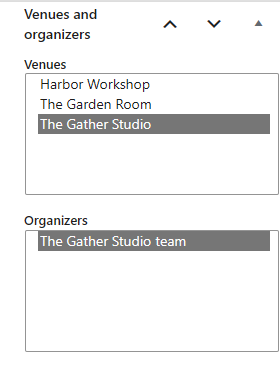
Create and manage events with venues and organizers.
ProEventsWP is a free WordPress event calendar plugin built for the block editor. Create events, organize venues and organizers, and display your calendar in six views. Use WordPress blocks to design event feeds and choose which event details to show.
Free features include:
- Display events in Month, Week, Day, List, Photo or Map view.
- Preview the date, venue and other event details on hover or keyboard focus in Month and Week views.
- Create one-time, all-day and multi-day events, with event timezones and daily opening hours.
- Repeat events daily, weekly, monthly or yearly. Set exceptions and edit individual occurrences or a series.
- Design event feeds with WordPress Query Loop patterns, editable event cards and pagination.
- Help visitors find events with keyword, date, category, tag, venue and organizer filters.
- Add venues, organizers, categories, tags, event status, costs and website links.
- Collect individual RSVPs, set capacity limits, send confirmations and let attendees cancel. Keep attendee details private.
- Show event locations on maps, enter addresses manually or enable optional address lookup.
- Import CSV and ICS files as event drafts for review.
- Let visitors download events or add them to their calendars. Include structured event data and access events through a public read-only REST API.
All Free features work without a paid license. Your events and settings stay in your WordPress database when you deactivate or uninstall the plugin.
Visit the ProEventsWP website or try the live demos.
External services and privacy
Freemius
The bundled Freemius SDK provides optional licensing, account, checkout, and update services. Its opt-in screen explains the data shared before optional usage tracking is enabled. Basic Free functionality works without opting in or purchasing a license. Freemius handles paid downloads, subscriptions, and license management.
Privacy policy: https://freemius.com/privacy/
Terms: https://freemius.com/terms/
Maps and map tiles
Map scripts are bundled locally. When a visitor opens a map, their browser requests tiles, styles, fonts and sprites from the configured provider, disclosing normal request information such as their IP address. New installations use OpenFreeMap’s light Positron style with OpenStreetMap data; no API key is required. Existing saved providers are retained. Administrators can configure another HTTPS vector style or raster tile provider; its terms and privacy policy apply. Maps display attribution. Address text and external map links remain available when JavaScript or WebGL2 is unavailable.
OpenFreeMap privacy policy: https://openfreemap.org/privacy/
OpenFreeMap terms: https://openfreemap.org/tos/
OpenStreetMap privacy policy: https://osmfoundation.org/wiki/Privacy_Policy
OpenStreetMap tile usage policy: https://operations.osmfoundation.org/policies/tiles/
Optional Geoapify address lookup
Address lookup is disabled by default and needs an administrator-configured Geoapify key. After three typed characters, it sends the editor’s address query to api.geoapify.com to suggest locations. Manual entry works without it. No geocoding request is made merely by saving an event or viewing its page.
Privacy policy: https://www.geoapify.com/privacy-policy/
Terms: https://www.geoapify.com/terms-and-conditions/