


Product Image Watermark for Woo
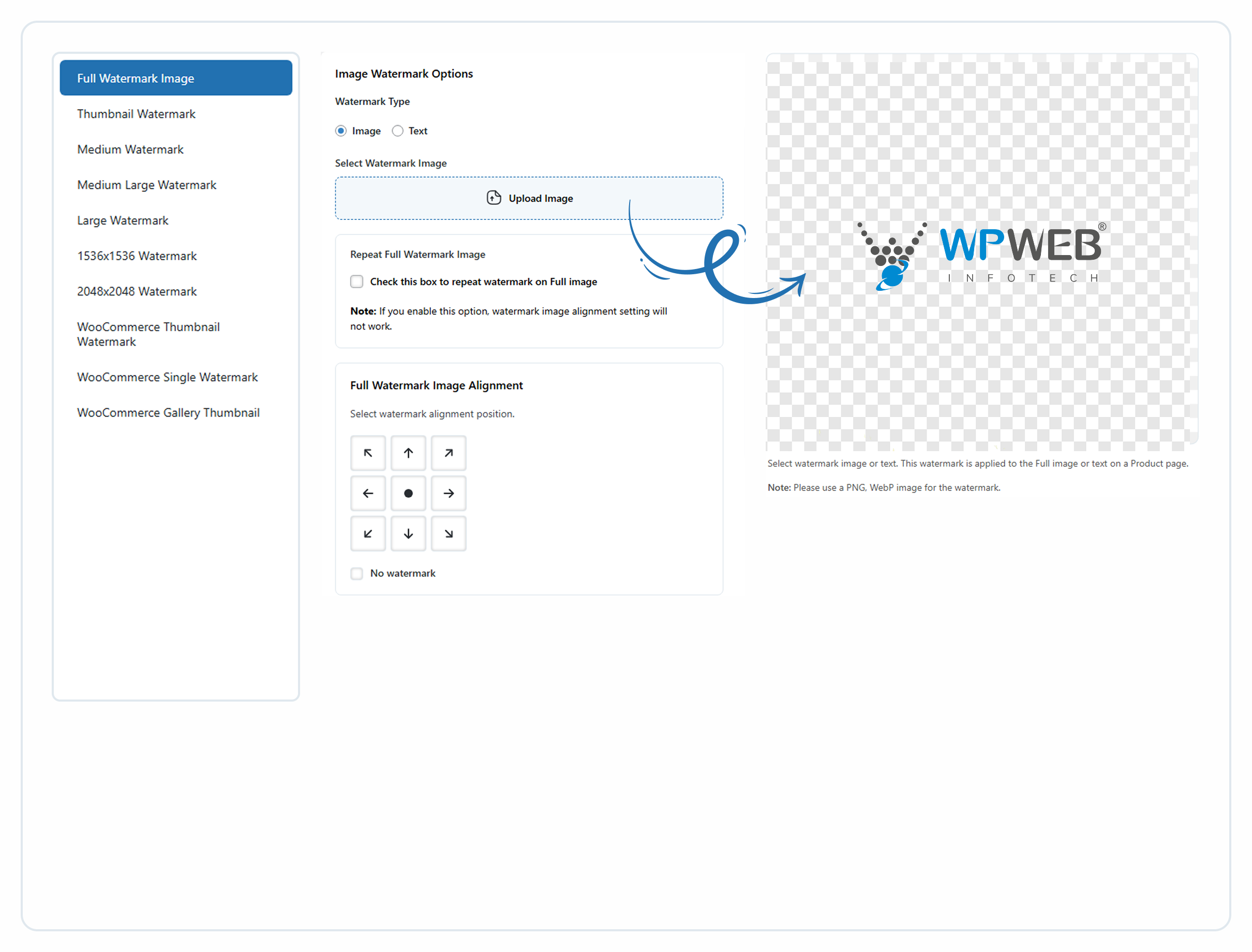
Plugin Settings
Product Image Watermark for Woo plugin allows you to automatically apply watermarks to your downloadable WooCommerce product images to protect them from unauthorized reuse. Add your company logo, copyright symbol, or branding text as a watermark to maintain brand identity and secure your product visuals.
The plugin works seamlessly with WooCommerce and automatically adds watermarks to product images, galleries, variations, and thumbnails. You can also bulk apply watermarks to your existing product images with just a few clicks.
Whether you run a small store or manage a large WooCommerce catalog, this plugin makes it easy to safeguard your product images without affecting site performance.
Key Features
Automatic Watermarking
✅ Automatically add watermarks to all newly uploaded WooCommerce product images.
Bulk Watermark for Existing Images
✅ Apply watermarks to your entire existing product catalog with a single action.
Image or Text Watermarks
✅ Add watermark as:
– Image watermark (logo or PNG/WebP)
– Text watermark for simple copyright or branding labels with different font family, font color, and control over font size.
Live Watermark Preview
✅ Preview watermark placement instantly before applying it to product images.
Flexible Watermark Positioning
✅ Place watermarks in 9 predefined positions:
- Top Left
- Top Center
- Top Right
- Center Left
- Center
- Center Right
- Bottom Left
- Bottom Center
- Bottom Right
Repeat Watermark Option
✅ Tile the watermark across the image for stronger protection.
Works with All WooCommerce Image Types
✅ Supports:
– Product images
– Gallery images
– Variation images
– Thumbnails
– Generated WooCommerce image sizes
Supports Multiple Image Sizes
✅ Apply watermarks to any generated image size used by WooCommerce.
User-Friendly Admin Interface
✅ Simple and intuitive settings panel inside WooCommerce for quick setup.
Can be used for
- Protecting WooCommerce product images from unauthorized reuse
- Adding logo watermarks to product images
- Adding copyright text to product photos
- Maintaining brand identity across product catalogs
- Protecting product images in large WooCommerce stores
- Preventing competitors from reusing your product images
Helpful Links
Documentation
Plugin Site
Compatibility
Check Our Other Plugins
Configuration
Product Image Watermark for Woo will add a new settings section inside the WooCommerce settings page with the name “Product Watermark”. There you will be able to set the watermark image for each image size and define the position of the watermark.