


Product Category
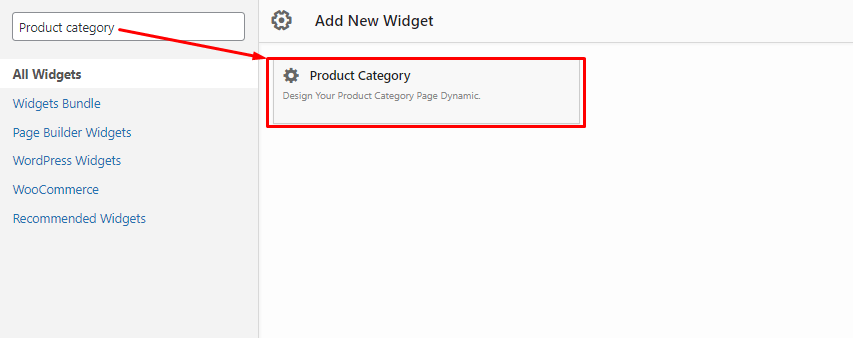
Product category widget for Siteorigin - Backend.
Product Category helps you display WooCommerce product categories in a clean, customizable, and conversion-friendly way. Instead of sending visitors through a plain category list, you can build stylish category sections that guide shoppers toward the products they want faster.
Use it on landing pages, shop pages, homepages, blog posts, sidebars, and custom layouts. Whether you prefer the Block Editor, Elementor, SiteOrigin, or a simple shortcode, Product Category gives you a practical way to showcase selected categories with layout, typography, image, color, and pagination controls.
The plugin is built for store owners, designers, and developers who want more control over how WooCommerce categories appear without writing custom templates.
Compatible with:
- Shortcode for classic pages, posts, and custom content areas.
- Block Editor with a dedicated Gutenberg product category block.
- SiteOrigin Editor with a product category widget.
- Elementor with a product category widget.
The main strength of this plugin is its editor flexibility: choose your preferred workflow, select the categories you want to highlight, and adjust the display to match your store design.
Features
- Add a custom title above your product category listing.
- Select specific WooCommerce product categories to display.
- Choose from available category layout and style options.
- Control the number of categories shown per row and per section.
- Set category ordering by name or slug.
- Display categories in ascending or descending order.
- Show or hide product category descriptions.
- Enable or disable pagination for longer category lists.
- Show or hide category thumbnail images.
- Add image alt text support for better accessibility and SEO.
- Customize typography, including font size, font weight, font family, and letter spacing.
- Adjust colors and visual styles to match your WooCommerce store.
- Use the dedicated Elementor widget for live page-builder editing.
- Use the Gutenberg block to build category sections directly inside the Block Editor.
- Use shortcodes when you need a simple, editor-independent embed option.
Live Editing with Elementor and Block Editor
Product Category supports live editing through its own Elementor widget and Gutenberg block. You can select categories, adjust display settings, refine styles, and preview changes while you build the page.