


Prime Cache – Page Cache on Activation & One-Click Speed Optimization
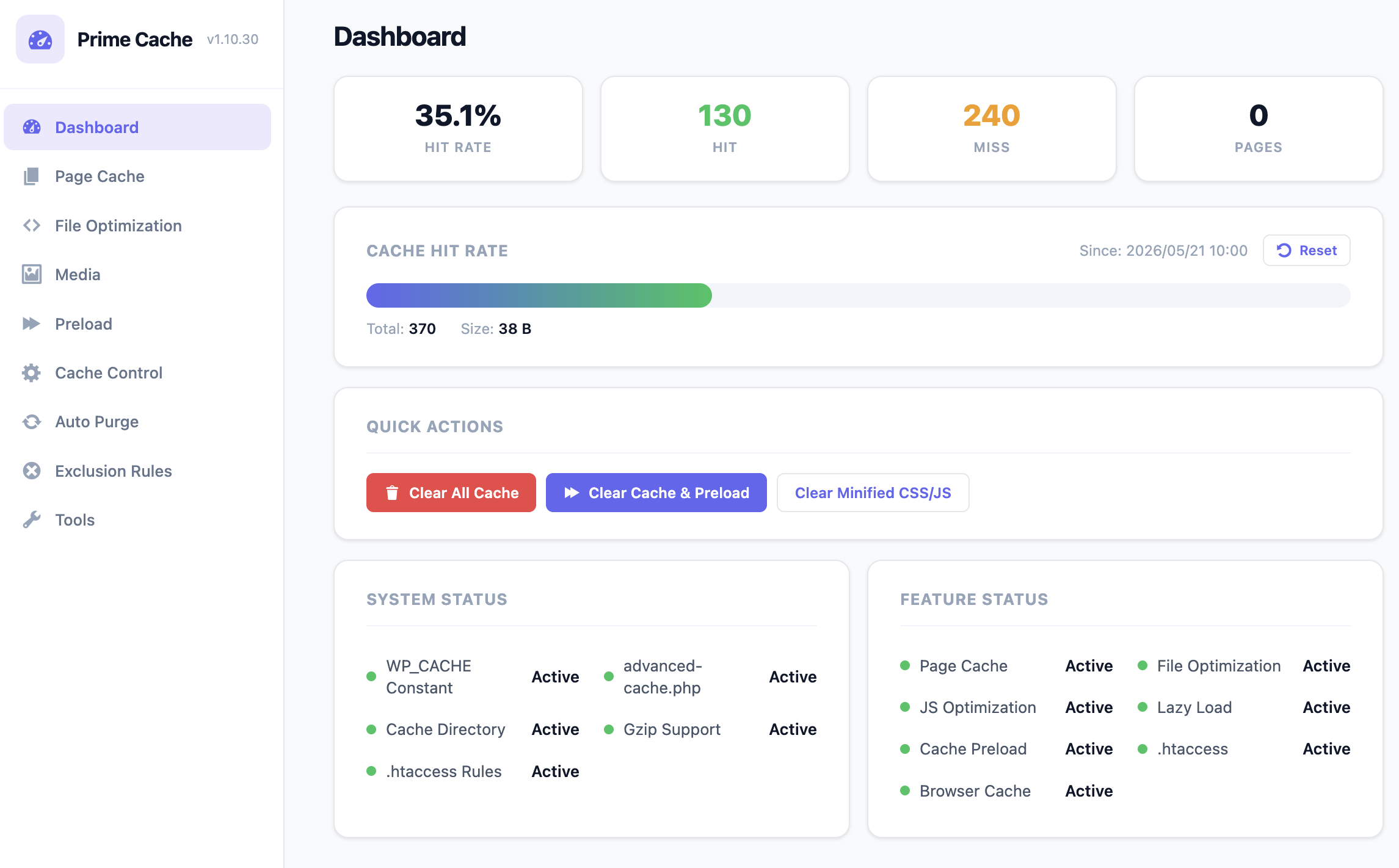
Dashboard - Cache hit rate, quick actions, and system / feature status
Activate Prime Cache and your pages are cached. There is no setup screen to get through first and no wp-config.php to edit.
When you want more, one button, Auto, applies a set of speed settings in one go: HTML, CSS and JavaScript minification, deferred JavaScript, non-blocking CSS, lazy loading, browser caching, link prefetching and cache preloading. Every setting stays on its own screen afterwards, so you can review or change any of them.
Watch the 5-minute setup tutorial:
How it works without any setup
Page caching is on from the moment you activate the plugin. Prime Cache runs its page-cache engine early in each request and sends the stored copy of a page instead of building it again, so the theme and the database queries behind the page are skipped. Logged-in users, the admin screens, form submissions and WooCommerce cart, checkout and account pages are never served from the cache.
Two faster serving paths are optional:
- .htaccess Optimization (servers that read .htaccess): cached pages are sent by the web server without starting PHP. Turn it on in the Page Cache tab, or let Auto turn it on when .htaccess is writable.
- Drop-in mode: add
define( 'WP_CACHE', true );to wp-config.php yourself and cached pages are served before WordPress core loads. The settings screen shows the exact line.
The free plugin never edits wp-config.php. That file controls the whole site and some hosts manage it themselves, so an automatic edit is a risk the plugin does not take. The drop-in step stays in your hands, and page caching works without it.
Prime Cache is developed and run on shared hosting.
If something looks wrong after Auto
Auto’s JavaScript and CSS settings do the most for speed, and they are also the ones most likely to disagree with a theme or another plugin. Menus, sliders and forms are where problems usually show.
The quickest fix is the Safe preset in the Tools tab. It keeps page caching, browser caching and lazy loading, and turns off minification, deferred and delayed JavaScript, the CSS delivery settings and the other Auto settings that change how a page looks, including any you turned on yourself. The preset card in the Tools tab lists every setting it turns off. Clear the cache and check the page again.
To keep the rest of Auto and find the one setting that disagrees, apply Auto again and turn settings off in this order instead, clearing the cache after each step:
- Delay JavaScript Execution and Maximum Delay, if you turned them on yourself. Auto does not turn them on in the free plugin.
- Load JavaScript Deferred
- Load CSS Asynchronously (Free), then Inline Small CSS Files
- Minify HTML, Minify CSS and Minify JavaScript
Free features
- Page cache, on from activation
- Auto preset (plus Safe, Balanced and Aggressive presets)
- Browser cache headers
- .htaccess Optimization
- Gzip compression
- 404 page caching
- HTML / CSS / JavaScript minification
- Inline small CSS
- Defer JavaScript
- Delay JavaScript, including Maximum Delay
- Google Fonts display=swap
- Lazy load for images, iframes and videos
- WebP conversion, with bulk conversion
- Image resize on upload and EXIF removal
- Cache preloading for the homepage, public posts and public taxonomies
- Link prefetching
- Performance tweaks (disable emoji, jQuery Migrate, embeds and other WordPress extras)
- Automatic cache purge on content changes
- Security headers
- Import / Export
- WP-CLI support
Prime Cache Pro (optional add-on)
Prime Cache Pro is a separate add-on sold on the author’s website (https://raplsworks.com/plugins/prime-cache/). Everything described above is free, with no limits, and the free plugin does not need Pro to work.
With Pro installed, Auto also turns on:
- Remove Unused CSS, with automatically generated Critical CSS
- Delay JavaScript Execution with Maximum Delay
- AVIF image conversion (WebP when the server cannot make AVIF)
- Self-hosted Google Fonts and font preloading
- LCP optimization
- Speculation Rules
- Click-to-load YouTube thumbnails
- Preloading of taxonomy archives
Pro also adds features you turn on yourself:
- AI speed diagnosis and consultation (bring your own API key: Anthropic / OpenAI / OpenRouter / Gemini)
- CSS and JavaScript combining
- CDN URL rewriting
- Cloudflare, Sucuri and Varnish integration
- Object cache backends (APCu / Redis / Memcached)
- Sitemap-based cache preloading
- Database cleanup
- Heartbeat control
- Self-hosted Google Analytics
- One-click
WP_CACHEsetup in wp-config.php, with a backup written first - A warning when a server-side cache sits in front of the site
Prime Cache Pro walkthrough (Japanese narration):
Japanese
The admin screens are translated into Japanese.
Documentation
Full documentation for every setting and every behavior:
- Free Manual (English): https://raplsworks.com/prime-cache-free-manual-en/
- Free 版マニュアル (日本語): https://raplsworks.com/prime-cache-free-manual-ja/
- Pro Manual (English): https://raplsworks.com/prime-cache-manual-pro-en/
- Pro 版マニュアル (日本語): https://raplsworks.com/prime-cache-manual-pro-ja/
External services
The free Prime Cache plugin does not connect to any external service. No data is sent to any third party at any time by the free plugin.
The following third-party hostnames appear inside the plugin’s source code as string literals only, and the plugin never makes outbound requests to them:
googletagmanager.com,google-analytics.com,connect.facebook.net,widget.intercom.io,embed.tawk.to— listed inincludes/class-file-optimizer.phpas URL-pattern presets for the “Delay JS” feature. They are used only to recognize third-party scripts already present on the page (added by other plugins or the theme) and to defer their execution until first user interaction. The plugin itself does not load, fetch, or embed any of these services.cdnjs.cloudflare.com— referenced only in code comments and admin-screen help text describing how some themes replace bundled jQuery with a CDN version. The plugin does not call or include any resource from this host.
If you install the optional Prime Cache Pro add-on, that separate plugin documents its own external service usage in its own readme — Prime Cache (free) on its own makes no outbound calls.
Why the page-cache drop-in keeps an open output buffer
A page cache has to capture the entire rendered HTML response so the body can be written to disk before the browser receives it. dropins/page-cache.php opens an ob_start() early in the request and lets PHP flush the buffer naturally at request shutdown — the captured body is written to the cache file inside the buffer callback. The buffer is deliberately not closed mid-request; doing so would either truncate the cached body or break the capture for plugins/themes that emit their last output during shutdown. This is the standard design for WordPress page caching. The HTML transformation pipeline in includes/class-html-pipeline.php follows the same pattern for the same reason.