

PDF Generator for Posts & Pages – Export Any Post Type to PDF
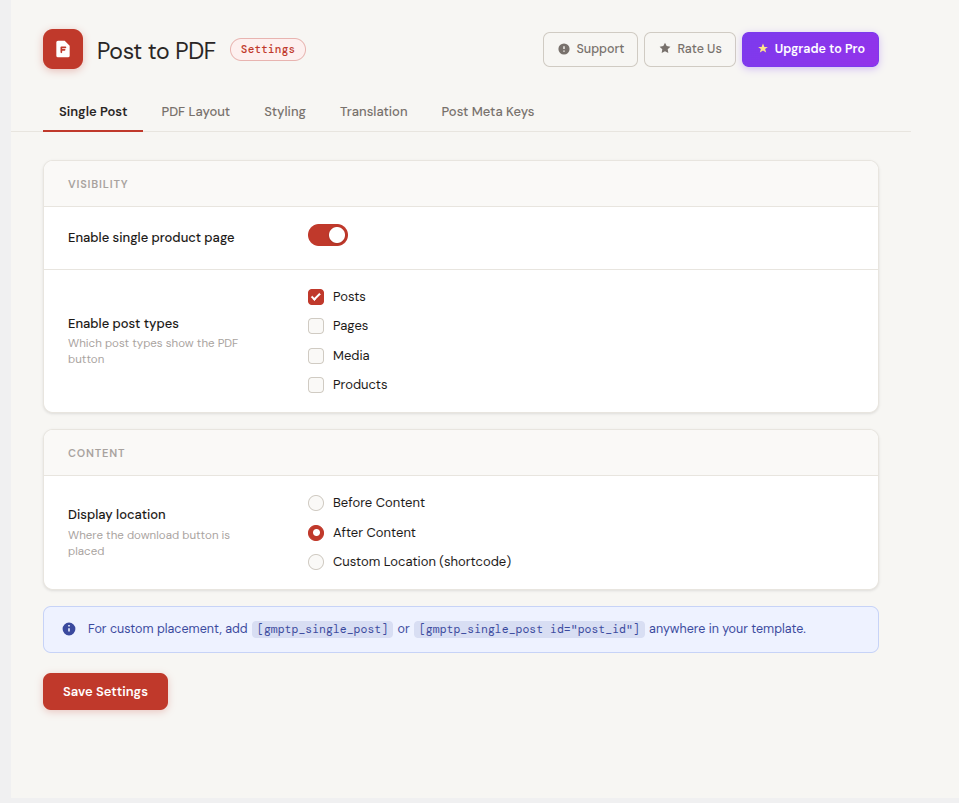
<strong>Admin Dashboard</strong> – Clean settings panel with tabbed navigation and branding header
PDF Generator for Posts & Pages is the easiest way to let your visitors download a beautifully formatted PDF of any WordPress post, page, or custom post type — with zero coding required.
Whether you run a blog, a WooCommerce store, a job board, or a directory site, this plugin adds a Download PDF button directly on your content pages. Visitors get a clean, print-ready PDF in one click.
Demo | Support | Pro Version | Documentation
Why Use PDF Generator for Posts & Pages?
Most PDF plugins force you to edit PHP templates or paste complex shortcodes. This plugin gives you a visual drag-and-drop layout builder inside your WordPress dashboard — simply choose a layout, toggle which content blocks to include, and save. Your PDF updates instantly.
Core Features
Visual PDF Layout Builder
Choose from four ready-made page layouts — Single Column, Image Left, Image Right, and Image Top. Drag and reorder content blocks (title, image, description, custom fields, read more link). Set per-block alignment. See a live preview update as you make changes.
Supports All Post Types
Works with Posts, Pages, and any registered Custom Post Type — including WooCommerce Products, job listings, property listings, portfolios, and more. Enable or disable PDF export per post type from the admin settings.
ACF Custom Field Support
Automatically detects Advanced Custom Fields (ACF). When ACF is active, the Post Meta Keys tab shows a searchable dropdown of all your ACF field groups. Select the fields you want to include in the PDF — labels and values are pulled automatically. Works with text, number, email, URL, select, checkbox, and relationship fields.
Custom Post Meta Keys
No ACF? No problem. Manually add any WordPress post meta key. The plugin fetches the value from the database and includes it in the PDF. Search your existing meta keys server-side as you type — no page reload needed.
Full Color and Typography Control
Customize the PDF background color, body text color, header and footer background and text colors, download button colors, title font size, content font size, and image size — all from the Styling tab.
Header and Footer Text
Add custom header and footer text to every generated PDF page. Great for branding, copyright notices, or contact details.
Flexible Button Placement
Place the PDF download button before the content, after the content, or use the shortcode for a completely custom location.
Shortcode Support
Use [gmptp_single_post] to place the PDF button anywhere in your templates, or [gmptp_single_post id="123"] to generate a PDF button for a specific post from any page.
Translation Ready
All front-end strings — button label, loading messages, read more text — are fully translatable from the Translation tab in the admin. Compatible with WPML and Polylang.
Lightweight PDF Generation
PDFs are generated directly in the visitor’s browser using React PDF renderer — no server-side processing, no temporary files stored on your server, no load on your hosting.
Perfect For
- Bloggers — Let readers save and share articles as PDFs
- WooCommerce stores — Offer downloadable product spec sheets
- Job boards — Export job listings as formatted PDFs
- Real estate sites — Generate property information PDFs
- News and magazines — Archive articles in PDF format
- Documentation sites — Export guides and tutorials to PDF
- Schools and universities — Download course or event pages as PDFs
Our Other Free Plugins
- Post to PDF (Free) – The free version of this plugin
- PDF Catalog for WooCommerce – Generate multi-page product catalogs
- Product Enquiry for WooCommerce – Add enquiry forms to product pages
- Add to Quote for WooCommerce – Quote cart functionality
- Show Variations on Shop Page – Display product variations in shop listings