


Plaxswap Crypto Payments for WooCommerce
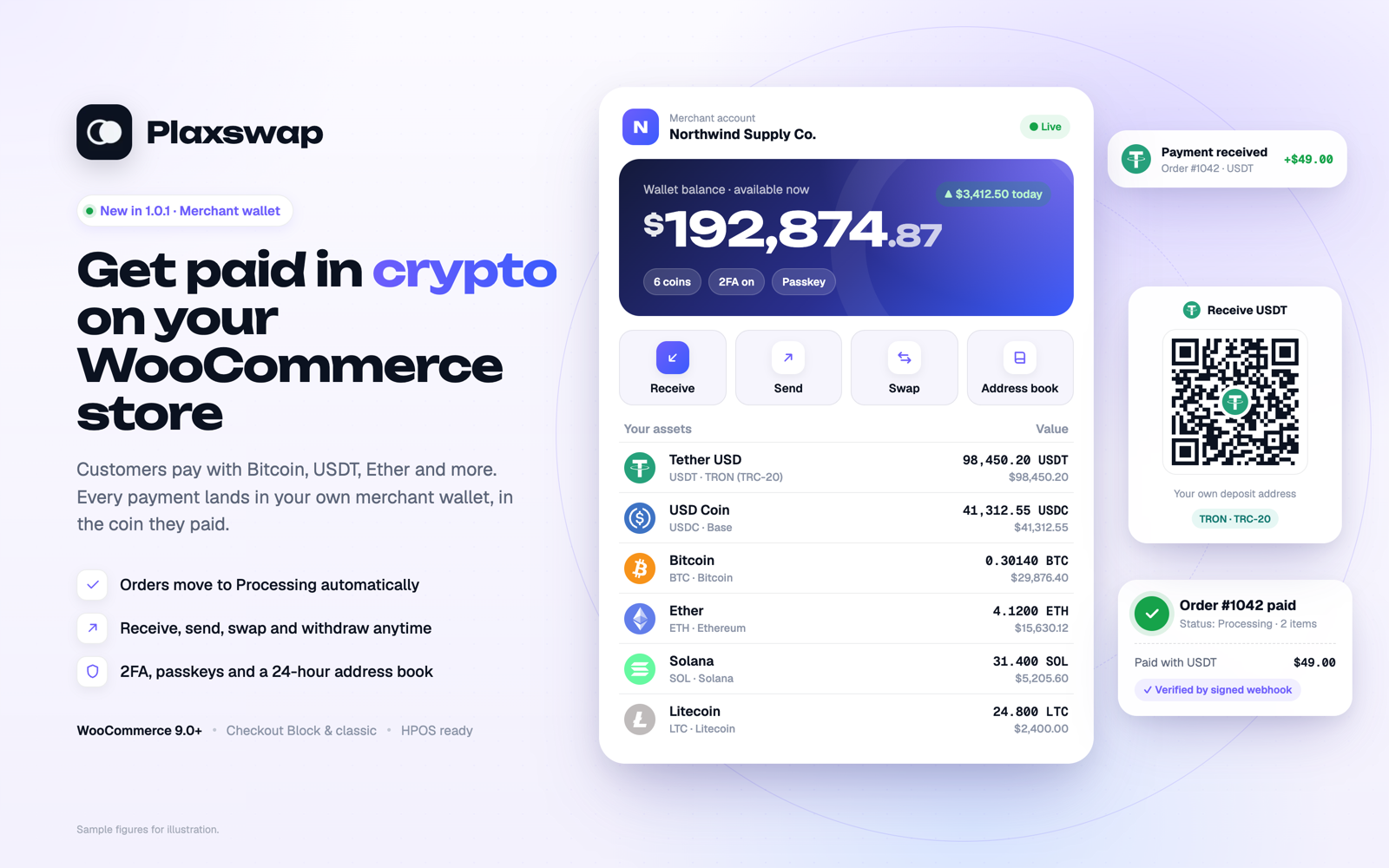
Get paid in crypto on your WooCommerce store: every payment lands in your own merchant wallet (sample figures).
Make your store crypto-ready in minutes. Customers pay with Bitcoin, USDT, Ether, USDC, Solana, Litecoin and more: 18 coins, with 29 coin and network choices on 14 networks. The order waits as Pending payment until the customer pays and moves to Processing automatically once the payment is verified. Every payment lands in your own Plaxswap merchant wallet, in the coin the customer paid. No exchange account, no card chargebacks, no extra page to build.
Setup guide with screenshots: plaxswap.com/integrations/woocommerce.
Why store owners choose it
- ⚡ Built for WooCommerce. Works with the Checkout Block and the classic checkout, on desktop and phone. HPOS compatible.
- 🧾 A checkout customers understand. They pick a coin and network, see the exact amount, address and QR code, and follow every confirmation live.
- ✅ Orders you can trust. A signed webhook and an independent API check confirm the payment before the order is marked paid. A scheduled check catches anything delayed. A customer returning to your store is never treated as proof of payment.
- 💼 Your own merchant wallet. The wallet holds 133 coins on 17 networks. Receive, send, swap and withdraw your balance whenever you want.
- 🛡 Security inspired by the big exchanges. Authenticator or passkey on every send, an address book with a 24-hour wait, and automatic pauses after security changes.
- 🧪 Test mode. Store administrators and shop managers can place test orders with no real funds before going live.
New in 1.0.3: steadier orders
- Unpaid orders stay Pending payment. Stock is reduced and on-hold emails are sent only once coins arrive.
- A customer whose payment expired or failed can pay again from the order; a late payment to the earlier payment is still matched and reported to you.
- Customers go straight to the Plaxswap checkout page, and see a clear reason when a payment cannot open (for example an order below the minimum of about US$1).
- Background checks slow down over time and stop once a payment is final.
- Cancelling an unpaid order also cancels its Plaxswap payment.
- The settings page warns when your Plaxswap webhook URL is missing or points somewhere else, and when the store has no HTTPS.
The Plaxswap merchant wallet
- Receive coins to your own deposit address per coin and network, with a QR code. Receiving is free.
- Send to addresses saved in your address book. A new address can be used 24 hours after you save it, so a stolen login cannot empty your wallet in a hurry.
- Swap between coins inside your wallet, with the rate and every fee shown before you approve.
- Simple wallet fees: 0.3% on the same network · 0.5% for the same coin on another network · 0.7% for a different coin, plus the network fee.
- Security that works for you: anti-phishing code in every Plaxswap email, a list of signed-in devices, a “Lock my account” link in security emails, and sends paused for 24 hours after a security change or a new-device sign-in. Payments keep arriving while sends are paused.
How it works
- Your customer chooses Crypto · Plaxswap at checkout and places the order.
- Plaxswap checkout shows the coin, network, exact amount, address and QR code.
- The customer pays from any wallet or exchange and follows the confirmations live.
- The payment is verified, the order moves to Processing, and the funds appear in your merchant wallet.
Order statuses
- Pending payment: the order is waiting for the customer to pay. Stock is not reduced yet.
- On hold: coins arrived and are being confirmed, or only part of the amount arrived. WooCommerce reduces stock at this point.
- Processing: the payment is verified and credited (Completed for virtual, downloadable products, as WooCommerce decides).
- Cancelled: the payment expired with nothing paid. Plaxswap still accepts coins for 24 hours after expiry; a late payment is flagged for your review and emailed to you.
- Failed: the payment failed and any coins went back to the customer. The customer can pay again from the order.
Fees
- Payment fee: 1.5%, paid by the customer by default (or the fee set for your merchant account). The checkout shows the customer every charge before they pay. The plugin adds no extra surcharge.
- Your wallet: receiving is free. Sends and swaps cost 0.3%, 0.5% or 0.7% as above, plus the network fee. The preview shows what arrives and what is deducted before you confirm.
Current fees for every coin and network: plaxswap.com/fees.
Orders, history and tracking
- WooCommerce order screen: Plaxswap payment status, coin and network, credited amount, payment reference, and a Refresh Plaxswap payment order action.
- Merchant dashboard: income, orders and wallet activity with date, coin, network, status and reference filters.
- A unique payment and tracking link for each order.
Coin and network availability, minimum amounts and fees come from Plaxswap checkout. They are not fixed in the plugin.
Requirements
- WordPress 6.8 or newer and WooCommerce 9.0 or newer, in a version combination supported by WooCommerce.
- PHP 7.4 or newer with OpenSSL.
- A Plaxswap merchant account with an integration API key and webhook signing secret.
- HTTPS on your public store, outbound HTTPS access to plaxswap.com, and a publicly reachable payment callback.
- Working WordPress scheduled tasks for payment reconciliation.
Local testing is supported with isolated simulated payments. Public Plaxswap webhooks cannot reach a private localhost store without a separately configured, secure test route.
External Service and Privacy
This plugin connects to Plaxswap at plaxswap.com to create, verify and (when you cancel an unpaid order) cancel crypto payments. It transmits the order amount, currency, an opaque order reference, verification metadata, a description, and store return/cancel URLs (https only). A customer billing email is sent only when the store enables the optional email-sharing setting.
The hosted checkout receives the customer’s own web request. The plugin’s API integration credentials are encrypted on the WordPress server using its security salts; they are not included in the customer’s checkout page. Preserve the WordPress salts when restoring a backup, or re-enter the credentials afterward. Order payment references and a limited payment summary are stored in WooCommerce for reconciliation.
Plaxswap is operated by SAMZAL LLC. Review its terms and privacy policy. Service availability information is at plaxswap.com/compliance.