


Plain Social Sharing Buttons
0/5 (0 ratings) — active installs Updated Mar 1, 2019
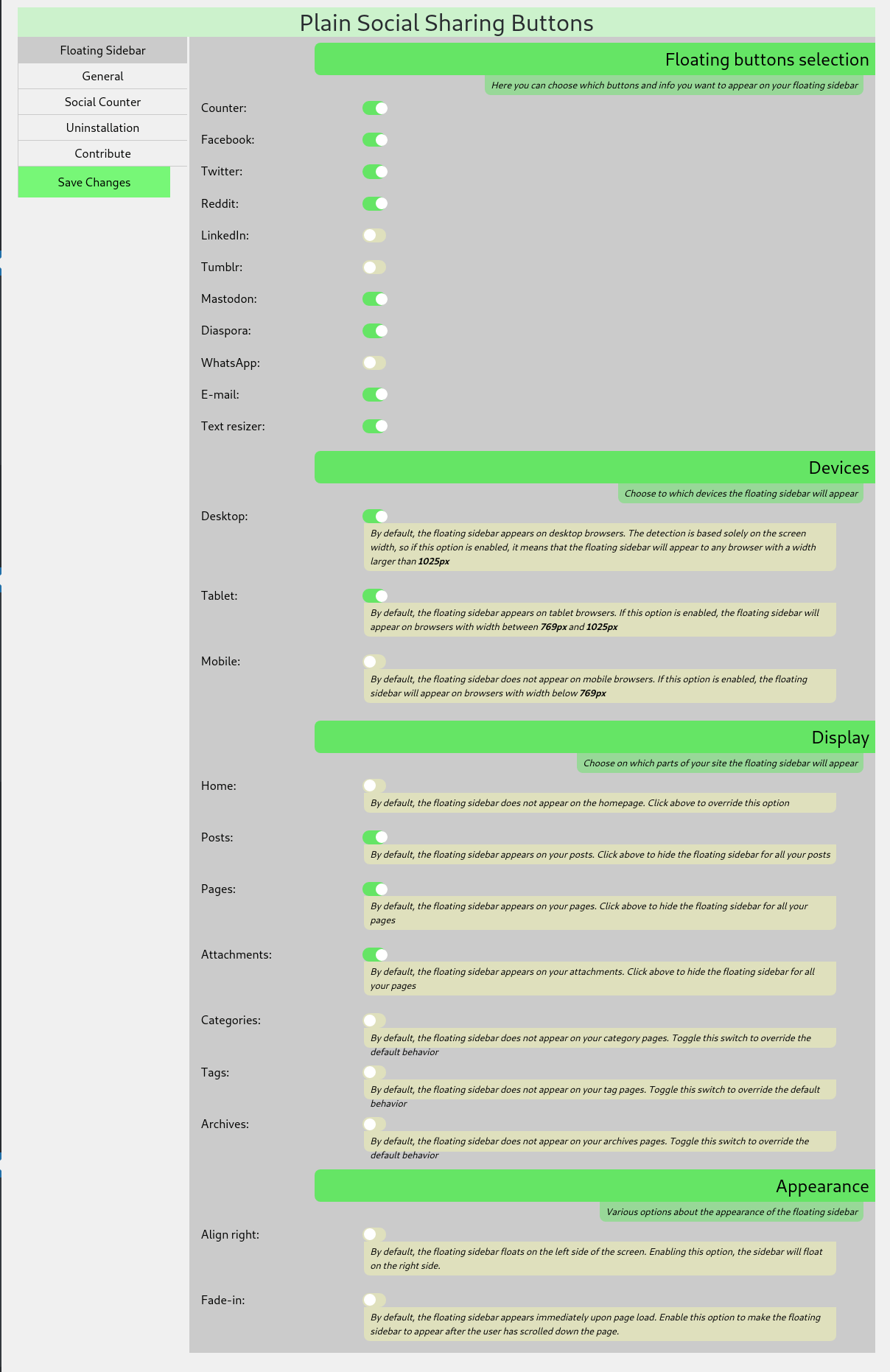
<strong>Floating Sidebar Settings:</strong> You can perform a number of adjustments in the admin panel section
Plain Social Sharing Buttons aim to bring to your site a lightweight and eye-catching floating bar of social sharing buttons.
The plugin is tested with WooCommerce and Elementor and works as expected. The produced HTML, is W3C validated.
Available Buttons
- Mastodon
- Diaspora
- Tumblr
- Text resizer
Plain Social Sharing Buttons work out of the box after installation and activation, but there are many options you can alter at the Settings > Plain Social Sharing page.
Available Options
- Choose on what devices the sidebar will appear (Desktop, Tablet, Mobile)
- Choose the kind of pages the sidebar will appear (Posts, Pages, Home, Attachments, Categories, etc.)
- Modify the appearance
- Modify the buttons’ text
- Cache the social shares counter, for better performance
- Hide the social shares counter below a minimum number of shares, to avoid negative social proof
- Text resizing for selectable parts of your site
New features will be added according to demand.