

Pixobe Product Designer – WooCommerce Product Customizer
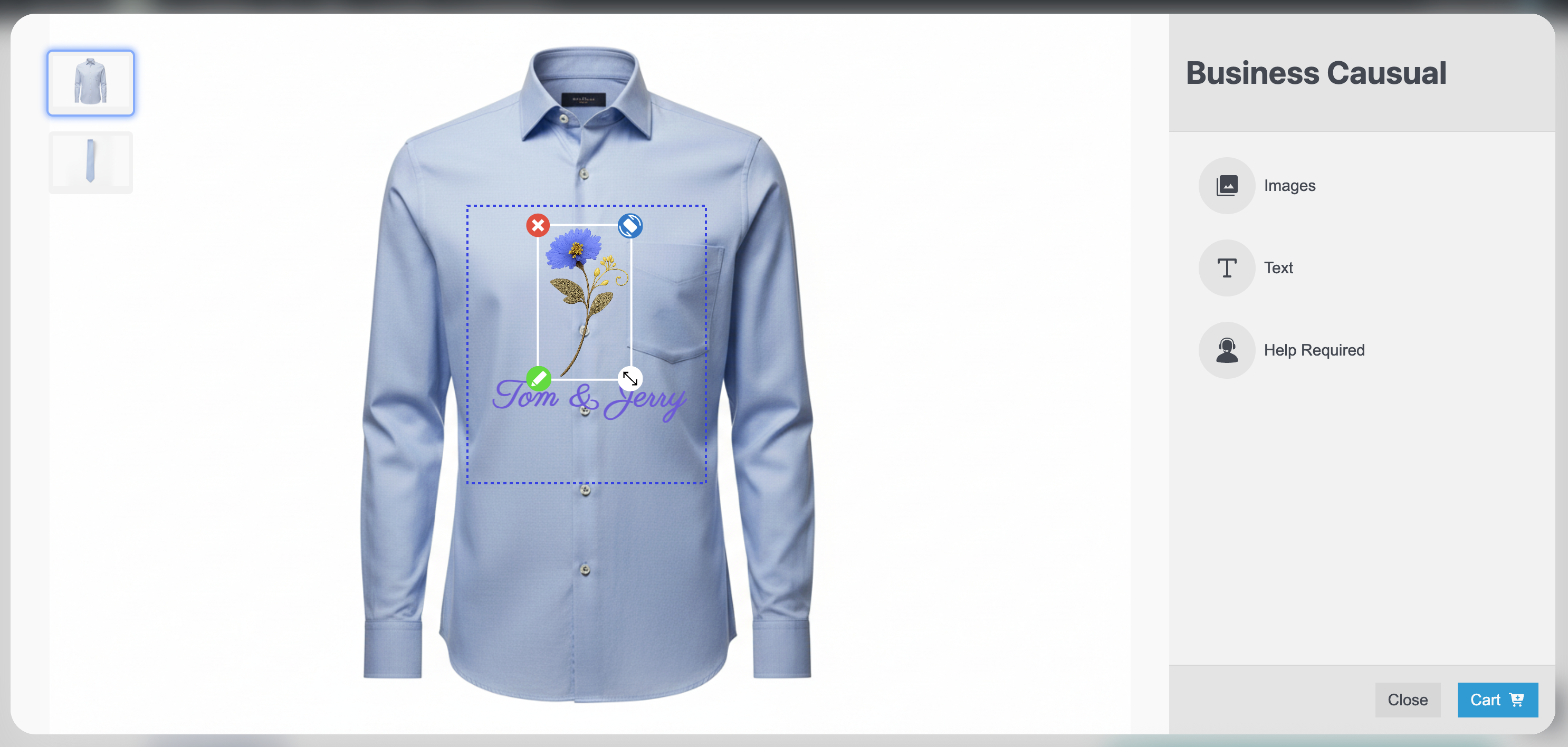
Product customization interface with live preview on the product page.
Pixobe Product Designer empowers WooCommerce store owners to offer a rich, interactive product customization experience. Customers can personalize products with text, images, and AI-generated designs powered by Google Gemini, OpenAI GPT, and DALL·E.
Key Features:
– AI-Powered Design – Generate unique product visuals from text prompts using integrated AI models.
– Laser Etching Preview – Provide realistic laser-etched mockups so customers can see an accurate final look.
– Multi-Image Variants – Assign multiple images to each product variant for enhanced customization.
– User-Friendly Interface – Customers can add, edit, and preview designs directly on the product page.
– WooCommerce Ready – Fully compatible with WooCommerce and WordPress block editor.
Advanced Capabilities:
1. Edit in Cart – Customers can view and modify their customizations directly on the cart page before checkout.
2. Order History View – After placing an order, customers can see their custom designs in the “My Orders” page.
3. Admin Design View – Store admins can view customer designs directly in the order details page.
4. Customizable Grid Area – Admins can define a specific grid area on each product where customization is allowed.
5. Laser Etching Color Control – Admins can configure laser etching colors/effects per product for accurate previews.
6. Per-Product Effect Toggle – Enable or disable the laser etching effect for specific products or variations.
With Pixobe Product Designer, you can turn your WooCommerce store into a fully interactive, AI-driven product personalization hub while giving both customers and admins complete control over the customization process.
External services
This plugin connects to external services in order to provide its functionality:
Pixobe Product Designer Assets
The plugin loads JavaScript assets required for the product designer interface from Pixobe’s CDN:
https://product-dev.pixobe.com/product-designer.js
These assets are needed to render the design editor inside the storefront. No personal data is transmitted to this domain.
Optional AI Image Generation Services
If enabled by the site administrator, the plugin can use third-party AI providers to generate product images:
Google Gemini API
- Endpoint: https://generativelanguage.googleapis.com/
- Service: Google’s Gemini image generation models.
- Data Sent: The prompt entered by the user and the administrator’s API key.
OpenAI API
- Endpoint: https://api.openai.com/v1/images/generations
- Service: OpenAI’s DALL·E models for image generation.
- Data Sent: The prompt entered by the user and the administrator’s API key.
These integrations are optional and can be turned off in the plugin settings. When disabled, no requests are sent to OpenAI or Google Gemini.
API keys are stored in WordPress options and never exposed to site visitors.
Legal
- Terms of Use: https://pixobe.com/terms-of-service/
- Privacy Policy: https://app.pixobe.com/privacy-policy/