

PixeBuilder – Drag & Drop Page Builder & Website Builder

Font Library — add Google Fonts or upload your own fonts without leaving the editor.
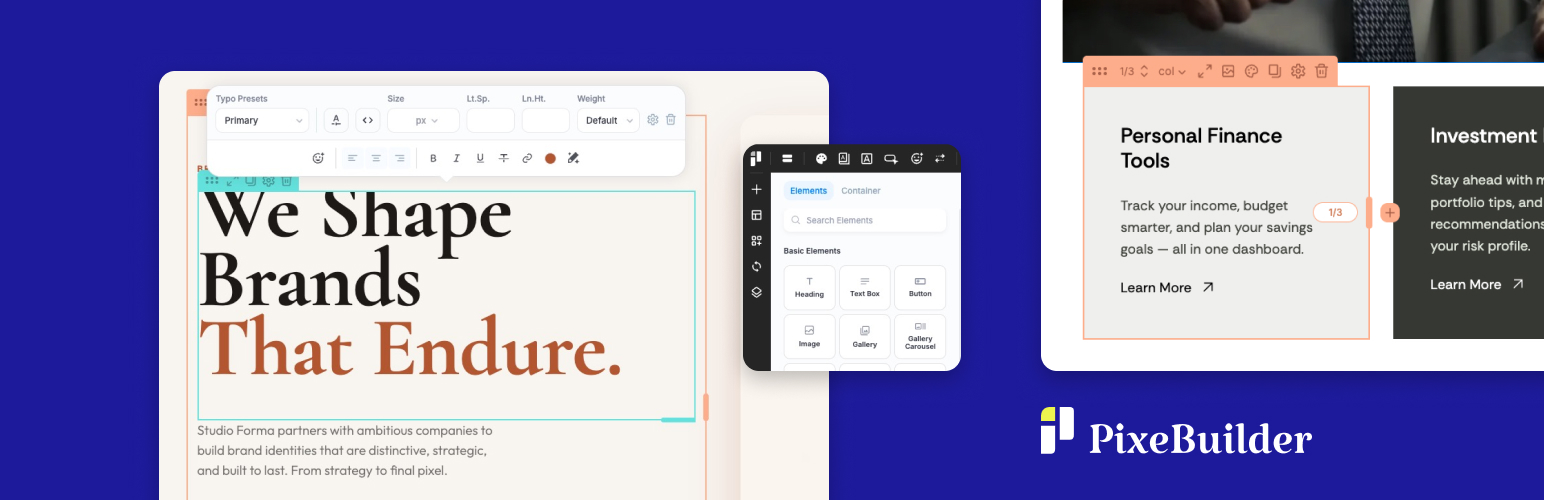
PixeBuilder is a free drag & drop page builder for WordPress. Click any element on your page and edit it right there with the on-click popup, or switch to a classic side panel when you want every setting in view.
Pages stay lean: PixeBuilder outputs clean HTML and loads only the CSS and JavaScript each page actually uses.
The free version is a complete builder, not a trial: no time limit, no credit card, unlimited sites. When a project needs more, PixeBuilder Pro adds 100+ elements, 400+ prebuilt blocks, 200+ prebuilt pages, AI writing and image tools, and a header, footer and popup builder, with a 30-day money-back guarantee.
Built by a team with 14+ years of WordPress theme and plugin development.
Why PixeBuilder
Two ways to edit, one click apart
Click any element to open a compact settings popup right on the canvas, or switch to the Side Panel when you want every setting in view. Change modes at any time.
Lightweight by design, so your pages load fast
PixeBuilder adds no jQuery to your pages: its scripts are plain JavaScript. Icons are inline SVG, so there are no icon fonts, images further down the page lazy-load, and PixeBuilder’s styles and scripts load only on pages built with it. A resource manager loads only the CSS and JavaScript each page needs, and the output is clean HTML, so your pages stay lean as your site grows.
Set your styles once, use them everywhere
Add Google Fonts or upload your own in the Font Library, then save typography and color presets and reuse them on every page.
What’s Free
The free plugin is a complete page builder, not a demo: no time limit, no credit card, unlimited sites.
- Drag & drop visual editor with On-Click Popup and Side Panel editing modes
- 14 core elements for text, images, video, buttons, icons, tabs, accordions, tables, maps and more
- Multi-level nested columns
- Desktop, tablet and mobile preview
- Font Library: Google Fonts or your own uploaded fonts
- Typography presets and color presets, reused site-wide
- Parallax backgrounds
- Page transitions
- Clean HTML output that loads only the CSS and JavaScript a page uses
- Adds no jQuery to your pages: its scripts are plain JavaScript
- Works with any well-coded theme
What Pro Unlocks
Upgrade to a Pro plan to unlock the complete toolkit for professional and agency work.
Full Element Library (100+ elements)
- 43 standard elements for flexible content layouts
- 10 composite elements for advanced, pre-combined content sections
- 22 query elements for dynamic post, taxonomy, and archive displays
- 16 WooCommerce elements for shop, cart, and checkout pages
- 15 single WooCommerce elements for individual product page design
Prebuilt Templates & Assets
- 400+ premium prebuilt blocks — ready to drop into any page
- 200+ complete prebuilt page templates — import and customize in minutes
- Carousel and slider container — no third-party slider plugins required
Editor & Layout Power
- Per-element device visibility controls
- Content hover animations
- Custom CSS per element
- Revision history with undo/redo
- Scroll motion effects
Site-Wide Design Tools
- Header and Footer Builder — custom, site-wide navigation and footers
- Popup Builder — build modal windows and overlays
- Synced (Global) Blocks — edit once, update everywhere across your site
- Custom Blocks and Custom Page Templates — save and reuse designs across projects
- Post and taxonomy archive templates
- Template parts and conditional theme management
Pro Design Presets
- Icon, Button, Bullet and Navigation style presets
- Variable Manager — design tokens for spacing, typography, radius, and shadows, with Fixed and Fluid modes (CSS
clamp()output) - Variable Presets — save and instantly switch between complete design configurations
AI Tools
- AI Writing Assistant — generate, rewrite, or polish website copy directly inside the editor
- AI Image Generation — create custom visuals for any image element, gallery, or section background without leaving the canvas
- Stock Image Browser — insert Pexels photos directly into your layouts
WooCommerce, Forms & More
- WooCommerce shop, single product, cart and checkout layouts
- Contact Form Builder
- PayPal button element
- Password-protected content sections
Free vs Pro
The free version is free, forever. No time limit, no credit card required. It includes the full drag-and-drop editor and 14 core elements — everything you need to explore PixeBuilder and start building.
Upgrade to Pro to unlock the complete element library, prebuilt templates, AI tools, WooCommerce support, site-wide design tools, and multi-site licensing. Pro plans include a money-back guarantee.
See plans and pricing at pixebuilder.com
Useful Links
- PixeBuilder Website
- Features Overview
- Prebuilt Blocks Library
- Prebuilt Website Templates
- Documentation
- Pricing
- Contact & Support
Third Party / External Services
This plugin connects to external services to provide certain features.
Vimeo
Used to embed Vimeo videos and retrieve video information.
Data sent: Vimeo video URL.
When: When a video element is used.
Terms: https://vimeo.com/terms
Privacy: https://vimeo.com/privacy
YouTube
Used to embed YouTube videos.
Data sent: YouTube video URL.
When: When a video element is used.
Terms: https://www.youtube.com/t/terms
Privacy: https://policies.google.com/privacy
Google Maps
Used to display maps.
Data sent: Map location entered by the user.
When: When a map element is used.
Terms: https://cloud.google.com/maps-platform/terms
Privacy: https://policies.google.com/privacy
Google Fonts
Used to load fonts for page design.
Data sent: Selected font family name.
When: When a page uses Google Fonts.
Terms: https://developers.google.com/fonts/faq
Privacy: https://policies.google.com/privacy
PayPal
Used to create a PayPal button.
Data sent: Payment data required by PayPal.
When: When a user clicks the PayPal button to initiate a payment.
Terms: https://www.paypal.com/webapps/mpp/ua/useragreement-full
Privacy: https://www.paypal.com/webapps/mpp/ua/privacy-full
PixeBuilder API
Used to import prebuilt templates and AI tools.
Data sent: Request parameters (template_id, text prompts, image generation prompts).
When: When a user imports prebuilt content or uses AI features.
Terms: https://pixebuilder.com/terms-and-conditions/
Privacy: https://pixebuilder.com/privacy-policy/
PixeBuilder Pro update check (Pro only)
Used to check for new versions of the separate PixeBuilder Pro add-on.
Data sent: A plain download of a public version file from account.pixebuilder.com. Only the standard request data is sent (IP address, and the site URL and WordPress version that WordPress puts in the user-agent).
When: Once a day in wp-admin, only when PixeBuilder Pro is installed and active. The free plugin alone never makes this request.
Terms: https://pixebuilder.com/terms-and-conditions/
Privacy: https://pixebuilder.com/privacy-policy/
PixeBuilder newsletter (optional)
Used to sign up for the PixeBuilder newsletter from the optional box on the PixeBuilder > Getting Started page.
Data sent: The email address the user types in the box, sent to pixebuilder.com.
When: Only when the user ticks the consent box and clicks Subscribe. Nothing is sent before that, and the box can be closed for good.
Terms: https://pixebuilder.com/terms-and-conditions/
Privacy: https://pixebuilder.com/privacy-policy/
PixeBuilder deactivation feedback (optional)
Used to learn why people stop using PixeBuilder, from the optional question that opens when you click Deactivate on the PixeBuilder row of the Plugins screen.
Data sent: The reason you pick and the note you type, plus the PixeBuilder, WordPress and PHP versions and the site language. Your site URL is sent only if you tick “Include my site URL”. No email address, user name or other personal data is sent. Sent from your server to account.pixebuilder.com.
When: Only when you click “Submit & Deactivate”. “Skip & Deactivate”, Cancel, Esc and bulk deactivation send nothing.
Terms: https://pixebuilder.com/terms-and-conditions/
Privacy: https://pixebuilder.com/privacy-policy/
Pexels
Used to browse and insert free stock photos into your layouts.
Data sent: Search query terms.
When: When a user searches for stock images in the editor.
Terms: https://www.pexels.com/terms-of-service/
Privacy: https://www.pexels.com/privacy-policy/
Third Party Libraries
This plugin includes the following third-party libraries:
Font Awesome
License: SIL Open Font License 1.1
Source: https://fontawesome.com/
Lucide
License: ISC License
Source: https://lucide.dev/
Material Symbols
License: Apache License 2.0
Source: https://fonts.google.com/icons
DOMPurify
License: Apache License 2.0
Source: https://github.com/cure53/DOMPurify
html2canvas
License: MIT License
Source: https://github.com/niklasvh/html2canvas
GLightbox
License: MIT License
Source: https://github.com/biati-digital/glightbox