

PAYGRAB
0/5 (0 ratings) — active installs Updated Nov 9, 2026
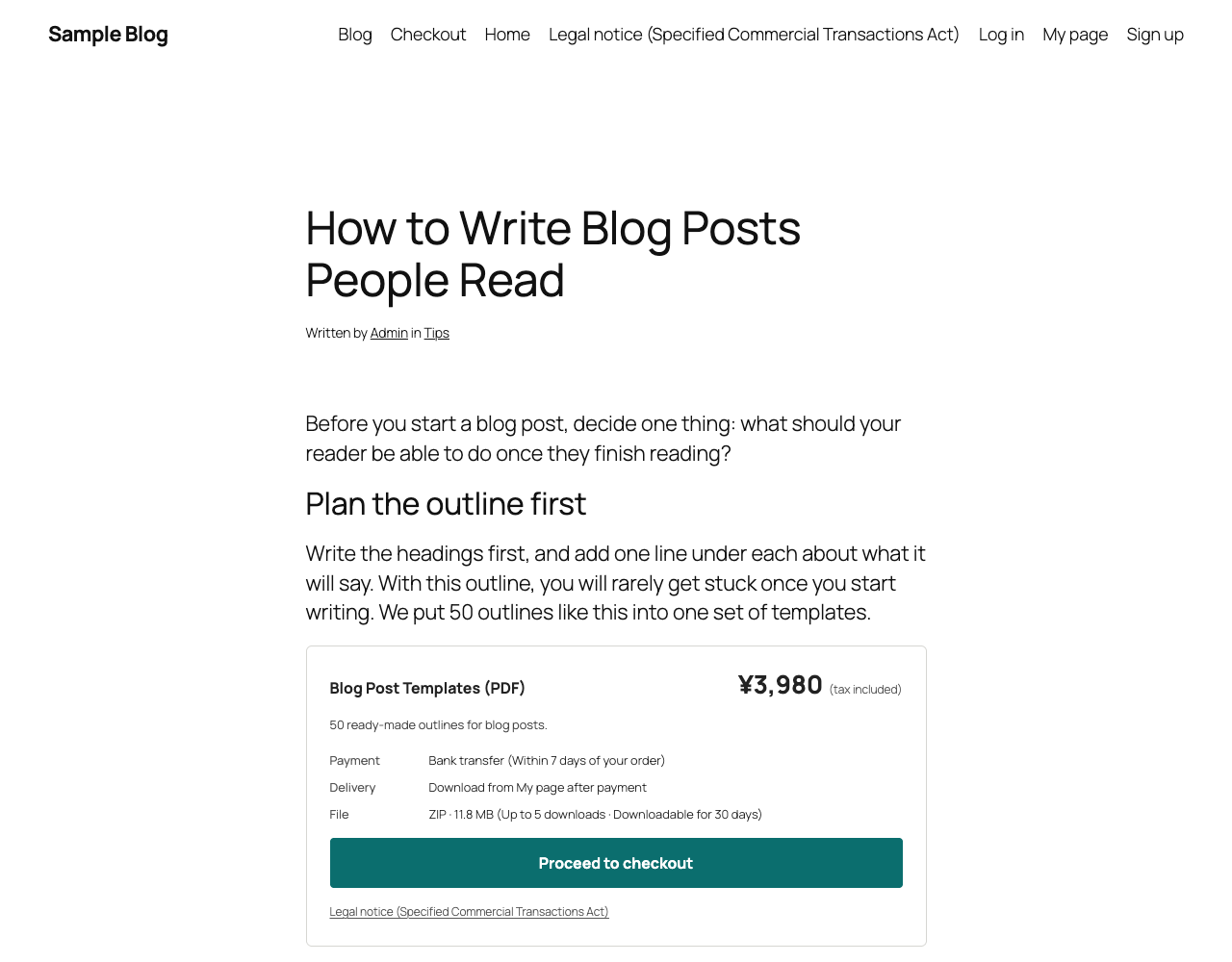
The buy box in a blog post: paste a shortcode, and the price and the purchase button appear right there.
PAYGRAB lets you sell digital products (PDFs, templates, assets, anything you can put in a ZIP file) from your own WordPress site. You register a product in a simple form, paste its shortcode into any post or page, and the price and the purchase button appear right there. There are no product pages to design.
How it works
- Add a product: name, price and a ZIP file. You get a shortcode like
[paygrab_buy id="12"]. - Paste the shortcode into a blog post or a page. You can paste it as many times as you like.
- A buyer signs up (free, with an email confirmation), places an order and sees the bank account to pay into.
- You check your bank book and press “Confirm payment”. The buyer is told by email and downloads the file from My page.
What you get
- A buy box for any post or page, in three looks (Standard, Card, Minimal) with your own key colour. It uses your theme’s fonts and works with any theme. An optional product image.
- Members: sign-up with an email confirmation (on by default: nobody becomes a member until the link is opened; you can turn it off in the settings), log in, password reset, and a My page with the order history, downloads and the account (change the email address or the password, or leave).
- Yen, US dollars, euros or pounds, with the tax the way your country does it: its name (consumption tax, VAT, GST, sales tax), its rate, whether your prices include it, and how it is rounded. One rate for the shop, or a rate per product.
- Bank transfer: the buyer gets the account and a transfer number by screen and by email. You confirm each payment by hand from the dashboard or the orders list. Orders that are not paid by the deadline are cancelled automatically, and the buyer gets a reminder the day before.
- Downloads you can limit by number of times and by days. The files are kept in a protected folder; buyers download through links that only work for them while logged in, and the settings screen checks for real that the files cannot be opened from outside.
- Made for Japan too: a page for the legal notice (Specified Commercial Transactions Act, can be turned off elsewhere), a final confirmation screen that states the payment method, the deadline, the delivery and the cancellation terms, prices in yen with 10% consumption tax included.
- A dashboard with this month’s sales and the orders waiting for payment, an orders list with search, and a settings screen with everything in one place.
- Plain-text emails sent with
wp_mail()(order, payment confirmed, deadline reminder, cancellation, sign-up confirmation). The wording can be changed with filters. - If you also use the YOMERU – Paywall & Membership plugin, the buyer’s page becomes two tabs inside YOMERU’s My page.
PAYGRAB Pro (separate product, not on WordPress.org) adds card and PayPay payments through Stripe, bank transfers that are confirmed automatically, editable email texts and a conversion tag for the purchase screen. PAYGRAB works completely without it.