
PageNamed Menu Classes
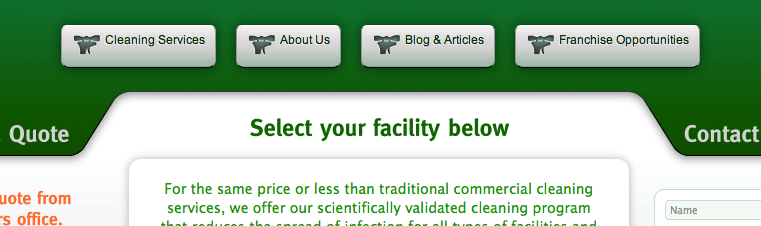
Before the menu items are selectively styled.
If you know what a Style Sheet is and know that SEO rules, then you should know that the safest way to iconize a menu item or style each page/post list items with a different image/graphic/icon is by its slug, since it’s the only thing that you will ALWAYS keep the same, or search engines would lose your page’s index and value.
Some tips to save you the time with your theme development:
- This can not be achieved with WP provided template tags.
- Menu item ID# won’t get you the actual post ID#
- Menu item title is EMPTY at least you name it differently by hand.
- Page/Post ID could change by moving, re-importing and other content handling, breaking your style sheet.
- A new blog won’t take those menu classes from your theme.
There’s a limitation on current wordpess version that removes post-title and post-name from menu-items in database, to prevent them to be confused with the actual page. Yes, they are stored in the same table, and until all the functions are revised to be safe not to confuse nav-menu-items with posts or pages, you can’t get the name nor title nor url! Not with single wp template tags.
Although WP considers the ID of the post as the more safe and CONSTANT piece of data you can use to refer your article as, but that’s inside your WP installation, not extensible to the real world. The post or menu ID could change due to several factors like backing up your site, moving domain, replacing page, new menu items created, etc., but there’s something you will NEVER allow to change: the PERMALINK.
Post and Menu IDs could change, breaking the link with your Style Seet rules, and losing your custom logos.
You might want to rather pay extra your developer to keep permalinks the same, than IDs.
So now the most SAFE and CONSTANT piece of data, for you, is the permalink, not the ID. You should do ANYTHING to get it done this way, regardless of what your programmer says is safer. He works for your Google rank, not for WordPress, so listen to me, not them.
After banging my head for days trying to get a solution for this, I realized nobody does it because WordPress doesn’t provide the data (yet).
If you are a WP guru, or a coder monkey like me, check the article about this plugin’s release for the code what will allow you to hack that wp class that can’t get the title:
If you wouldn’t hack your .php files, here’s a ready-to-use plugin, soon to appear in WordPress pages.
Features
Adds a pagenamed_name-of-your-page class to each menu / list item for you to style them different, working-around WP limitation on not saving page name or title or url of the related page in menu items DB rows.
Better than using IDs, since the permalink MUST stay FOREVER for Google indexing, while menu and page ID are important only inside WP database.
- Adds a pagenamed_name-of-your-page class to each menu / list item for you to style them different.
- Works for either custom menus or page listings made with the previous wp_list_pages() function.
- Extra code to remove unwanted useless classes from menus (Need plugin editing)
Future features
- It will keep track of changes made to permalink to update the stylesheet (even though is not recommended for an old page, to prevent losing indexed value in google)
- Option in admin panel to remove unwanted useless classes from menus.
Don’t forget to rate it and tell it works! ⟩⟩⟩⟩⟩⟩⟩⟩⟩⟩⟩⟩
Instructions
Easy: Install and activate. No options yet (future releases will)
Check out PageNamed Menu Classes plugin page for bug reports, updates, help, and to find other interesting plugins.