

PageForge – AI Programmatic SEO, Bulk Page Generator, SEO MCP & Local SEO

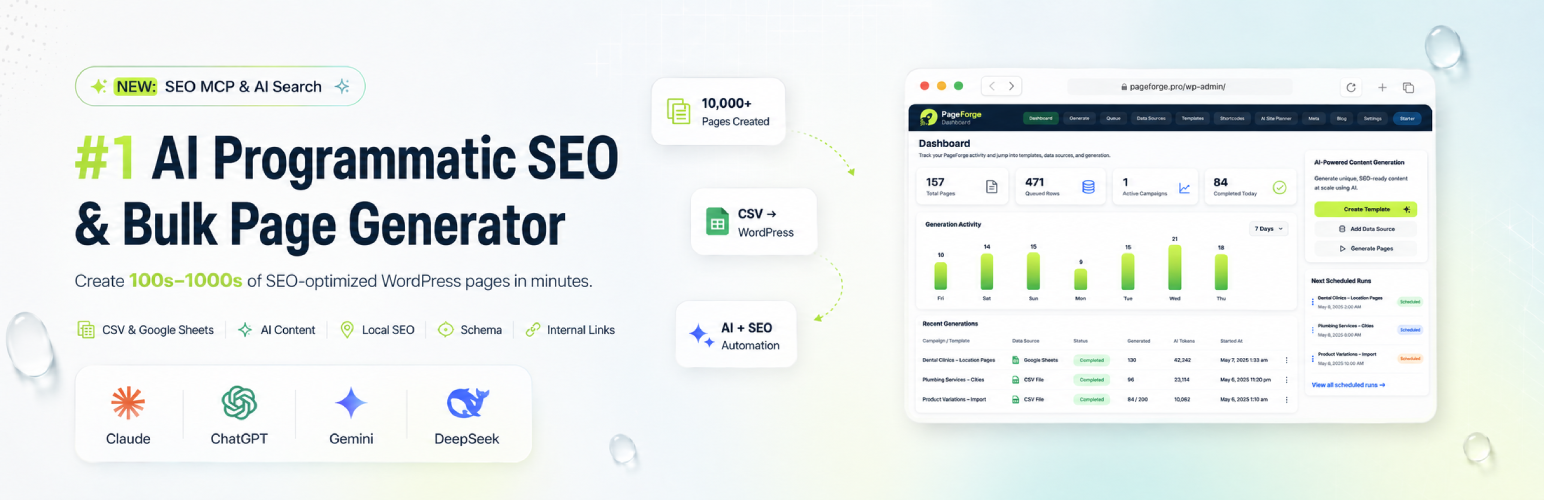
PageForge dashboard with generation totals, recent activity, and quick actions.
🚀 Turn one WordPress template into hundreds of targeted SEO pages — without building every page by hand.
PageForge is an AI-powered programmatic SEO and bulk page generator for WordPress built for businesses, agencies, marketers, publishers, SaaS teams, ecommerce stores, directories, franchises and local service companies that want to target more searches without multiplying the workload.
Connect structured CSV data to one reusable WordPress template, add dynamic variables such as {City}, {Service}, {Product}, {Industry}, {Price}, {Benefit} or any column you create, and PageForge turns each row into a real WordPress page, post or supported custom post type.
Each generated page can have its own title, URL, content values, SEO title, meta description, schema data and supported builder content. Your design stays consistent while the information changes for the search intent you want to target.
Build once. Personalize at scale. Optimize every page.
🌐 Visit PageForge · ✨ Explore Features · 💎 Compare Plans · 📚 Knowledgebase
🎯 Create pages for the searches your customers already make
People rarely search using one broad keyword. They search for specific combinations:
{Service} in {City}{Service} near {Area}{Product} for {Industry}{Software} for {Use Case}{Category} in {Location}{Solution} for {Audience}{Product} in {City}{Business Type} in {Location}
PageForge turns those repeatable search patterns into dedicated WordPress landing pages.
Instead of cloning one page 100 times and changing the city, service, title, URL and metadata manually, keep the changing information in your dataset and let the template control the structure.
A plumbing company can create pages for every service area. An agency can launch location campaigns for clients. A SaaS company can build industry and use-case pages. A directory can generate category and location combinations. An ecommerce store can create landing pages around products, audiences, markets or use cases.
The goal is not simply “more pages.” It is more relevant entry points into your website.
Read the Programmatic SEO for WordPress Guide
✨ Make every generated page feel like its own page
PageForge is built around dynamic data, not basic copy-and-paste duplication.
Every CSV header can become a PageForge variable.
Example CSV:
City,State,Service,Phone,Benefit,CTA
Template title:
{Service} in {City}, {State}
URL pattern:
{service}-{city}-{state}
Content:
Looking for {Service} in {City}? Get {Benefit}. {CTA}
SEO title:
{Service} in {City}, {State} | {Business}
The next CSV row receives different values again.
Use variables across supported:
- Page titles
- URL slugs
- Headings
- Body content
- Excerpts
- SEO titles
- Meta descriptions
- Schema fields
- Gutenberg content
- Elementor layouts
- Divi layouts
- Supported WordPress templates
Add the fields that make your pages useful: location details, service benefits, pricing, phone numbers, addresses, audiences, proof points, offers, features, opening hours and calls to action.
Supported generated content can also resolve:
[pageforge var="City"]
Compatible legacy [pf ...] variable forms remain supported where applicable.
Explore WordPress Bulk Page Generation
⚡ From spreadsheet to WordPress in one repeatable workflow
1. Add your data
Upload a CSV containing the values that change from page to page.
2. Build one strong template
Use the WordPress layout you already want visitors to see. Add PageForge variables wherever information should change.
3. Preview
Review titles, slugs, content values, metadata, schema and supported builder output before scaling.
4. Generate
Each CSV row becomes a real WordPress content item using your chosen structure.
5. Scale
Add more data, improve the template, run another batch, or move to PageForge Pro when you need larger automation, scheduling, Google Sheets and advanced workflows.
Generated pages stay inside WordPress, so you can review, edit, redesign or update them later.
🏆 More than a bulk page creator
PageForge brings the surrounding programmatic SEO workflow together.
Bulk generation
- Generate up to 100 pages per run in PageForge Free
- Run additional controlled batches
- Create Pages, Posts and PageForge content
- Use reusable templates
- Choose Publish, Private, Draft or Pending Review
- Skip duplicate slugs automatically
Dynamic SEO
- Dynamic page titles
- Dynamic URLs
- Dynamic SEO titles
- Dynamic meta descriptions
- Canonical metadata
- Open Graph metadata
- X/Twitter metadata
- Robots metadata
- Schema markup
- Internal discovery hubs
WordPress compatibility
- Gutenberg / Block Editor
- Elementor
- Divi
- Avada
- Reusable blocks
- WordPress page templates
- WooCommerce workflows
- Advanced Custom Fields workflows
- Standard WordPress themes
SEO integrations
- Yoast SEO
- Rank Math
- SEOPress
- All in One SEO
- PageForge native SEO output
PageForge 1.2.4 supports current All in One SEO workflows for titles, descriptions, keyphrases, canonicals, social metadata and robots settings alongside the other supported SEO integrations.
📍 Built for local SEO — and much more
Local SEO is a natural fit because location searches follow repeatable patterns.
A company offering five services across twenty cities can create structured service-and-location campaigns without manually rebuilding every landing page.
Examples:
- Emergency Plumbing in Austin
- Drain Cleaning in Dallas
- Roofing Company in Miami
- Dental Implants in Chicago
- Property Management in Melbourne
- Web Design in Singapore
The same system can power:
- City and suburb pages
- Service-area pages
- Franchise locations
- Multi-location business pages
- Product + location pages
- Directory listings
- Real estate area pages
- Ecommerce category pages
- Ecommerce use-case pages
- SaaS industry pages
- SaaS audience pages
- Integration pages
- Comparison pages
- Alternative pages
- Affiliate landing pages
- Long-tail keyword pages
- Lead-generation pages
- Events, courses, venues and destinations
- Topic clusters
If a useful page type follows a repeatable structure and the data changes meaningfully, PageForge can help turn it into a scalable WordPress campaign.
🔍 SEO metadata that changes with every page
A page targeting a different city, service, product or audience should not use the same search snippet.
PageForge lets supported SEO metadata use the same variables as the page.
For example:
{Service} in {City} | {Business}
can become a unique SEO title for every row.
A meta-description pattern can pull in {Service}, {City}, {Benefit}, {Price}, {CTA} or other campaign fields.
This keeps the visible page, URL and search metadata aligned around the same intent.
PageForge works with supported Yoast SEO, Rank Math, SEOPress, All in One SEO and native PageForge metadata. Schema can also be configured as part of the generated-page workflow.
🔗 Turn large page sets into discoverable page networks
PageForge includes a native Sitemap block and [pageforge_sitemap] shortcode for surfacing generated pages inside your website.
Use it for:
- Location hubs
- Service directories
- Campaign indexes
- Topic collections
- Browsable page groups
Basic shortcode:
[pageforge_sitemap]
Example:
[pageforge_sitemap post_type="pf_page,page" generated_only="1" anchor_source="meta_title" description_source="meta_description" columns="3"]
This gives visitors and search crawlers a clearer path through larger PageForge campaigns.
🤖 Use AI when it adds value
The core CSV + template workflow works without an AI provider.
When you want AI assistance, connect your own supported API key.
Supported providers include:
- OpenAI
- Anthropic / Claude
- Google Gemini
- DeepSeek
Use AI tools for:
- Site planning
- Page-pattern ideas
- Keyword directions
- SEO title ideas
- Meta-description ideas
- Supporting blog content
- Campaign expansion
PageForge Free keeps bulk generation template-driven. PageForge Pro can add deeper AI workflows including AI content for individual generated pages, dynamic AI metadata and bulk AI metadata optimisation.
That gives you structured-data control when you want precision and AI assistance when you want additional variation.
🔌 Connect PageForge with ChatGPT, Claude and MCP-compatible tools
** Watch it Live: **
PageForge includes Model Context Protocol (MCP) connectivity for compatible AI clients.
PageForge Free includes MCP Lite, focused on reading, analysing, validating, previewing and dry-run workflows.
Depending on the available data and connection permissions, compatible clients can inspect supported information such as:
- Site status
- Templates
- Generated pages
- Dynamic variables
- Builder compatibility
- Generation previews
- Campaign validation
- SEO information
- PageForge diagnostics
Free MCP does not expose live-write tools.
PageForge supports OAuth-based connection workflows intended for compatible ChatGPT and Claude environments.
Personal Access Tokens are also available for compatible clients such as VS Code, Cursor, Claude Code, Roo Code, Codex, GitHub Copilot and other MCP-compatible tools.
For a business owner or marketer, the benefit is straightforward: PageForge can make your programmatic SEO setup easier for supported AI tools to inspect and understand while keeping the workflow controlled.
🎨 Keep the WordPress design you already use
You do not need another hosted website builder.
Start from a WordPress layout you already like and turn it into a reusable PageForge template.
Use supported Gutenberg, Elementor, Divi, Avada, reusable blocks, WordPress templates and standard content workflows.
Your template controls the presentation. Your data controls the variation. PageForge connects the two.
That means agencies can reuse proven structures, local businesses can expand service-area coverage, SaaS teams can create industry pages, ecommerce stores can build targeted landing-page families and directories can generate structured listing pages.
💚 Start free. Scale when the campaign works.
PageForge Free gives you the core workflow:
- CSV data sources
- Reusable templates
- Up to 100 pages per run
- Additional controlled batches
- Dynamic variables
- Supported page builders
- Dynamic SEO metadata
- Schema
- Sitemap and discovery tools
- Optional AI tools
- MCP Lite
PageForge Pro is designed for larger campaigns and deeper automation, with workflows that can include:
- Unlimited generation
- Google Sheets sync
- Queue processing
- Scheduled generation
- Scheduled publishing
- Drip publishing
- AI content for individual pages
- Dynamic AI metadata
- Bulk AI metadata optimisation
- Larger AI workflows
- Reporting
- Multi-site and agency-scale campaigns
- Advanced licensed MCP operations
Start with the structure. Prove the page pattern. Then scale.
🚀 Get PageForge · 💎 Compare Plans · ✨ Explore Features
🎬 Watch PageForge in action
See a real programmatic SEO workflow:
Watch the complete step-by-step tutorial:
🚀 One template. Your data. More search opportunities.
PageForge is for WordPress teams that have outgrown one-page-at-a-time SEO production.
Instead of duplicating a page, changing the title, replacing the city, updating the URL, rewriting metadata and repeating the process again, turn the repeatable work into one system.
Your template controls the experience. Your data controls what changes. PageForge connects them.
Create local SEO pages, service pages, product landing pages, directory pages, industry pages, comparison pages and long-tail campaigns while keeping the workflow inside WordPress.
Stop building the same page again and again. Build the system once — then scale it.
External Services
PageForge can connect to optional third-party services when you explicitly configure and use them.
External services and privacy
External integrations remain inactive until an authorised WordPress user configures the required connection and uses a feature that requires it.
When an AI feature is used, the prompt and the content or settings required to complete that request are sent to the selected provider.
Processing is governed by that provider’s own terms, privacy policy, API limits, billing, retention policies, and regional availability.
OpenAI
- Service: OpenAI API
- Use: AI site planning, metadata generation, and blog-draft generation when OpenAI is selected.
- Data Sent: Prompt and relevant page/settings context required for the selected AI action.
- OpenAI Terms of Use
- OpenAI Privacy Policy
DeepSeek
- Service: DeepSeek API
- Use: AI site planning, metadata generation, and blog-draft generation when DeepSeek is selected.
- Data Sent: Prompt and relevant page/settings context required for the selected AI action.
- DeepSeek Open Platform Terms of Service
- DeepSeek Privacy Policy
Anthropic / Claude
- Service: Anthropic API
- Use: AI site planning, metadata generation, and blog-draft generation when Claude is selected.
- Data Sent: Prompt and relevant page/settings context required for the selected AI action.
- Anthropic Terms
- Anthropic Privacy Policy
Google Gemini
- Service: Google Gemini API
- Use: AI site planning, metadata generation, and blog-draft generation when Gemini is selected.
- Data Sent: Prompt and relevant page/settings context required for the selected AI action.
- Google APIs Terms of Service
- Google Privacy Policy
Pexels
- Service: Pexels stock image search
- Use: Optional featured-image lookup for generated content.
- Data Sent: Search keywords and your API credential as required by the Pexels API.
- Pexels Terms
- Pexels Privacy Policy
Google Analytics
- Service: Google Analytics 4 Measurement Protocol
- Use: Optional event tracking sent to your own GA4 property.
- Data Sent: PageForge event information, page counts, and a hashed site identifier when configured.
- Google Analytics Terms
- Google Privacy Policy
PageForge MCP remote connections
- Service: Model Context Protocol connection between your WordPress site and an AI/MCP client you choose to configure.
- Use: Allows an explicitly authorised MCP-compatible client to access controlled PageForge tools.
- Data Sent: Only information requested through a permitted PageForge MCP tool and allowed by the connected WordPress user’s permissions and MCP scopes.
- Authentication: OAuth-based remote connections or Personal Access Tokens depending on the client.
- Default State: MCP is disabled until an authorised WordPress user enables it.
- Free Behaviour: PageForge Free MCP exposes read, analysis, validation, preview, and dry-run capabilities only.
The third-party AI/MCP client you connect may separately process information returned by PageForge according to that client’s own terms and privacy policy.
Privacy
PageForge does not send data to PageForge or Codefreex servers during normal Free CSV generation.
External requests are only made to services or clients you explicitly configure and use.
If you configure an AI provider, relevant prompts and context may be sent to that provider.
If you configure Pexels, search terms may be sent to Pexels.
If you configure Google Analytics, event information may be sent to your GA4 property.
If you enable and authorize MCP, PageForge can return permitted WordPress/PageForge information to the MCP client you explicitly connect.
MCP is disabled by default.
PageForge Free MCP does not register live-write tools.
License
PageForge is licensed under the GPLv2 or later.
This program is free software; you can redistribute it and/or modify it under the terms of the GNU General Public License as published by the Free Software Foundation.