
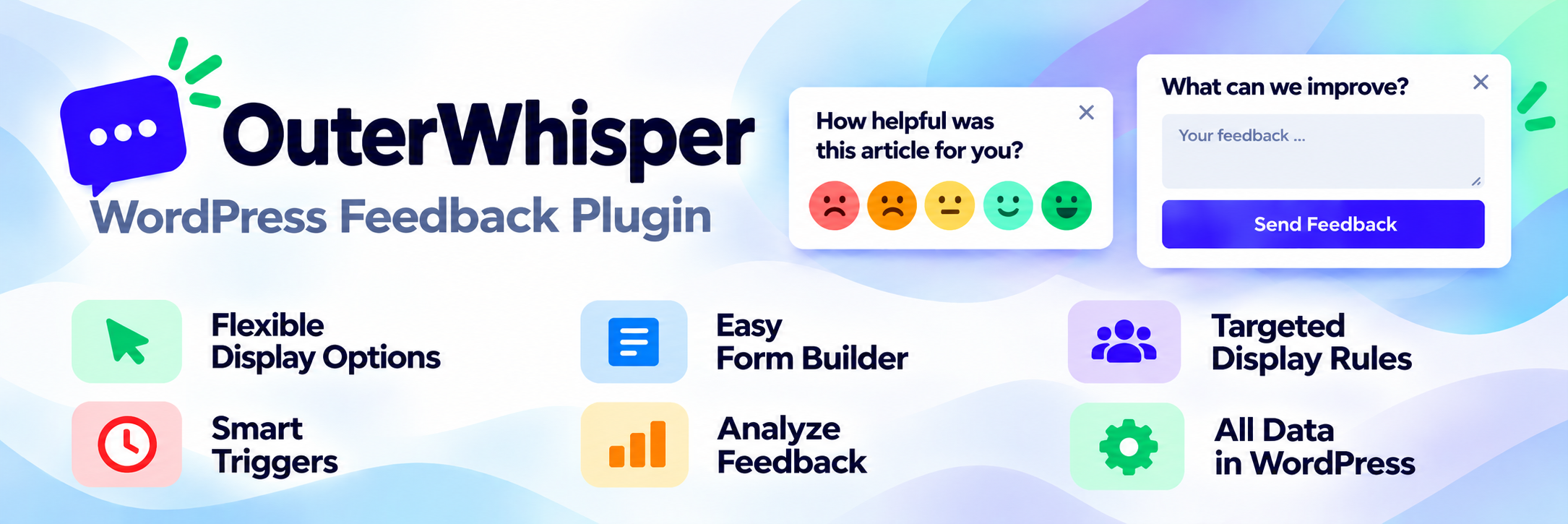

OuterWhisper – Interactive Feedback Form, Feedback Button, Survey, Rate Post & Collect User Feedback in Minutes
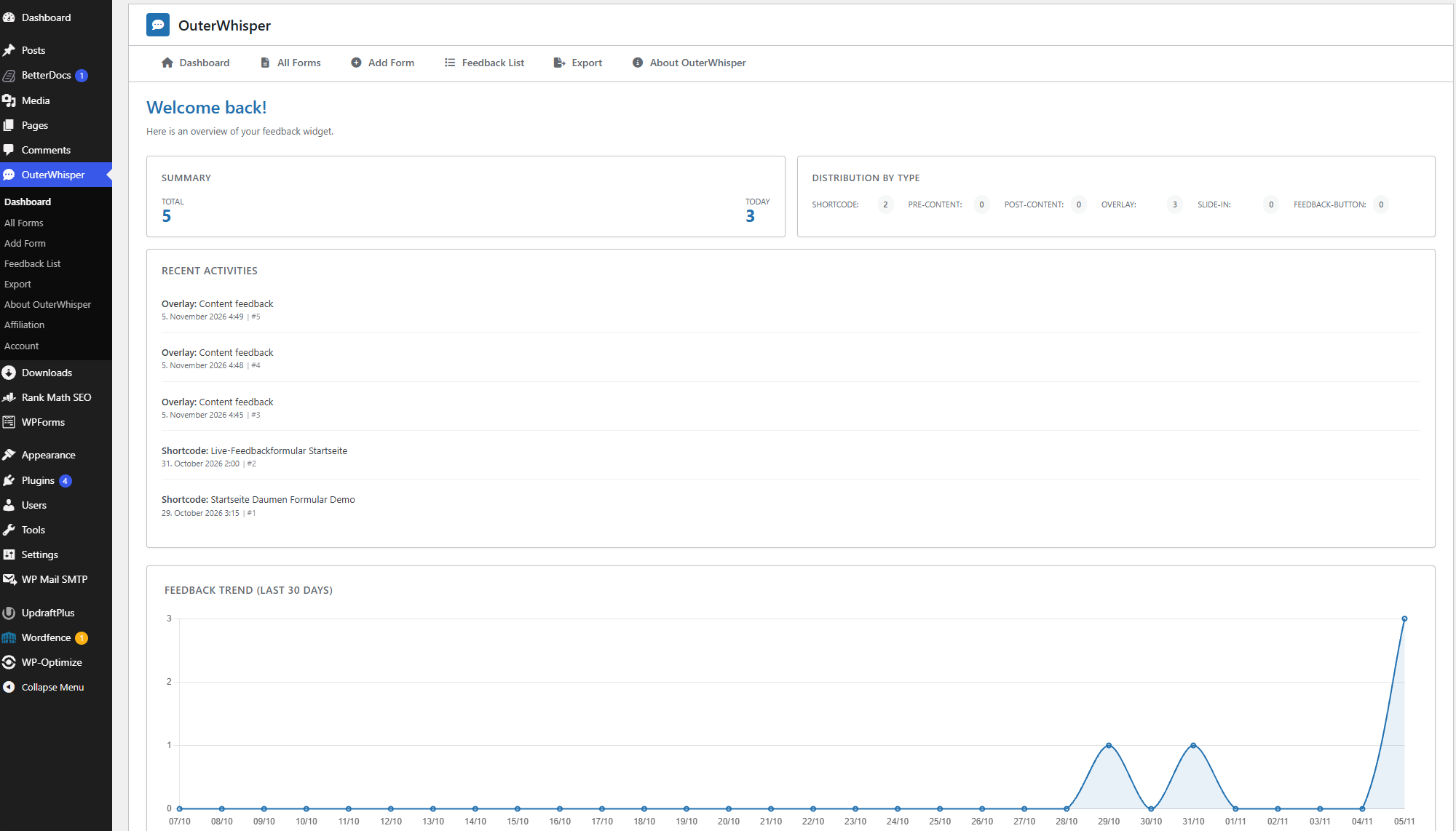
OuterWhisper dashboard with feedback statistics and recent activity.
OuterWhisper is a flexible WordPress feedback plugin for collecting, managing, and analyzing user feedback directly on your website. Create custom feedback forms, add a floating feedback button, and display feedback widgets where they matter most.
Collect website feedback without relying on an external feedback service. Responses are stored locally in your WordPress database, and you can review and manage submissions in the WordPress admin area.
Build feedback forms with the visual form builder and live preview. Embed a form in your content or via shortcode, show it in an overlay or slide-in, or invite visitors to share their thoughts through a floating feedback button.
Use smart triggers, flexible display conditions, and frequency controls to decide when and where visitors see your forms. Configure email notifications and choose what happens after a visitor submits feedback.
OuterWhisper Free includes unlimited feedback forms, core feedback fields, a feedback inbox, and basic filtering. OuterWhisper Pro adds advanced analytics, NPS and emoji-based feedback fields, detailed technical context, advanced targeting, and import/export tools.
The lightweight frontend uses native JavaScript (ES Modules), CSS, and semantic HTML without requiring a frontend framework such as React or Vue.
Highlights & Features
- Visual Form Builder: Create and edit feedback forms with a live preview, multi-step support, undo/redo, and reusable templates.
- Unlimited Feedback Forms: Create and publish as many feedback forms as you need with OuterWhisper Free or Pro.
- Flexible Form Fields: Build forms using headlines, descriptions, text areas, buttons, and rating fields.
- Flexible Display Options: Display feedback forms before or after content, via shortcode, as overlays, slide-ins, or floating feedback buttons.
- Smart Triggers: Open feedback forms based on clicks, time delays, scroll depth, or exit intent.
- Display Conditions: Control where and to whom feedback forms are shown using page and device rules.
- AND/OR Rules: Combine multiple display conditions to create more specific targeting rules.
- Frequency Control: Control how often feedback forms are displayed and prevent unwanted repeated prompts.
- Email Notifications: Receive automatic email notifications when new feedback is submitted.
- Confirmation Actions: Show a thank-you message, redirect users, or hide a form after submission.
- Custom Styling: Customize the appearance of feedback forms and add your own CSS.
- Lightweight Frontend: Frontend functionality is built with native JavaScript (ES Modules), CSS, and semantic HTML.
- Accessibility: Forms use semantic markup and support keyboard interaction and relevant ARIA attributes.
- Local Feedback Storage: Submitted feedback data is stored in your WordPress database.
- Feedback Management: View individual submissions, manage unread/read/archived statuses, delete entries, and filter feedback in the WordPress admin area.
Display Options
OuterWhisper supports several ways to integrate feedback forms into your website:
- Before or after post content
- Shortcode:
[outerwhisper_form id="123"] - Overlay / modal
- Slide-in
- Floating feedback button
Triggers can be used to control when supported display types appear, including:
- Click on a CSS selector
- Time delay
- Scroll depth
- Exit intent
Frequency controls help prevent forms from being shown too often to the same visitor.
Form Fields
The free version of OuterWhisper includes the following form fields:
- Headline
- Description
- Text area
- Button
- Rating
- Dropdown
- Chips
- Radio button
- Name
OuterWhisper Pro adds additional feedback and rating fields:
- Thumbs up / down
- Smiley / emoji rating
- Net Promoter Score (NPS 0–10)
Targeting
OuterWhisper provides display conditions that allow you to control where and to whom your feedback forms are shown.
The free version includes basic targeting based on:
- Page type
- Device type
Multiple conditions can be combined using AND/OR logic.
OuterWhisper Pro adds advanced targeting based on:
- URL rules
- Cookie values
These rules can be combined with OuterWhisper’s triggers and frequency controls to create targeted feedback experiences.
Email Notifications
OuterWhisper can automatically send an email notification when new feedback is submitted.
Notification emails can include dynamic information such as:
- Submitted feedback values
- Date
- Time
- Page URL
Email notifications complement the feedback inbox available in the WordPress admin area in both Free and Pro.
Confirmation Actions
Configure what happens after a visitor submits a feedback form.
OuterWhisper can:
- Display a custom thank-you message
- Redirect the visitor
- Hide the form after submission
- Prevent unwanted repeated displays
Feedback Data & Context
OuterWhisper lets you choose whether to collect additional technical and page-related information alongside feedback submissions. Tracking can be disabled entirely, and individual data points can be enabled or disabled where available.
OuterWhisper Free provides these optional tracking data points:
- Page URL (the URL where the form was submitted)
- Page title (the page’s HTML title)
- Referrer URL (the previous page, when available)
- User agent (browser and system information)
OuterWhisper Pro unlocks these additional optional tracking data points:
- Browser language
- Screen resolution
- Viewport size (browser window dimensions)
- Local timezone
- Network connection type (when available)
- Device type (desktop, tablet, or mobile)
- Anonymized session ID
- Time spent on page (in seconds)
- Colour scheme (system light/dark preference)
Collecting tracking data and viewing technical details are separate features: OuterWhisper Free includes feedback responses and basic submission management in WordPress, while OuterWhisper Pro adds the detailed technical context view for individual submissions.
The anonymized session ID is randomly generated in the visitor’s browser session and does not contain a WordPress user ID.
OuterWhisper Pro
OuterWhisper Pro extends the free plugin with more advanced ways to collect and analyze feedback. Core feedback management, including viewing individual answers and managing submission statuses, is already available in Free.
Pro features include:
- Thumbs up / down fields
- Smiley / emoji rating fields
- Net Promoter Score (NPS) fields
- Nine additional optional technical tracking data points
- Detailed technical context view for individual submissions
- Advanced feedback analytics and dashboard insights
- Advanced feedback filtering and analysis tools
- Additional targeting rules based on URLs and cookie values
- Import and export of feedback data as CSV or JSON
- Import and export of form configurations
The free version lets you create and display unlimited feedback forms, view and manage responses in WordPress, and receive email notifications.
Feedback Management
OuterWhisper Free and Pro both provide feedback management directly in the WordPress admin area.
View submitted answers for individual feedback entries, change their status, and delete entries. OuterWhisper Pro adds a detailed technical context view for individual submissions and advanced analysis capabilities.
Feedback entries can be organized using the following statuses:
- Unread
- Read
- Archived
Basic feedback filters help you find submissions by form, display type, status, or date. OuterWhisper Pro extends these capabilities with advanced filtering and analysis.
Import & Export
Import and export functionality is available with OuterWhisper Pro.
Feedback data can be exported as:
- CSV
- JSON
Form configurations can also be exported and imported as JSON. This can be useful when moving forms between WordPress installations or from a staging environment to a live website.
OuterWhisper Pro also supports importing previously exported feedback data.
Privacy & Feedback Data
Submitted feedback data is stored locally in your WordPress database.
OuterWhisper does not require an external feedback service to store or analyze submitted feedback. Feedback content is not sent to an external feedback cloud for storage or analysis.
Depending on your configuration and license, separate services used for licensing, updates, or plugin-related functionality may process their own technical data independently of submitted feedback content.
Links
Translations
OuterWhisper includes translations for:
- English
- German