

Hide or Show Out-of-Stock Products for WooCommerce

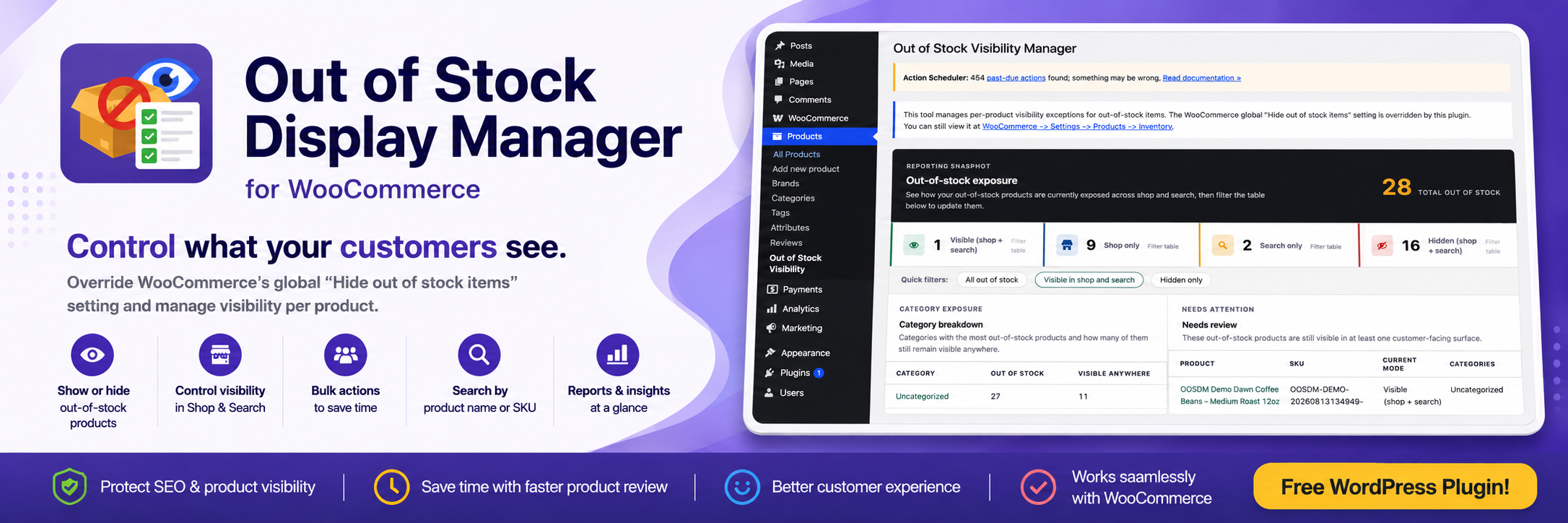
Out of stock dashboard
WooCommerce gives store owners a global option to hide all out-of-stock products from the catalog. That works for simple stores, but it can be limiting when some sold-out products should stay visible for SEO, customer reference, seasonal demand, or future restocks.
Hide or Show Out-of-Stock Products for WooCommerce gives you more control over how out-of-stock products appear in your store.
Instead of hiding every sold-out product, you can choose whether each out-of-stock product appears in shop results, search results, both, or neither.
Version 2.3.0 keeps the reporting snapshot introduced in 2.1.0, supports WordPress 7.0.1, and refreshes the admin dashboard with a cleaner, more premium flat design.
Key features
- Control out-of-stock product visibility individually
- Choose whether products appear in shop results, search results, both, or neither
- Update multiple products at once with bulk actions
- Search out-of-stock products by name or SKU
- Review visibility totals with summary cards
- See which categories have the most out-of-stock products
- Quickly identify sold-out products that may need review
- Manage everything from a simple WooCommerce admin screen
Why use this plugin?
Not every out-of-stock product should be treated the same.
Some products may be temporarily unavailable but still important to your store. Others may have SEO value, incoming restocks, seasonal demand, or product pages that customers still need to access.
This plugin gives you a more selective alternative to WooCommerce’s all-or-nothing out-of-stock visibility setting.
How it works
The plugin gives you a dedicated admin screen under:
Products -> Out-of-Stock Visibility
From there, you can review your current out-of-stock products and decide how each one should behave.
For each out-of-stock product, you can choose whether it should be:
- visible in shop results
- visible in search results
- visible in both shop and search
- hidden from both shop and search
You can also use bulk actions to update multiple products faster.
Out-of-stock reporting
Version 2.1.0 added a reporting snapshot above the visibility manager table.
The report helps you quickly understand how out-of-stock products are currently exposed in your store.
The reporting section includes:
- visibility summary cards
- out-of-stock product counts by visibility mode
- category breakdowns
- products that may need review
- quick filters that jump to matching products in the table
This makes it easier to spot sold-out products that are still visible to customers and review them before they affect the shopping experience.
Use cases
This plugin is useful when:
- You want to keep selected out-of-stock products visible for SEO
- You want customers to find temporarily unavailable products
- You want product pages to remain accessible for future restocks
- You want popular or seasonal products to stay visible even when sold out
- You want low-priority sold-out products hidden from shop or search
- You want to review which out-of-stock products are still visible to customers
- You want to see which categories have the most sold-out products
- You want more control than WooCommerce’s default global setting
Who this plugin is for
This plugin is built for WooCommerce store owners, managers, and developers who want better control over out-of-stock product visibility.
It may be especially useful for stores that sell:
- seasonal products
- frequently restocked items
- popular products with high demand
- products with strong SEO value
- products customers may still need to browse, even when unavailable
What this plugin does not do
This plugin does not replace WooCommerce inventory management.
It does not change your actual stock quantities or stock status. It only helps manage how out-of-stock products appear in your store’s catalog, shop results, and search results.