

Open Search Document
5/5 (4 ratings) 200 active installs Updated Sep 20, 2026
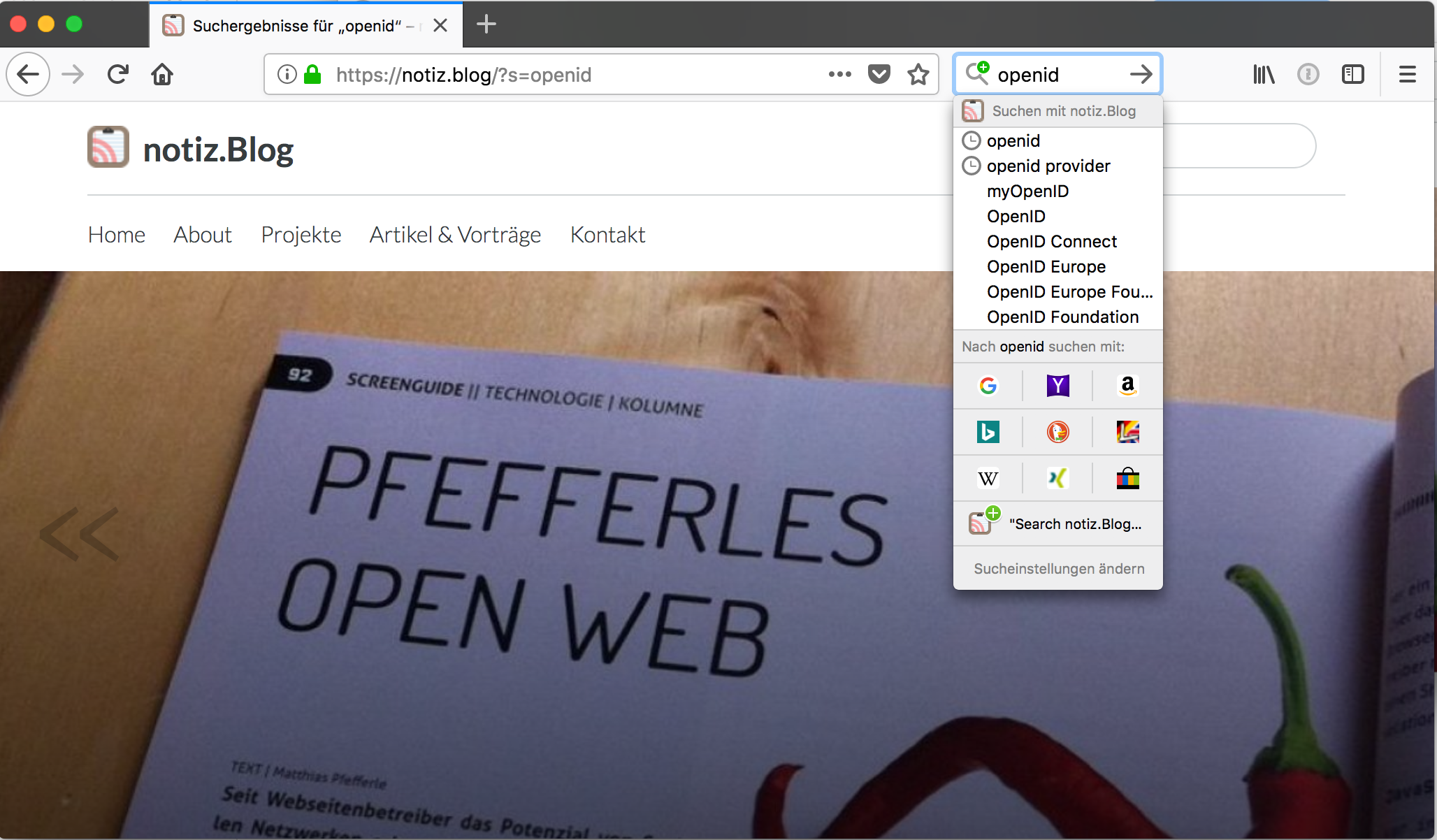
Firefox OpenSearch plugins
Browsers can learn how to search a website if the site tells them. This plugin adds that information to your WordPress site, in the form of an OpenSearch description document.
Once activated, visitors can add your site as a search engine in their browser, or the browser picks it up on its own. Typing a keyword and a search term into the address bar then searches your site instead of the web.
There is nothing to configure. Install it, activate it, done.
What visitors get
- Chrome and Edge: your site shows up under “Site search” in the browser settings. After activating it there, visitors type your domain, hit
Taband search your site. Chrome calls this “Tab to Search”. - Firefox: the address bar offers to add your site as a search engine. Visitors can also right click the address bar and pick “Add” (OpenSearch in Firefox).
- Safari: with “Quick Website Search” enabled, Safari remembers your site after the first search and offers it in the address bar.
- Search suggestions: while typing, the browser can show suggestions. The plugin uses your tags for that.
- Your site icon is used as the icon of the search engine, if you have one set under Appearance > Customize > Site Identity.
What the plugin adds
- The OpenSearch description document at
/wp-json/opensearch/1.1/document - A suggestions endpoint at
/wp-json/opensearch/1.1/suggestions?s=… - Autodiscovery links in the HTML head and in the Atom and RSS feeds
- A search provider entry in the web app manifest, for the “search_provider” WebExtension setting
- Links in host-meta and WebFinger, if those plugins are installed
- Search URLs for the Atom and RSS search responses and the OpenSearch Suggestions extension