
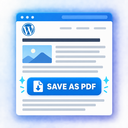
PostPDFButton – Add PDF Button to posts and pages

Configure the PDF button style and placement.
PostPDFButton – Add PDF Button to posts and pages adds a configurable PDF button to frontend posts and pages.
Unlike plugins that rebuild a document from stored post content, this plugin prepares the DOM that is already rendered in the visitor’s browser. This means text changed by client-side translation or JavaScript before the button is clicked remains part of the printable output.
The plugin uses the browser’s native print engine. After the visitor clicks the button, a short “Preparing your PDF…” overlay is shown and the browser print dialog opens. The visitor can then choose “Save as PDF”.
Features:
- Prints the currently rendered frontend DOM.
- Preserves text already changed in the browser, including client-side translated text.
- Waits for fonts, images, image decoding and DOM changes to settle before printing.
- Supports lazy-loaded images.
- Uses native browser multi-page pagination instead of creating one giant screenshot.
- Supports A4, A5, A3, Letter, Legal and custom page sizes.
- Supports portrait and landscape orientation.
- Configurable margins.
- Optional header/footer text and page numbers where supported by the browser.
- Site header can be included or excluded.
- Can remove common advertising blocks and comment sections from print output.
- Configurable selectors for print target, exclusions and page-break avoidance.
- Optional full-width content mode.
- Automatic button before or after content.
- Optional floating button.
- Multiple built-in button styles.
- Gutenberg block.
- Shortcode:
[onodev_pdf_button]. - Visibility controls by post type and post/page ID.
- Per-post visibility override.
- No tracking, telemetry, remote API calls or CDN JavaScript.
Because the output is produced by the visitor’s browser, support for CSS features such as flexbox, grid, web fonts, SVG, backgrounds and border radius depends on that browser’s print implementation and the site’s own print CSS.
Client-side translation
The plugin does not fetch the original WordPress post again when preparing the page for print. It works with the DOM that exists at the moment the visitor clicks the button. If a client-side translation tool has already changed visible text in the DOM, the translated text is used for printing.
Privacy
The plugin does not send page content, visitor information, analytics or telemetry to the developer or to any external service. PDF preparation happens locally in the visitor’s browser.