


Olmbox AI Inbox for Contact Form 7
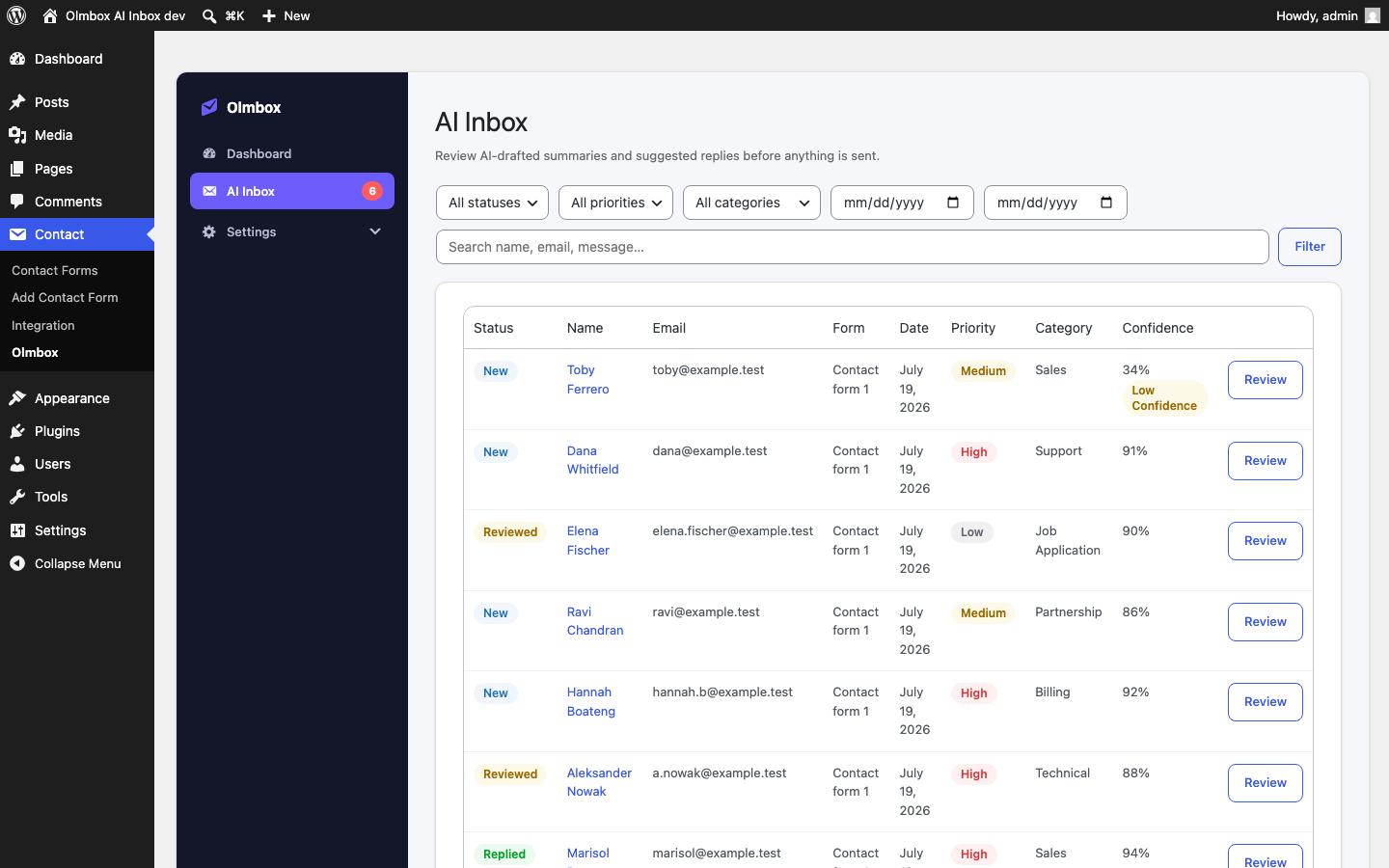
AI Inbox — every submission with its status, priority, category, and confidence, plus filters.
Olmbox AI Inbox for Contact Form 7 adds an AI-powered review inbox to your Contact Form 7 forms, without modifying Contact Form 7 itself.
This plugin never sends AI-generated content automatically. When a visitor submits one of your chosen forms, the plugin:
- Lets Contact Form 7 send its own notification email exactly as it always has.
- Sends the submission to your configured AI provider for analysis.
- Adds a new entry to your AI Inbox with an AI-drafted summary, a suggested reply, a category, a priority, and a confidence score (with a short explanation of the AI’s reasoning).
From there, you review it: read the original message and the AI’s suggestion, edit the reply if you want to change anything, and click Send Reply only when you’re ready. A confirmation step stands between you and every send — the AI drafts, you decide.
AI Inbox
- Filter by status (New / Reviewed / Replied / Archived), priority, category, or date, and search by name, email, or message.
- Each submission has its own review screen: customer info, the original message exactly as submitted, the AI summary, an editable suggested reply, and the full AI analysis.
- Actions: Save Draft, Send Reply (with confirmation), Mark Reviewed, Archive, Delete.
- Low-confidence AI analysis (below 60%) is flagged so you know to look more closely before replying.
- A Dashboard section and a WordPress Dashboard widget show what’s new, what needs review, and how many replies have gone out, with a quick link into the Inbox.
Bring your own API key
The plugin does not include or resell AI access. You provide your own API key for one of the following providers:
- OpenAI
- Anthropic
- Google Gemini
- OpenRouter
Once a key is entered, the Model field becomes a dropdown populated live from that provider’s API, so you can pick a model by name instead of typing an identifier from memory.
No request is ever sent to an AI provider until you have entered a valid API key.
Privacy
This plugin sends the text a visitor submits to your form to the AI provider you configure, solely to generate the summary, suggested reply, and classification shown in the AI Inbox. No data is sent to the plugin author, and no telemetry or analytics of any kind is collected.
The plugin keeps a local log, on your own site’s database, of the most recent 200 submissions to your configured forms (visible in the AI Inbox) — including the submitted fields, the visitor’s contact details, the AI’s analysis, and (once sent) the reply that was actually emailed. Older entries are pruned automatically. This log is stored only in your own database, never transmitted anywhere else, and is permanently deleted when the plugin is uninstalled.
External services
This plugin connects to the AI provider you choose and configure with your own API key, to analyze new form submissions and generate a summary, suggested reply, category, priority, and confidence score. No request is ever sent until you have entered a valid API key for one of the providers below, and requests only happen for submissions to the forms you’ve explicitly enabled.
What is sent: the submitted form field values (e.g. name, email, message) and, on the AI Provider tab, your API key (to authenticate) when you click “Test Connection” or “Load Models”. No other site or visitor data is sent.
- OpenAI — used when you select OpenAI as your provider. Terms of Use, Privacy Policy.
- Anthropic — used when you select Anthropic as your provider. Commercial Terms of Service, Privacy Policy.
- Google Gemini — used when you select Google Gemini as your provider. Gemini API Additional Terms of Service, Google Privacy Policy.
- OpenRouter — used when you select OpenRouter as your provider (OpenRouter itself routes the request to whichever underlying model you pick). Terms of Service, Privacy Policy.